ImTip
1.0.0

Click here to download ImTip - Free and open source, only 799 KB. Standalone EXE has no external dependencies and is compatible with all popular desktop operating systems such as XP, Vista, Win7, Win8, Win10, Win11...
ImTip provides functions such as super hotkeys, input method status prompts, custom AI assistants, etc.
Super Hotkey Development Guide
The input method prompts you to display 2 concise icons at the input cursor - know all states such as Chinese and English punctuation points, full half-width, upper and lower case, multilingual keyboard layout, etc. in advance.

The appearance scheme can be easily customized, for example, the effect of a single icon scheme is as follows:
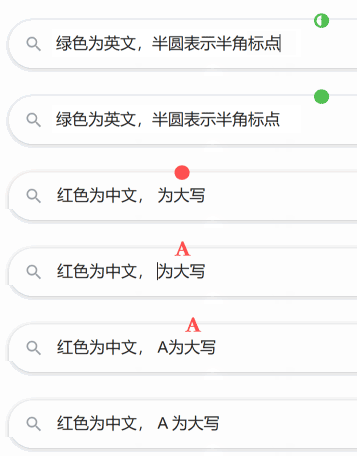
No longer afraid of pressing the wrong one! Maintain continuity of thinking and input, avoid looking down at the taskbar or checking input status through other operations.
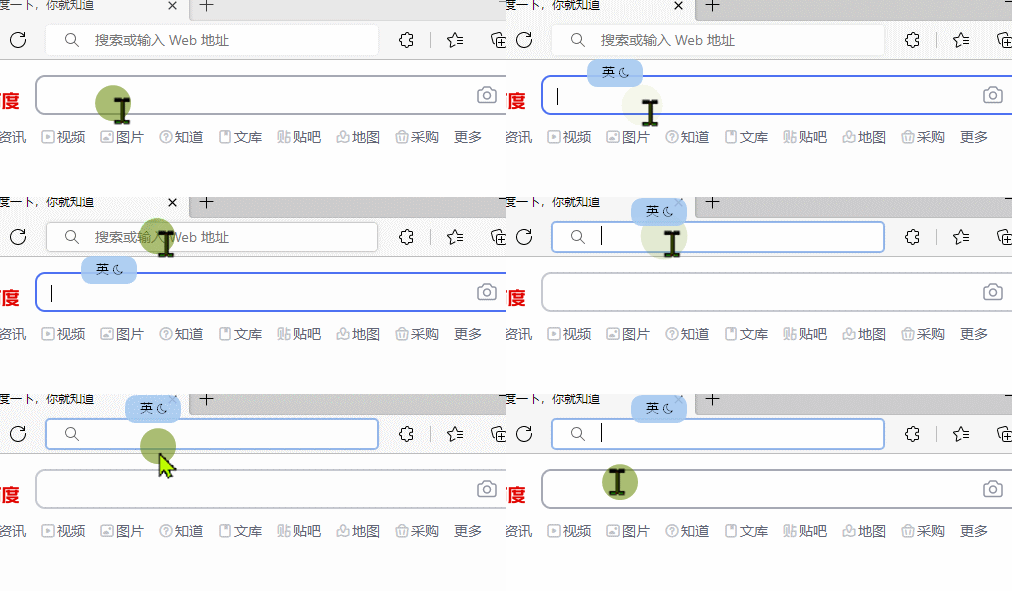
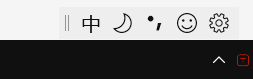
With ImTip, you can turn off the status bar that comes with the input method, and the screen is cleaner, so you won’t have to look at the lower right corner again !
In theory, it supports all input methods. The system comes with Microsoft Pinyin, Microsoft Wubi, Sogou input method, Xiaoxiao input method, Baidu input method, QQ input method, Google input method, Xiaohe input method, palm input method... Including the Japanese, Korean and Spanish input methods I tested, ImTip can support.
ImTip supports visual editing status prompt appearance:
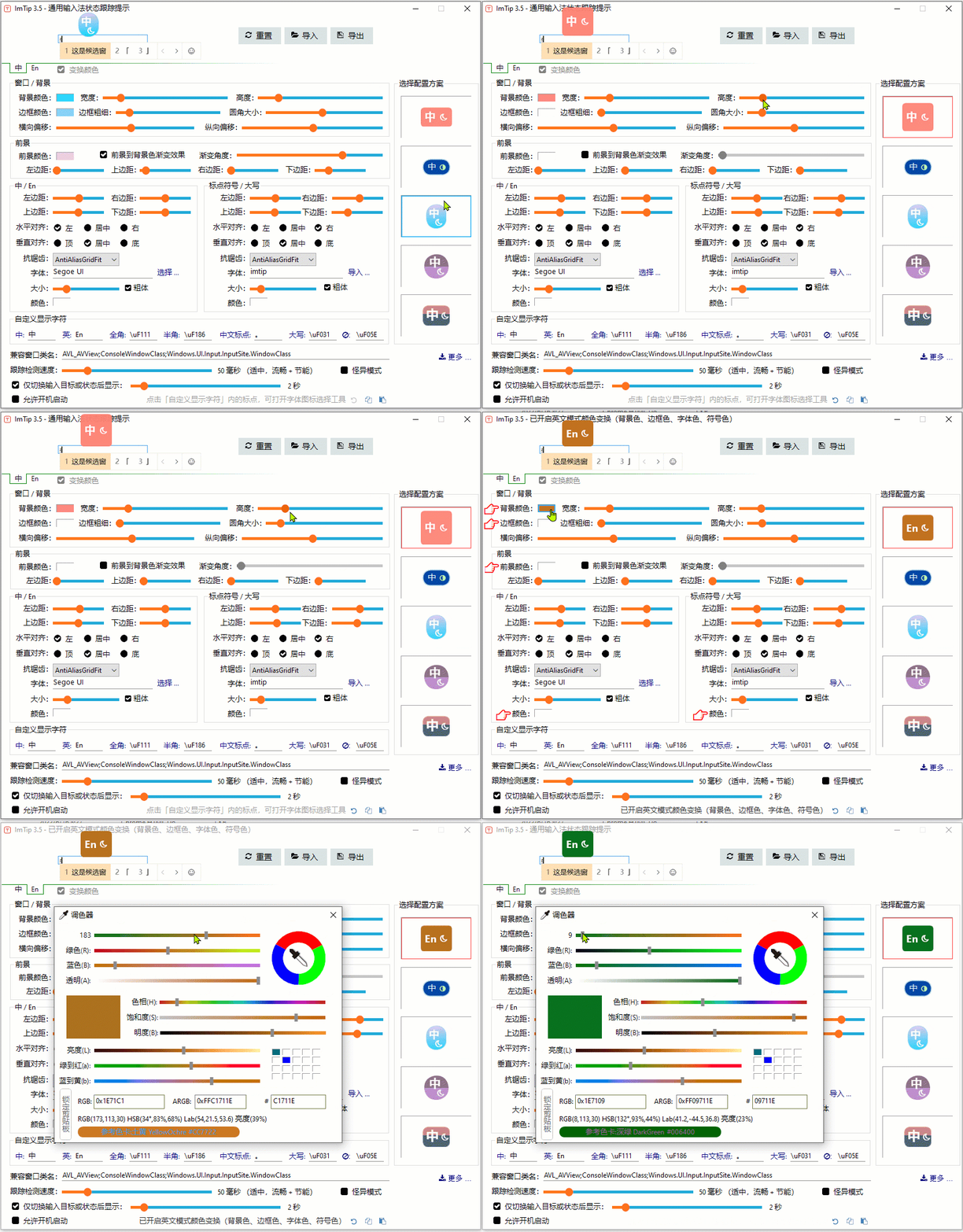
You can drag the appearance scheme directly into ImTip.exe or quickly import it in the Appearance Settings window.
Supports direct copy and paste configuration scheme code with the clipboard.

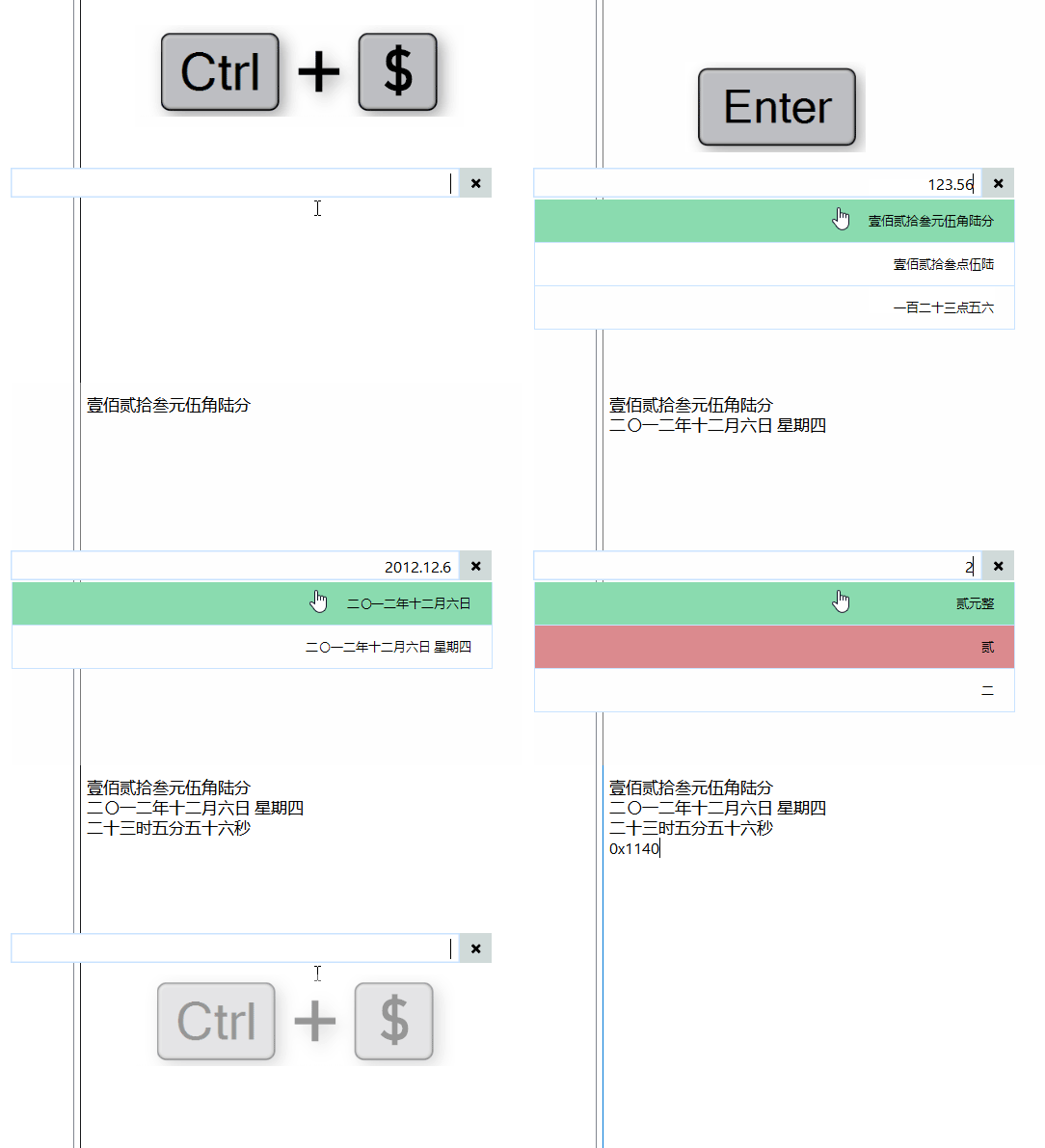
ImTip provides programmable extensions of "super hotkeys". For example, press Ctrl+$ to open financial capital, date and time capital, and mathematical operation tools:
Official WeChat | Super Hotkey Collection | Tutorial
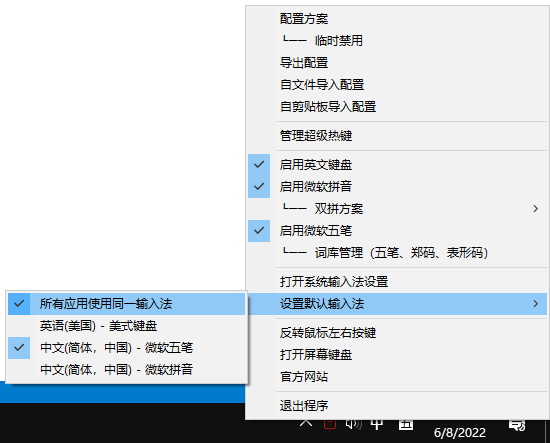
The ImTip tray menu provides functions such as quick activation of system input methods and switching dual-pair solutions.
ImTip CPU occupancy is extremely low , and the CPU occupancy can be adjusted by setting the "tracking detection speed":

There is a slight delay by default - this is the active optimization of the program (not passive delay), and you can speed up the "tracking detection" (more silky, and the increased resource usage is still negligible).
Attachment: The shortcut key "Shift" is commonly used to switch Chinese/English inputs;
"Ctrl + . "Switch to Chinese/English punctuation points;
"Shift + Space" toggle full/half-width;
"Alt + Shift" toggle language
1. About English keyboard
Some third-party input methods will install "Chinese American keyboard" - which may cause unnecessary confusion. This keyboard has actually been abandoned in Win10, so it is recommended to remove or change it to "English American Keyboard". Win7/Win10/Win11 can be disabled and enabled once in the ImTip tray menu to fix this problem.
2. Management permission window
ImTip starts with normal permissions by default, and starts ImTip.exe with administrative permissions — to take effect on other administrative permissions windows. After starting with administrative permissions, re-check "Allow startup" and start with administrative permissions, start with administrative permissions (the request permission pop-up box will no longer pop up, please note that this setting can be cancelled only if the same startup is launched under administrative permissions).
3. Window compatibility
ImTip uses a variety of different interfaces to obtain input locations, but a few application windows that are not supported by any interface will degenerate into taking mouse input pointer positions.
For windows that are not supported by the above methods, you can add the window class name in the "Compatible Window Class Name" (you can use the window detection software in the aardio tool to view it), and multiple class names are separated by semicolons. The rules for writing compatible class names are as follows:
# character before it means that the window is a smaller text input box, such as #EXCEL6 .@ means that the input box position is obtained through the MSAA interface. Typically, for example, WeChat 3.x can specify that the compatible class name is ;@WeChatMainWndForPC .# or @ character before the class name of the fruit compatible, the mouse pointer position will be directly obtained to display the input status prompt.WeChat 4.0 already supports ImTip perfectly and does not require settings.
ImTip displays input status only when the input box is detected. Even if "Switch only input target or status display" is unchecked, the input status will not be displayed in the window where the input target cannot be detected (unless the compatible window class name is set in the window).
4. Input method compatibility
Please refer to: Input method and key state detection principle and rules
Mainstream input methods can basically support ImTip.
WeChat input method, palm input method, iFLYTEK input method, and other normal input methods need to be checked for "weird mode". After checking "weird mode", other normal input methods are not supported.
The small input method requires registering the built-in TSF components (this is the default option). The language code returned by the small input method is affected by the regional format set by the system. If the regional format is not Chinese, please go to the settings to modify it to Chinese and register the TSF component again to recognize the status normally.
There is a small problem with the Xiaohe input method. The state will be disordered after switching the full half-width in English mode. Press Shift to switch the Chinese and English mode once will return to normal. There may be similar problems based on Duoduo's input method.
V. Startup parameters
ImTip.exe *.aardio loads the configuration plan, or drag the configuration file directly to ImTip.exe.
ImTip.exe has no parameters. If ImTip is running, the configuration window is opened, or double-click ImTip.exe directly.
ImTip.exe /chat Configuration Name/q Issue that needs to be sent immediately Start the AI Chat Assistant session window. The configuration name can be omitted, and the q parameter can also be omitted. aardio provides the process.imTip library to easily start the ImTip chat assistant. You can refer to: Super Hotkey - Automatically call the AI session window.
6. The prompt window flashes
ImTip will prevent repeated runs by default, but if you run the source code of creating prompt windows separately in aardio development environment and create multiple input prompt windows at the same time, multiple windows will naturally flash if they conflict with each other.
The animation on this page is mainly recorded using open source and free download, Gif123, a minimalist screen recording software with a volume of only 820 KB.





