 Outlook Google Calendar Sync
Offers calendar synchronisation between Outlook and Google, including attendees and reminders.
Completely free, no install necessary, works behind web proxies and actively developed.
Not using OGCS yet? Get started over on the user site.
Continually Improving
 A lot of work has gone in to this project.
If you would like to support me and further development of this tool, please
If you find a bug, help squash it! ?


Downloads & Statistics
See the wiki for install, configuration guides and more.
Latest Beta Release:
? Installer
? Portable ZIP
Upgrades to this release
Latest Alpha Release:
? Installer
? Portable ZIP
Upgrades to this release
Functionality
- Supports all versions of Outlook from 2003 to 2021 64-bit!
- Including Microsoft365 releases from the General Availability channel
- For "New Outlook", check the latest developments
- Installable and portable options - even runs from a USB thumbdrive
- Synchronises items in any calendar folder, including those shared with you, from
- Outlook ➡️ Google
- Outlook ⬅️ Google
- Outlook ↔️ Google (two-way/bidirectional sync)
- Supports configuring multiple calendars for sync
- Includes the following calendar item attributes:
- Subject
- Description
- Location
- Attendees (including whether required or optional)
- Reminder events
- Availability (free/busy)
- Privacy (public/private)
- Colour / category (custom mappings supported)
- Exclude calendar items by:
- Availability (free/tentative)
- Privacy (private)
- Title/subject
- Outlook category
- Google colour
- Differential comparison updates only attributes that have changed
- Customisable date range to synchronise, past and future
- Frequency of automatic syncs, including push-sync from Outlook
- Configurable proxy settings, or use Internet Explorer's
- Merge new events into existing on destination calendar
- Prompt on deletion of items
- Ability to obfuscate custom words for privacy/security
- Option to force items as public or private in target calendar
- Syncs recurring items properly as a series
- Can run unobtrusively in the system tray, with bubble notifications on sync
- Application can start on login, with delay if required
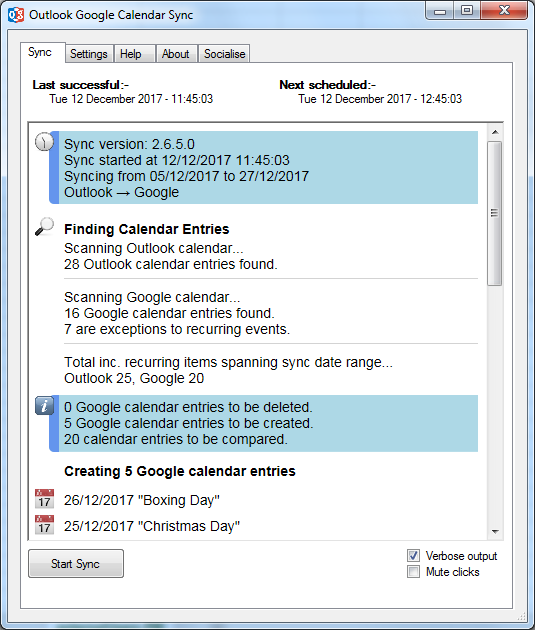
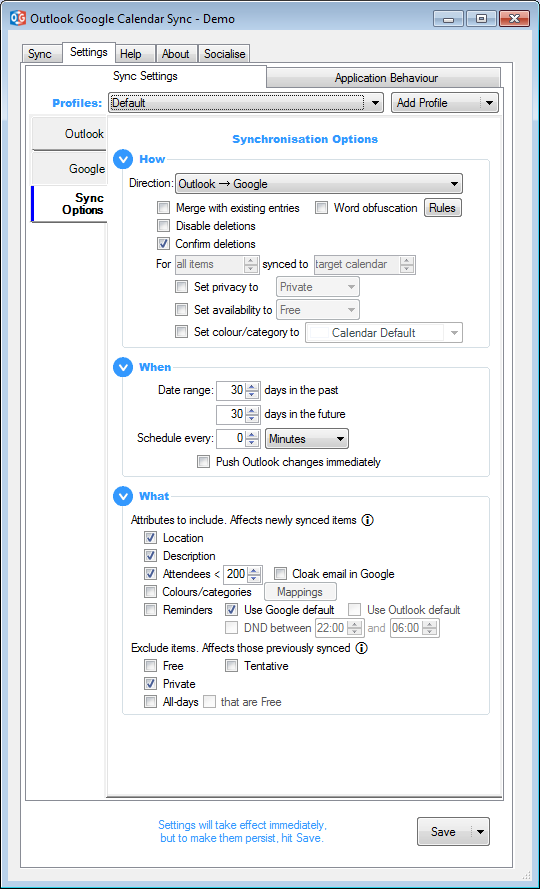
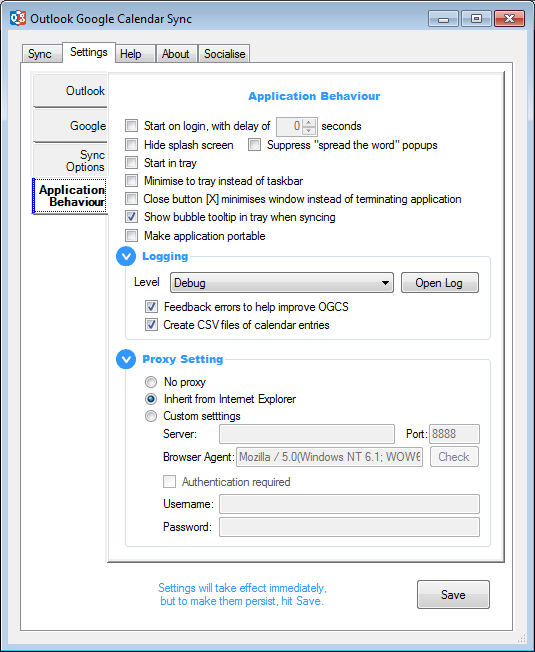
Screenshots
Previous Codeplex Project site.






