winxcorners
1.3.1

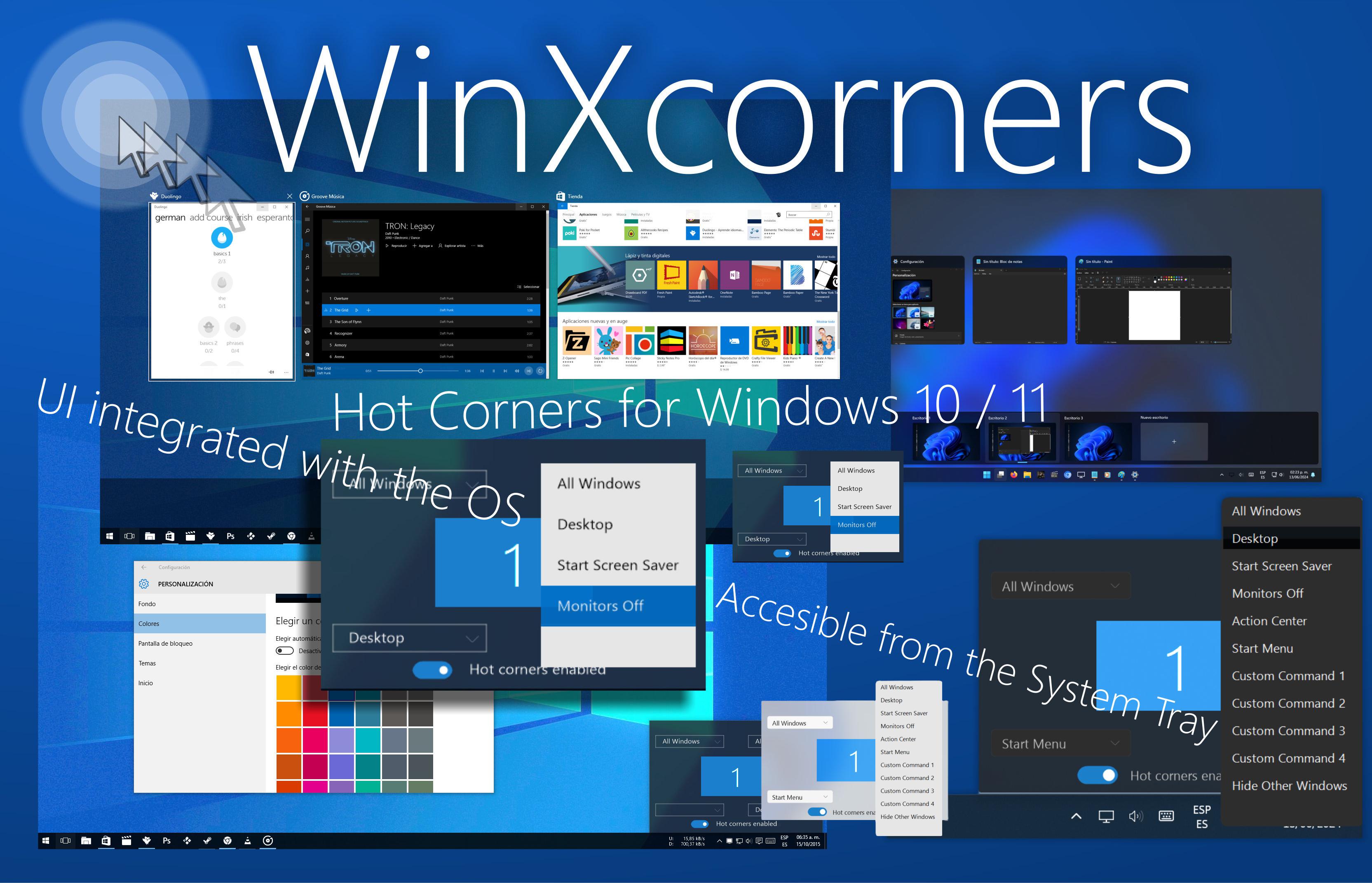
WinXcorners is a lightweight utility for Windows 10 and Windows 11 that enhances your desktop experience by allowing you to assign custom actions triggered when you hover your mouse cursor over the corners of your main monitor. Whether you're a power user, developer, or just someone who appreciates efficiency, WinXcorners provides a seamless way to streamline your workflow.
Corner Actions: Choose from a variety of predefined actions for each corner:
Win+Tab to manage your open applications.Win+Home.Customization: Tailor WinXcorners to your preferences:
System Tray Integration: WinXcorners runs discreetly in the system tray, ensuring it doesn't clutter your desktop or Taskbar.
Unobstrusive: Its usage won't interfere with your common tasks, unless you decide to do so.
Visible Countdown Counter: Helps you, visually, to know if a corner action is about to be triggered (Advanced feature).
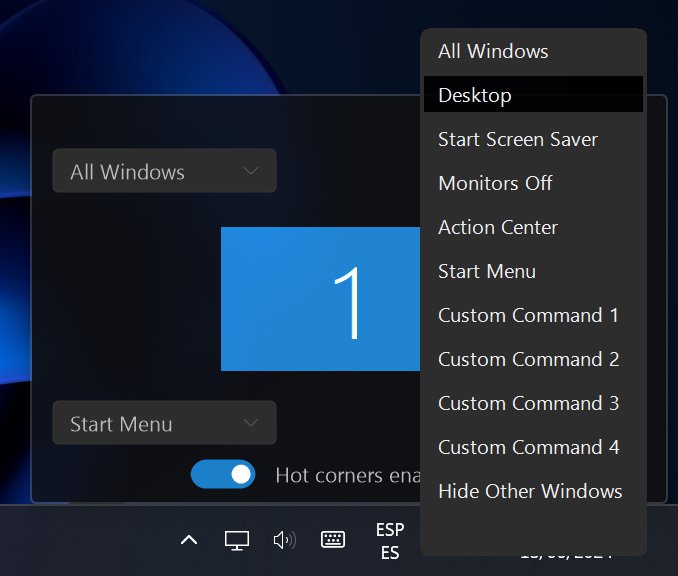
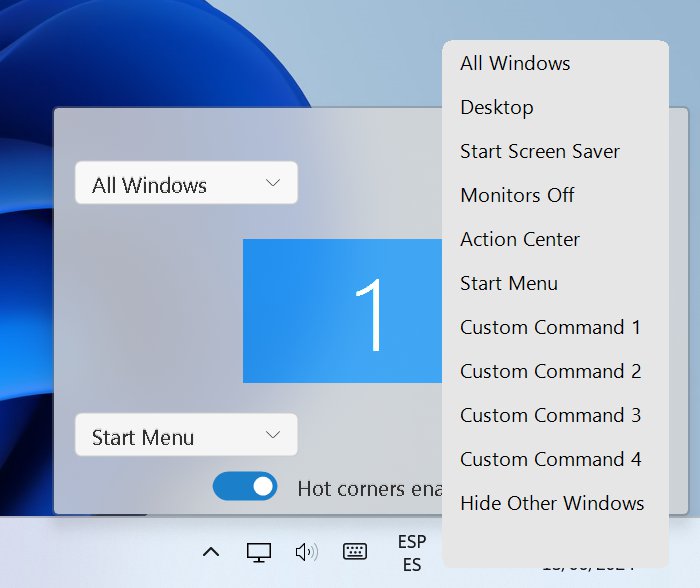
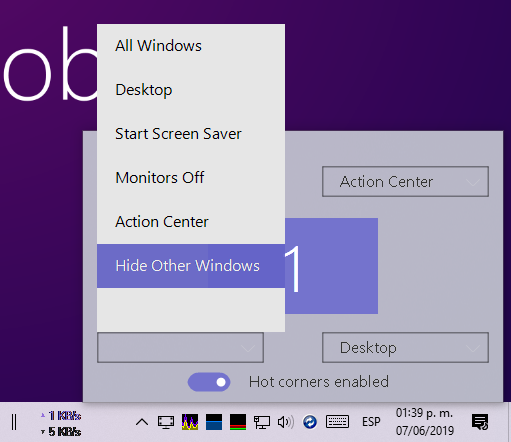
Windows 10/11 Theme aware: Partially supports Windows 10 and 11 dark and light theme, so it will look like part of your OS.
| Dark Theme Windows 11 | Light Theme Windows 11 |
|---|---|
 |
 |
| Dark Theme Windows 10 | Light Theme Windows 10 May 2019 Update onwards |
 |
This demonstration would change on following versions.
— OS: Windows 10 x86/x64  | Windows 11
— HDD: 1.4 MB
— RAM: 9 MB
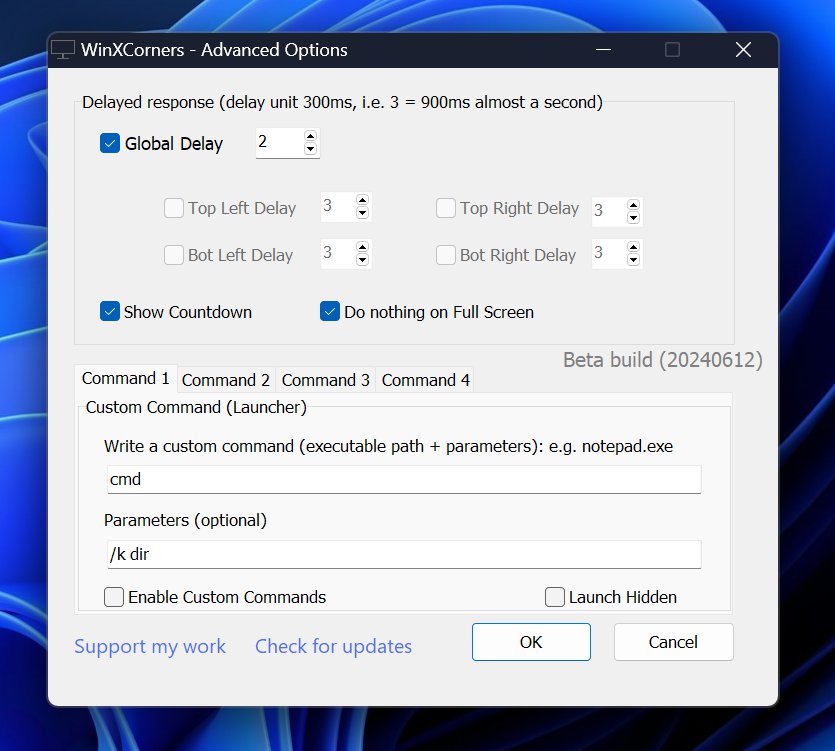
| v1.3.1 (2024) | v1.3.0 (2024) | v1.2.1b (2019) |
|---|---|---|
 |
|
| Advanced options v 1.3.0 | Advanced options v 1.2.1b old snapshot |
*v1.3.1
The hotkeys will be as follows:
_control or control or control_ where _ means hold or release (prefixed, appended) and without it, a full key press. This will be useful if you have a sequence of hotkeys to do, like _control+k+control_+_control+_b for VSCode for instance, that will do a ctrl+k then ctrl+b to toggle the sidebar.
There is more, it will check for windows on foreground/currently focused, or globally, whether by only its classname or with titlebar text too. The conditional pseudo script will be as follows:
! = follows sequence of hotkeys as mentioned above
# = follows [classname,title] there title is optional to match with current focused window
@ = follows [classname,title] there title is optional to match with any opened window
#[classname,title]:(sequence of hotkeys)?(optional sequence of hotkeys in case condition is not met)
For instance the following will check if current window is VSCode's and will invoke ctrl+k ctrl+b sequence of hotkeys, other wise if not on VSCode, just invoke the Start Menu.
#[Chrome_WidgetWin_1]:(_control+k+control_+_control+_b)?(win)
E.g. #[conditional match]:(hotkey if match)?(hotkey if not)
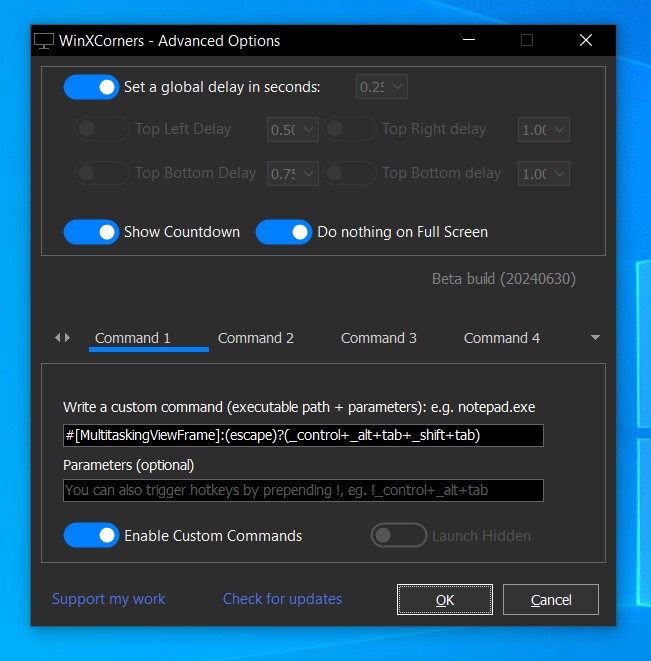
Another example for Windows 10:
This will check if Alt+Tab's window is visible, if so, it will hide it, otherwise it will invoke it, as a faster alternative to Task View.
#[MultitaskingViewFrame]:(escape)?(_control+_alt+tab)
Limitations:
Sometimes the application won't detect the screen edges if you are using (focused) an elevated privileged application. But you can always restart the application as administrator.
Build with Delphi 2006 onwards, third party units are in thirdparty and all rights belong to each of them, they're open source too.
You're welcome to PR your improvements.
MIT License
Copyright (c) 2015 Victor Alberto Gil (vhanla)
Permission is hereby granted, free of charge, to any person obtaining a copy of this software and associated documentation files (the "Software"), to deal in the Software without restriction, including without limitation the rights to use, copy, modify, merge, publish, distribute, sublicense, and/or sell copies of the Software, and to permit persons to whom the Software is furnished to do so, subject to the following conditions:
The above copyright notice and this permission notice shall be included in all copies or substantial portions of the Software.
THE SOFTWARE IS PROVIDED "AS IS", WITHOUT WARRANTY OF ANY KIND, EXPRESS OR IMPLIED, INCLUDING BUT NOT LIMITED TO THE WARRANTIES OF MERCHANTABILITY, FITNESS FOR A PARTICULAR PURPOSE AND NONINFRINGEMENT. IN NO EVENT SHALL THE AUTHORS OR COPYRIGHT HOLDERS BE LIABLE FOR ANY CLAIM, DAMAGES OR OTHER LIABILITY, WHETHER IN AN ACTION OF CONTRACT, TORT OR OTHERWISE, ARISING FROM, OUT OF OR IN CONNECTION WITH THE SOFTWARE OR THE USE OR OTHER DEALINGS IN THE SOFTWARE.





