wubi lex
1.0.0

Click here to download WubiLex (Wubi Assistant), the volume is only 816KB.
All functions and interfaces of the software are implemented using the pure aardio programming language (the development environment is only 6.5MB).
Please refer to: Official WeChat | Feedback | Tutorial
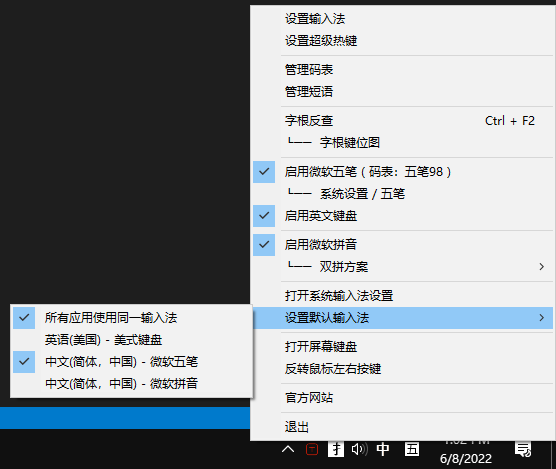
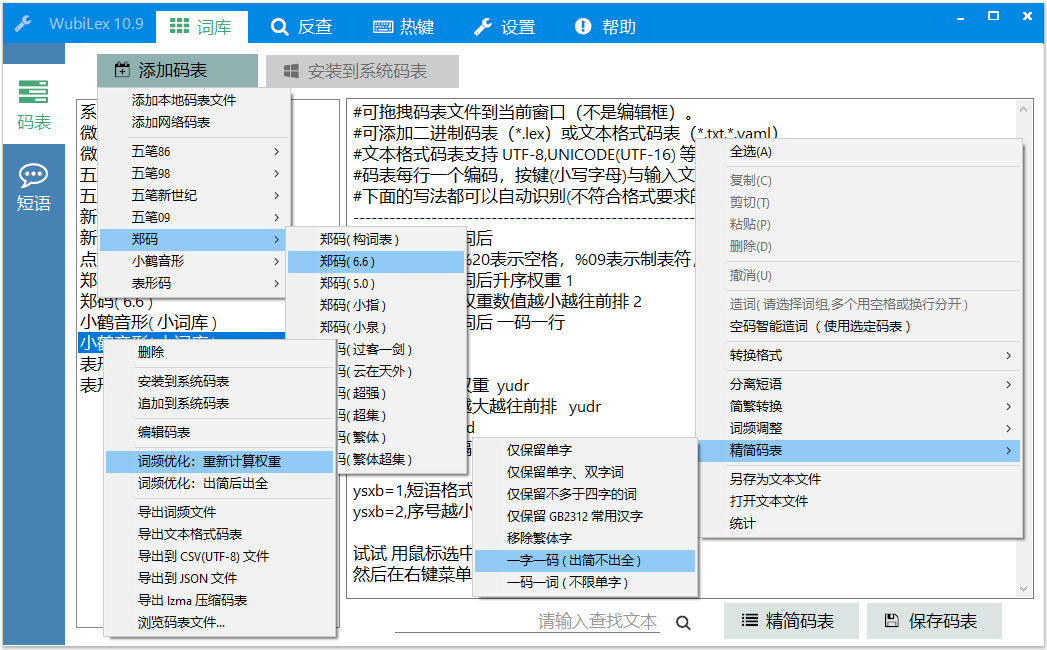
WubiLex can replace Win10/Win11. It comes with Microsoft Wubi's system code list and phrase database. The software has its own code list of Wubi 86, 98, 091, 092, New Century, Xiaohe music, Zheng code, watch shape code... etc.
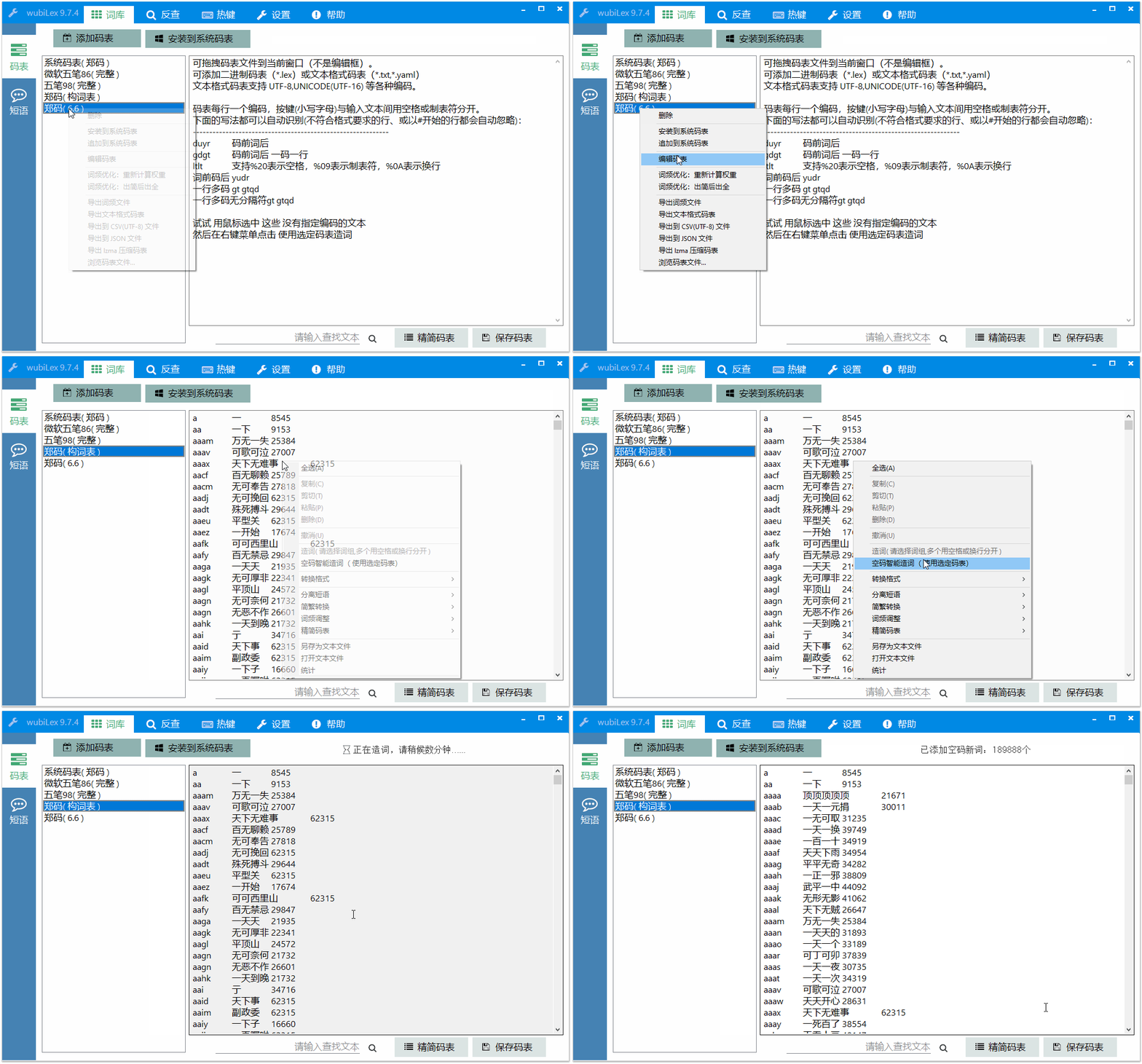
WubiLex also supports one-click intelligent word creation - using empty codes to automatically complete buzzwords, which can usually add more than 100,000 buzzwords. No need to add words manually anymore.
WubiLex can be compatible with many code table formats, such as before and after words, before and after words, one code, one line, one line, and more. You can import and export CSV, JSON, and LZMA compression format code tables.
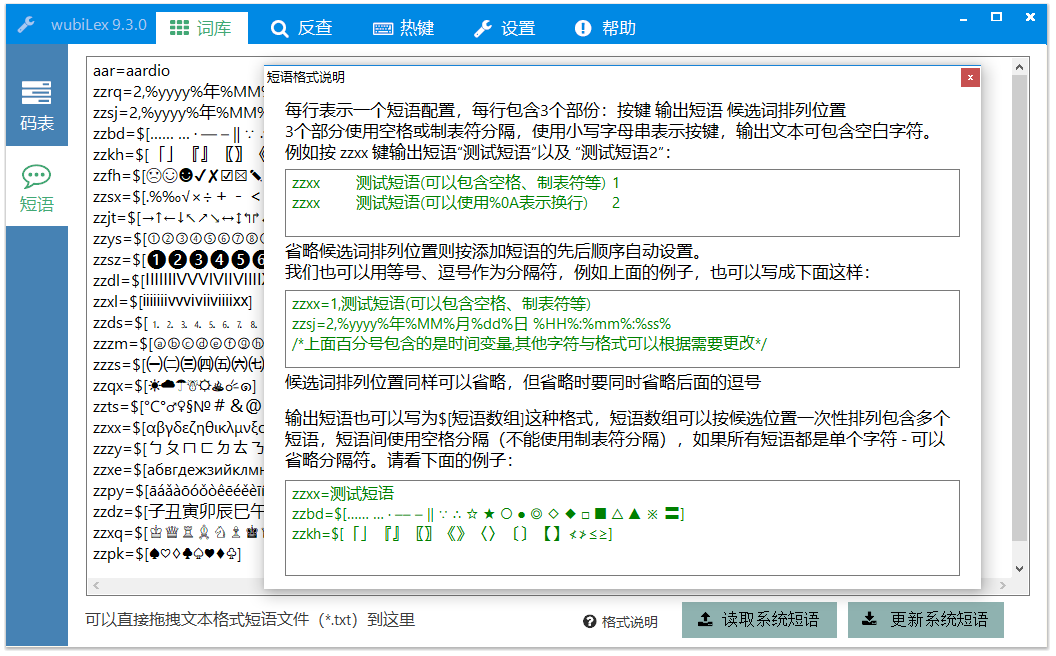
WubiLex also supports direct editing of Wubi phrases, and expands the functions of Microsoft Wubi phrases, which are compatible with various phrases and dictionary formats, and supports convenient custom special character arrays.
WubiLex provides convenient back-checking and word disassembly function. Press Ctrl + F2 to check the Wubi code, and then Ctrl + F2 to return to the original window without affecting the continued input. Reverse search can display detailed character-decomposition illustrations (Wubi reverse search not only supports single words, but also phrases). It also provides a virtual keyboard to accurately display the key orientation, and hover over the virtual key to display a single-key root diagram. The reverse check will display the standard stroke order animation (Tip: Click with the mouse after the animation is over to reproduce the playback).
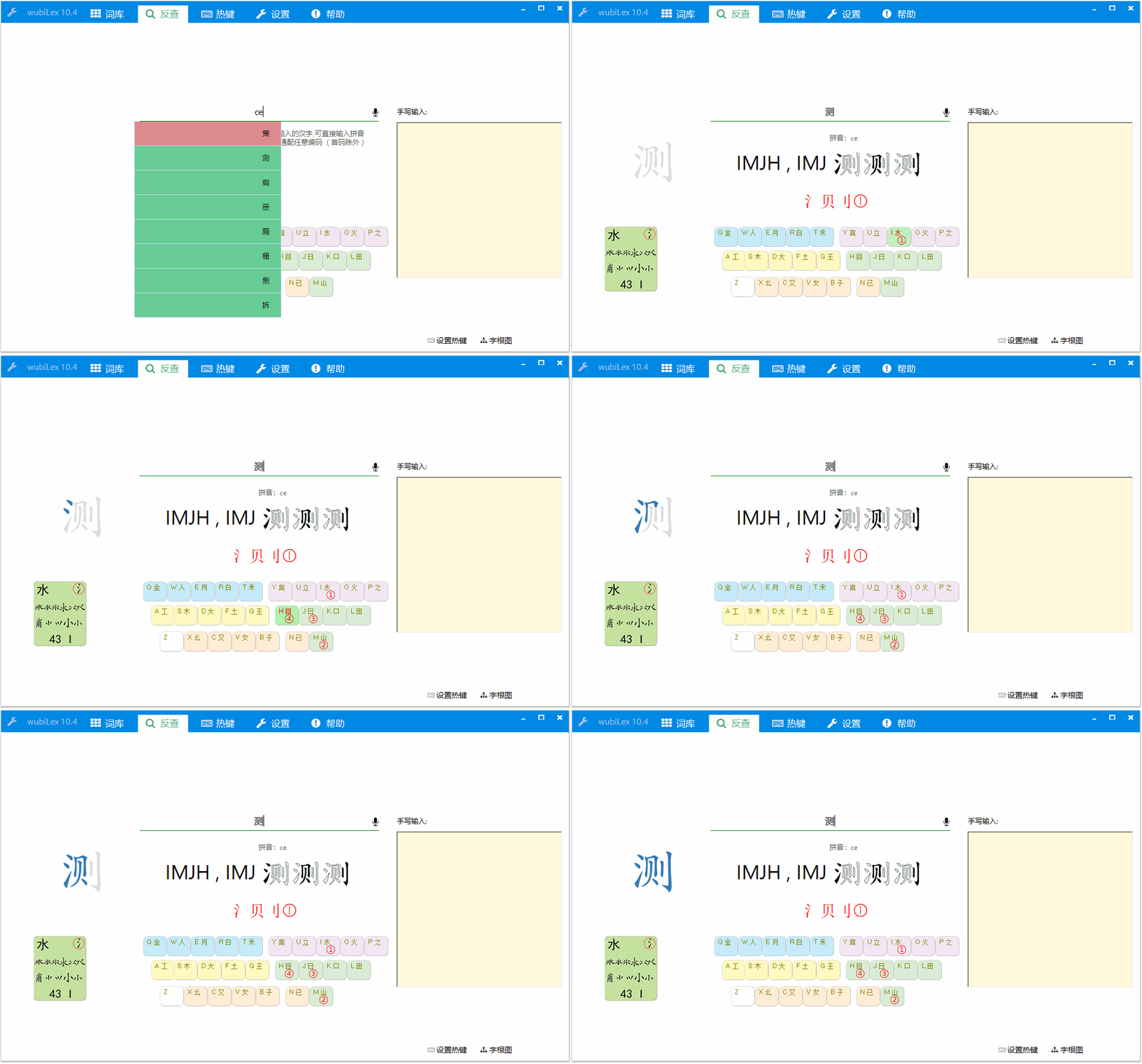
During back-checking, the key orientation can be accurately displayed through the virtual keyboard, and the mouse hovers over the virtual key to display the single-key root diagram.
The Wubi root diagram we usually see is a complete picture containing all key roots, but this root diagram will be dazzling. If our eyes see more content, the lower the memory efficiency will be. So I made this simple version of the virtual keyboard.
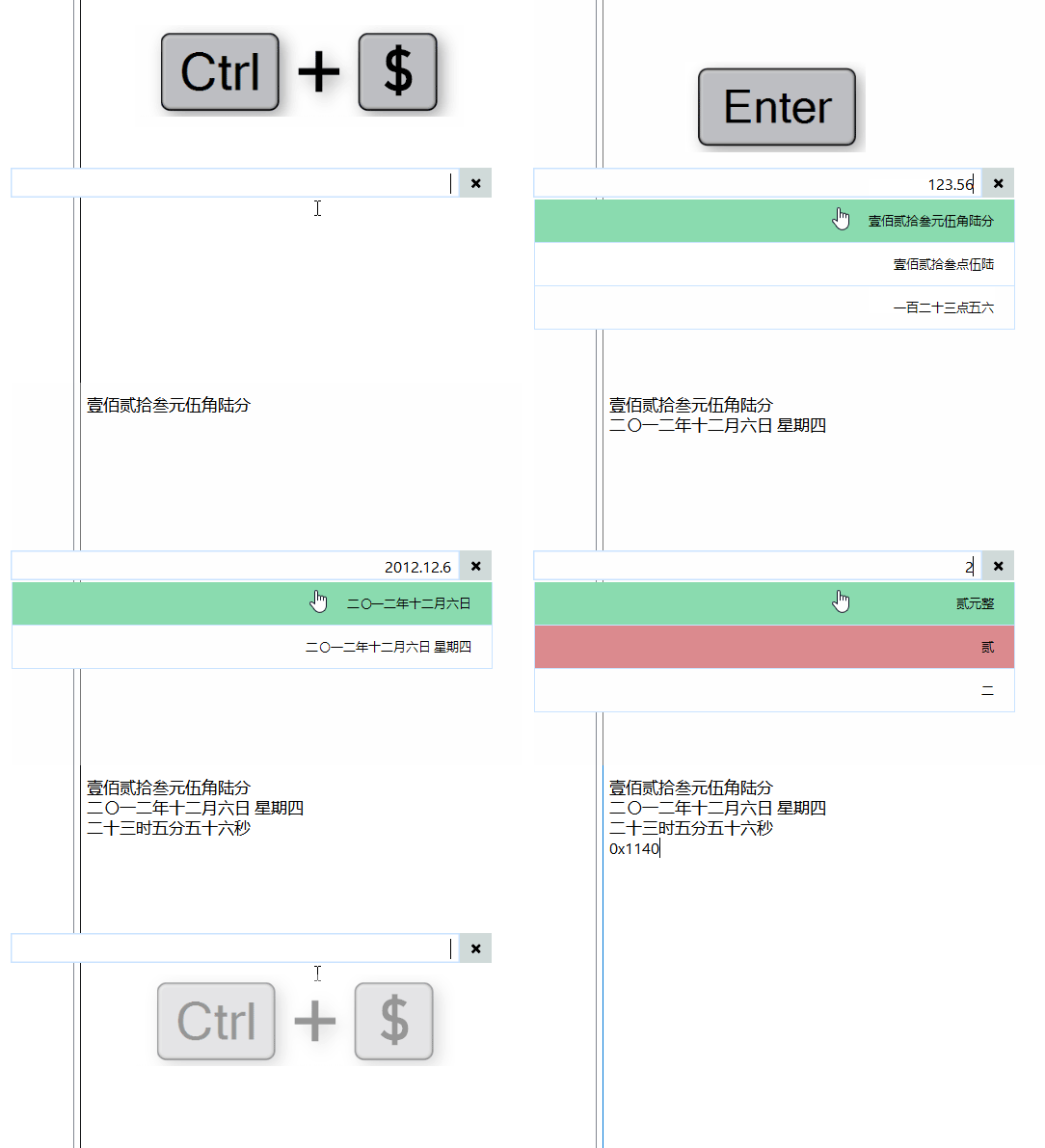
WubiLex also provides a powerful "super hotkey" function (ImTip also supports super hotkeys), which can be used to extend the input method function, such as automatically converting the period to a decimal point after entering a number, entering the Chinese date of capital Chinese digits, etc.
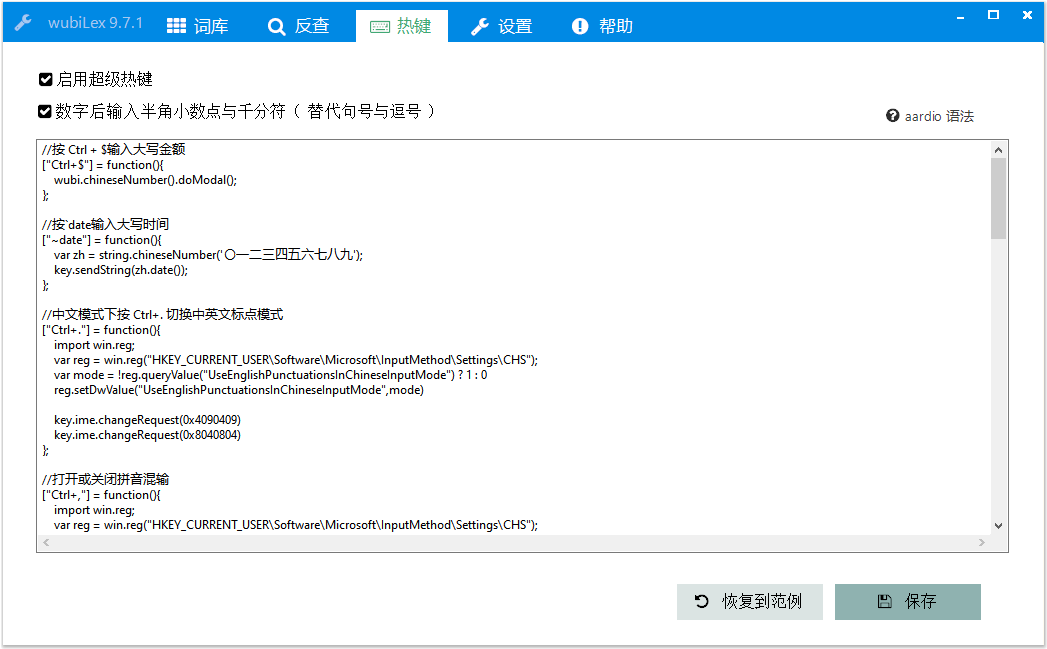
For example, press the super hotkey Ctrl+$ to open financial capital, date and time capital, and mathematical computing tools.
Please refer to: Official WeChat | Super Hotkey Collection | Tutorial
WubiLex's help page has collected and organized many commonly used shortcut keys and usage helps for Microsoft Wubi.
Note: Win10 2004 and above versions can already close shortcut keys such as Shift, Ctrl+Space.
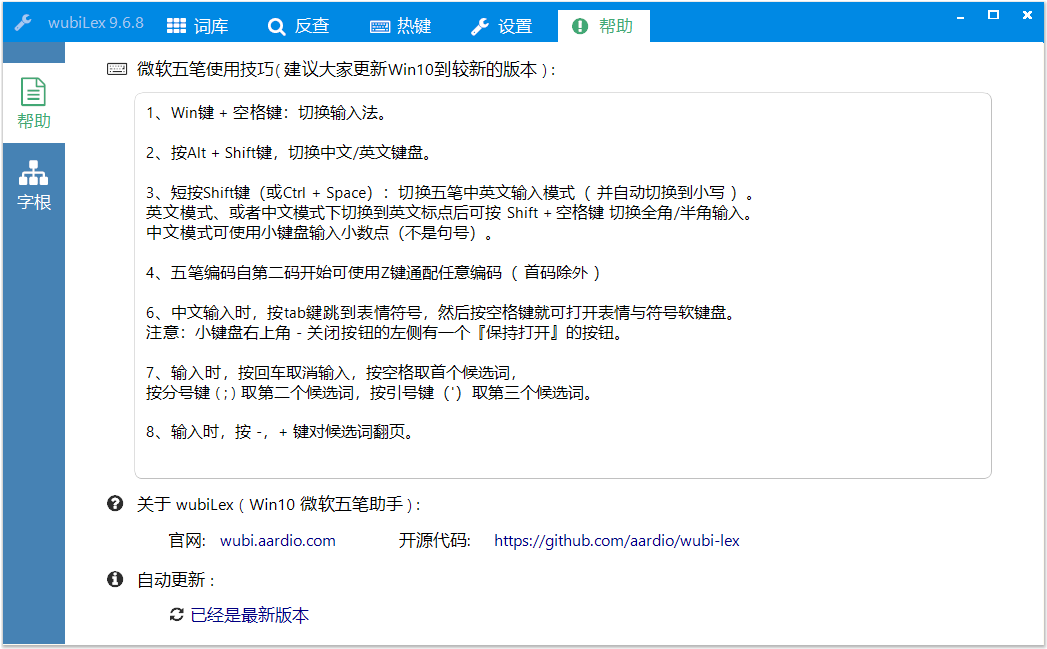
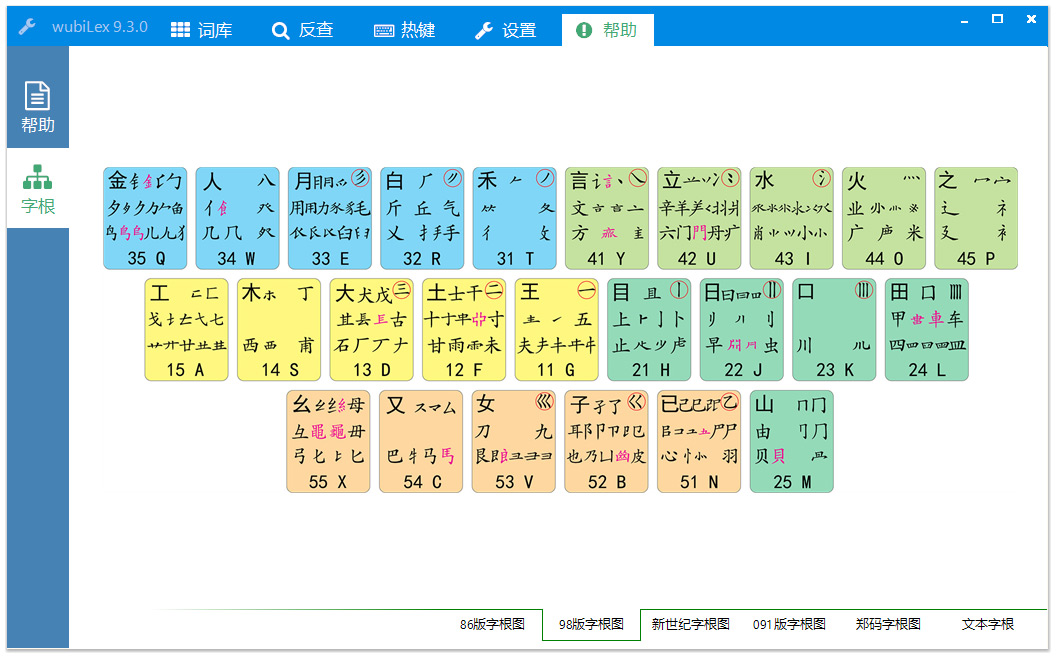
It also provides root diagrams such as Wubi 86, Wubi 98, Wubi New Century (06 Edition), Wubi 091, Zhengma, etc., and has sorted out and collected all text roots that can be copied and pasted directly (no custom fonts are required)
WubiLex can also switch quickly, switch English keyboards, Microsoft Wubi, Microsoft Pinyin, and easily switch Microsoft dual-pin solutions. If the Xiaohe Double Pinning Plan is not installed, it will still appear in the Double Pinning Candidate List - check it to automatically install it.