Dependencies
version number

NB : due to limitations on /clr compilation, Dependencies needs Visual C++ Redistributable installed to run properly.
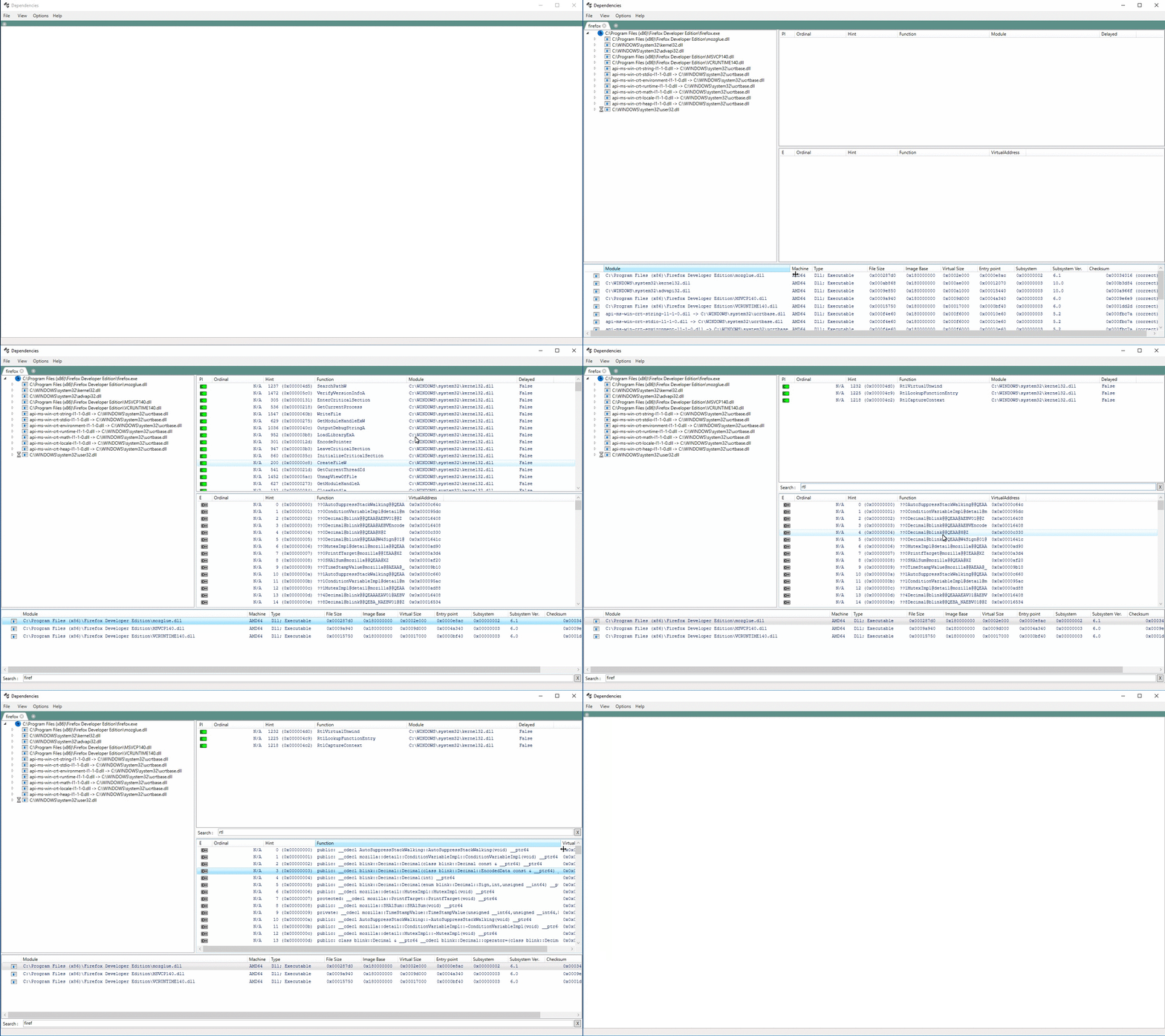
Dependencies is a rewrite of the legacy software Dependency Walker which was shipped along Windows SDKs, but whose development stopped around 2006.
Dependencies can help Windows developers troubleshooting their dll load dependencies issues.
Dependencies is currently shipped as two binaries (no installer present) : Dependencies.exe as a CLI tool and DependenciesGui.exe for its GUI counterpart (see screenshot). Just click on one of the release numbers above (preferably the latest), download and uncompress the archive and run DependenciesGui.exe.
Since the binary is not signed, SmartScreen might scream at runtime. Dependencies also bundle ClrPhTester.exe, a dumpbin-like executable used to test for non-regressions.
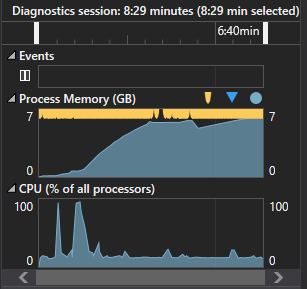
Dependencies currently does not recursively resolve child imports when parsing a new PE since it can be really memory-hungry to do so ( it can over a GB even for "simple" PEs ). This behavior can be overridden (app-wide) via a property located in "Options->Properties->Tree build behaviour".
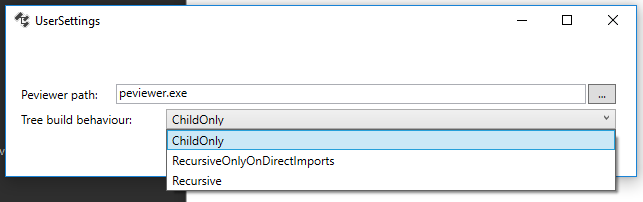
Tree build behaviours available :
ChildOnly (default) : only process PE child imports and nothing beyond.RecursiveOnlyOnDirectImports : do not process delayload dlls.Recursive : Full recursive analysis. You better have time and RAM on your hands if you activate this setting :
At the moment, Dependencies recreates features and "features" of depends.exe, which means :
LoadLibrary are not supported (and probably won't ever be).Building is pretty straightforward. The only caveat is you need to select the "Debug" or "Release" configuration and "x64" or "x86" platform which may not be the default.
Special thanks to :
phlib, which does the heavy lifting for processing PE informations.peview, a powerful and lightweight PE informations viewer.WPF.WPF programming issues. His AutoGridSort is used in this projectFilterControl for ListView used in this project




