AcknowList
AcknowList 3.2.0

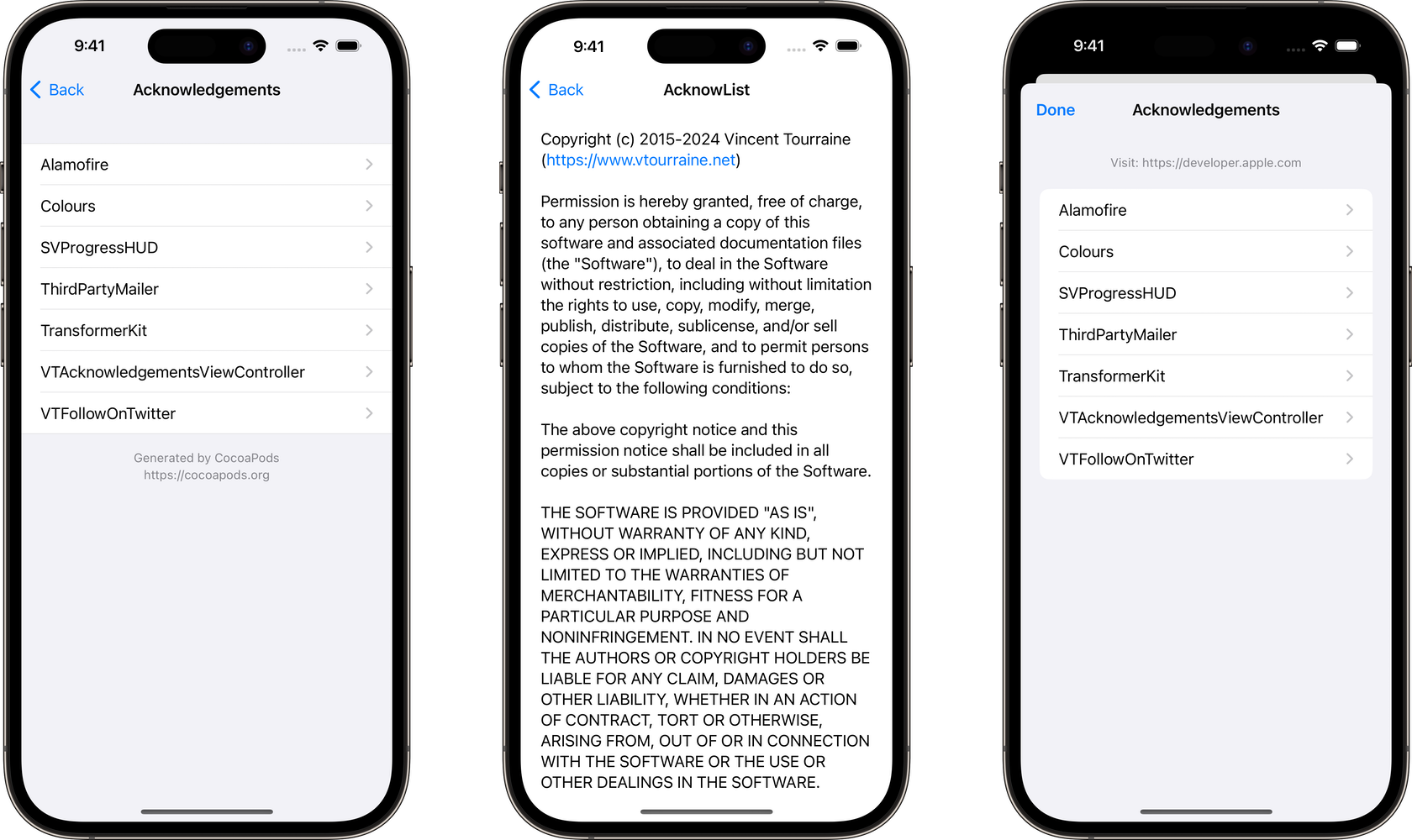
Acknowledgements screen displaying a list of licenses, for example from CocoaPods and Swift Package Manager dependencies.
Also available in Objective-C with VTAcknowledgementsViewController.
Pods-###-acknowledgements.plist)Package.resolved)pod 'AcknowList' to your Podfile.pod install.Pods-#target#-acknowledgements.plist file generated by CocoaPods to your main target: drag and drop the file from the Pods/Target Support Files/Pods-#target#/ folder to your Xcode project (don’t copy the file, leave Copy items if needed unchecked).AcknowList can be installed with the Swift Package Manager (requires Xcode 12 for localized resources).
File → Add Packages….https://github.com/vtourraine/AcknowList.Package.resolved file generated by Xcode to your main target. Drag and drop the file from the folder to your Xcode project (don’t copy the file, leave Copy items if needed unchecked).
[appName].xcodeproj/project.xcworkspace/xcshareddata/swiftpm/[appName].xcworkspace/xcshareddata/swiftpm/The AcknowListViewController instance is usually pushed to an existing UINavigationController.
let viewController = AcknowListViewController()
navigationController.pushViewController(viewController, animated: true)
By default, the controller will try to load acknowledgements from a CocoaPods plist file (by guessing its location based on the bundle name), as well as from a Package.resolved file.
You can also initialize the view controller with a custom file name or URL.
let viewController = AcknowListViewController(fileNamed: "Pods-AcknowExample-acknowledgements")let url = Bundle.main.url(forResource: "Pods-AcknowExample-acknowledgements", withExtension: "plist")
let viewController = AcknowListViewController(plistFileURL: url)If you want to include licenses that are not part of a .plist or .resolved file, you can create new Acknow instances, and use them for the acknowledgements array of the controller.
let acknow = Acknow(title: "...", text: "...")
let viewController = AcknowListViewController(acknowledgements: [acknow])The controller can also display a header and a footer. By default, they are loaded from the generated plist file, but you can also directly change the properties values.
viewController.headerText = "We love open source software."
viewController.footerText = "Powered by CocoaPods and SPM"
The controller title is a localized value for “acknowledgements”. You might want to use this localized value for the button presenting the controller.
button.setTitle(AcknowLocalization.localizedTitle(), for: .normal)By default, AcknowListViewController uses the “grouped” table view style. You can choose a different style:
let viewController = AcknowListViewController(plistFileURL: url, style: .plain)If you need to further customize the appearance or behavior of this library, feel free to subclass its classes.
AcknowList now offers a SwiftUI interface, which supports all the major platforms.
Instantiate a AcknowListSwiftUIView with a path to the plist file, or with an array of Acknow instances, and present this view from a NavigationView.
| Platform | UIKit | SwiftUI |
|---|---|---|
| iOS 9.0+ | iOS 13.0+ | |
| tvOS 9.0+ | tvOS 13.0+ | |
| ? | visionOS 1.0+ | visionOS 1.0+ |
| ⌚️ | not supported | watchOS 7.0+ |
| not supported | macOS 10.15+ |
AcknowList is written in Swift 5, and requires Xcode 12 and above.
AcknowList was created by Vincent Tourraine, and improved by a growing list of contributors.
AcknowList is available under the MIT license. See the LICENSE.txt file for more info.





