oh my wechat
v2.1.4

This is an installation/update tool developed for MustangYM/WeChatExtension-ForMac (hereinafter referred to as "Little Assistant").
Run curl -o- -L https://omw.limingkai.cn/install.sh | bash -s .
After installation, you can run the omw update command to update Oh My WeChat.
Oh My WeChat supports the following commands:
omwThis command will automatically install the assistant. When the assistant prompts you that there is a new version, you can also run this command to update the assistant.
Running omw will perform the following operations:
You can also add the -n parameter to skip the step of checking for updates and prioritize the installation assistant that has been downloaded.
If it is slow to download the installation package from the GitHub repository, you can use the omw load command (introduced later) to import the installation package, or try to download it with your own ladder:
 # 这里假设你的梯子在你电脑的 1087 端口开了个 HTTP 代理
$ export http_proxy=http://127.0.0.1:1087
$ omw
omw loadThis command can directly import the small assistant's installation package into Oh My WeChat.
You can use your browser to open the latest version release page of the Assistant, and then click Source code (zip) to download the installation package. Assuming that the latest version is v1.8.7, then there will be a WeChatExtension-ForMac-1.8.7.zip installation package in your download folder . Next, you can run the following command in the terminal to import the installation package:
$ cd ~ /Downloads && omw load 1.8.7If the installation package you downloaded is not in the download folder and you don't know how to write the command, then you can first move the installation package to the download folder and then run the above command.
omw open and omw close WeChat will delete the assistant after it is automatically updated. To avoid this, you can run omw open to enable the function of automatically installing the assistant by turning on the computer (that is, it will automatically run omw -n once after booting).
Run omw close to turn off the power-on and start up automatically.
Note: Since there may be no network when you first boot, and the process of downloading the assistant may be very long, it is recommended to run omw in advance to download the assistant through the network, or use the omw load command to import the assistant's installation package. This way, after booting, you will directly use the local installation package to install the assistant without downloading from the network.
omw unUninstall Oh My WeChat or Assistant. You can choose to uninstall one or both.
omw updateUpdate Oh My WeChat itself.
omw when the assistant is not installed 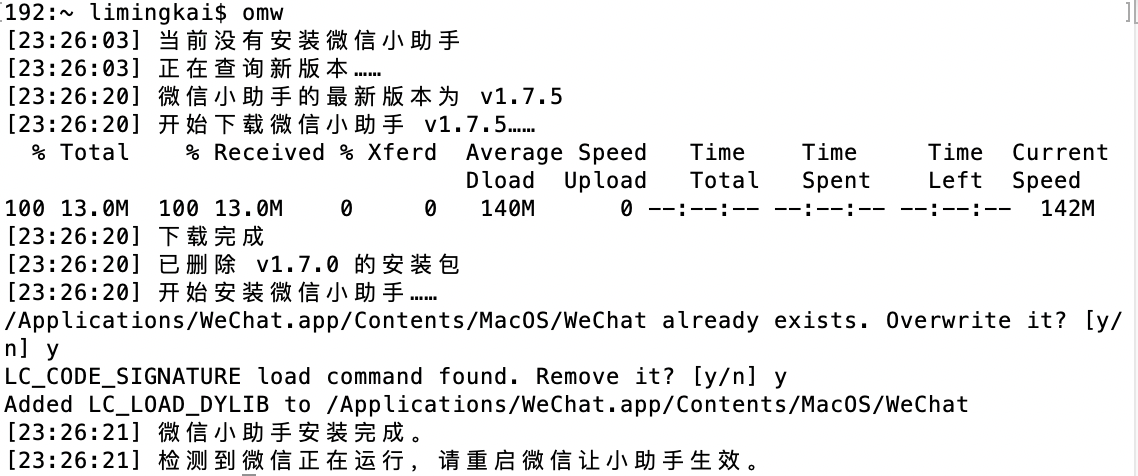
omw -n when the little assistant is not installed and the installation package has been downloaded 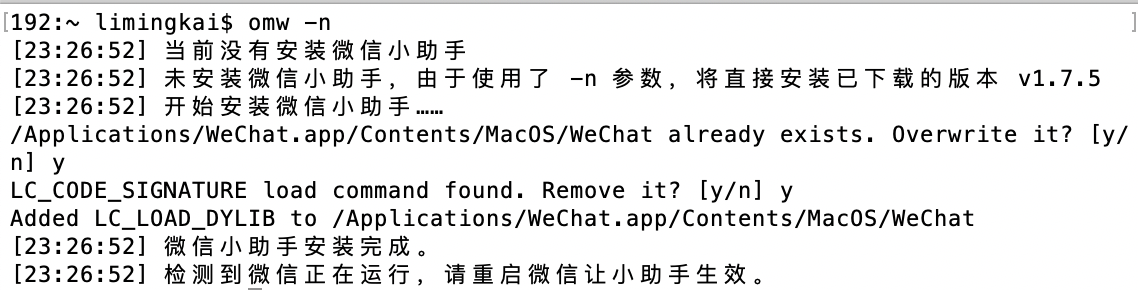
omw un 
MIT





