mprocs
v0.7.1

mprocs runs multiple commands in parallel and shows output of each command separately.
When you work on a project you very often need the same list of commands to be
running. For example: webpack serve, jest --watch, node src/server.js.
With mprocs you can list these command in mprocs.yaml and run all of them by
running mprocs. Then you can switch between outputs of running commands and
interact with them.
It is similar to concurrently but mprocs shows output of each command separately and allows to interact with processes (you can even work in vim inside mprocs).
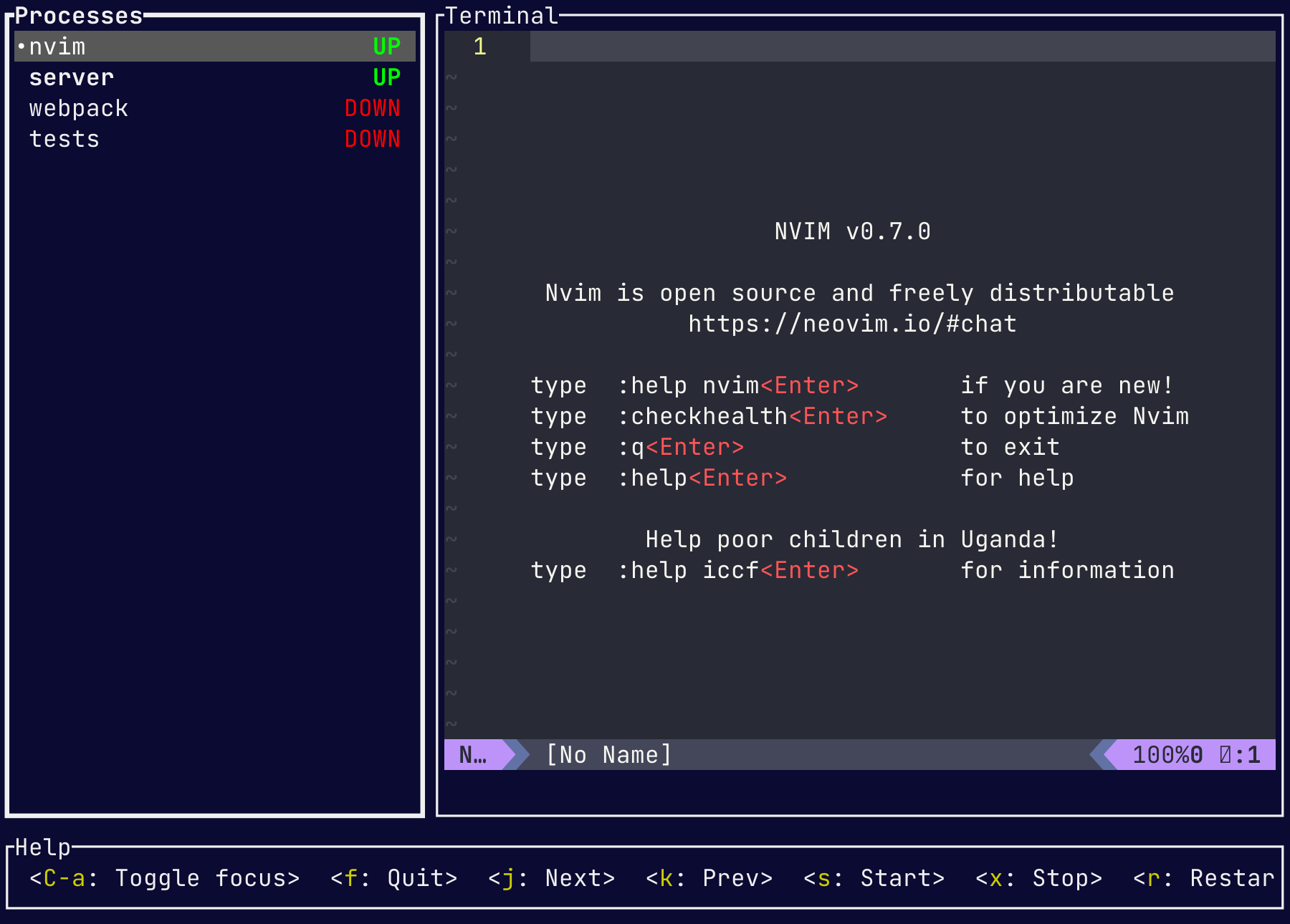
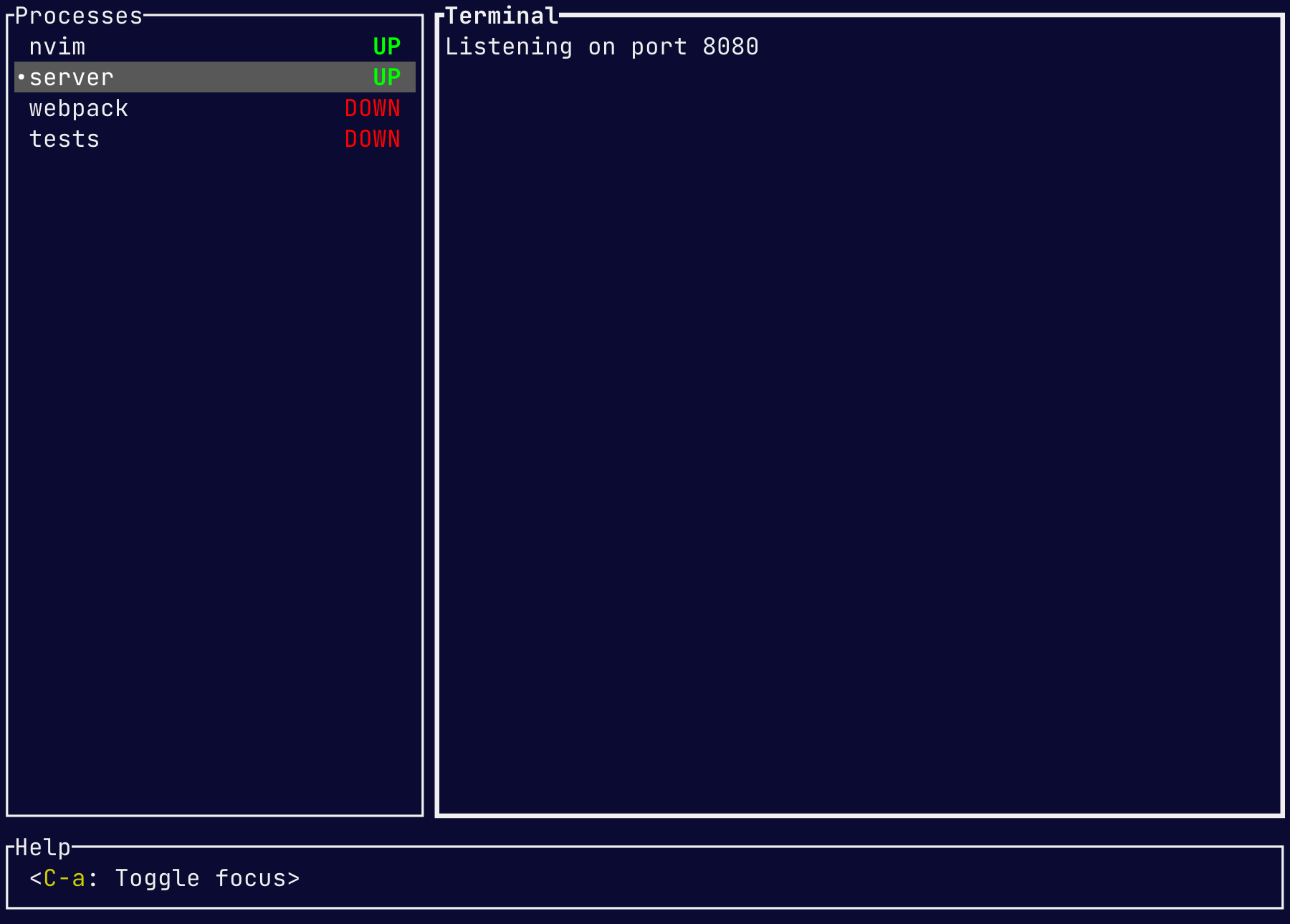
Download executable for your platform and put it into a directory included in PATH.
npm install -g mprocsyarn global add mprocsbrew install mprocscargo install mprocsscoop install mprocsyay mprocsyay mprocs-bingit clone 'https://mpr.makedeb.org/mprocs'
cd mprocs/
makedeb -simprocs cmd1 cmd2 … (example: mprocs "yarn test -w" "webpack serve")OR
mprocs.yaml filemprocs commandExample mprocs.yaml:
procs:
  nvim:
    cmd: ["nvim"]
  server:
    shell: "nodemon server.js"
  webpack: "webpack serve"
  tests:
    shell: "jest -w"
    env:
NODE_ENV: testJSON/YAML Configuration Schema
There are two kinds of configs: global and local. Global config is loaded
from ~/.config/mprocs/mprocs.yaml (or
~AppDataRoamingmprocsmprocs.yaml on Windows). Local config
is loaded from mprocs.yaml from current directory (or set via cli argument:
mprocs --config ./cfg/mprocs.yaml). Settings in the local config override
settings the global.
<CONFIG_DIR> will be replaced with the path of the directory where the
config is located.x key or when quitting mprocs).Default key bindings can be overridden in config using keymap_procs, keymap_term, or keymap_copy fields. Available commands are documented in the Remote control section.
There are three keymap levels:
~/.config/mprocs/mprocs.yaml (or ~AppDataRoamingmprocsmprocs.yaml on Windows)./mprocs.yaml (can be overridden by the -c/--config cli arg)Lower levers override bindings from previous levels. Key bindings from previous
levels can be cleared by specifying reset: true field at the same level as
keys.
Key bindings are defined between < and >, e.g., <Enter> (enter key), <Down> (down arrow), <Up> (up arrow), <C-q> (CTRL + q).
keymap_procs: # keymap when process list is focused
  <C-q>: { c: toggle-focus }
  <C-a>: null # unbind key
keymap_term: # keymap when terminal is focused
  reset: true
  <C-q>: { c: toggle-focus }
  <C-j>:
    c: batch
    cmds:
      - { c: focus-procs }
      - { c: next-proc }
$select operatorYou can define different values depending on the current operating system. Any value in config can be wrapped with a $select operator. To provide different values based on current OS define an object with:
$select: osmacos: value. Possible
values are listed here:
https://doc.rust-lang.org/std/env/consts/constant.OS.html.$else: default value will be matched if no value was defined for
current OS. If current OS is not matched and field $else is missing, then
mprocs will fail to load config.Example mprocs.yaml:
procs:
  my process:
    shell:
      $select: os
      windows: "echo %TEXT%"
      $else: "echo $TEXT"
    env:
      TEXT:
        $select: os
        windows: Windows
        linux: Linux
        macos: Macos
freebsd: FreeBSDIf you run mprocs with an --npm argument, it will load scripts from
package.json. But the scripts are not run by default, and you can launch
desired scripts manually.
# Run mprocs with scripts from package.json
mprocs --npmProcess list focused:
q - Quit (soft kill processes and wait then to exit)Q - Force quit (terminate processes)C-a - Focus output panex - Soft kill selected process (send SIGTERM signal, hard kill on Windows)X - Hard kill selected process (send SIGKILL)s - Start selected process, if it is not runningr - Soft kill selected process and restart it when it stopsR - Hard kill selected process and restart it when it stopsa - Add new processC - Duplicate selected processd - Remove selected process (process must be stopped first)e - Rename selected processk or ↑ - Select previous processj or ↓ - Select next processM-1 - M-8 - Select process 1-8C-d or page down - Scroll output downC-u or page up - Scroll output upC-e - Scroll output down by 3 linesC-y - Scroll output up by 3 linesz - Zoom into terminal windowv - Enter copy modeProcess output focused:
C-a - Focus processes paneCopy mode:
v - Start selecting end pointc - Copy selected textEsc - Leave copy modeC-a - Focus processes paneC-d or page down - Scroll output downC-u or page up - Scroll output upC-e - Scroll output down by 3 linesC-y - Scroll output up by 3 linesh or ↑ - Move cursor upl or → - Move cursor rightj or ↓ - Move cursor downh or ← - Move cursor leftOptionally, mprocs can listen on TCP port for remote commands.
You have to define remote control server address in mprocs.yaml
(server: 127.0.0.1:4050) or via cli argument (mprocs --server 127.0.0.1:4050). To send a command to running mprocs instance
use the ctl argument: mprocs --ctl '{c: quit}' or mprocs --ctl '{c: send-key, key: <C-c>}'.
Commands are encoded as yaml. Available commands:
{c: quit-or-ask} - Stop processes and quit. If any processes are running,
show a confirmation dialog.{c: quit} - Stop processes and quit. Does not show confirm dialog.{c: force-quit}{c: toggle-focus} - Toggle focus between process list and terminal.{c: focus-procs} - Focus process list{c: focus-term} - Focus process terminal window{c: zoom} - Zoom into terminal window{c: next-proc}{c: prev-proc}{c: select-proc, index: <PROCESS INDEX>} - Select process by index, top process has index 0{c: start-proc}{c: term-proc}{c: kill-proc}{c: restart-proc}{c: force-restart-proc}{c: show-add-proc}{c: add-proc, cmd: "<SHELL COMMAND>"}{c: duplicate-proc}{c: show-remove-proc}{c: remove-proc, id: "<PROCESS ID>"}{c: show-rename-proc}{c: rename-proc, name: "<NEW_NAME>"} - Rename currently selected process{c: scroll-down}{c: scroll-up}{c: scroll-down-lines, n: <COUNT>}{c: scroll-up-lines, n: <COUNT>}{c: copy-mode-enter} - Enter copy mode{c: copy-mode-leave} - Leave copy mode{c: copy-mode-move, dir: <DIRECTION> } - Move starting or ending position
of the selection. Available directions: up/right/down/left.{c: copy-mode-end} - Start selecting end point of the selection.{c: copy-mode-copy} - Copy selected text to the clipboard and leave copy
mode.{c: send-key, key: "<KEY>"} - Send key to current process. Key examples:
<C-a>, <Enter>{c: batch, cmds: [{c: focus-procs}, …]} - Send multiple commandsmprocs is meant to make it easier to run specific commands that you end up running repeatedly, such as compilers and test runners. This is in contrast with tmux, which is usually used to run much more long-lived processes - usually a shell - in each window/pane. Another difference is that tmux runs a server and a client, which allows the client to detach and reattach later, keeping the processes running. mprocs is meant more for finite lifetime processes that you keep re-running, but when mprocs ends, so do the processes it is running within its windows.
Tmux doesn't have escape sequences for copying enabled by default. To enable it
add the following to ~/.tmux.conf:
set -g set-clipboard on





