English | Chinese | Japanese
Wonderful words
The light Markdown notebook accompany you to write wonderful words~
Features
- ? Mixed : Pure local use, security, syntax highlighting, dark mode, source file saving, internationalization, demonstration mode, PPT mode, separate editing mode, automatic document layout, document export, internal jump, picture bed, LaTeX, Mermaid, PlantUML, Markmap brain map
- ? Beauty : minimalist design style, folder + file list + editor mode 3 column mode
- ? Quick : Use Swift5 native development, better performance experience than Web shelling
- ? Jian : Very lightweight, pure editor input experience, many shortcut keys help you get one step ahead
First time use
- Download the latest dmg installation package from GitHub Releases. The macOS Big Sur and above versions have a better experience. If there are any problems with the installation, please refer to the documentation. In addition, it also supports installation from
brew install miaoyan --cask . - You can create a
MiaoYan folder in iCloud or root directory, open MiaoYan's settings, and modify the default storage address to this. - Click the icon of the new folder in the upper left corner of Miaoyan, create your own document classification folder, and you can start using it.
- Also, if you are not used to the default font, you can modify it to other normal fonts in the settings.
shortcut key
Window Operation
-
command + 1 : Collapse Expand directory -
command + 2 : Collapse Expand document list -
command + 3 : Toggle editing and preview -
command + 4 : Switch to demo mode -
command + option + m : global evocation/hide wonderful words
Document operation
-
command + n : create a new document -
command + r : rename the document -
command + d : copy the document -
command + o : Open the document separately -
command + delete : delete document -
command + shift + n : create a new folder -
command + shift + l : automatic layout -
command + option + r : Show in Finder -
command + option + i : display document attributes such as word count -
command + option + p : Start Miaoyan PPT preview
? In addition, there are many shortcut keys? ?? ? ? ? Wait for you who love to make trouble to find it~
Miaoyan PPT
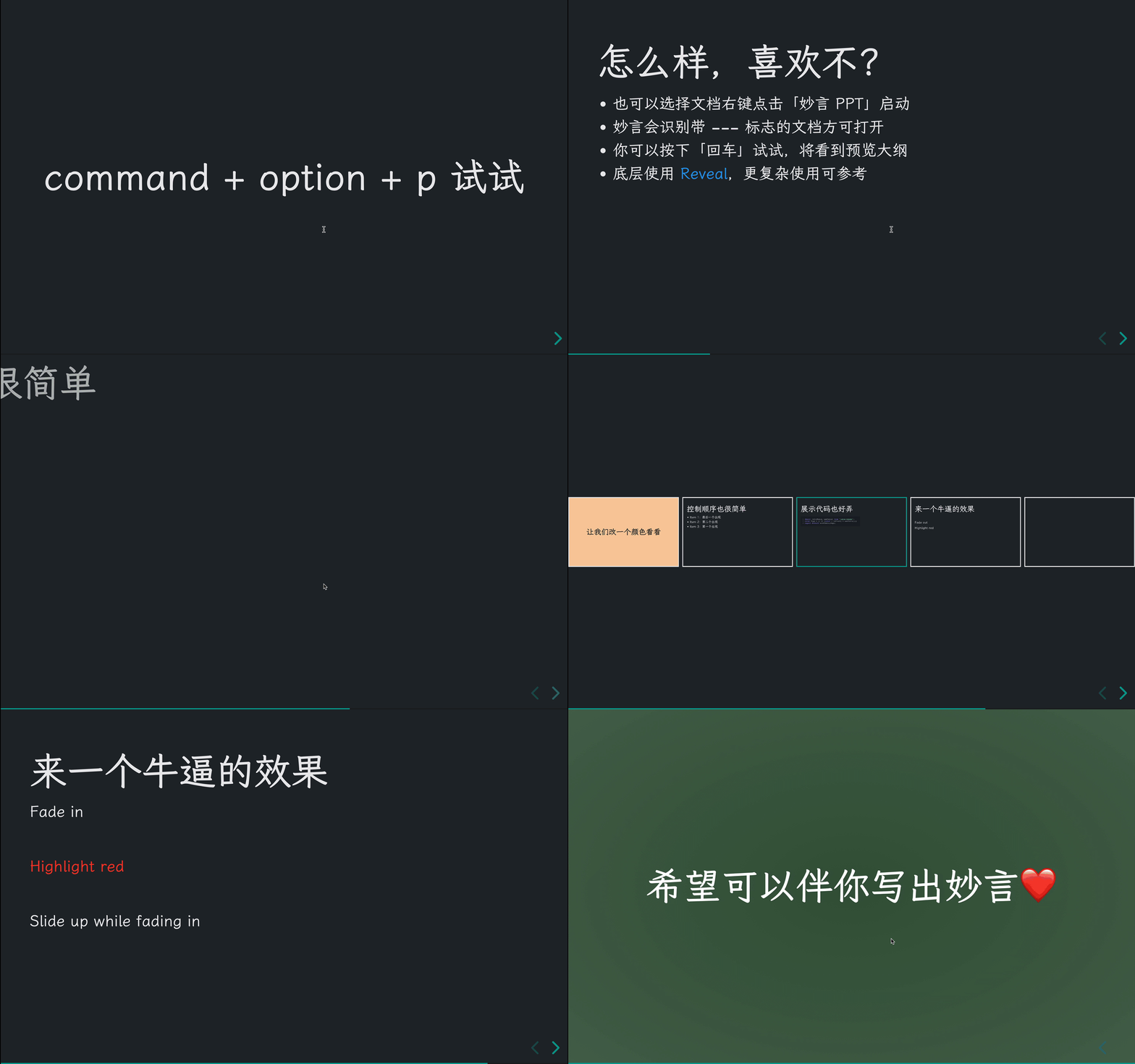
- New friends will generate templates by default. If you are an old friend, you need to upgrade to 1.0. You can copy this file to Miaoyan for fun.
- Execute
command + option + p to start the preview of Miaoyan PPT, or you can select the document and right-click it and select妙言PPT to open it. - PPT mode can only be enabled in documents with
--- delimiter flags. During the demonstration, you can preview the speech outline回车键and exit the PPT mode with the ESC key. - You can use HTML to customize the effects, and for more complex usage, please refer to the Reveal documentation.
Why make wonderful words
- I have tried many notes before. I was a college student and used them as a note-taking and Evernote. I used Ulysses, Quiver, MWeb, Bear, and Typora when I was working. For various reasons, I didn’t find a Markdown application that I used to, so I had the idea of making wonderful words.
- This job is front-end development, knows some iOS development, loves to make trouble, and uses my wonderful words to play Swift and independent products, and treats it as a very pleasant thing.
- More introductions can be seen in the wonderful words - a note-taking application that is more suitable for engineers. Communication and suggestions are welcome.
support
- I have two cats. If you think Miaoyan makes your life better, you can feed the cat canned food??
- If you like Miaoyan, you can use Github Star. It is also welcome to recommend it to your like-minded friends.
- You can follow my Twitter to get the latest updates on Miaoyan, and you are also welcome to join the Telegram chat group.
grateful
- KristopherGBaker/libcmark_gfm: Swift compatible framework for cmark-gfm
- raspu/Highlightr: syntax highlighting ability
- glushchenko/fsnotes: The Miaoyan part of the initialization code comes from this project, thanks to the author
- lxgw/LxgwWenKai: A beautiful open source Chinese font, Miaoyan uses it as the default font
- michaelhenry/Prettier.swift: The source of ideas for upgrading the formatting capability of Miaoyan to Prettier
- hakimel/reveal.js: Miaoyan PPT underlying rendering depends on this framework
- Thanks to Vercel for providing static rendering capabilities to Miaoyan official website
protocol
- Follow the MIT protocol
- Please enjoy and participate in open source freely






