file system
1.0.0

Tongji University CS "Operating System" course design: file system
This project is designed for the operating system course of the Department of Computer Science and Technology of Tongji University in 2021. Implementing UNIX-like file system.

The easiest big assignment this semester (mainly without a GUI), it took 10 days to develop the file system
If this warehouse helps you, give me a star?
If you have any questions, you can also raise them in the issue for other people to refer to or discuss them together?
Repository follows MIT open source protocol
This variable is mainly used to record the file length currently read. The existence of this variable reduces the difficulty of mixed file indexing. Functions do not need to calculate how many index blocks the file is used, nor do they need to know what the mixed index structure of the file is. They directly regard the index file as a giant file with all index blocks reaching the maximum size. Start traversing the file from the direct index, then to the first-level index, and then to the second-level index. When the length reaches the file size, you can directly exit the traversal of files of any size. However, the disadvantage of this method is that every time you read a file, it starts from the file header, which reduces the efficiency of random reading and writing.
This variable is mainly used to indicate which line the editor starts to display text. This variable starts to take effect when the number of file lines exceeds the console height. The number of lines mapped to the actual text of the console cursor must be added to the start_line variable. When the cursor moves to the bottom line, press the arrow key again, start_line will add a page-down of the text in the editor, and vice versa.
This variable belongs to the command line user interface class and mainly records the path of the user in the file system. Because in the file system, all operation interfaces are based on the absolute path, and the commands entered by the user in the command line interface are based on the relative path cur_dir. Therefore, when the user interface uses the file system interface, cur_dir should be spliced with the path input by the user, and the absolute path should be passed as a parameter to the interface function of the quiet system.
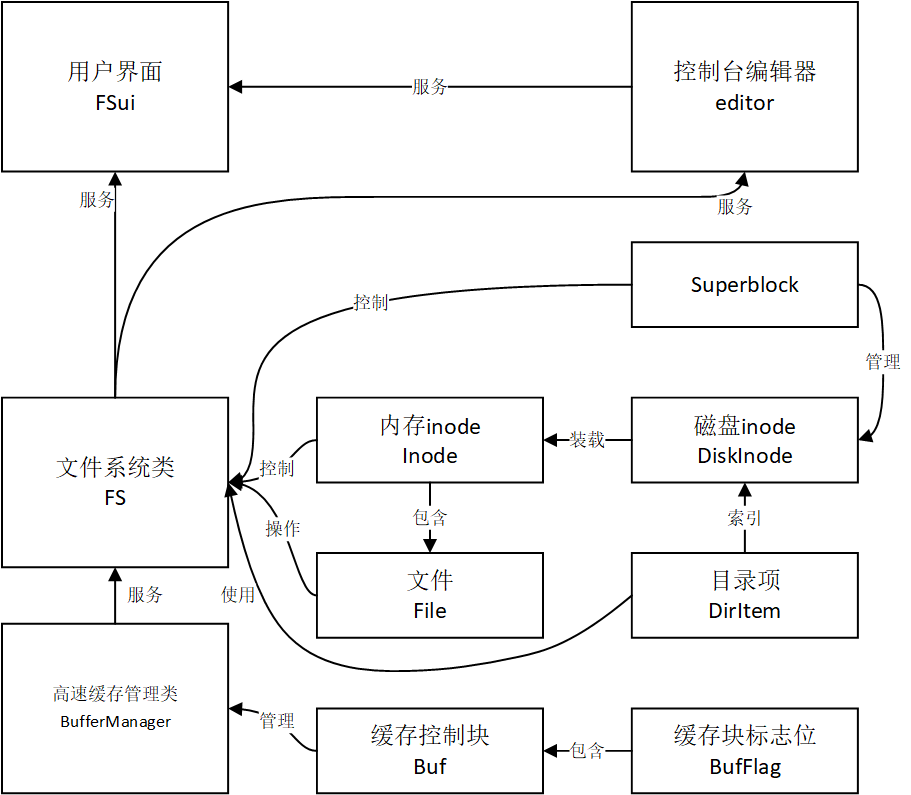
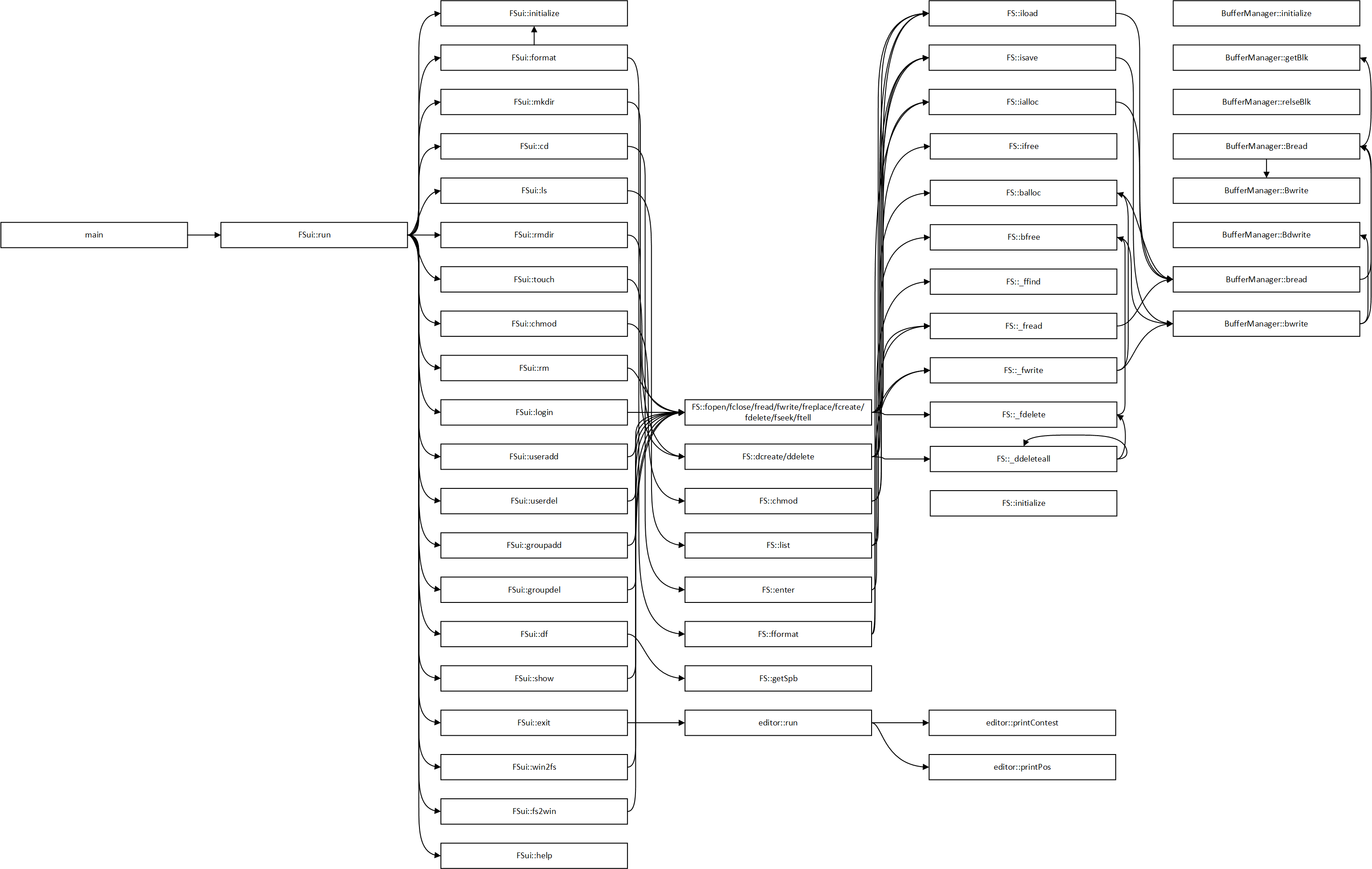
This file system runs with a 64-bit Windows operating system. The file system's simulated file volume size is 128MB. Please make sure there is enough free space in the program directory.
It is prohibited to close the program directly when exiting the program. You must use the exit command to exit the file system, otherwise it may cause file system errors or crashes.
Carefully modify the /etc/users.txt and /etc/groups.txt files. These two files are related to user management. If the format is not modified properly, it may cause the file system to be unable to log in or other permission problems.
If the above two problems occur, please try formatting the file system.
Commands available when not logged in:
| Order | parameter | Function |
|---|---|---|
| login | Username (String) | User login |
| exit | Exit the system | |
| format | Format file system | |
| help | Show command prompt list |
Commands available in login state:
| Order | parameter | Function |
|---|---|---|
| Logout | User logout | |
| exit | Exit the system | |
| mkdir | Directory name (string, length less than 28 bytes, cannot be a multi-level directory) | Create a subdirectory |
| cd | Directory name (string, length less than 28 bytes, subdirectory name in the current directory cannot be a multi-level directory) | Go to subdirectory |
| ls | Show the current directory listing | |
| rmdir | Directory name (string, length less than 28 bytes, subdirectory name in the current directory cannot be a multi-level directory) | Delete subdirectories |
| touch | File name (string, length less than 28 bytes, cannot be a multi-level directory) | Create a new file |
| chmod | File name (string, length less than 28 bytes, file name in the current directory cannot be a multi-level directory) Permission (three-digit octal number) | Modify file or directory permissions |
| rm | File name (string, length less than 28 bytes, file name in the current directory cannot be a multi-level directory) | Delete files |
| useradd | Username (String) User group name (String, user group must already exist) | Add a user |
| userdel | Username (string, user must already exist) | Delete users |
| groupadd | User group name (string) | Add a user group |
| groupdel | User group name (string, user group must already exist) | Delete user group |
| df | Check disk usage | |
| show | File name (string, length less than 28 bytes, file name in the current directory cannot be a multi-level directory) | Print the file contents. If the file is not a character file, it may cause errors |
| vi | File name (string, length less than 28 bytes, file name in the current directory cannot be a multi-level directory) | Open a file with an editor |
| format | Format file system | |
| win2fs | File path under Windows (string, complies with Windows file path specifications) File name under the current directory of the FS file system (string, length less than 28 bytes, file name under the current directory cannot be a multi-level directory) | Copy Windows file contents to FS file system files |
| fs2win | File name in the current directory of the FS file system (string, length less than 28 bytes, file name in the current directory cannot be a multi-level directory) File path in Windows (string, complies with Windows file path specifications) | Copy the contents of the FS file system to the Windows file |
| cls | Clear the screen | |
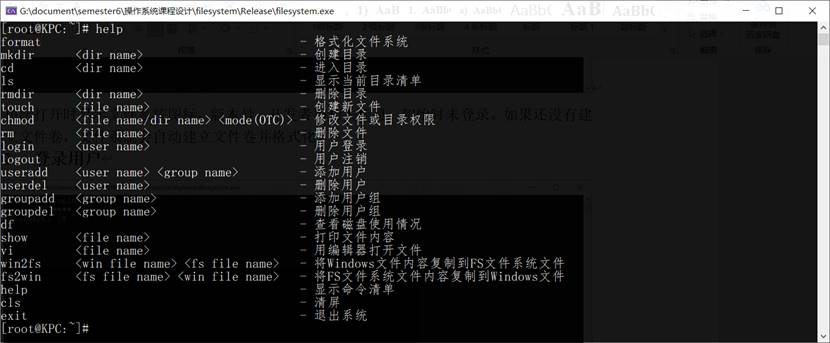
| help | Show command prompt list |
Editor Instructions:
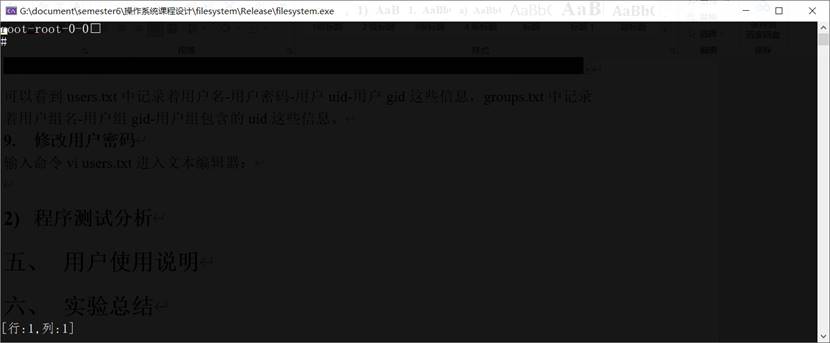
After entering the editor, you can move the cursor through the arrow keys. When the cursor is located at the upper and lower boundaries, you can move the cursor to the boundary again to complete the page turning of the text content, enter the Enter key to delete the characters before the cursor, enter other characters to insert characters at the cursor, press the esc key to exit and save the text. "□" in the editor indicates the Enter key, and "#" indicates the end of the file. Note that the editor can only handle ASCII characters.
The program may cause various exceptions due to inappropriate command input, full file system space, illegal permissions, etc. When an exception occurs, the program will output the exception information to the console. Please resolve the exception based on the output information. If the exception is never resolved, try formatting the file system.
The macro definition of the tunable parameters is located in the filesystem.h file
| parameter | illustrate |
|---|---|
| VERSION | File system version |
| DISK_NAME | Simulate file volume file name |
| DISK_SIZE | The file volume disk size is at least greater than 1024*512 bytes. It is recommended to set it to (261120+1024) *512 bytes, that is, 128MB |
| file name | illustrate |
|---|---|
| filesystem.h | File system header file |
| filesystem.cpp | File system C++ files |
| main.cpp | Main program C++ file (command line user interface) |
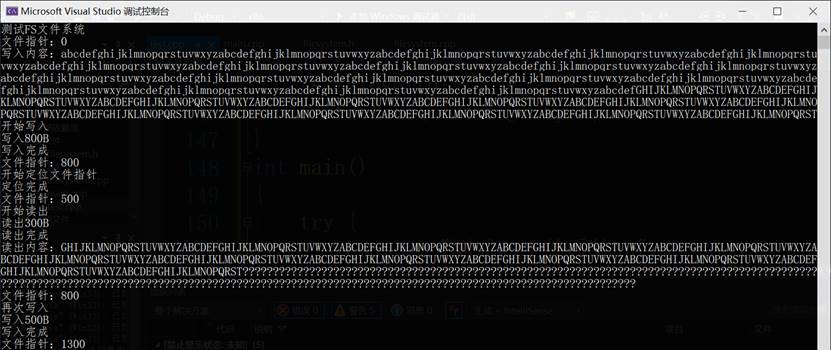
| test.cpp | The file system file interface test file is not compiled into the final executable program. |
| FS.data | Simulate disk file volumes |
| File system.exe | Executable program (command line user interface) |