lunix
1.0.0

Lunix (Lulu's UNIX, named after my pupper Lulu) is a hobby operating system written in C++ that simulates a UNIX-like environment in your terminal. It features:
./program-name.If you find Lunix interesting, please the project. Your support keeps me motivated to continue developing and improving Lunix!
Lunix aims to be a comprehensive simulation of a UNIX/Linux terminal operating system. The project's primary focus is on adding new features and commands to enhance the user experience. Future plans include the development of custom scripts specifically for Lunix, providing users with even more functionality. The current development efforts are concentrated on expanding the feature set and improving the overall performance and stability of Lunix.
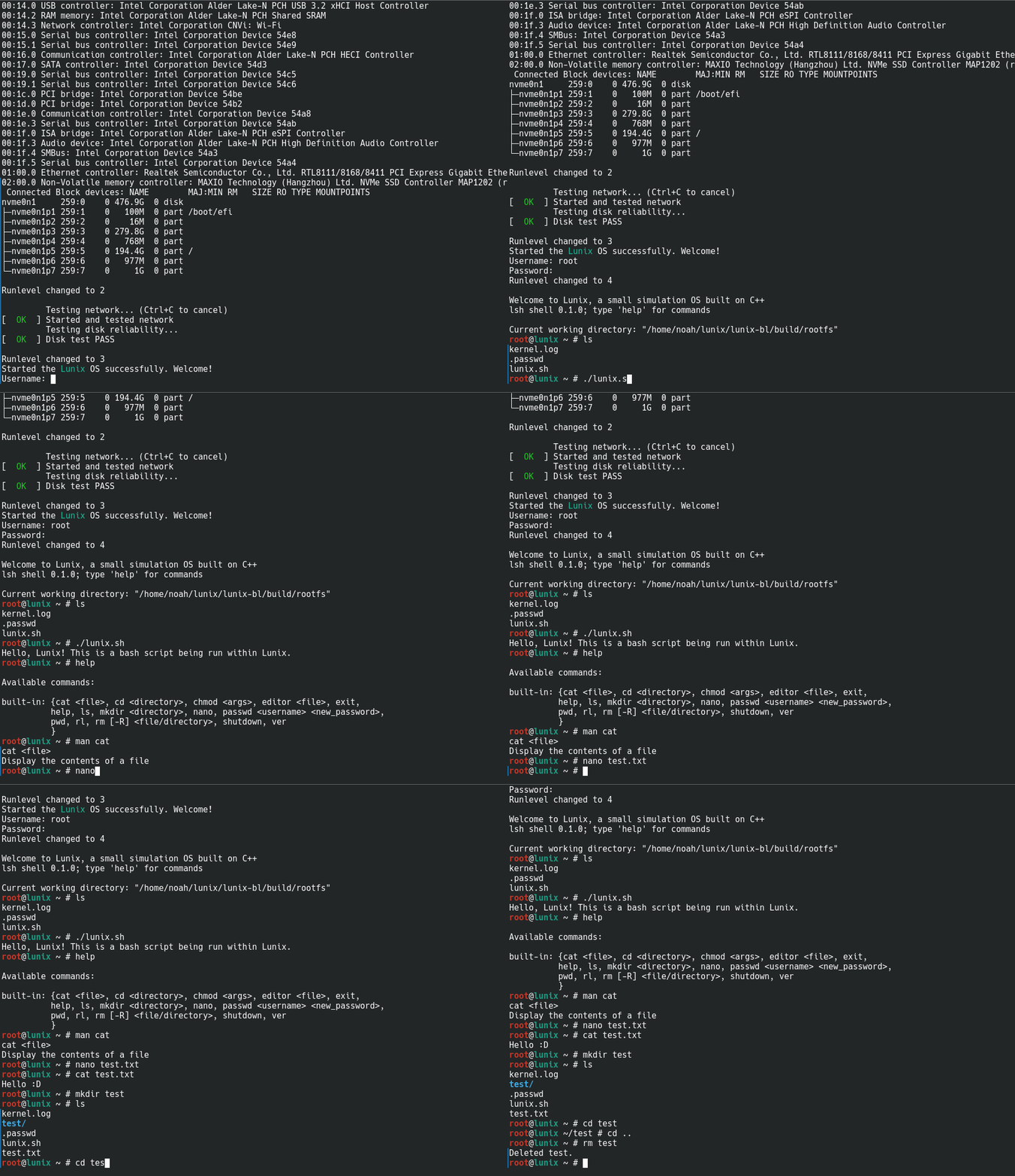
To run Lunix, you need to build both the kernel and the bootloader.
Important
Lunix can't be built on Windows, as it uses UNIX-only libraries. Please use WSL or a Linux VM.
To build Lunix, you need the following packages installed:
cmakemakegccg++libssl-dev/openssl-develTo install these packages on Ubuntu/Debian, run the following command:
sudo apt install cmake make gcc g++ libssl-dev
To install these packages on Fedora, run the following command:
sudo dnf install cmake make gcc g++ openssl-devel
After installing the required packages, clone the Lunix repository and navigate to the cloned directory:
git clone https://github.com/noahdossan/lunix.git
cd lunix
In the main Lunix directory, run the following command to build Lunix:
./Build.sh -nb
If you have already built Lunix and want to rebuild modified source files, use the -b flag:
./Build.sh -b
To build the kernel, follow these steps:
cd lunix
mkdir build
cd build
cmake ..
make:make -j$(nproc)
To build the bootloader, follow these steps:
cd ../../lunix-bl
cd build
cmake ..
make:make -j$(nproc)
Once you have built the bootloader, it will run a post-build.sh script. If you encounter any errors, make sure you have built the Lunix kernel properly.
To run Lunix, follow these steps:
In the main directory where you cloned Lunix, run the Run.sh script by executing ./Run.sh.
If you prefer to run Lunix manually, navigate to the bootloader directory (lunix-bl) and execute ./lunix-bl. If you encounter a file missing error, you can rerun the post build script by executing ./lunix-bl -b.
The documentation for Lunix is currently a work in progress. We welcome contributions to help improve and expand the documentation.
To access the documentation, please visit the Documentation page.
Contributors are very welcome to Lunix :D! Please read the Contribution Guidelines first.





