openblack
The openblack 0.1.0 release!


openblack is an open source reimplementation of Black & White (2001) written in modern C++ and modern rendering engines (OpenGL, Vulkan).
You still need to have the original game assets in order to use this. See further below for an explanation on how to extract them.
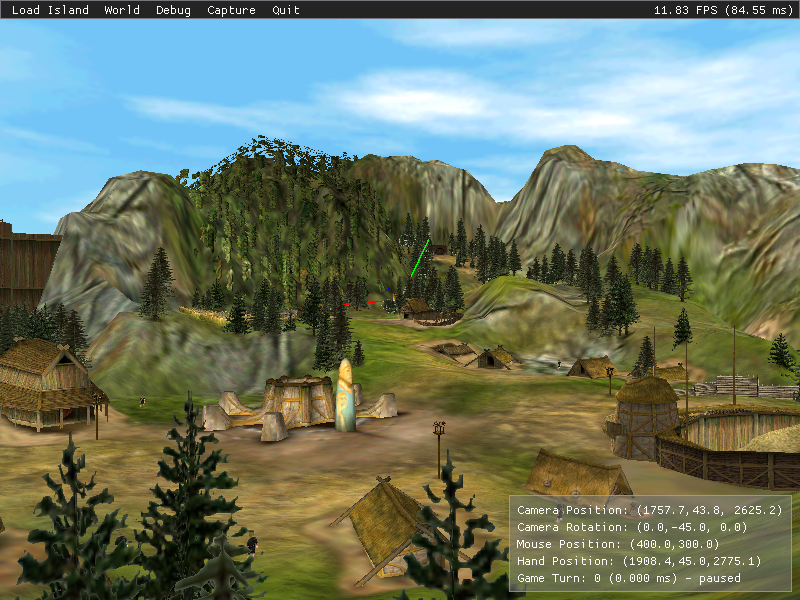
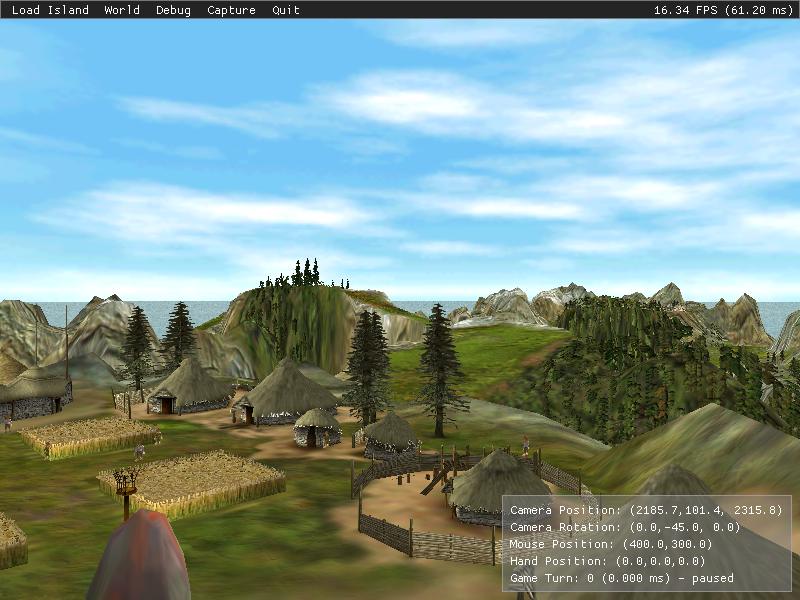
For the latest build of openblack without having to build it yourself, we offer pre-built binaries from our test service.
The following are qualified as exprimental. They have base minimum setup such as compilation and rendering system. Don't expect to be able to launch without some effort and your own patches.
Clone the code using: git clone --recursive https://github.com/openblack/openblack.git
If you forgot to add --recursive, you will have to also run git submodule update --init from the openblack/ directory.
The simplest way to obtain all the required dependencies is through vcpkg which is included with a manifest file.
The easiest way to get started on any platform is to allow CMake and vcpkg to handle all dependencies and configuration
for you. To do so, you will be selecting the "ninja-multi-vcpkg" - Ninja Multi-Config (vcpkg) preset. Other presets are available for more advanced users.
openblack folder directly in Visual Studio Code and select a preset.openblack folder directly in Visual Studio and select a preset.openblack folder directly in CLion and select a preset.brew install cmake ninja pkg-configsudo xcode-select --reset after installing cmakexcode-vcpkg using cmake in either the GUI or using the command line argument --preset xcode-vcpkgandroid directory/data/local/tmp/bw and chmod -R a+wrx /data/local/tmp/bw with adbEMSDK environment variable.emsdk install latestemsdk activate latestemscripten-vcpkg preset# apt install build-essential cmake ninja-build# pacman -S base-devel cmake ninjacmake --preset and you can list the presets using cmake --list-presetsIf you don't want to use vcpkg; CMake will use system libraries, or manually specified package directories.
CMake will find the required libraries as long as they provide a proper config file.
Install openblack-git from the AUR which builds and installs directly for all Arch Linux derived distros such as Manjaro. This will require pacman to install all required dependencies.
The prefix to use is "linux-system-deps" - Linux (System Deps)
Contributions are always welcome, whether it's modifying source code to add new features or bug fixes, documenting new file formats or simply editing some grammar.
You can also join the Discord for development discussion if you are unsure of anything.
As mentioned before, the original game assets are required in order to run openblack. Since these data are copyrighted, we won't provide them, so please don't ask. Here is a guide for extracting them from the original game.
You will need the following:
Do not install 1.3, it is a patch to add P5 Power Glove support and is generally unstable
C:\Program Files (x86)\Lionhead Studios\Black & White\ is the default)If you run on Linux or macOS, you can install the game with Wine (App Page on WineHQ).
winewine Setup.exe from the directory containing the installer, don't
change the install pathwine Black_White_Patch_v1.100.exe from the directory containing the
first patch (adapt the command in case the filename isn't exactly that)wine black_white_patch_v1_20.exe from the directory containing the
second patch (adapt too)winetricks dotnet20sp2 (you should install
winetricks first)All the files should be installed in the following directory:
~/.wine/drive_c/Program Files (x86)/Lionhead Studios Ltd/Black & White
The folders you're interested in are the Audio, Data and Scripts folders in the
installation directory. You can use them from there or make a copy to the
location of your choice.
If you want to use them from there, remember the installation directory chosen in the installation step, unless you changed it, it should be either:
C:\Program Files (x86)\Lionhead Studios\Black & White\~/.wine/drive_c/Program Files (x86)/Lionhead Studios Ltd/Black & WhiteThis is the path you will give to openblack (using the -g flag).
If you prefer to copy the data (e.g. if you want to uninstall the original
game), just copy the Data and Scripts folders to the desired new location,
and give the path to this location to openblack (using the -g flag).
openblack is released as open source software under the GPL v3 license, see the license file in the project root for the full license text.





