first contributions ja.github.io
v2.0.0

Start your OSS activities with a complete Japanese tutorial
This is an open source Japanese project designed to make it easy for beginners to participate.
Follow the tutorial to experience your first contribution!
We are happy to help you with your first pull request ✌️
This project is a Japanese tutorial to help you learn how to use Git/GitHub in practice and how to collaborate in open source!
What is open source?
When a project is open source, it means that anyone can use it at their own whim, learn, modify it, and distribute your project for any purpose.
In most cases, open source projects are free to participate in development!
Contributions to open source projects are
It's a great way to improve your skills through collaboration with other developers.
If you're uninterested in open source and wondering if you need to put effort into it,
See here: Why contribute to open source?
Let's experience the contributions to open source projects right away!
As a participant in this project, we will add the following information to our Contributors.json file!
 "name": "あなたのハンドルネーム",
"github": "あなたのGitHubアカウントのURL",
"favoriteColor": "あなたの好きなカラーコード",
"favoriteEmoji": "あなたの好きな絵文字"
The information entered will be displayed on the website as an emoji icon.
So, every time the number of contributors increases, the site becomes lively!
We want to make First Contributions JA's website even more pop than it is now!
Please try and move your hands
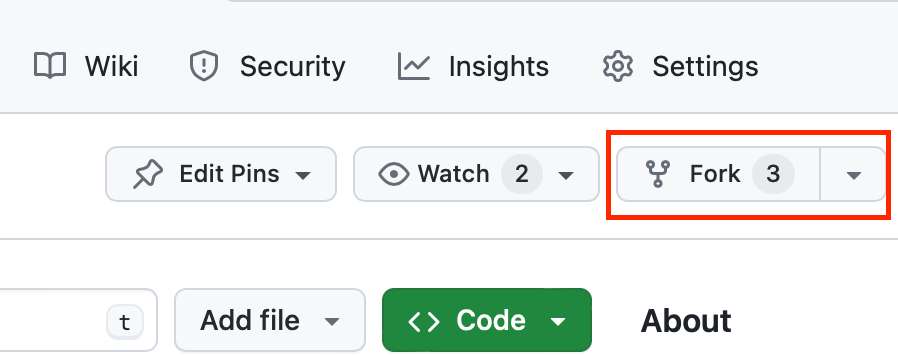
Become an open source contributor in 8 simple steps ?
No matter how small, we are welcome?
main branch only" are OK as they are in the original format! 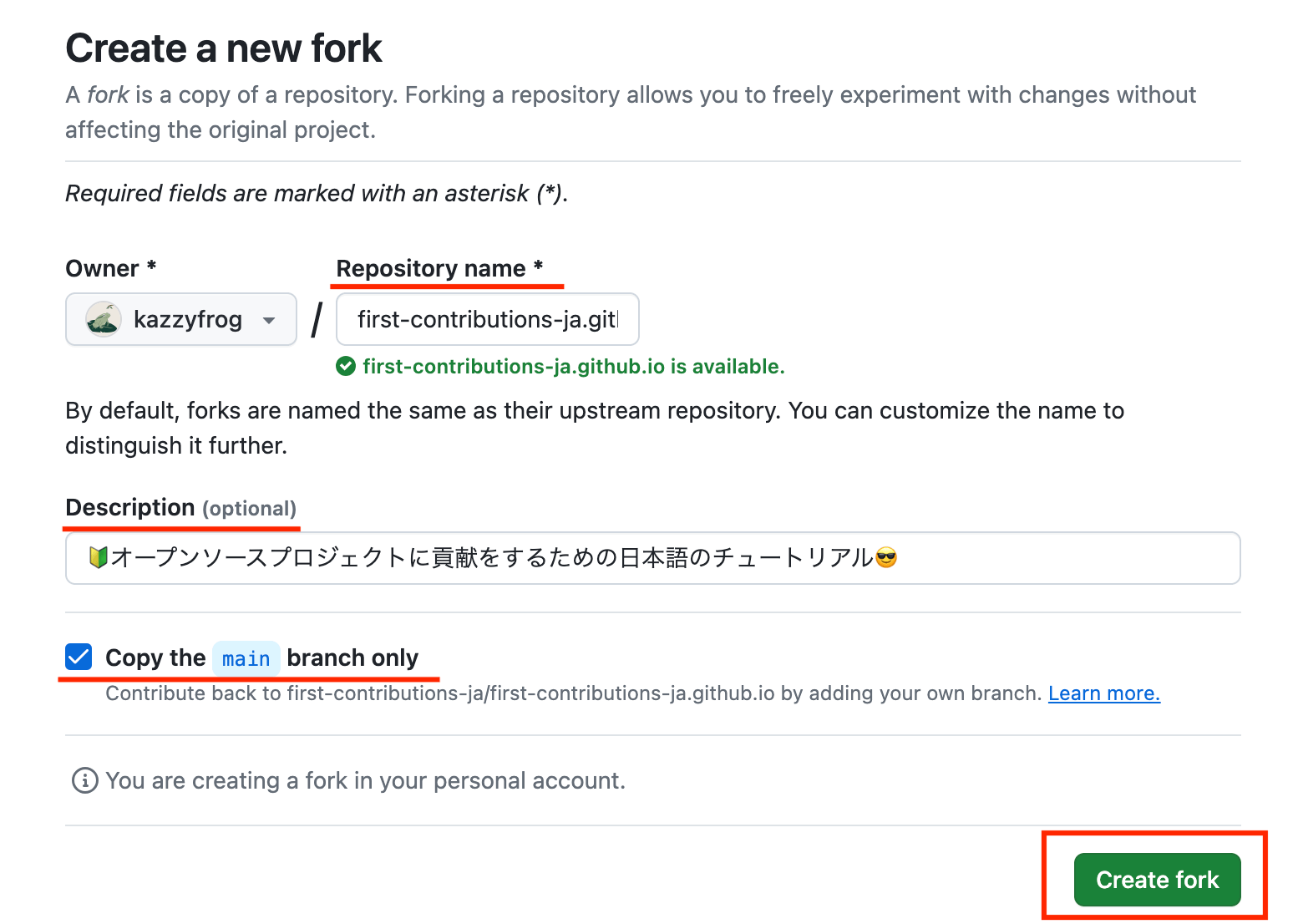
Tip
This will create a copy of this repository in your GitHub account?
You can also edit the file on GitHub,
Copy the forked repository to your local machine for a more general workflow experience.
https://github.com/<あなたのアカウント名>/first-contributions-ja.github.io.git 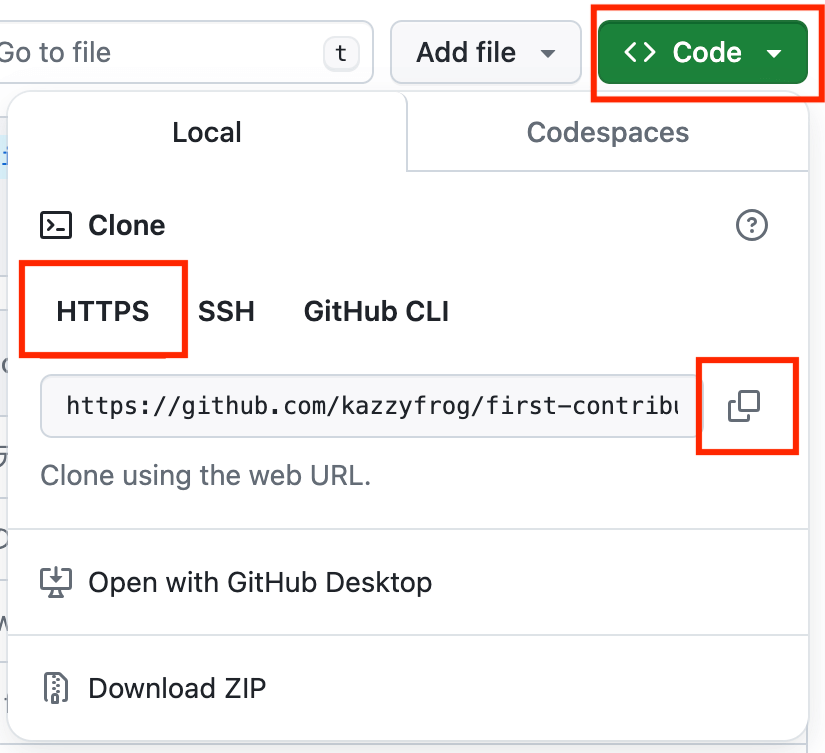
cd desktop
git clone 先ほどコピーしたクローンURL
Tip
This allows the repository to be copied to your local machine and working in the local environment
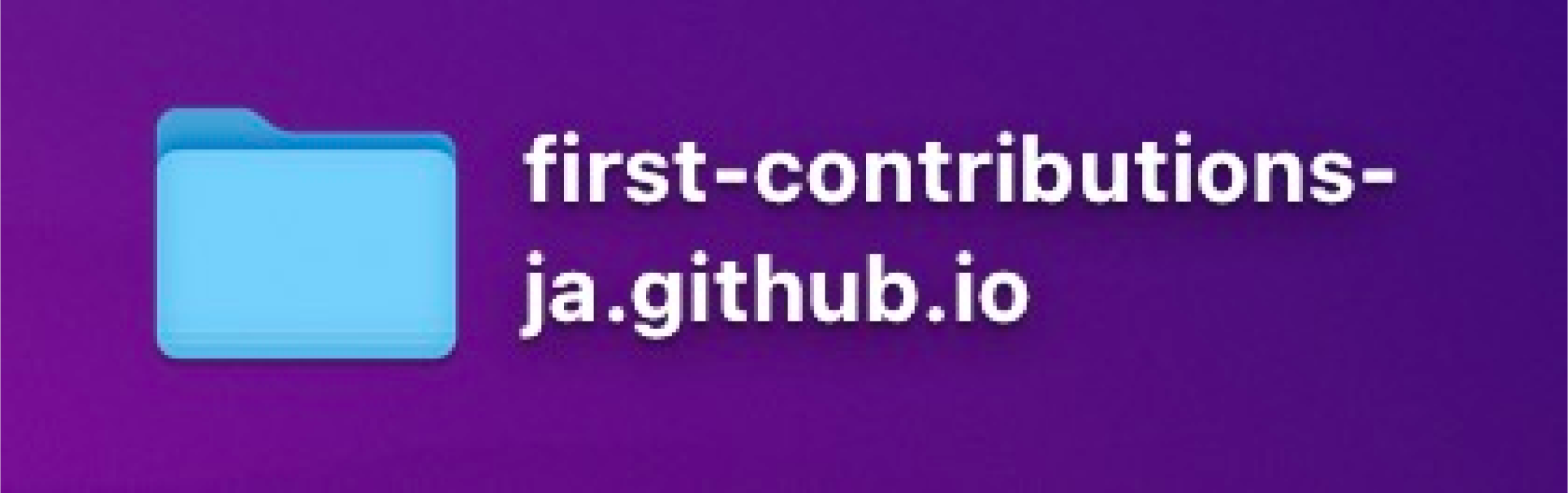
Navigate to the repository directory with the following command:
cd first-contributions-ja.github.io
Install the packages needed for this project with the following command:
npm install
With Node.js installed, run the npm install command to install the libraries required for this project in bulk.
npm installnpm run dev command, click on the URL that appears to confirm For more information about the npm install command, please see here!
npm install command will cause an error.In that case, there are two ways to deal with it .
npm install procedure.npm install didn't work."main branch of your project.git switch -c <ブランチ名> git switch -c add-yourname
yourname with your handle git switch -c add-oginochihiro
Tip
This makes you ready to make changes without directly affecting the main project repository?
git status
 ,
{
  "name": "あなたのハンドルネーム",
  "github": "あなたのGitHubアカウントのURL",
  "favoriteColor": "あなたの好きなカラーコード",
  "favoriteEmoji": "あなたの好きな絵文字"
}
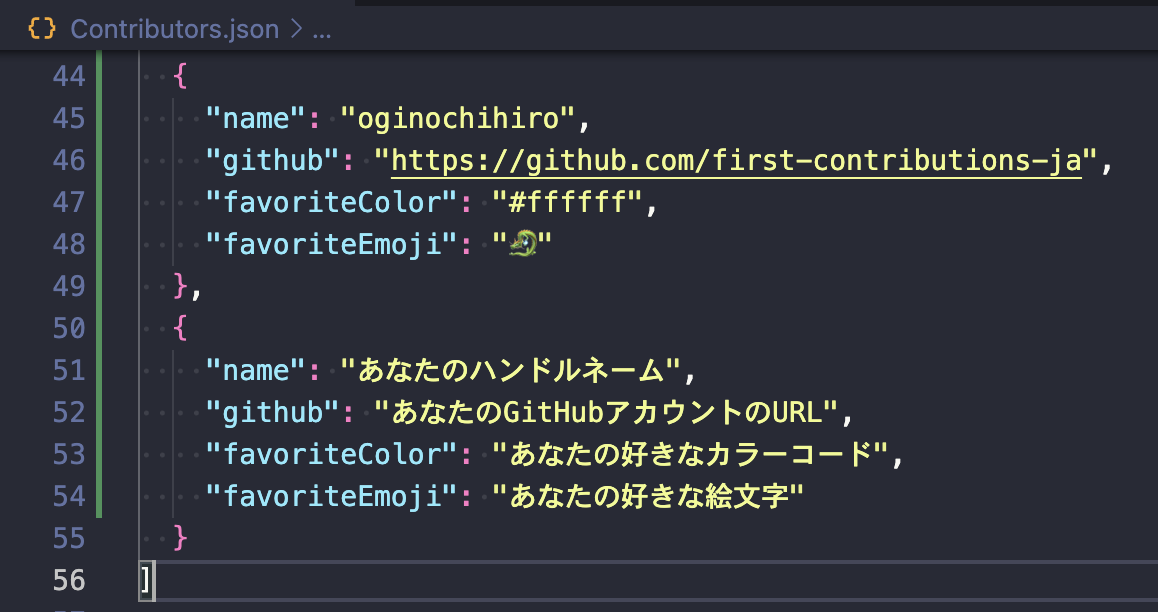
 <!-- 変更後 -->
  ~~
  },
  {
    "name": "oginochihiro",
    "github": "https://github.com/first-contributions-ja",
    "favoriteColor": "#ffffff",
    "favoriteEmoji": "?"
  }
]
yourname with your handle name. git add .
git commit -m "yournameをコントリビューターに追加"
Tip
This will log any changes you make to your Contributors.json file
git push origin HEAD
Tip
This will allow the commits you mentioned earlier (local changes) to your remote repository on GitHub?
https://github.com/あなたのアカウント/first-contributions-ja.github.io ).
add-yourname branch of your repository to main branch of first-contributions-js!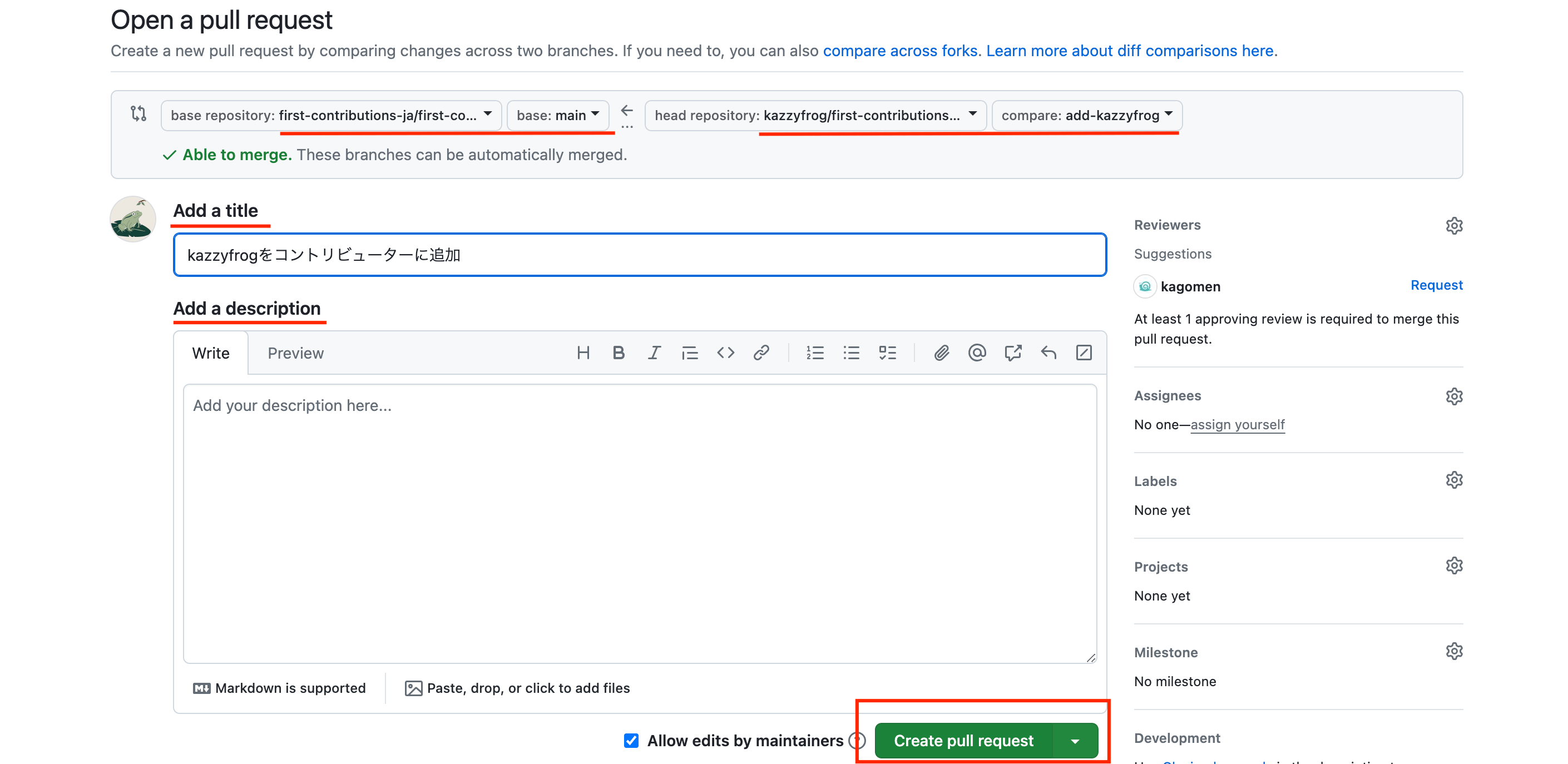
Tip
This will request that any changes you have made by forking be reflected in the repository from which you fork?
Your PR will be reviewed (confirmed) by the project maintainer.
Most reviews will be made within 24 hours, but there may be delays of several days. Please wait patiently ☕
thank you for your hard work!
And thank you for your time and effort to contribute to First Contributions JA! !
Important
If you find this project useful, press the star button from the top of the page!
Also, share with your followers and acquaintances to spread this project!
You've learned how to contribute to open source projects!
If you want to make more contributions, please refer to the Contribution Guidelines!
Any small contributions such as adding code, fixing bugs, improving documentation are welcome?
This project is licensed under MIT LICENSE.
This project includes first-contributions and Contribute-To-This-Project.
It is influenced by a great open source project designed for beginners.





