lightNLP
1.0.0

This project is based on Pytorch and torchtext, and aims to provide a basic deep learning framework for natural language processing-related tasks.
For detailed instructions and tutorials, please refer to the project documentation: lightnlp-cookbook
pip install lightNLPIt is recommended to use domestic sources to install, such as using the following command:
pip install -i https://pypi.douban.com/simple/ lightNLPSince some libraries such as pytorch and torchtext are not in the pypi source or only have older versions, we need to install some libraries separately.
Please use the latest version of Pytorch!
For specific installation, please refer to the pytorch official website to select the version that suits you according to the platform, installation method, Python version, and CUDA version.
Use the following command to install the latest version of torchtext:
pip install https://github.com/pytorch/text/archive/master.zipBIO
The training data examples are as follows:
清 B_Time
明 I_Time
是 O
人 B_Person
们 I_Person
祭 O
扫 O
先 B_Person
人 I_Person
, O
怀 O
念 O
追 O
思 O
的 O
日 B_Time
子 I_Time
。 O

正 O
如 O
宋 B_Time
代 I_Time
诗 B_Person
人 I_Person
 from lightnlp.sl import NER

# 创建NER对象
ner_model = NER()

train_path = '/home/lightsmile/NLP/corpus/ner/train.sample.txt'
dev_path = '/home/lightsmile/NLP/corpus/ner/test.sample.txt'
vec_path = '/home/lightsmile/NLP/embedding/char/token_vec_300.bin'

# 只需指定训练数据路径和TensorBoard日志文件路径,预训练字向量可选,开发集路径可选,模型保存路径可选(模型保存路径默认为`xx_saves`,其中xx为模型简称,如ner)。
ner_model.train(train_path, vectors_path=vec_path, dev_path=dev_path, save_path='./ner_saves', log_dir='E:/Test/tensorboard/')
 # 加载模型,默认当前目录下的`ner_saves`目录
ner_model.load('./ner_saves')
# 对train_path下的测试集进行读取测试
ner_model.test(train_path)
 from pprint import pprint

pprint(ner_model.predict('另一个很酷的事情是,通过框架我们可以停止并在稍后恢复训练。'))
Prediction results:
[{'end': 15, 'entity': '我们', 'start': 14, 'type': 'Person'}]
Execute the following command from the command line, where E:TesttensorBoard is modified to be the log storage path during model training, and the port specification is optional:
tensorboard --logdir=E: T est t ensorBoard --port=2019You can see similar effects:
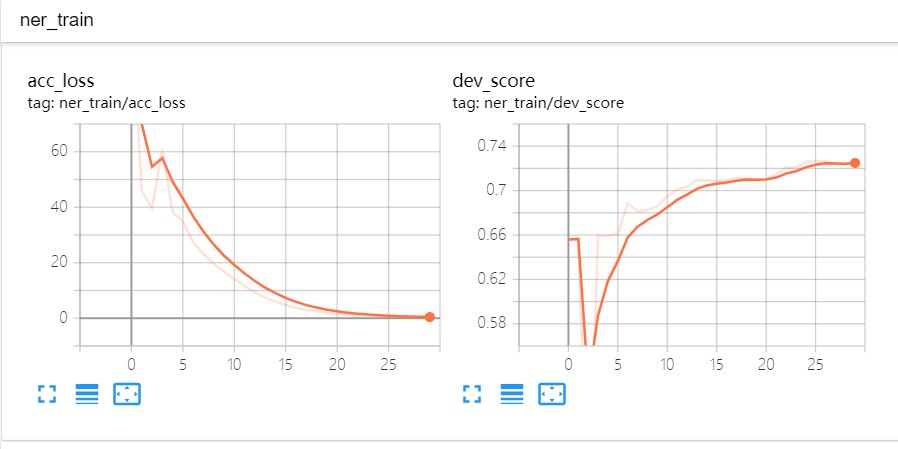
ner_model . deploy ( host = "localhost" , port = 2020 , debug = False ) All parameters are optional. host parameter is default to localhost . port port will be automatically applied for an idle port to the system by the program, and debug mode will not be enabled by default.
You can use Postman or write a program to test it, as shown in the figure below: 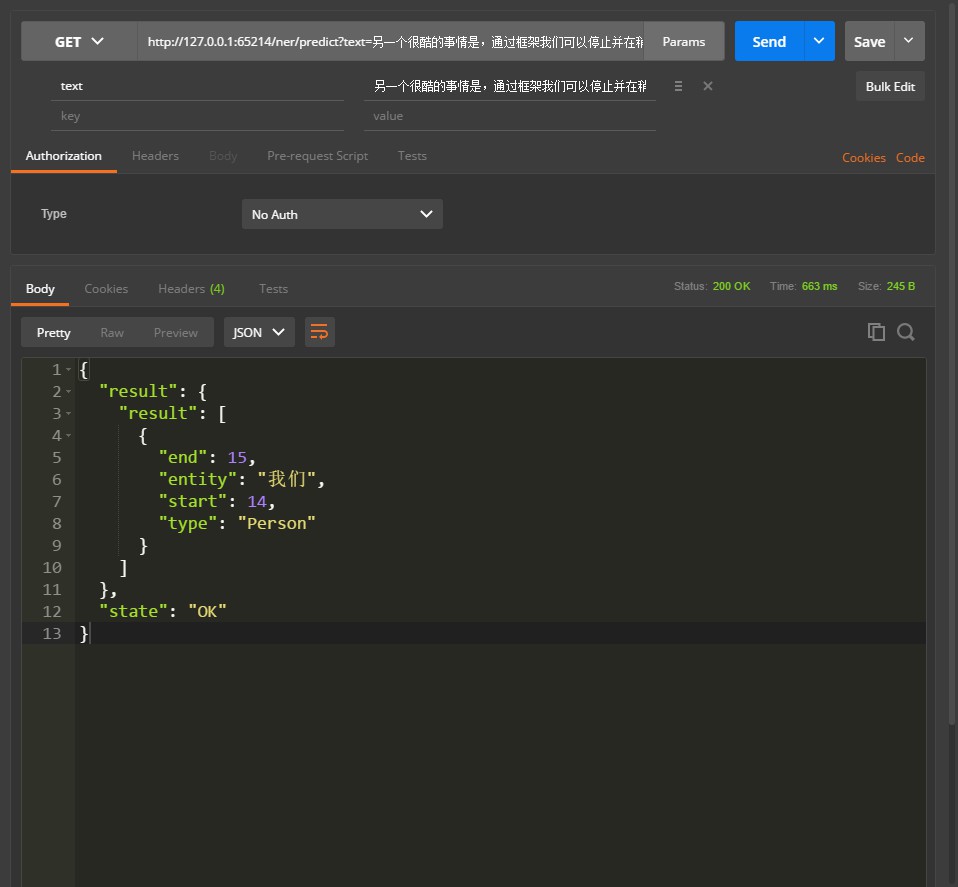
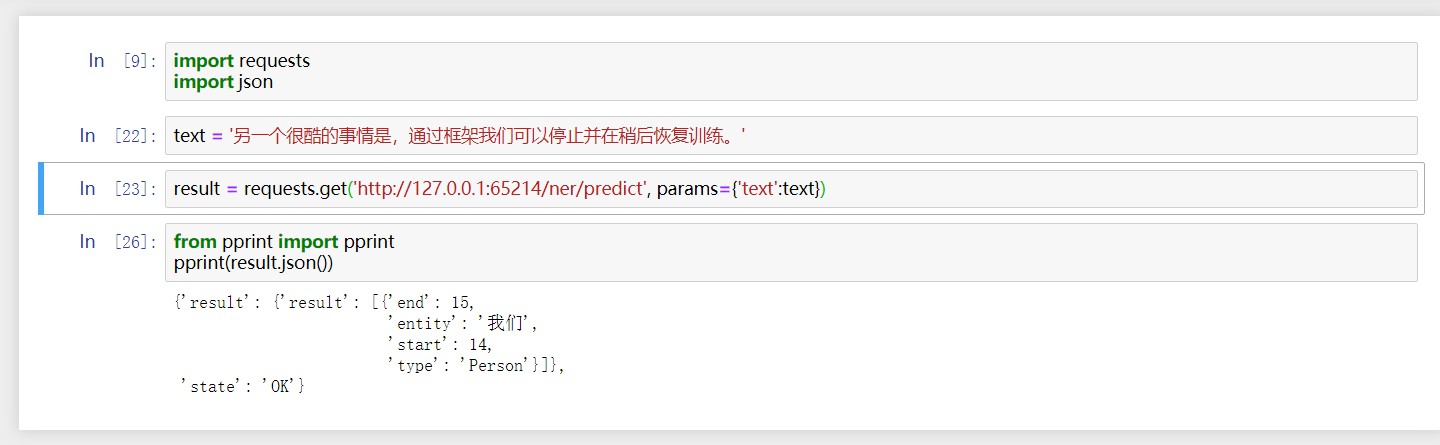
scalar of loss and score and graph of each model (there are currently some bugs in SummaryWriter's add_graph function in Pytorch, so it cannot be added for the time being.). name . If this project is helpful to you, please give me a reward~





