code cookbook
1.0.0

Sources for the Haxe Code Cookbook site, a community driven resource website for learning Haxe in practise.
The repository contains a static website generator, which converts markdown articles into a website. The project is being developed here on GitHub, feel free to contribute Haxe related code snippets and tutorials.
output/ (excluded from git).To contribute a change, you have to make a pull request. This can be done using the GitHub website or by fork/cloning the project.
This is the easiest way of doing small changes:

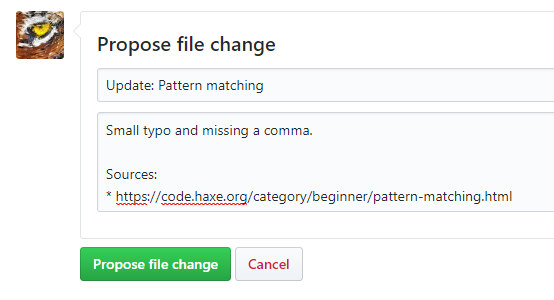
This would also allow to test/see the changes before submitting which is also useful when you want to add new pages.
Please add/edit the articles (markdown files) in the assets folder and do a pull request. The scope of the cookbook includes the core language, the standard library, and also any libraries maintained by the Haxe Foundation.
It would be nice if you keep the formatting of the code in the same style as used already:
> Author: [Name](https://github.com/username) to mark yourself as author of the article. The other contributors are inferred from git commits.[tags]: / "tag1,tag2" (no spaces). Try to use an existing tag.[tryhaxe](https://try.haxe.org/embed/76f24).[youtube](https://www.youtube.com/watch?v=dQw4w9WgXcQ).This would be a typical template to use. Use ```haxe for syntax highlighting:
[tags]: / "class,array,json,building-fields"

# Title of the page

Description and explanation of the code.

## Implementation
```haxe
class Main {
  // Code here
}
```

## Usage

Description of how to use/test the code.

```haxe
class Test {
  // Code here
}
```

> More on this topic:
>
> * [Class field in Haxe Manual](https://haxe.org/manual/class-field.html)
>
> Author: [Name](https://github.com/username)
To run the project you can use Neko:
Call neko CodeCookBook.n to re-generate the output files.
You need Haxe 3.4.2+ installed.
The static site generator source depends on hxtemplo and haxe-markdown.
Install the libraries using haxelib, run the following command in the root of the project:
haxelib install all
The CSS files are compressed using less. Install from npm:
npm install -g less
npm install -g less-plugin-clean-css







