Journey.js
v2.2.0 - Bigger dialogs! Offsets! General improvements and fixes!

? A lightweight, easy-to-use JavaScript library to create interactive, customizable, accessible guided tours across your websites or web apps!
v2.2.0
All the documentation can be found here:
All modern browsers (such as Google Chrome, FireFox, and Opera) are fully supported.
af Afrikaansar Arabichy Armenianbe Belarusianbn Bengalibg Bulgarianca Catalanzh Chinese (simplified)da Danishnl Dutchen English (default)eo Esperantoet Estonianfa Farsifi Finnishfr Frenchfy Frisiangl Galicianka Georgiande Germanel Greekhe Hebrewhi Hindihu Hungarianis Icelandicid Indonesianga Irishit Italianja Japaneseko Koreanlv Latvianlt Lithuanianlb Luxembourgishms Malayne Nepalino Norwegianpl Polishpt Portuguesero Romaniansi Sinhalesesk Slovaksl Slovenianes Spanishsv Swedishtl Tagalogta Tamilzh-tw Taiwanesete Teluguth Thaitr Turkishuk UkrainianTo see a list of all the most recent changes, click here.
You can install the library with npm into your local modules directory using the following command:
npm install jjourney.jsOr, you can download the latest zipped up version here.
Or, you can also use the following CDN links:
https://cdn.jsdelivr.net/gh/williamtroup/[email protected]/dist/journey.min.js
https://cdn.jsdelivr.net/gh/williamtroup/[email protected]/dist/journey.js.min.cssTo get started using Journey.js, do the following steps:
Make sure you include the "DOCTYPE html" tag at the top of your HTML, as follows:
<!DOCTYPE html><link rel="stylesheet" href="dist/Journey.js.css">
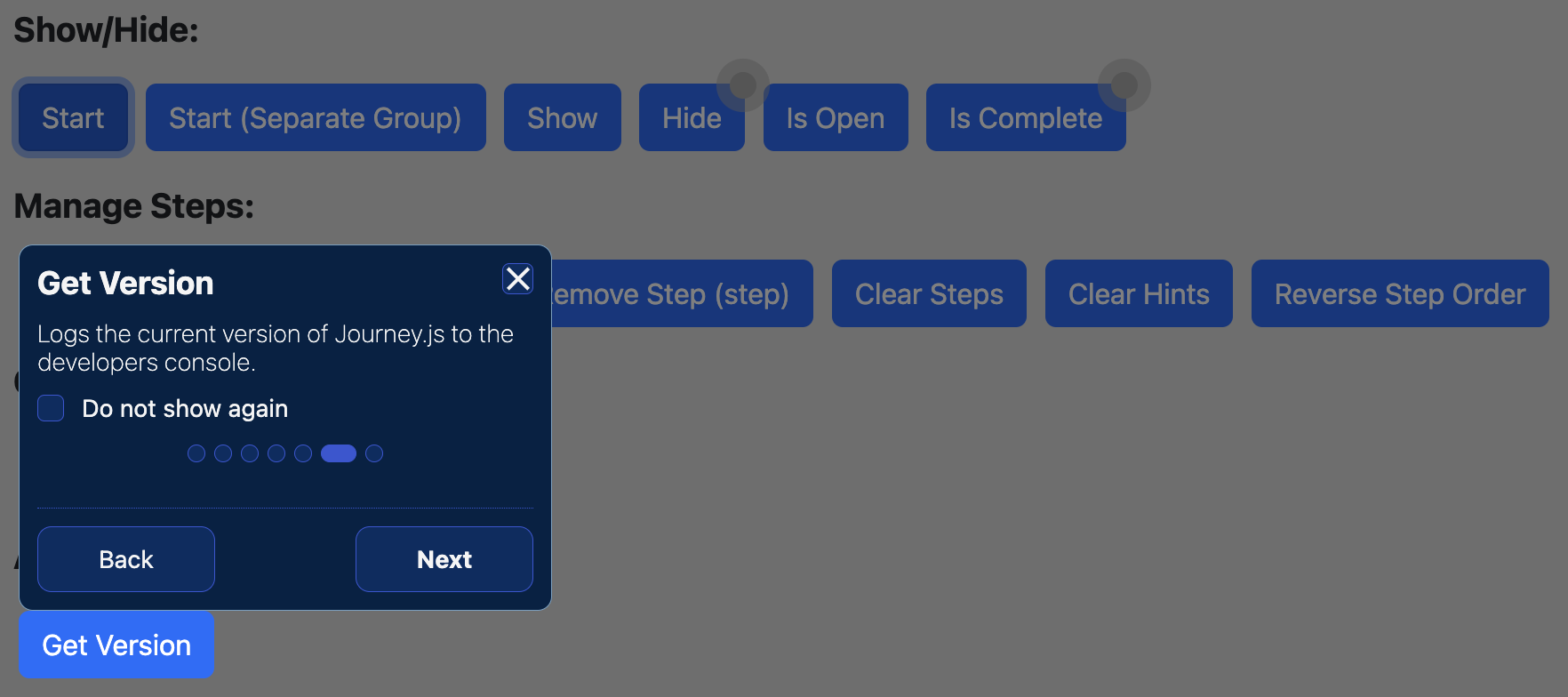
<script src="dist/Journey.js"></script><button data-journey-js="{ 'title': 'Get Version', 'description': 'Logs the current version of Journey.js to the developers console.', 'order': 6 }" onclick="console.log( $journey.getVersion() );">Get Version</button>To see a list of all the available binding options you can use for "data-journey-js", click here.
To see a list of all the available custom triggers you can use for "data-journey-js", click here.
To start the journey, call the following public function:
<script>
  $journey.start();
</script>
That's it! Nice and simple. Please refer to the code if you need more help (fully documented).
To customize, and get more out of Journey.js, please read through the following documentation.
To see a list of all the public functions available, click here.
Configuration options allow you to customize how Journey.js will function. You can set them as follows:
<script>
  $journey.setConfiguration( {
      safeMode: false
  } );
</script>
To see a list of all the available configuration options you can use, click here.
To see a list of all the available configuration option custom triggers you can use, click here.







