WebSafeCompiler
1.0.0

WebSafeCompiler (WSC) is an advanced utility (websites compiler) designed for the optimization, minification, and obfuscation (if you need it) of web applications and websites using Node.js. It enhances your web assets by reducing file sizes or providing durable protection against reverse engineering, ensuring your code is deployment-ready and secure.
Note
Suitable for *.github.io sites
To leverage the full potential of WebSafeCompiler, execute the following command in your terminal:
node wsc.js <input_dir> <output_dir> [--map] [--smart] [--drm]<input_dir>: Directory containing the source files to be processed.<output_dir>: Directory where the optimized and obfuscated files will be output.-m, --map: Creates a sitemap.xml in the output directory for better SEO-s, --smart: Automatically detects minified files and skips them. This includes JS and CSS files.-d, --drm: Enables code obfuscation (DRM protection) to secure your source code against unauthorized analysis.
-h, --help: Displays the help message with detailed usage instructions.-v, --version: Outputs the current version of WebSafeCompiler.node wsc.js "/path/to/source" "/path/to/output" --drm --smartThis command will process all files within the specified source directory, optimize them, and, if the obfuscation flag is enabled, protect the code from unauthorized access or tampering. The output files will be ready for deployment in your web environment.
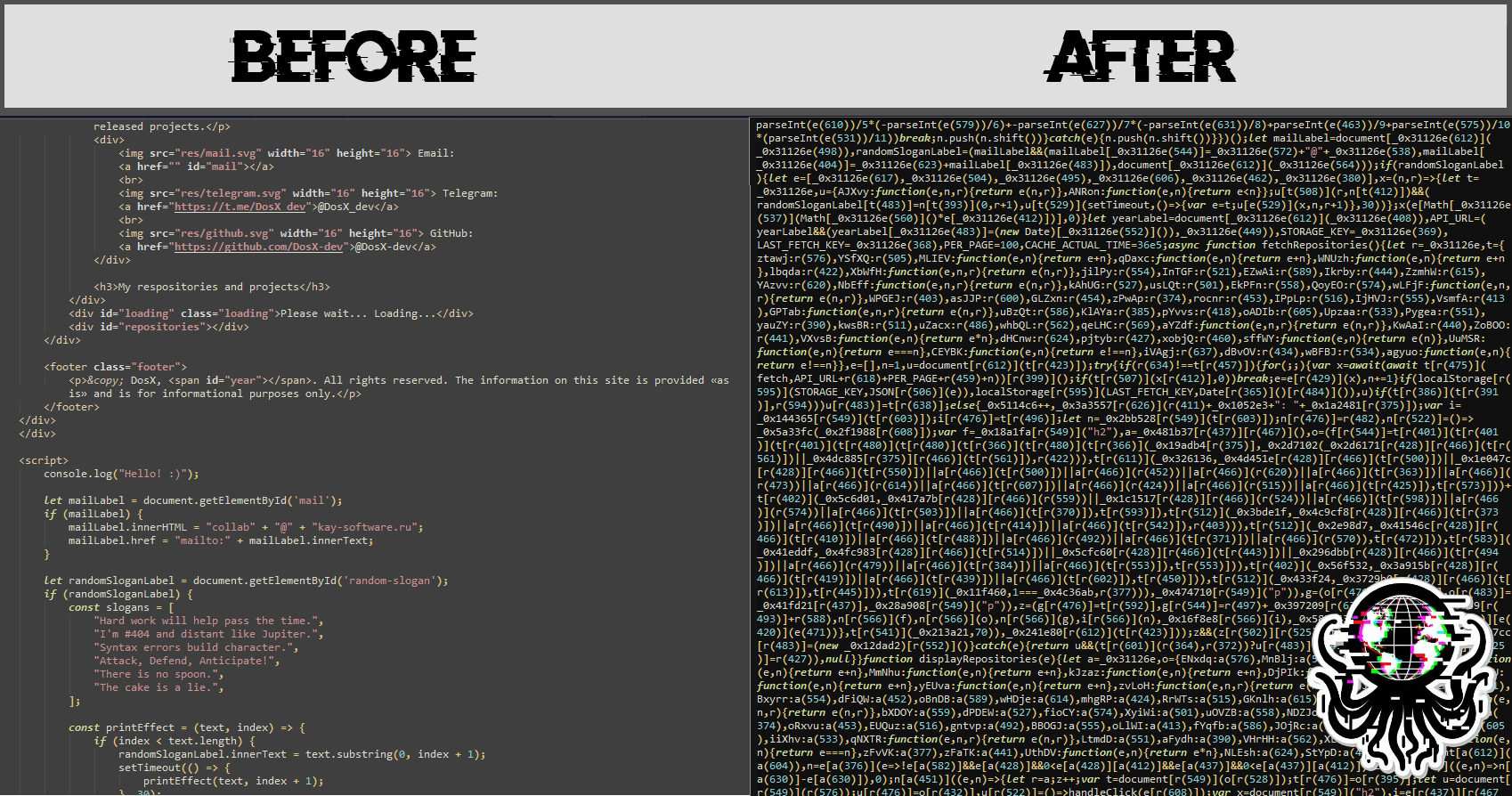
WebSafeCompiler uses the following libraries to work with JavaScript codes:
To get started with WebSafeCompiler, you'll need to have Node.js installed on your system. Follow these steps to install the required packages:
Install Node.js: Download and install Node.js from Node.js official website. Follow the installation instructions for your operating system.
Clone the repository: If you haven't already, clone the repository to your local machine:
git clone <repository-url>
cd <repository-directory>/source
Install dependencies: Navigate to the project directory and install the necessary npm packages:
npm installDone! You can use WSC.
This project is licensed under the MIT License. For more details, please refer to the LICENSE file.







