flash collector
v1.13

Mini game collector, download one-click and run mini games locally, hoping to help you collect a piece of happiness from childhood
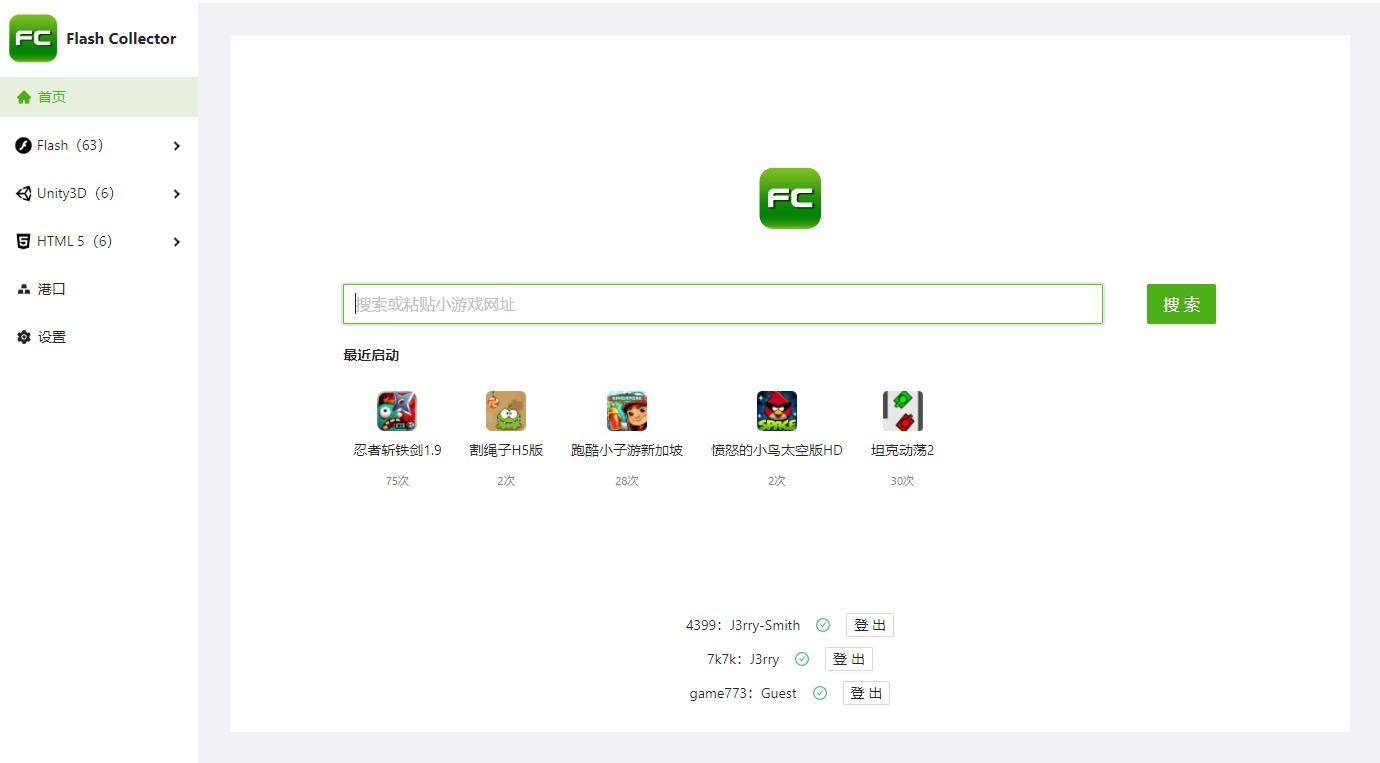
If you want to expand the site, please check the expansion mini game website support. We do not accept site support addition requests, please add support yourself and submit PR, thank you!
Visit Releases or domestic publishing servers.
Since 4399 has added a Referer limit to the real game page, it is impossible to directly access the real page of the source site to play games in the browser. It is necessary to install a supporting user script with the Oil Monkey or Violent Monkey plug-in; this script can also modify the web page title played by the source site and open up the native Flash game file elements.
GreasyFork : https://greasyfork.org/zh-CN/scripts/444989-flash-collector-script
If the script on GreasyFork is reported and deleted, please obtain the script in the user-script directory of this repository or click this link to install it directly.
Flash Collector running games locally may require browser support. The "Compatibility Mode" of Flash games (clicking "Start Game" will call the included Flash standalone player, and does not require browser support) and Unity3D games need to run in the browser, so the browser needs to support these two plugins.
At present, the mainstream international browsers have basically cancelled support for Flash plug-ins, and have accidentally injured the Unity3D Web plug-in. Only a few domestic browser manufacturers will increase support for these two plug-ins.
The browser compatibility test table is given below (sorted in the recommended order). The test time is 2022-05-17. The test environment runs 64-bit Windows 10 Enterprise Edition, and the browser installation packages are all downloaded from the official website.
Several mainstream international browsers did not appear in the table because they were completely wiped out: Chrome Edge (Chromium) Firefox傲游浏览器Opera IE11 ; 2345 accelerated browser was not added to the test list because of its overly foul reputation (pinching the nose). If you know other latest versions of browsers that support these two plugins, please create a new PR.
| Browser | Flash Pure Edition | Flash Cancer Version | Unity64 bit | Unity32 bit |
|---|---|---|---|---|
| 360 Speed Browser X 64-bit | ||||
| 360 Speed Browser 32-bit (stop maintenance) | ||||
| Sogou High Speed Browser | ⭕ Can display the logo, cannot load | |||
| 360 Safe Browser | ||||
| Percent Browser | ||||
| QQ Browser | ||||
| Star Wish Browser |
360极速浏览器X 64位is the only one among the tested browsers that supports Unity 64-bit and also supports Flash pure version. This browser does not come with its own rogue bundle, so it is still recommended (I really confiscate money xdm);
2024-04-14 Update: The latest version of 360 Speed Browser X 64-bit (22.1.1090.64) cannot handle Unity's keyboard input normally. It is recommended that you use 360 Speed Browser 32-bit or find the old version of Chrome by yourself. I backed up a 360 Speed Browser installation package in the bin directory of the warehouse.
360极速浏览器32位, and it also does not come with a rogue bundle. However, since the 360 Speed product line has begun to fully switch to 64-bit and the 32-bit has stopped maintaining, it is best to use the latest version of 64-bit;
搜狗高速浏览器is one of the two major browsers officially recommended by 4399. However, all Unity games were stuck in the Unity logo during the test and could not be entered. It is not clear whether it is a common problem or an isolated case.
360安全浏览器can only recognize the installation directory of the Flash cancer version and then start the security sandbox based on this Flash, so it does not support Flash pure version. Moreover, this browser itself has many bundlings, so it is not recommended;
百分浏览器and QQ浏览器do not support Unity. It is not recommended unless you only play Flash games;
星愿浏览器may not have added adaptation modifications to these two plug-ins due to insufficient manpower and product positioning.
Flash Collector supports recognition of most mainstream browsers. You can also use older versions of Chrome or Firefox and customize the launch browser path on the Settings page.
The analysis and download functions require logging into the corresponding website, and they may not be authenticated without real-name authentication.
The login function is only used to send valid cookies to the site when crawling pages and downloading games. Your game progress cannot be saved locally.
Some 17yy mini games require a certain amount of merit, and there is no way to bypass this limit yet.
If you encounter Flash or Unity3D games that cannot be parsed or parsed to HTML5, please create a new feedback issue and do not accept feedback requests from HTML5 or web games.
If you cannot run Flash games normally locally or the "Source Site Play" function cannot be used, please read carefully the contents of the question mark icon on the right side of the "Start Game" button .
Navigate to ./packages/main/modules , write a site module that implements the ParserRegister interface, and register your module in _register.ts .
The relevant annotations of ParserRegister interface are located in packages/class.ts , so try to refer to the implementation of existing modules.
We recommend adding unit test file MODULE_NAME.test.ts to your module to ensure that your module works properly when subsequent project changes.
Execute yarn dev .
Execute yarn test .
Execute yarn build .
Flash Collector only supports compilation and running on Windows 64-bit systems
By using this software and its related content, you agree to the following terms:








