myflash
1.0.0

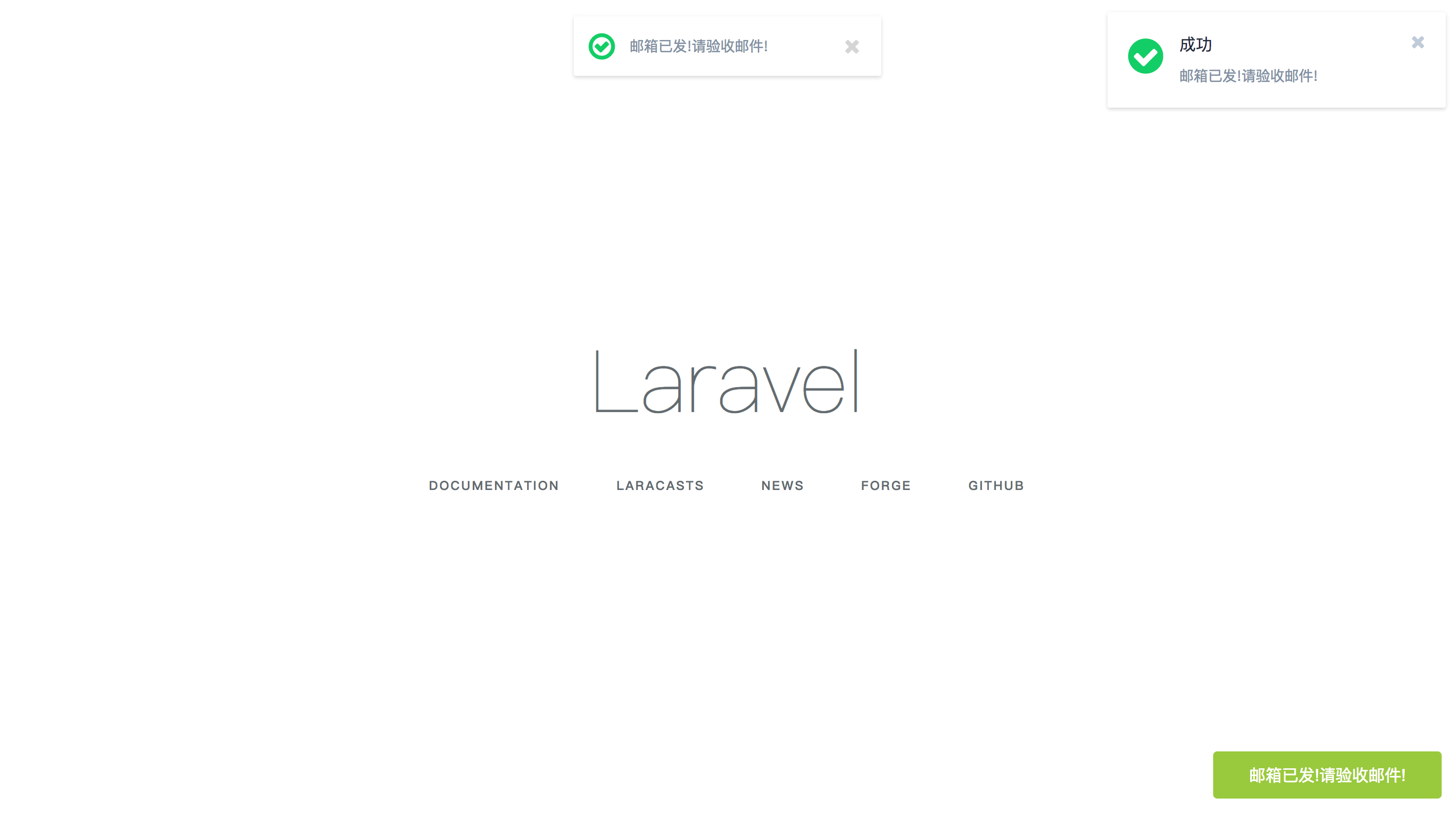
The entire package uses the one-time request flash function in Laravel's built-in
IlluminateSessionStore. There are three ways to display the views, which can be seen in the figure. ( It is best to enable vpn when installing, because it seems that the domestic mirror cannot be installed, so use the foreign composer image! )
composer require laravelchen/myflash
config/app.php 'providers' => [
LaravelChenMyFlashMyFlashProvider::class,
];
 'aliases' => [
    'MyFlash'=>LaravelChenMyFlashMyFlash::class,
];
 public function index()
{
    MyFlash::success('邮件已发!请查收邮件!');

    return Redirect::home();
}
myflash() as a helper functionmessage view to your view @include('myflash::notification')
或者
@include('myflash::top-message')
或者
@include('myflash::bottom-message')
 <link href="//cdn.bootcss.com/font-awesome/4.7.0/css/font-awesome.min.css" rel="stylesheet">
<script src="//cdn.bootcss.com/jquery/2.1.0/jquery.min.js"></script>
 <!DOCTYPE html>
<html>
<head>
    <meta charset="utf-8">
    <meta http-equiv="X-UA-Compatible" content="IE=edge">
    <meta name="viewport" content="width=device-width, initial-scale=1">
    <title>Laravel</title>
    <link href="//cdn.bootcss.com/font-awesome/4.7.0/css/font-awesome.min.css" rel="stylesheet">
</head>
<body>
<h1 class="text-center">Hello World</h1>
<script src="//cdn.bootcss.com/jquery/2.1.0/jquery.min.js"></script>
@include('myflash::notification')
</body>
</html>
php artisan vendor:publish
resources/views/vendor/myflash directoryFinally, thanks to mercuryseries and Jeffrey Way for the package!







