OceanOnlineShopping
1.0.0

Import data: Run SQL script to create a database
mysql > CREATE DATABASE IF NOT EXISTS ocean_online_shopping DEFAULT CHARACTER SET utf8 DEFAULT COLLATE utf8_general_ci;
Query OK, 1 row affected ( 0 . 02 sec)
Run SQL scripts
mysql > use ocean_online_shopping
Database changed
mysql > source . / ocean_online_shopping . sql
There is no error reported in the above command execution, and if you can see the corresponding data, it means that the data import is successful.
IDEA configuration tomcat
1. Download the tomcat binary installation package
wget https://archive.apache.org/dist/tomcat/tomcat-8/v8.5.60/bin/apache-tomcat-8.5.60.tar.gz2. Unzip to the specified directory
tar -zxf apache-tomcat-8.5.60.tar.gz -C /opt3. IDEA configuration operation environment

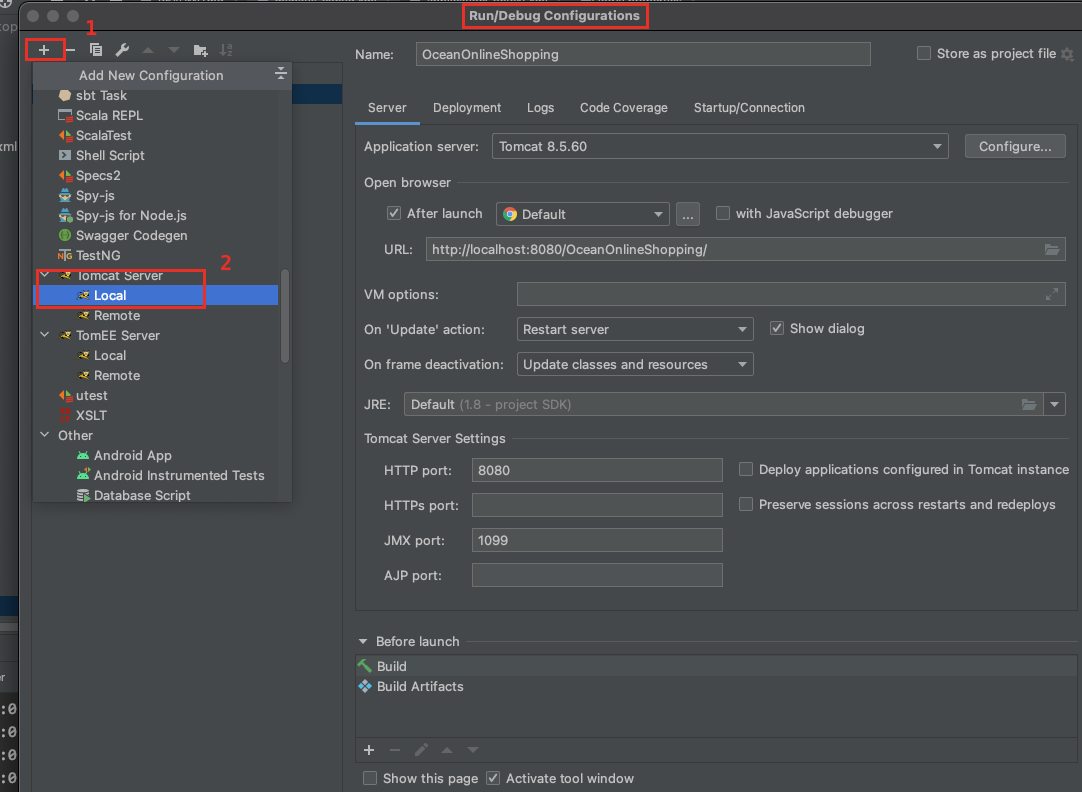
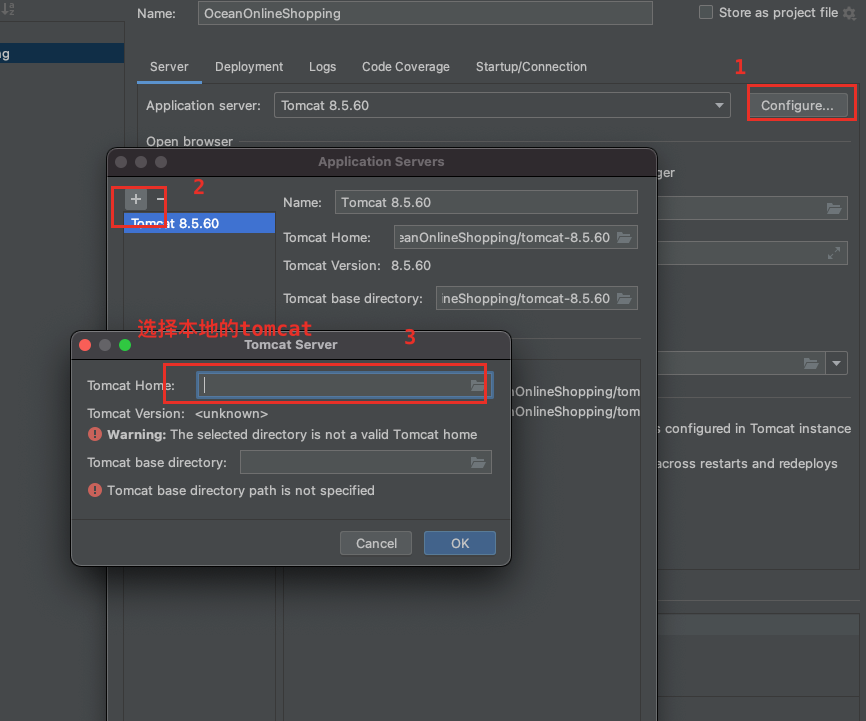
Edit the run configuration
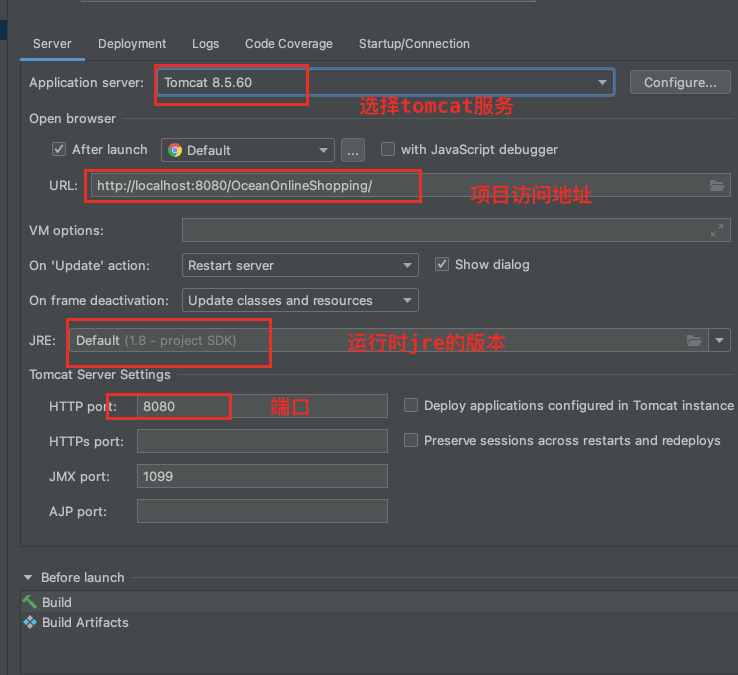
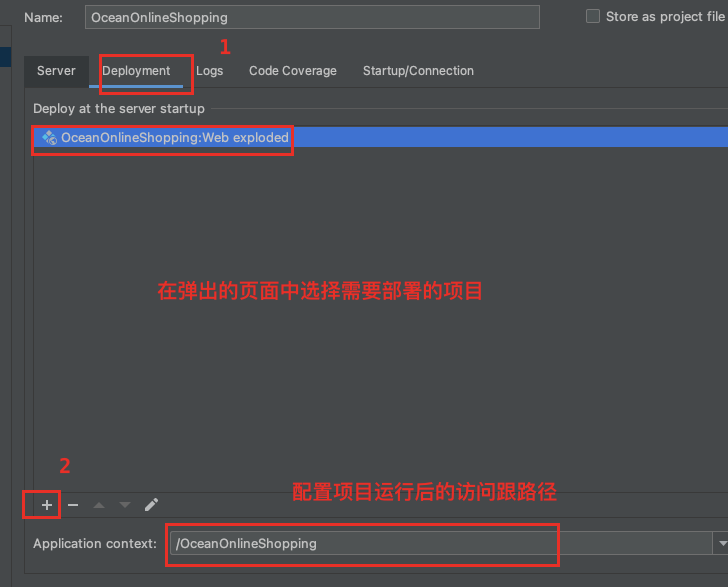
Configure project structure
File -> project Structre...
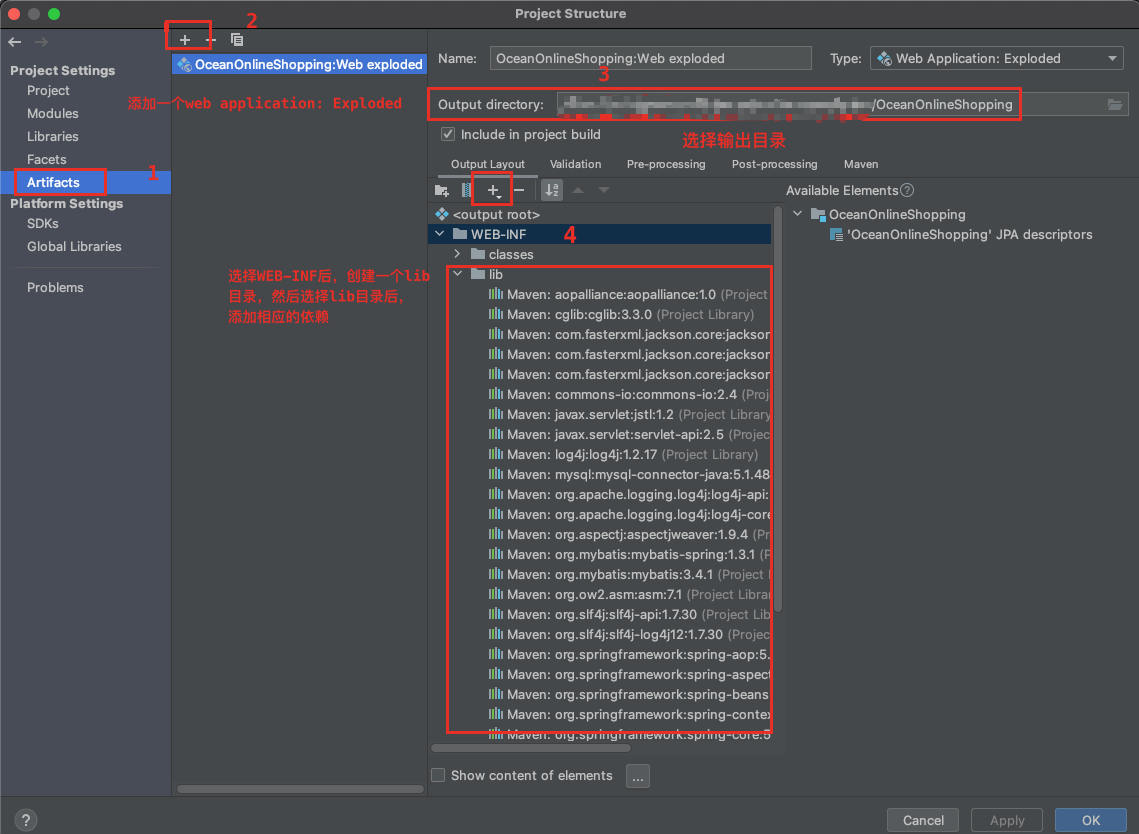
Run the project
Just like running a Java project normally, just click the Run button. After successful startup, the browser will be automatically opened. If the browser does not automatically open, you can
Manually enter the following address in the browser address to access: http://localhost:8080/OceanOnlineShopping/
Default account: admin Password: 123456







