Sales Pipeline Managing System
A comprehensive Sales Pipeline Managing System built as a full-stack Java web application. This application enables employees to manage sales leads through different stages, from initial contact to closure, as visualized in the pipeline structure. This system supports tracking, categorizing, and updating sales records, providing clear insights into sales progress.
Table of Contents
- Model Reference Image
- Features
- Technologies Used
- Setup
- Usage
- Project Structure
- Screenshots
- License
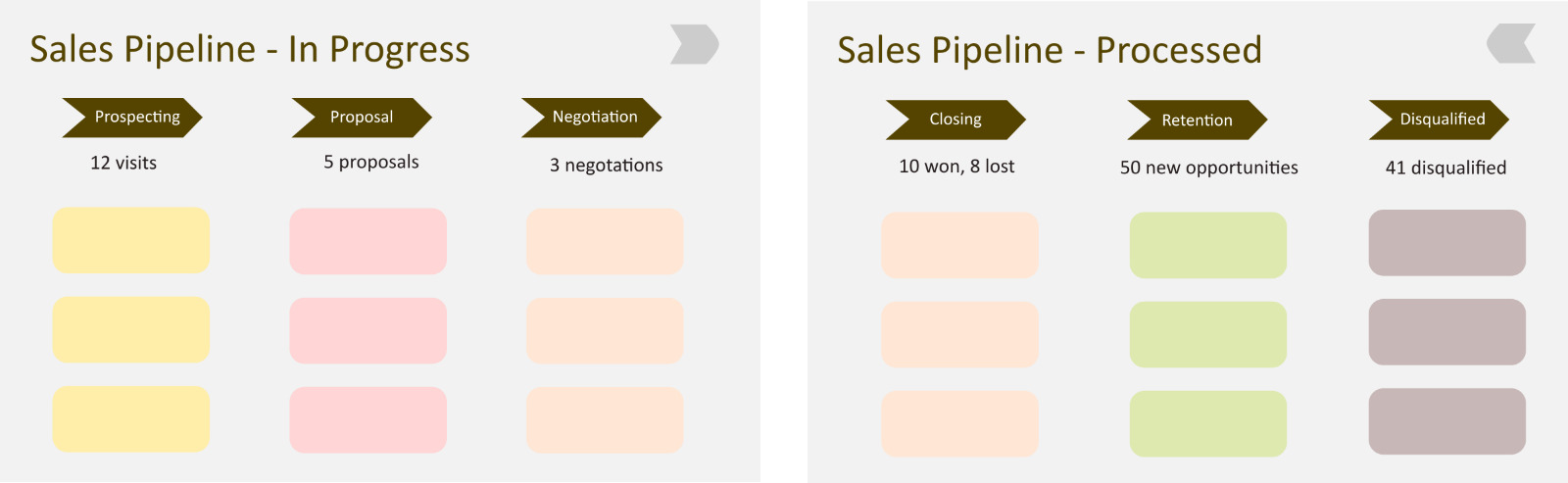
Model Reference Image
| Stage 1 |
Stage 2 |
| Sales Pipeline - In Progress |
Sales Pipeline - In Processed |
Features
-
Authentication and Authorization: Secure login system to restrict access.
-
Sales Pipeline Management: Sales can be categorized into stages such as Prospecting, Proposal, Negotiation, Closing, Retention, and Disqualification.
-
Sales Status Tracking: Easily track the status of each sale as "In Progress" or "Processed," as shown in the pipeline stages.
-
CRUD Operations:
-
Create new sales entries.
-
View existing sales information with category-based filtering.
-
Update sales entries as they progress through the pipeline.
-
Delete obsolete or incorrect sales records.
-
Report Generation: Generate sales reports based on stage categories (In Progress, Processed).
-
User Management: Employees can create and manage their accounts with access based on roles.
Technologies Used
Frontend
-
HTML - For structuring the web pages.
-
CSS - Styling the web pages.
-
JavaScript - Adding interactivity.
-
Tailwind CSS - Simplified styling with utility classes.
-
jQuery - DOM manipulation and AJAX requests.
Backend
-
Java - Core programming language.
-
JDBC - For database connectivity.
-
JSP - For server-side rendering.
-
Hibernate - ORM for handling database operations.
-
MySQL - Database management.
Setup
-
Clone the repository
git clone https://github.com/UdaySharmaGitHub/Sales-Pipeline-Manager.git
cd Sales-Pipeline-Manager
-
Set up the database
- Create a MySQL database.
- Use the provided SQL file (if available) to set up the necessary tables or manually create tables as per the database schema.
-
Configure Database Connection
- Update the database configuration in the JDBC or Hibernate properties file.
-
Run the Application
- Deploy the application on a server like Apache Tomcat.
Access the application at http://localhost:8080/sales-pipeline.
Usage
- Login with valid credentials.
- Navigate to the Sales Management section.
-
Add New Sales: Create a new sales entry with details like client name, potential value, and initial status.
-
Update Sales Status: Move sales from one stage to another, e.g., from Prospecting to Proposal.
-
Delete Sales Records: Remove records as needed.
-
View Reports: View and filter sales based on categories (In Progress or Processed).
Project Structure
sales-pipeline-managing-system
├── src
│   ├── main
│   │   ├── java
│   │   │   ├── com.example.pipeline
│   │   │   │   ├── controllers
│   │   │   │   ├── models
│   │   │   │   ├── dao
│   │   │   │   ├── services
│   │   │   └── utils
│   │   └── resources
│   │   └── webapp
│   │       ├── WEB-INF
│   │       ├── css
│   │       ├── js
│   │       └── views
└── pom.xml
License
- This project is licensed under the MIT License. See the LICENSE file for details.








