Perco Project
1.0.0

| Perco | Existing app |
|---|---|
| We provide the number of people for each health field. | There was no service that provided the number of people in the existing app. |
| You can also develop places that need to provide the number of people, not just the gym. | The existing number of people should have been confirmed on the homepage. |
| We have created a community for each health field, and there is a notice or a feed that can be available for Q & A. | It's similar to the library seating information app, but the community is not active. |
| The administrator provides users with convenience such as the number of people, delivering notes, and activating the community. | Existing apps were made for the convenience of managers and managers. |
| division | item | Application |
|---|---|---|
| OS | Android, iOS | Android, implemented in iOS |
| Development environment (IDE) | Visual Studio Code, Eclips, MySQL | DB of the app, environment for functional and design development |
| Development tool | Chrome | Tools for implementation of the app, wepapp |
| Development language | HTML, JS, CSS, Java | Implementing the function and design of the app |
| screen | explanation |
|---|---|
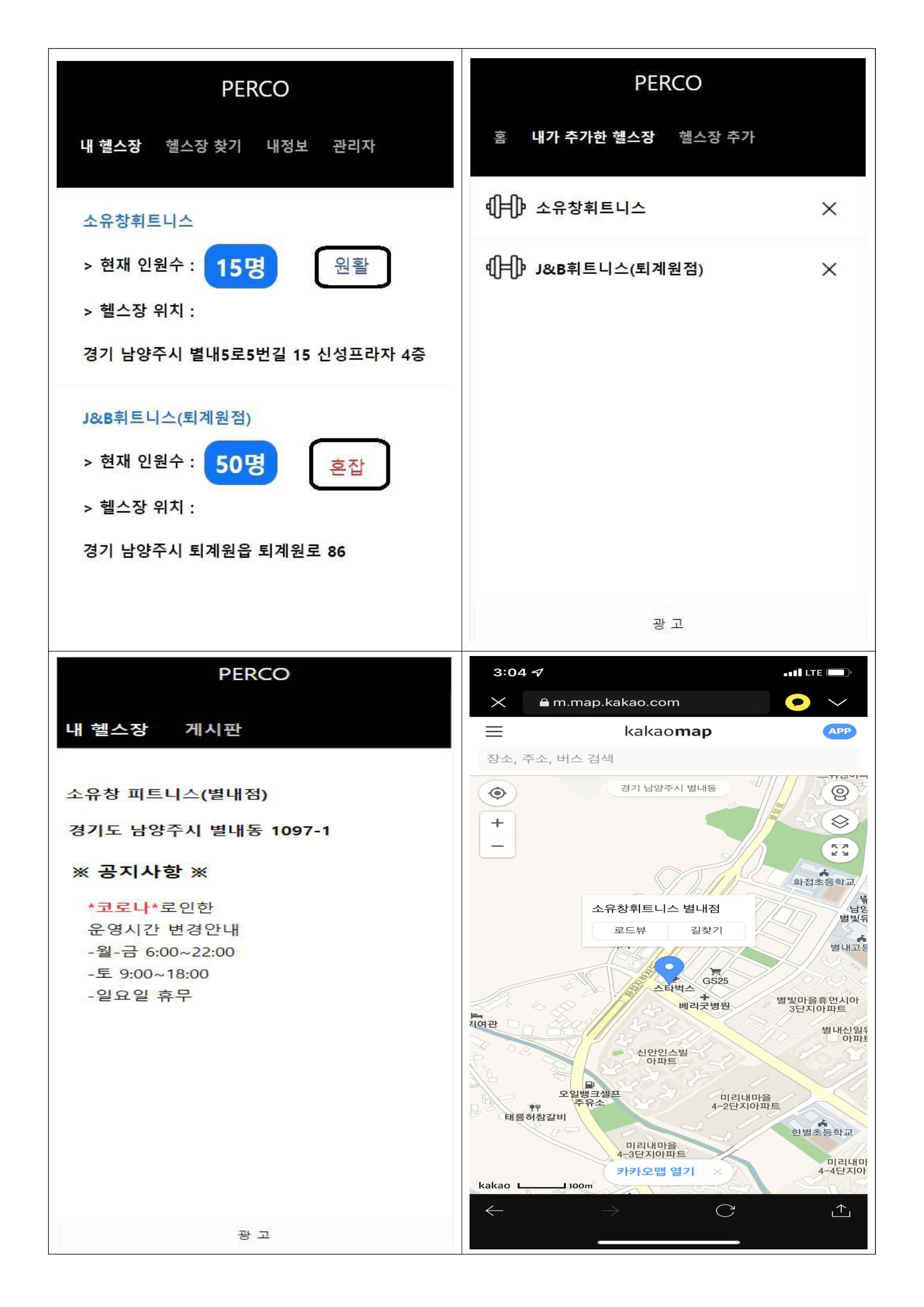
| Home screen | -In the main page, you can see the number of people for each gym and the congestion of the current gym. -Conception will come out of the number of people by number, usually, smooth. The gym I added comes up, and I can see the name and location of the gym. -If I press the gym I go, I can move on to the communication space of the gym. |
| Add a gym | -If you go to the gym additional banner, you will see the gym registered by the gym manager. -The user can add the desired gym and check it through the gymnasium I added. (Save DB) |
| Gym | -In the main page, click on my gym to get the gym feed. -In the gym feed, the gym name, location, and notice are shown to the user. -In addition, clicking on the gym location will be linked to Kakao Map to provide location service. |
| Gym location | -When clicking on the gym in the gym feed, it was linked to the Kakao Map to show the user the actual location of the gym as a map. |
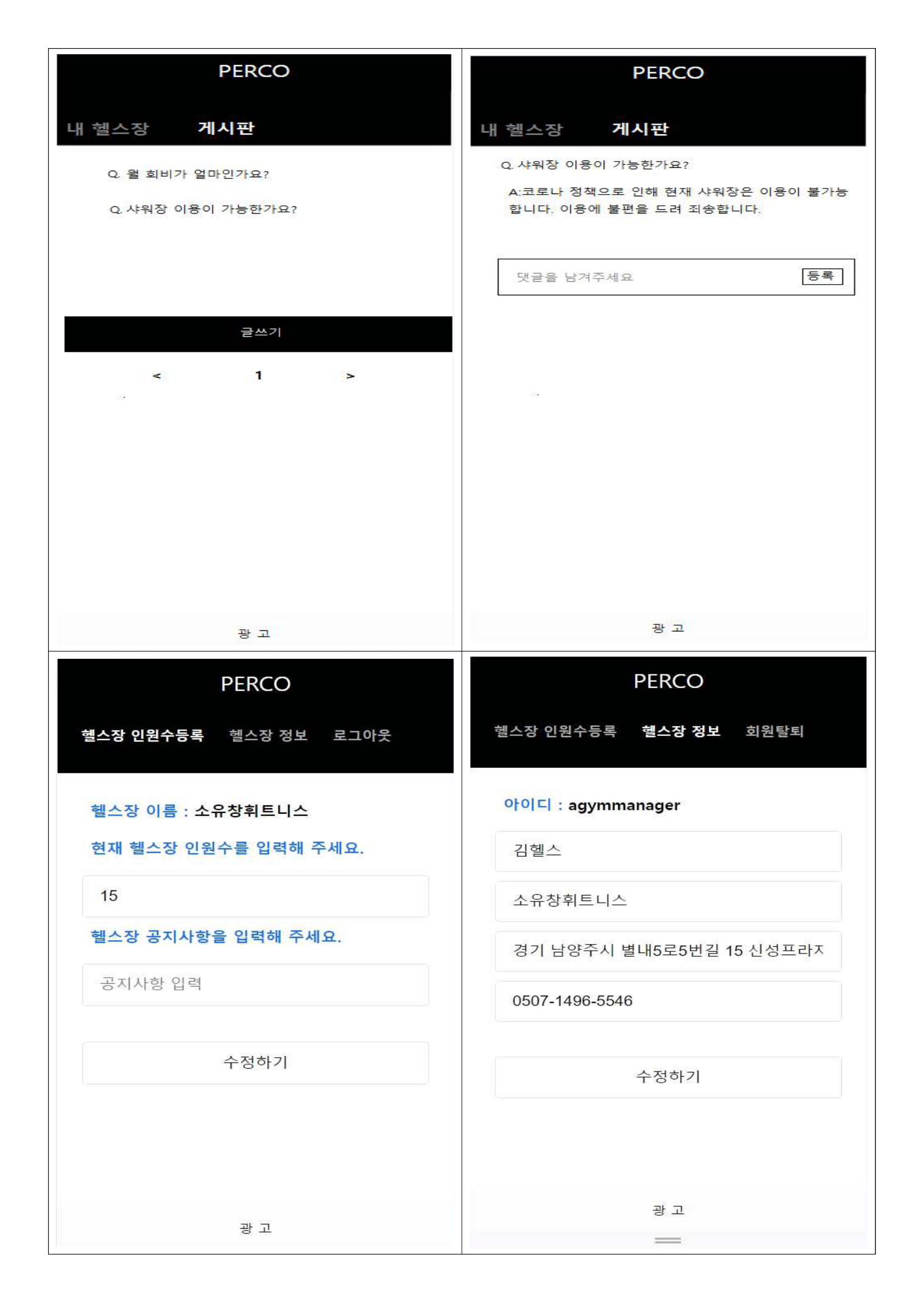
| Gym notice board | -The bulletin board page allows users to write questions through writing. |
| Gym Bulletin Board-2 | -If you click on the post on the bulletin board registered by the user, you will see a page where you can register a comment. -As the answer to the questions that the user asked questions is written by the administrator and the registration button provides information to the user. |
| Administrator screen | -If you sign up as an administrator, you can access the administrator page. -You can enter the current number of people in the gym and write a notice. -The number and announcement are provided to the user. -If you enter the gym information banner, you can check the gym information entered when logging in, and you can modify it. |







