library_servlet
1.0.0

java8 + servlet + jsp + MySQL8.0.17 + c3p0 + DBUtils + Xadmin Implement the library management system
Spring Boot version: https://github.com/ifwlzs/library_springboot
sql is stored in src/main/resources/ directory
Tomcat deployed application context is /
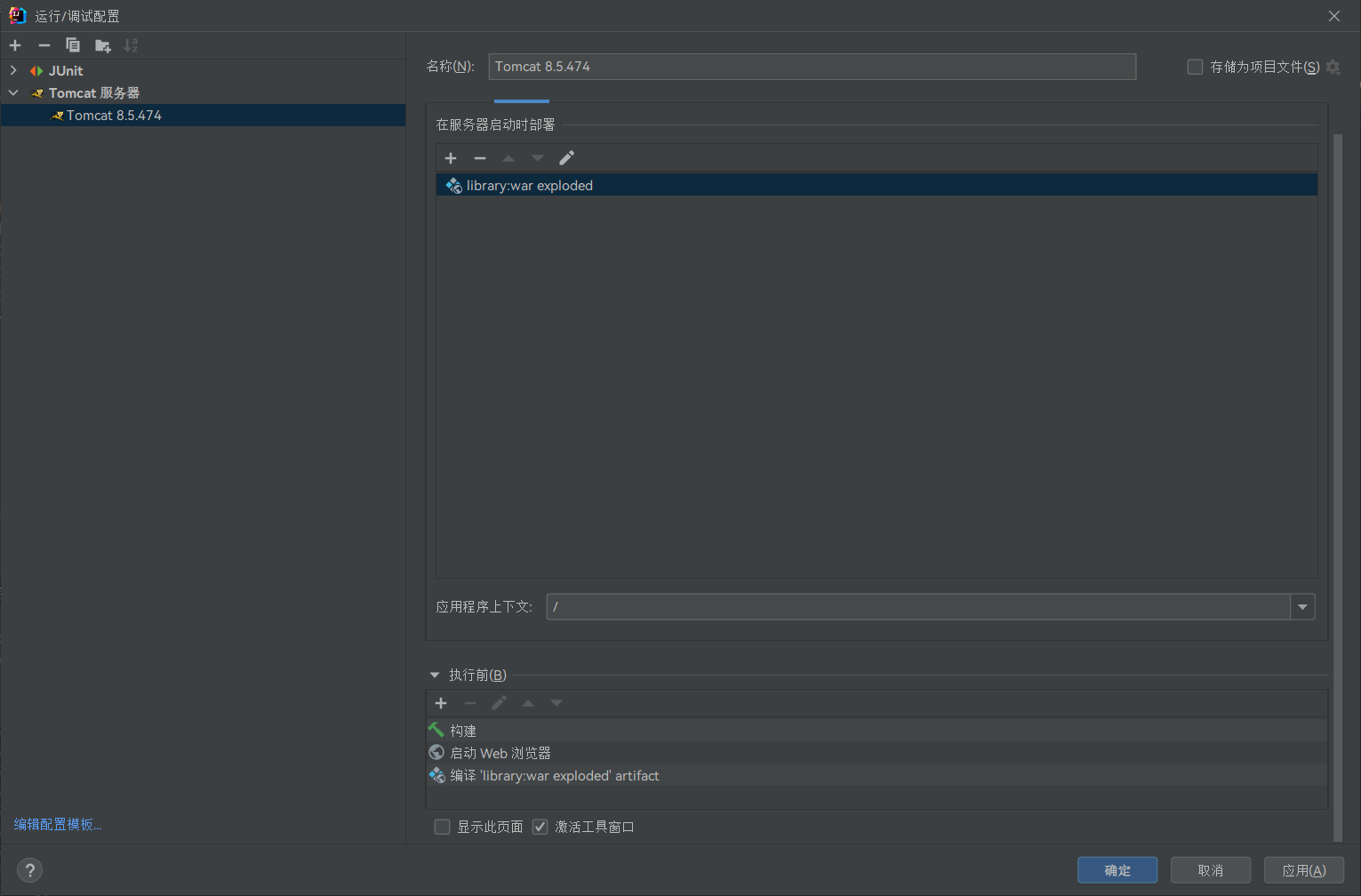
The code of this idea project is utf8, please change the relevant configuration yourself
Idea configuration: File->Settings->File Encodings->Project Encoding
The default is GBK and tomcat configuration interface: add virtual machine startup parameters: -Dfile.encoding=UTF-8
The console garbled code to modify the vm parameters in idea to add a configuration information: -Dfile.encoding=UTF-8
Tomcat is set to utf8
The system needs to implement the following basic management functions:
(1) Users are divided into two categories: administrators and general users.
(2) Provide user registration and user login verification functions; one of the login users' information is: login user name and login password.
(3) Administrators can implement management of registered users (query, deletion, password modification), determination and return of users' book loan applications, and implement operations related to book creation, query, modification and deletion of books, etc.
(4) Generally, users can only query books and borrow books (apply for borrowing books). Each user can borrow up to 8 books. That is, when the current 8 books are already borrowed, they cannot borrow books anymore. Only after returning the books can they borrow again.
Can't use frames
Public to everyone: 1-4
reader, admin: 5-7
Reader only: 8-9
admin only: 10-28
| Serial number | path | illustrate | Page 1 | Page 2 | Page 3 | Accessible |
|---|---|---|---|---|---|---|
| 1 | /toIndexServlet | Automatic login, no login to jump to home page | /index.jsp | All | ||
| 2 | /RegisterReaderServlet | Jump to register | /register.jsp | All | ||
| 3 | /LoginServlet | Log in | /login.jsp | All | ||
| 4 | /toErrorServlet | Jump the error page | * | All | ||
| 5 | /UpdateReaderServlet | User information modification and implementation, administrator edit user information | /reader/edit.jsp | /admin/editReader.jsp | admin,reader | |
| 6 | /toEditReaderServlet | Jump the user modification page, administrator edit the user | /reader/edit | /admin/readerList.jsp | admin,reader | |
| 7 | /LogoutServlet | Log out | /reader/index.jsp | /admin/index.jsp | admin,reader | |
| 8 | /reader/toBookshelfServlet | Jump the user to display the book, the user finds the details of a book | /reader/index.jsp | /reader/borrowList.jsp | Reader | |
| 9 | /reader/toReaderBorrowServlet | Jump user borrowing records | /reader/index.jsp | Reader | ||
| 10 | /admin/toAddReaderServlet | Administrator adds users | /admin/readerList.jsp | admin | ||
| 11 | /admin/toBorrowListServlet | Administrator query borrowing information | /admin/readerList.jsp | /admin/index.jsp | /admin/bookList.jsp | admin |
| 12 | /admin/DeleteReaderServlet | Delete users | /admin/readerList.jsp | admin | ||
| 13 | /admin/toEditAdminServlet | Jump to the administrator editing page, modify the administrator's personal information | /admin/index.jsp | /admin/adminList.jsp | admin | |
| 14 | /admin/toAdminListServlet | Show the administrator list | /admin/index.jsp | admin | ||
| 15 | /admin/toReaderListServlet | Show user list and display borrower information | /admin/index.jsp | /admin/borrowList.jsp | admin | |
| 16 | /admin/toBookListServlet | Go to show the book list | /admin/index.jsp | /admin/borrowList.jsp | admin | |
| 17 | /admin/UpdateBookServlet | Administrator edits book information | /admin/editBook.jsp | admin | ||
| 18 | /admin/UpdateAdminServlet | Administrator edit administrator information | /admin/editAdmin.jsp | admin | ||
| 19 | /admin/toAddBorrowServlet | Administrator to add borrowing information | /admin/borrowList.jsp | admin | ||
| 20 | /admin/toReturnBookServlet | Jump to return the book application | /admin/borrowList.jsp | admin | ||
| twenty one | /admin/toAddBookServlet | Administrator to add books | /admin/bookList.jsp | admin | ||
| twenty two | /admin/toEditBookServlet | Administrator edits books | /admin/bookList.jsp | admin | ||
| twenty three | /admin/DeleteBookServlet | Delete books | /admin/bookList.jsp | admin | ||
| twenty four | /admin/toAddAdminServlet | Jump to add an administrator page | /admin/adminList.jsp | admin | ||
| 25 | /admin/DeleteAdminServlet | Delete administrator information | /admin/adminList.jsp | admin | ||
| 26 | /admin/AddBorrowServlet | Administrator borrows books | /admin/addBorrow.jsp | admin | ||
| 27 | /admin/AddBookServlet | Administrator adds books | /admin/addBook.jsp | admin | ||
| 28 | /admin/RegisterAdminServlet | Administrator Register Administrator | /admin/addAdmin.jsp | admin |
The system module is as follows:
Error page jump module: When the user accesses a page that does not exist, it will jump to the default 404 page of this system. When the error operation causes the server 500 error, it will also jump to the 500 page that is provided by this system.
Permission management: Use interceptor to achieve the purpose of users being unable to access pages and sending requests.
Login verification module: matches the user present in the database, and if it does not exist, an error message is returned. After logging in successfully, you will jump to the corresponding homepage
Administrator module: personal information modification; readers' additions, deletion, modification and search; books' additions, deletion, modification and search; administrator's additions, deletion, modification and search, as well as book borrowing and book return operations.
Reader module: personal information modification, library inventory query, personal borrowing record query.
The ER model is shown in the figure:
The database design is shown in the figure:
Login includes the registration and login sections. When the user has not entered, he can only click to register. Clicking on login will pop up the window and "Required items not entered and slider authentication is not completed".
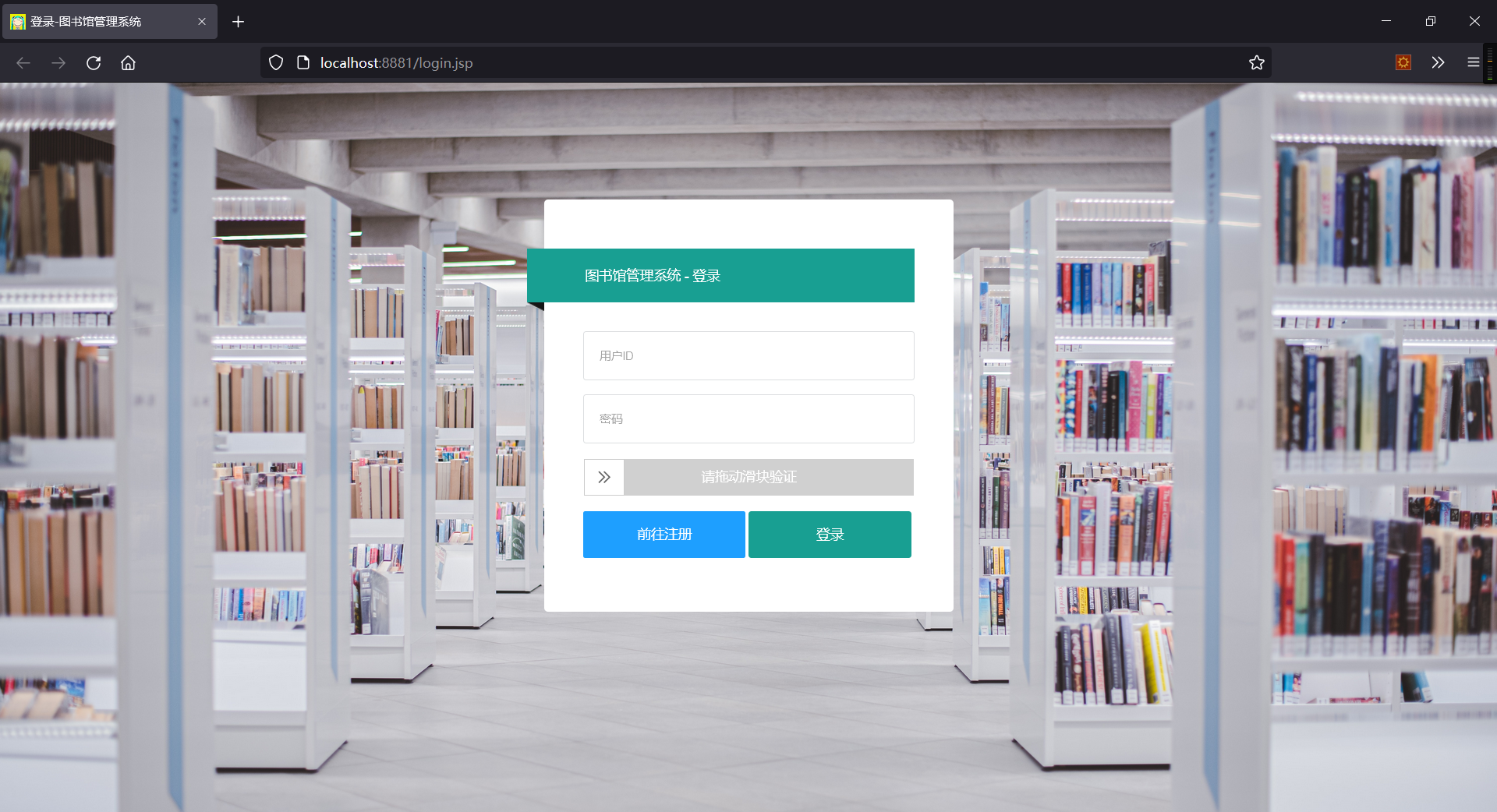
Click to register. You can see the registration page. In the re-registration interface, the judgment of key values such as empty values, user ID, email, and phone are added. Ensure that the characters entered by the user meet the registration requirements and send a registration request to the backend.
After logging in, the system will automatically determine the user category based on the user ID. If it starts with r, it will log in for readers, and if it starts with m, it will be an administrator. If login error occurs, an error message will be returned
The reader module is divided into three small pieces. The navigation bar on the right includes two functions, namely querying the library's collection of books and querying your own borrowing records. On the right is the function of refreshing, logging out and editing personal information.
This page has a password verification function, and it cannot be modified if the password is entered incorrectly.
This page displays basic information about the book. You can also fuzzy query based on the title of the book. But special treatment is carried out. If the borrowing conditions do not meet the borrowing conditions, the "Do Not Borrow" button will not be displayed.
If the current user borrows 8 books, it will prompt "Each user can borrow up to 8 books, please go to the library as soon as possible to return it!"
In query, you can query based on all records and unreturned records as conditions.
You can also check book details based on the book ID in the form.
Clicking the "Return" button will prompt the library opening time.
There are many functions of the administrator background. In addition to changes in personal information, it also includes three major modules: user management, book management, and borrowing management.
User management is divided into administrator and reader modules. Administrators include adding, deleting, modifying and fuzzy query operations.
Reader management includes fuzzy queries including adding, deleting and modifying fuzzy queries, and querying all records. The following shows the query unreturned records.
Book management generally includes adding, deleting and modifying books, as well as querying the borrowing and unreturning records of a book.
In the editing interface, the total inventory is judged safely, so that the inventory is always greater than or equal to the loaned quantity. And the loan amount was set, so that the return of the book was carried out in the borrowing management.
In the borrowing record, you can query the borrower, book details, and unreturned books; book return operations and borrowing information can be performed. During the return operation, the return can be successful if the book inventory is greater than or equal to the loan amount and the loan amount is not 0.
When adding borrowing information. If the selected reader reaches the maximum number of books, it is prompted that the book borrowing is unsuccessful.
In terms of security, access to different roles is mainly restricted.
Users who are not logged in can only access the login and registration pages. If you visit the pages of other roles, they will be redirected to the login homepage.
Administrators cannot access methods and pages in the reader directory. After accessing, it will be automatically redirected to the administrator's homepage.
Readers cannot access methods and pages under the admin directory. After accessing, it will be automatically redirected to the reader's homepage.
When entering a page that does not exist, and when an error occurs on the server, the page will jump to the corresponding error page.
Although the basic functions were completed in this design, compared with the mature system and personal borrowing experience, there is still a lack of humanized design. For example, there should be a secondary list in book management. Each book with the same title in this list should be numbered. Book management should include fields such as bookshelf, number of layers, etc. where the books are located. In the book borrowing operation, you should use the peripherals to enter the book ID and user ID. In addition to time reasons, paging and batch deletion operations were not added to this project.
There are a large number of ways to jump JSP pages in servlets. Because some involve query and special judgment operations. Unable to draw a unified abstract method.
The SpringBoot+SSM+MVC+VUE scheme was not used, making the project files look relatively messy







