GestionLibreria
1.0.0

This is the repository of a simple library management project made at Asp.net MVC. Where you can see the books on the main page, plus two options to add a book and an author
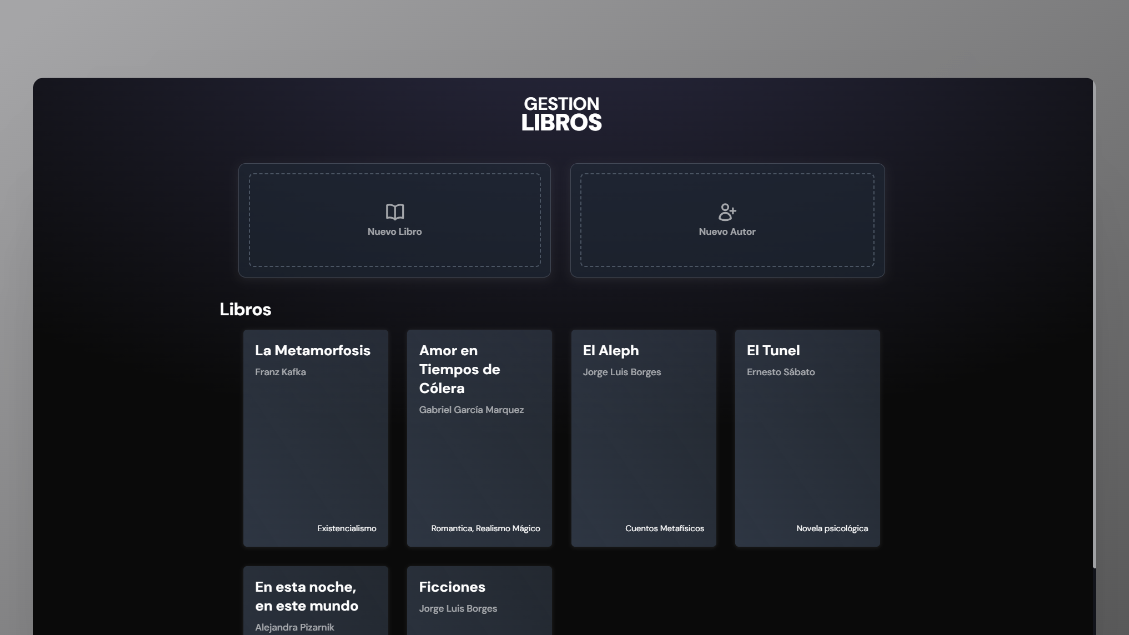

Cloning GIT through
git clone https://github.com/G4BO11/GestionLibreria-PruebaTecnica.gitCloning project through github cli
gh repo clone G4BO11/GestionLibreria-PruebaTecnicaDownload .NET (in case of not having .Net on the computer)

Start Terminal Attover Project
dotnet runNote: These recommendations are made for those who do not have Visual Studio, either their community and/or professional version. In case you owe the editor, these steps are no longer necessary, since the editor provides you with the tools to execute the project without problems.
These are the commands you can use in the terminal to execute the project if necessary:
| Command | Action |
|---|---|
pnpm install or npm install | Install dependencias (Tailwind) |
dotnet --version | It shows you that .net version you have |
dotnet run | Execute the project |
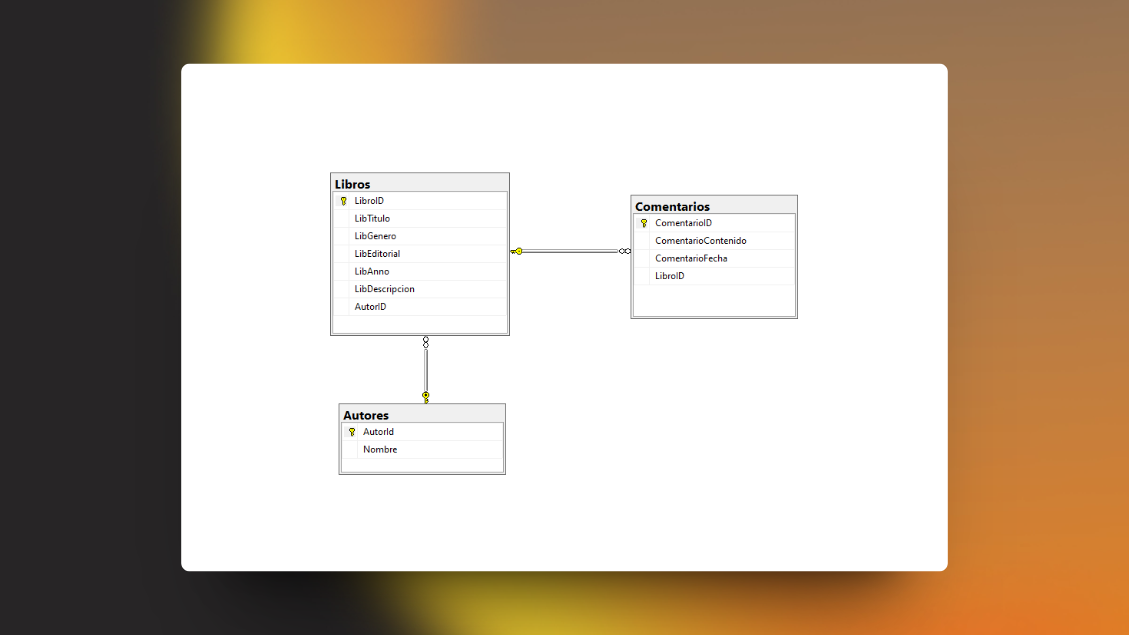
dotnet ef database update | Command so you can create the database |
In app.settings.json is the field to put the connection string
 {
  "ConnectionStrings" : {
    "SqlServerConnection" : "" //Aqui tu conexion
  } ,
  "AllowedHosts" : "*"
}
The string of the connection which you must follow is as follows:
"Server=(Aqui tu conexion de tu DB); Database=TuBasedeDatos; Trusted_Connection=True; Trust Server Certificate=True"
This is a simple connection chain that authentication as you can notice is through the certified by Windows.
I will leave you more information here!






