Ai-Thinker GPRS C SDK
Ai-Thinker GPRS SoC development SDK written by C
Anxinke GPRS module on-chip (SoC) development SDK C language version
This SDK can be also applied to RDA8955 raw chip can also run directly on RDA8955 chip
English Readme
(I) Hardware
1. A9: GPRS module
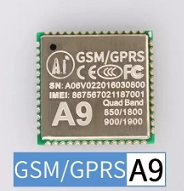
feature
- 32-bit kernel, main frequency up to 312MHz, 4k instruction cache, 4k data cache
- Up to 29 GPIOs (two GPIOs as download ports)
- Real-time clock, alarm clock
- 1 x USB1.1 port
- 2 UART interfaces with flow control (+1 download and debug serial port)
- 2 SPI interfaces
- 3 I 2 C interfaces
- 1 SDMMC controller (interface)
- 2 10-bit ADC interfaces
- 32Mb (4MB) SPI NOR Flash
- 32Mb (4MB) DDR PSRAM
- 8kHz, 13Bits/sample ADC mic
- 48kHz, 16bits/sample DAC Audio
- Power management unit: lithium battery charging management, integrated DC-DC and LDOs, variable IO voltage
- 18.8 x 19.2 mm SMD package
- Quad-band GSM/GPRS (800/900/1800/1900MHz)
- Voice call
- SMS Service
2. A9G: GPRS+GPS+BDS module
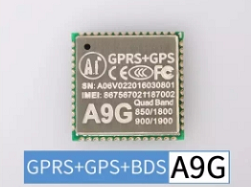
feature
- All features of A9
- Integrated GPS+BDS (internal connection to GPRS serial port 2)
3. A9/A9G GPRS (+GPS+BDS) development board
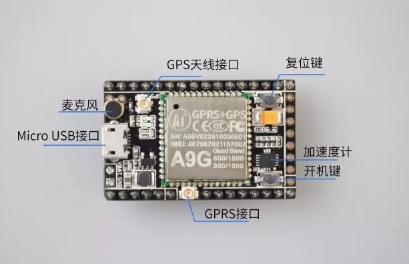
A9/A9G development board, convenient for development and debugging
feature
- 1 A9G module (A9 and A9G are in the same package, with the same pins, so the development board is universal)
- Export module 29 GPIOs (including 2 download debug pins (
HST_TX , HST_RX ) - 1 SIM card (Micro card) card slot (Nano card <Micro card <Standard card)
- 1 TF card slot
- 1 GPRS IPEX1 generation
- 1 GPS IPEX1 generation
- A USB port
- 5v-4.2V DC-DC, so it can be powered by 5v or 3.8~4.2V
- 1 accelerometer LIS3DHx chip (please consult the customer service development board if there is an accelerometer when purchasing, and there is no default)
- 1 power-on button, 1 reset button
- 2 LED lights connected to GPIO
- 1 microphone
pudding development board pin diagram
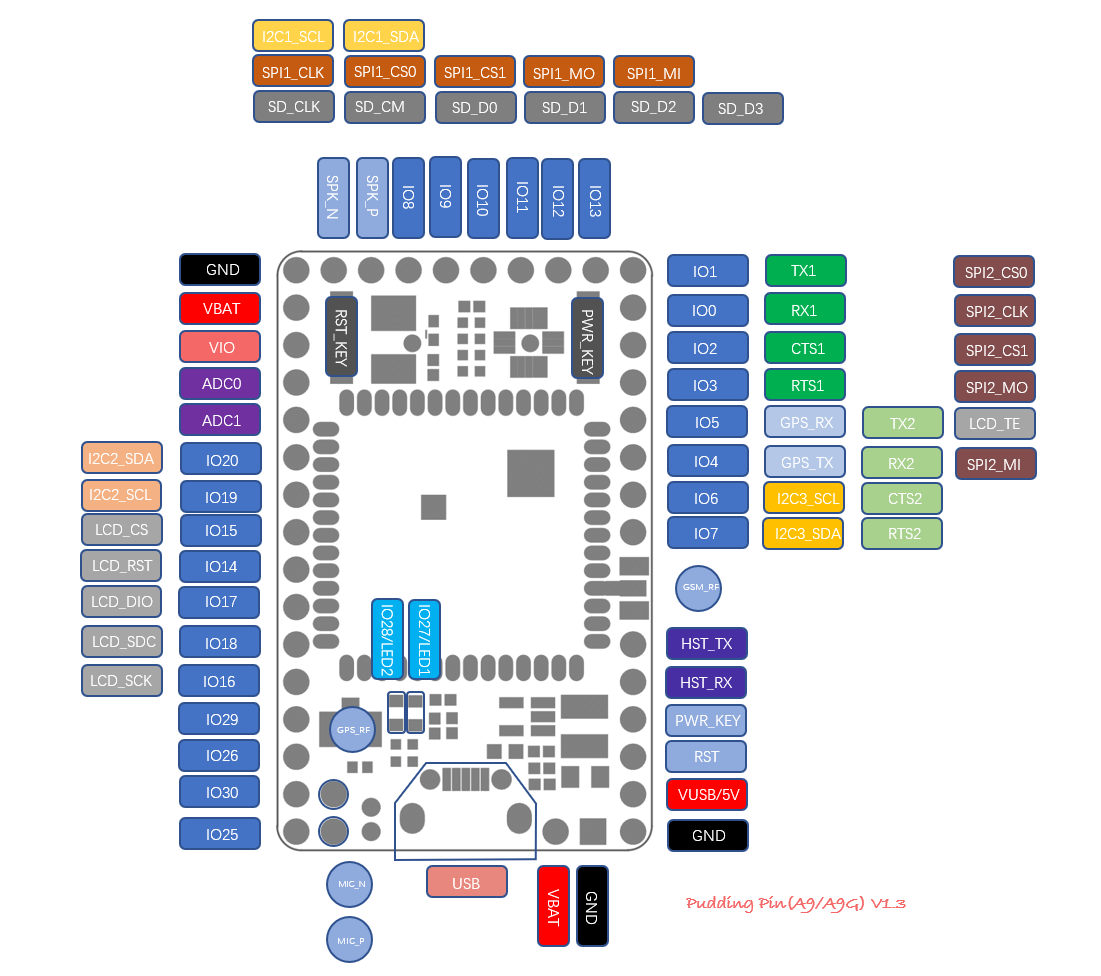
This SDK can also be used in theory.
4. USB to serial port module
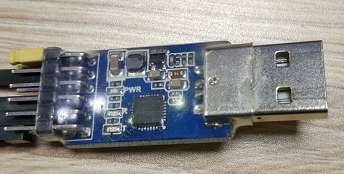
It should be noted that the USB interface on the development board is not a USB to serial port function, but a USB1.1 function. Therefore, in order to download and debug, a USB to serial port module is required to connect HST_TX and HST_RX pins on the board.
5. Power supply
- The module can be powered by using a lithium battery, connected to VBAT (3.4~4.2V). The VBAT power supply requires long pressing (pulling low) to power on the power-key ;
- The development board can also use 5V to connect VUSB to power it through the DC-DC of the development board, and the USB to serial port module can be directly powered (debugging only). It is necessary to ensure sufficient current supply (peak 2A). Because VUSB is connected, the module will automatically turn on when powered on.
(II) SDK features
- Provides easy-to-use APIs, which can be used quickly as long as you have a foundation in C language development, and provides detailed routines and documentation.
- Integrate a large number of features, including:
- GPIO
- UART
- Acquisition of basic information such as ICCID, IMEI, IMSI, etc.
- SPI
- I2C
- ADC
- OS
- FS
- GPRS network (including base station information query)
- Base Station Positioning (LBS)
- socket(TCP/UDP)
- dns
- SSL/TLS
- MQTT
- Short message
- call
- Low power consumption
- GPS
- RTC and base station time synchronization
- FOTA
- Watchdog
- Audio playback (such as playing MP3)
- Quick access to smart cloud platform
- Alibaba Cloud CSDK
- Other libraries such as json, NMEA parsing library, etc., you can see the
demo directory or libs directory for details.
Obtain SDK
Code hosted on github
1. Download the code
- Method 1: Download the latest published compressed package from the github publishing page ( recommended ).
This way the published version of the code obtained
- Method 2: Use the following command to clone the project to the local area (
git needs to be installed first). This way you can get the latest unreleased code
git clone https://github.com/Ai-Thinker-Open/GPRS_C_SDK.git
2. Check code integrity
After downloading, please check whether the directory platform/csdk directory contains debug and release directories. If not, it is the download method wrong. Please read the first step to download the correct file
(III) Development documents and routines
Document address: GPRS C SDK Online Documentation
Including development environment installation, firmware download, debugging, GPRS basic knowledge, API instructions, etc.
The routine is in the demo directory of this project
(IV) Feedback
Here (issue) you can view the issues that are being discussed or have been resolved
Feedback method:
Method 1: Add issue on github
Method 2: Anxinke Forum Discussion
The upper right corner★ Star will not get lost, it will be convenient to find it next time~
(V) Participate in development
Bug fix, optimization, and functional module addition : fork -> Modify -> Submit PR






