idenLib
1.0.0

When analyzing malware or 3rd party software, it's challenging to identify statically linked libraries and to understand what a function from the library is doing.
idenLib.exe is a tool for generating library signatures from .lib/.obj/.exe files.
idenLib.dp32/idenLib.dp64 is a x32dbg/x64dbg plugin to identify library functions.
idenLib.py is an IDA Pro plugin to identify library functions.
.lib/.obj file) to get a list of function addresses and function names.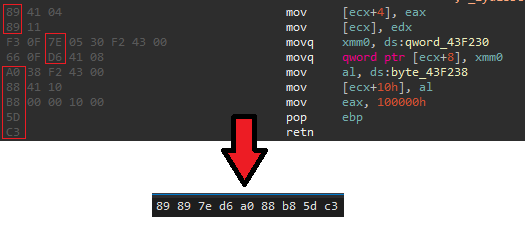
Compresses the signature with zstd
Saves the signature under the SymEx directory, if the input filename is zlib.lib, the output will be zlib.lib.sig or zlib.lib.sig64,
if zlib.lib.sig(64) already exists under the SymEx directory from a previous execution or from the previous version of the library, the next execution will append different signatures.
If you execute idenLib.exe several times with different version of the .lib file, the .sig/sig64 file will include all unique function signatures.
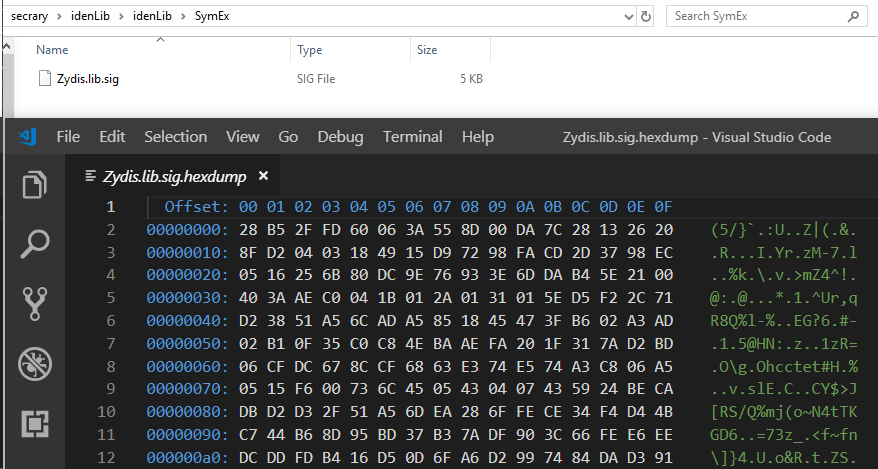
Inside of a signature (it's compressed):
idenLib.exe /path/to/file or idenLib.exe /path/to/directorymain function signature: idenLib.exe /path/to/pe -getmain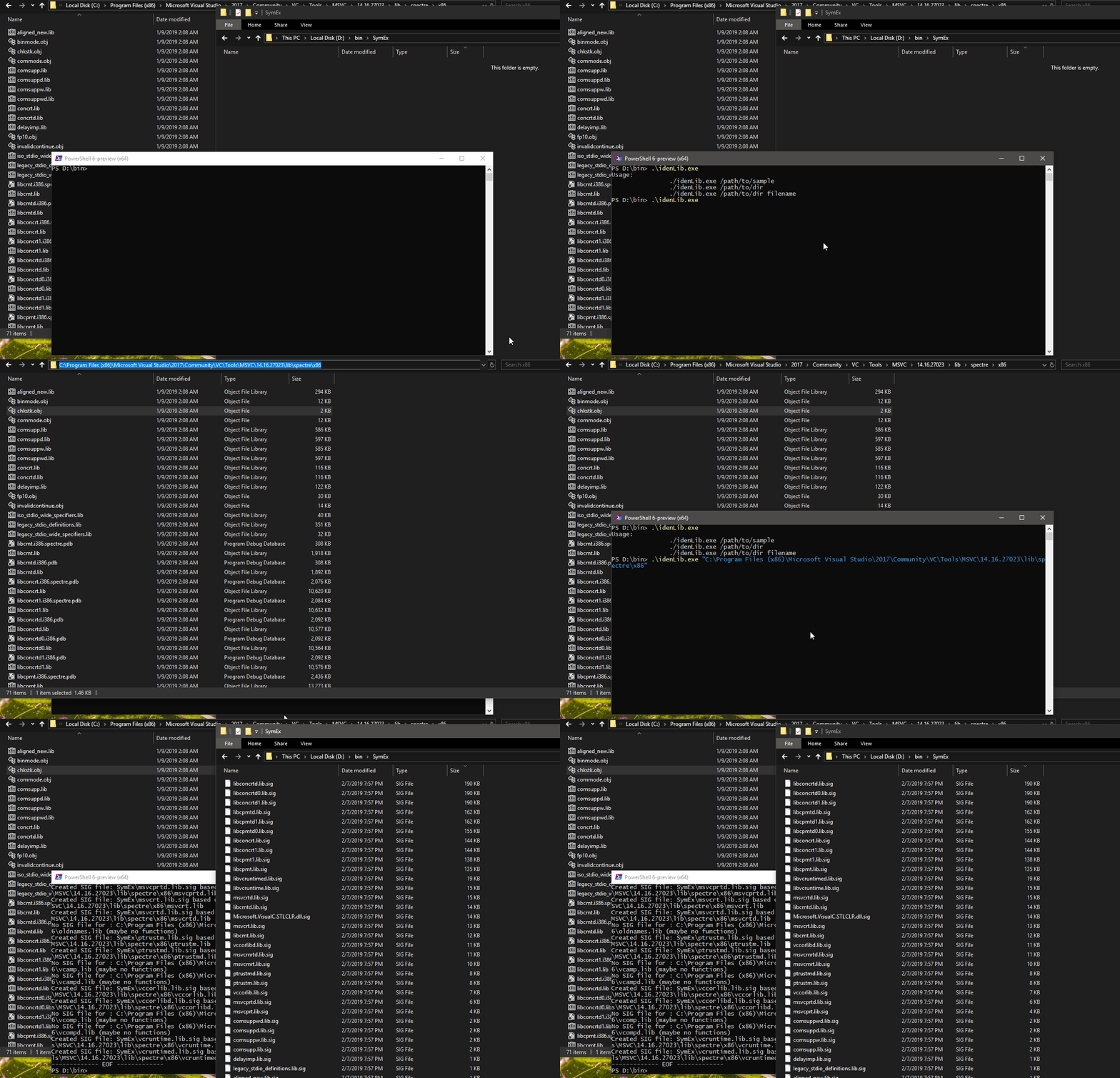
x32dbg/x64dbg, IDA Pro plugin usage:SymEx directory under x32dbg/x64dbg/IDA Pro's main directoryx32dbg/x64dbg:
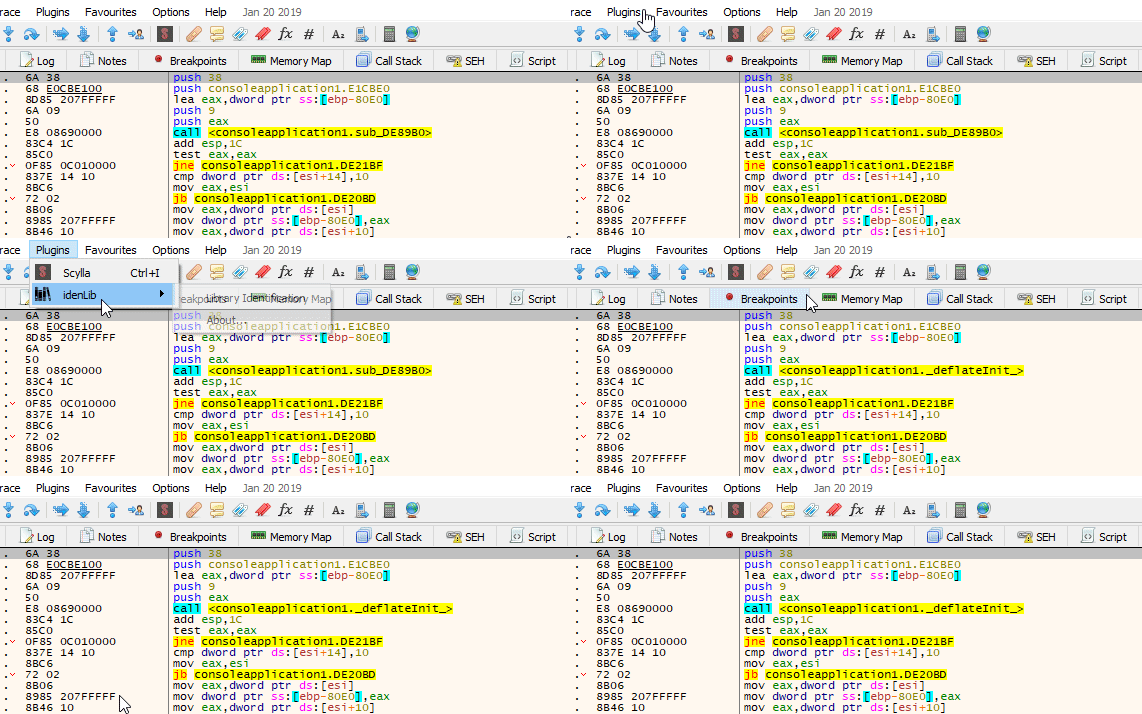
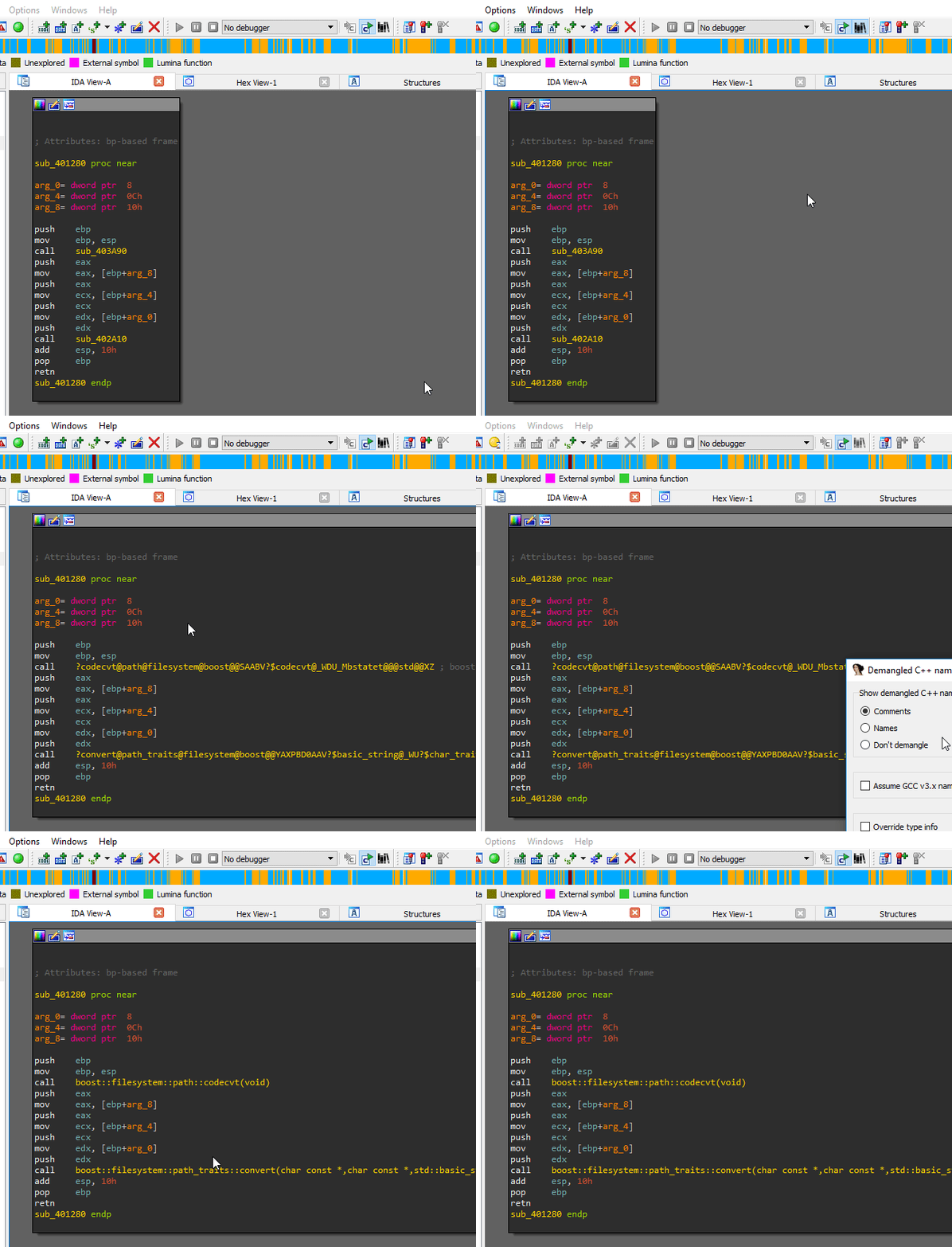
IDA Pro:
main function signature:If you want to generate a signature for main function compiled using MSVC 14 you need to create a hello world application with the corresponding compiler and use the application as input for idenLib
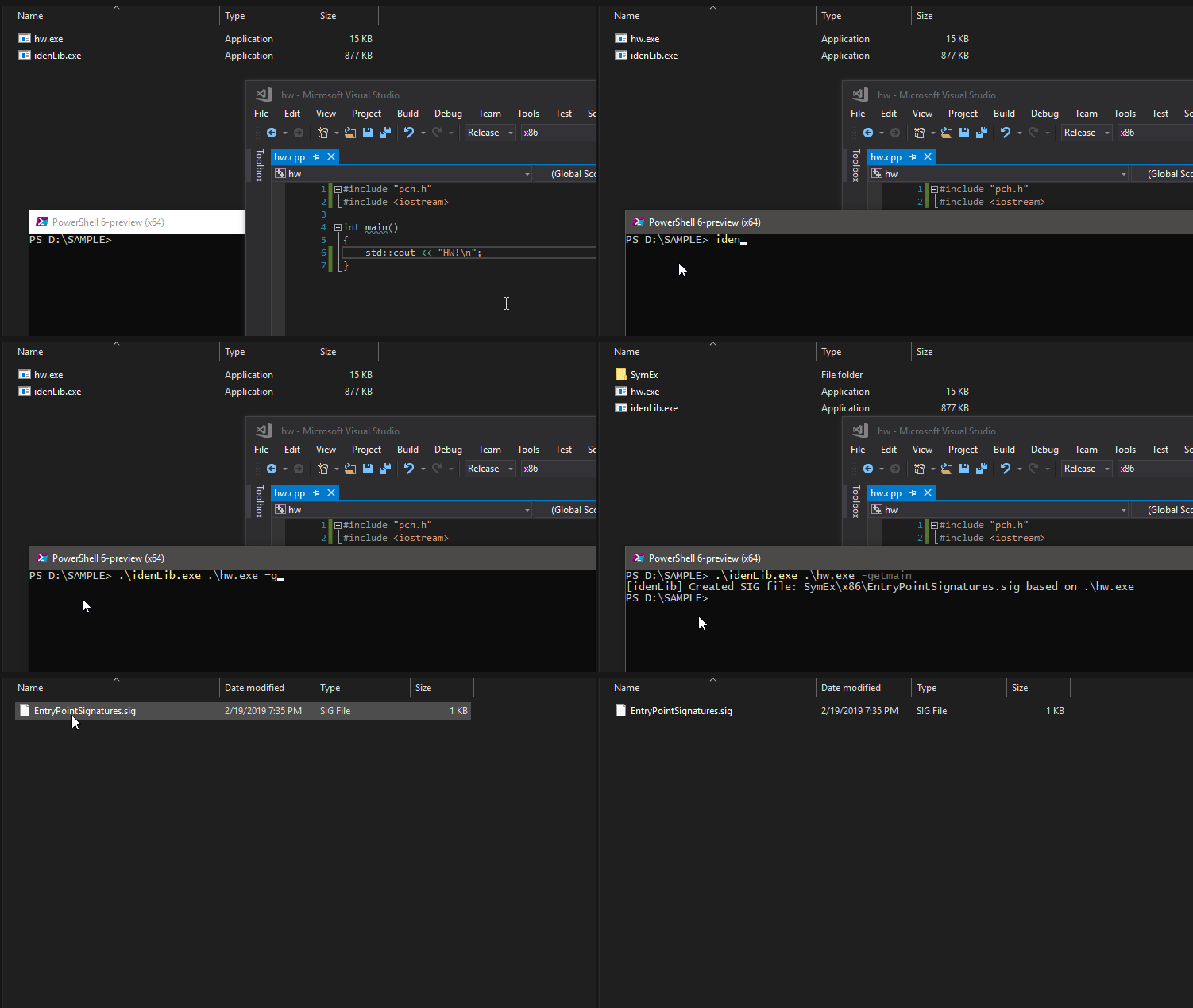
main function signature files are EntryPointSignatures.sig and EntryPointSignatures.sig64
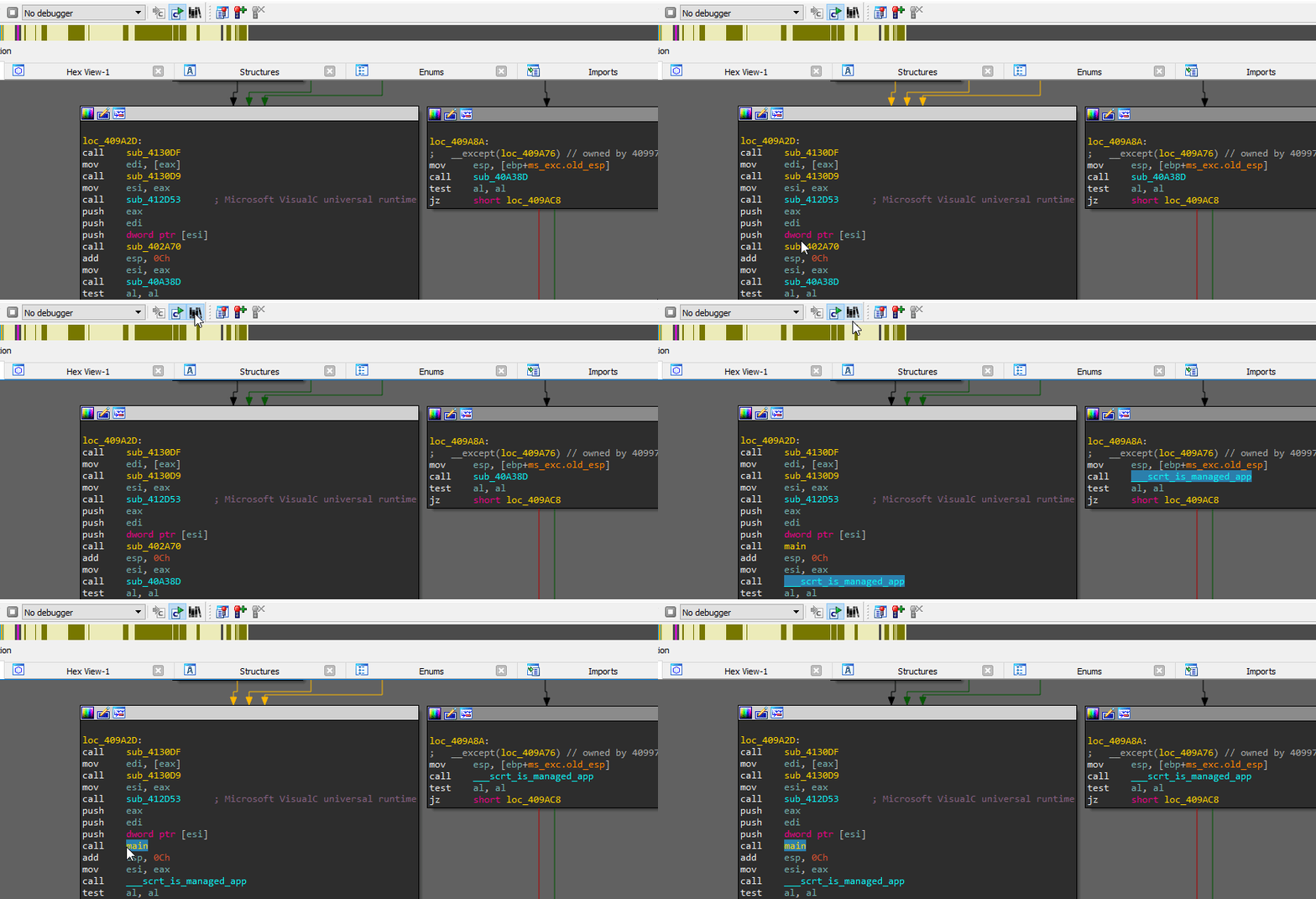
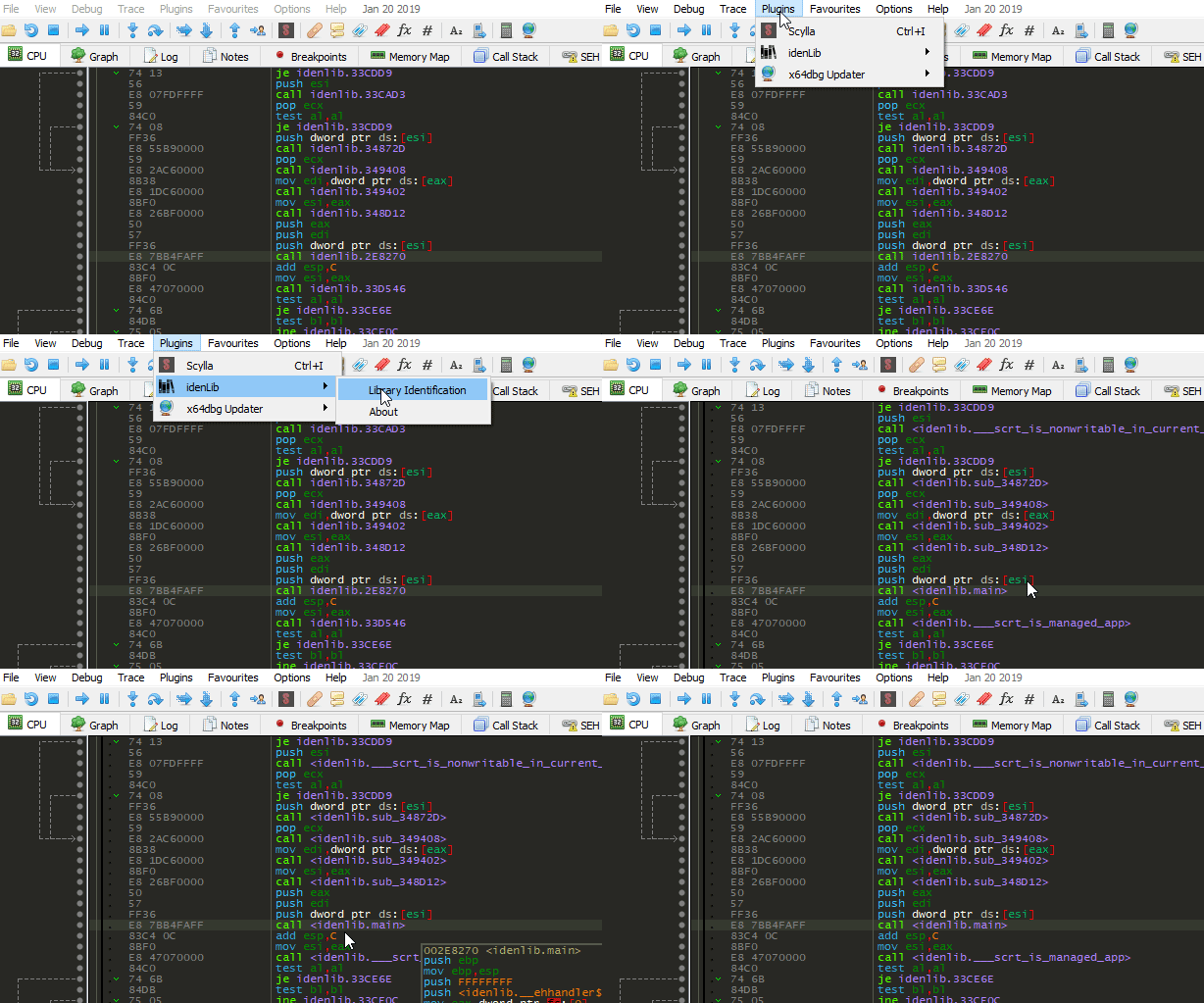
main Function SignaturesidenLib uses the DIA APIs to browse debug information stored in a PDB file. To run idenLib with -getmain parameter you will need to ensure that the msdia140.dll (found in Microsoft Visual Studio2017CommunityDIA SDKbin) is registered as a COM component, by invoking regsvr32.exe on the dll.There are two ways to apply signatures, exact match and using Jaccard index

C Run-Time Libraries (CRT)Zydis (MIT License)
Zstandard (BSD License)
Icon by freepik







