
The code release system of Pipi Shrimp is a modern continuous integrated release system, consisting of two parts: the backend management system and the agent. One running agent is a node. This system is not a wheel, but an innovation from "phobshot gun" to "cannon", and a revolution to "old old people in the previous dynasty".
Features
- Based on golang writing, standing on the shoulders of giants, making full use of golang's coroutines, channel also has the characteristics of high concurrency, and it is far from other publishing systems written based on virtual machines or interpretive languages.
- Speedy deployment, actually deployment does not exist. This system only needs to download binary files to execute, and you can use it immediately if you want to use it.
- GIT repository supports, GIT code can be pulled remotely and published to cluster nodes.
- Cluster release, a GIT repository can configure clusters published to N nodes.
- Command support, you can define and execute a piece of system command before and after the code is released, such as: restarting the program.
- To build programs written by publishing, java, c, c++, golang, etc., you need to first compile the "release package" and then distribute the "release package" to the node cluster.
- Coverage management, unique Coverage function, and also has a whitelist of Coverage. In some special periods, such as e-commerce companies in certain promotions or other festivals, in order to ensure online services, they often need to suspend the entire release code function, so the Coverage function is very useful.
- High performance, extremely fast code release, and very low requirements for the system environment.
- Cross-platform, Linux, windows, mac, Raspberry Pi, routers, etc...
- Humanized permission control. Generally, the boss of a department is a super administrator role. The boss only needs to manage who is the administrator, the administrator only needs to manage users, and the user can publish code. The permission system at each layer is controlled.
- The interface is beautiful and the interaction is simple, which is more in line with the current public web aesthetics.
- Announcement function, sometimes there are some important things that need to be informed to developers using the publishing system, so the announcement function solves this problem very well.
- Integrated external login, this system supports authenticating users through external systems, such as integrating with the company's LDAP login, and only needs to spend dozens of minutes writing an HTTP API interface based on our development documents.
Install
1. Codepub installation
Open https://github.com/bzppx/bzppx-codepub/releases to find the version of the corresponding platform to download the compiled compressed package
 # 创建目录
$ mkdir codepub
$ cd codepub
# 以 linux amd64 为例,下载版本 0.8 压缩包
$ wget https://github.com/bzppx/bzppx-codepub/releases/download/v0.8/bzppx-codepub-linux-amd64.tar.gz
# 解压到当前目录
$ tar -zxvf bzppx-codepub-linux-amd64.tar.gz
# 进入程序安装目录
$ cd install
# 执行安装程序,默认端口为 8090,指定其他端口加参数 --port=8087
$ ./install
# 浏览器访问 http://ip:8090 进入安装界面,完成安装配置
# Ctrl + C 停止 install 程序, 启动 codepub 管理后台
$ cd ..
$ ./codepub --conf conf/codepub.conf
2. codepub-agent installation
Please check https://github.com/bzppx/bzppx-agent-codepub
3. nginx configuration reverse proxy
 upstream frontends {
    server 127.0.0.1:8088; # codepub 监听的ip:port
}
server {
    listen      80;
    server_name codepub.com www.codepub.com;
    location / {
        proxy_pass_header Server;
        proxy_set_header Host $http_host;
        proxy_redirect off;
        proxy_set_header X-Real-IP $remote_addr;
        proxy_set_header X-Scheme $scheme;
        proxy_pass http://frontends;
    }
    # 静态资源交由nginx管理
    location /static {
        root        /www/bzppx-codepub; # codepub 的根目录
        expires     1d;
        add_header  Cache-Control public;
        access_log  off;
    }
}
Detailed documentation
System introduction
1. User functions
| - | User Management | Set up an administrator | Publish code | Roll back the code | Closed version | Announcement Management | project management | Node Management |
|---|
超级管理员 | √ | √ | √ | √ | √ | √ | √ | √ |
管理员 | √ | × | √ | √ | √ | √ | √ | √ |
普通用户 | × | × | √ | √ | × | × | × | × |
2. System interface, take a quick look
2.1 Installation

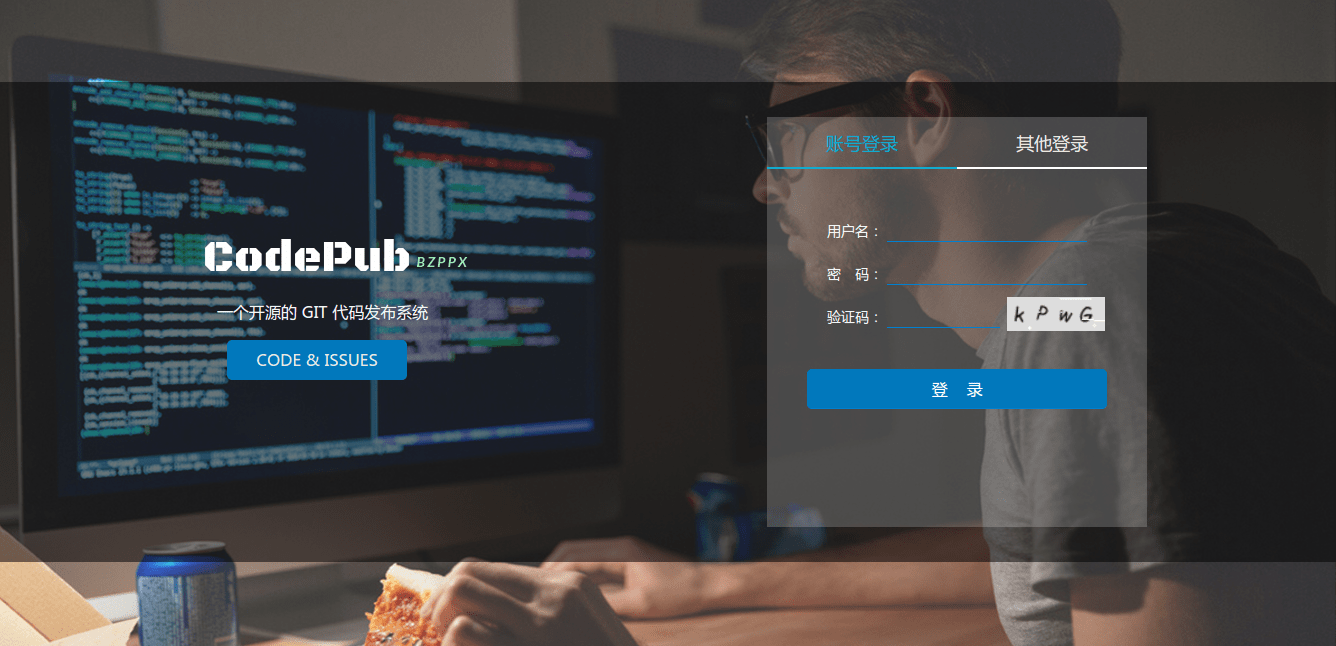
2.2 Login
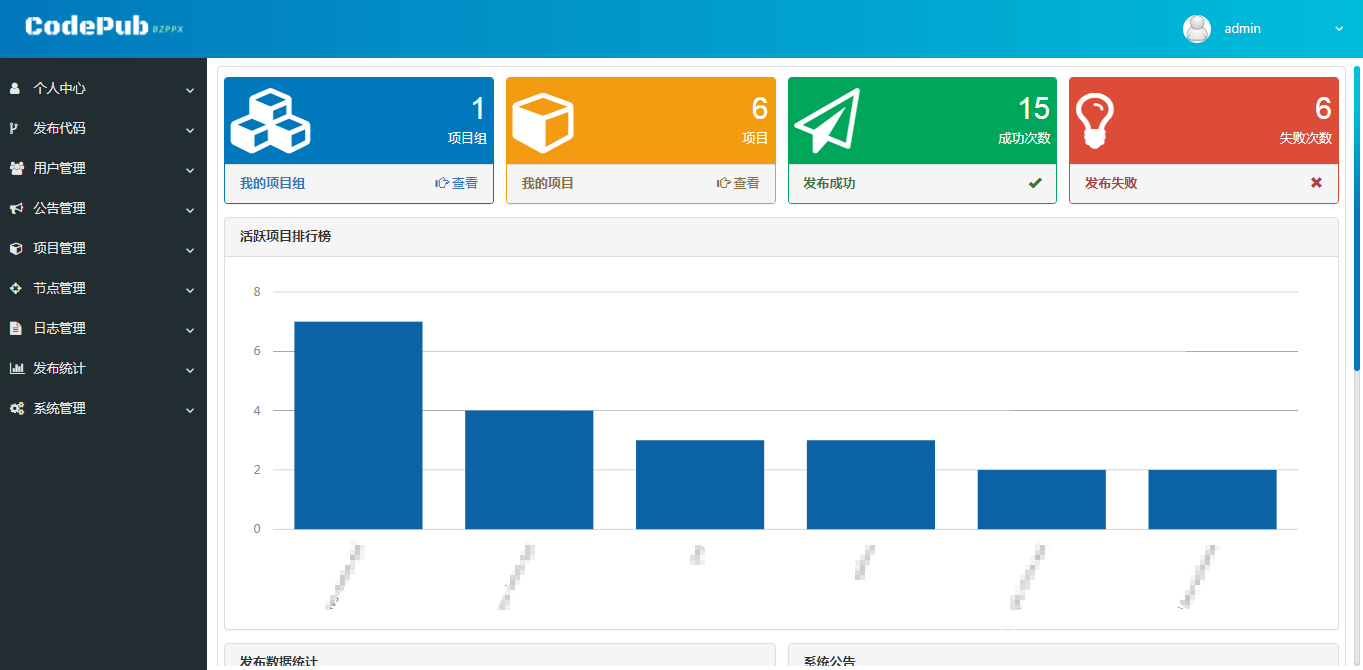
2.2 Panel
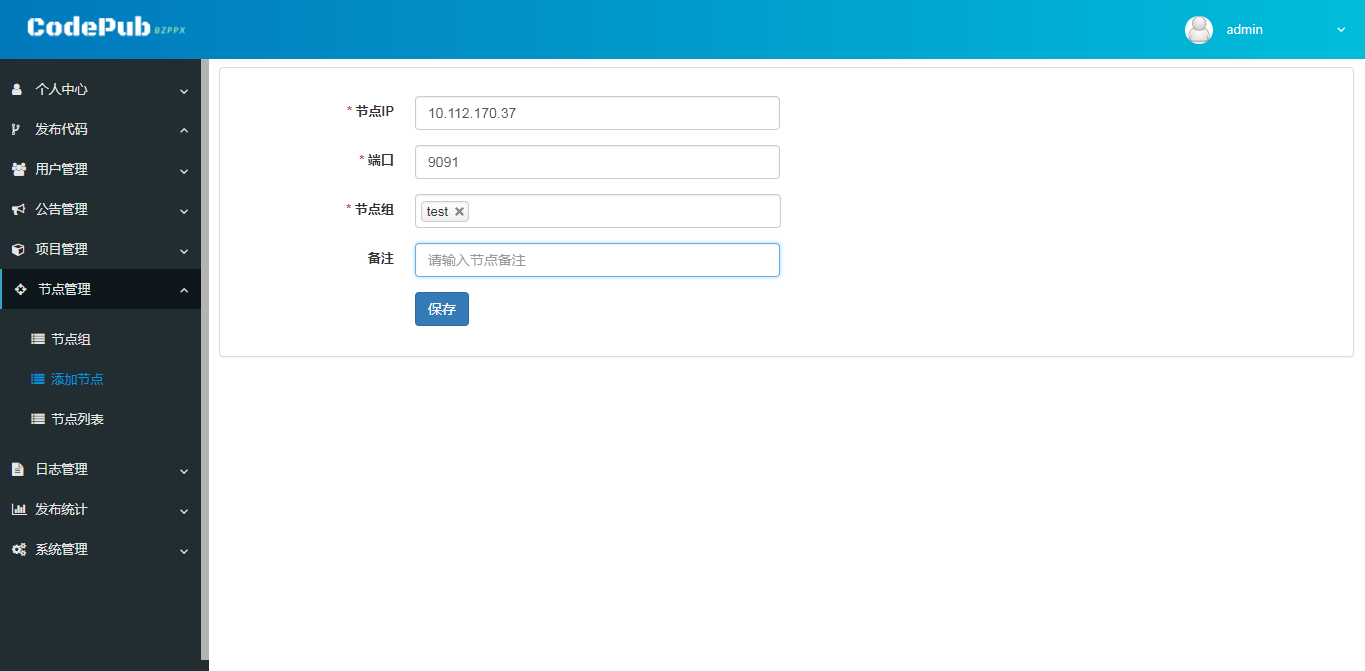
2.3 Adding nodes
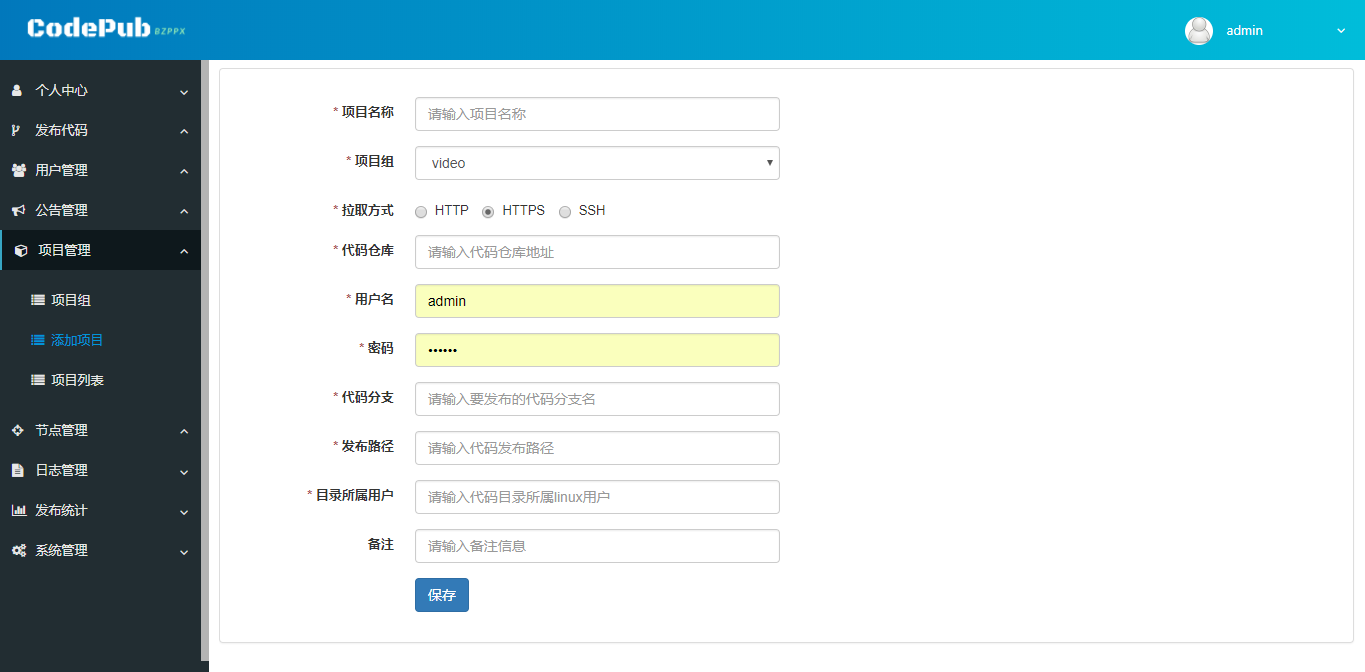
2.4 Adding a project
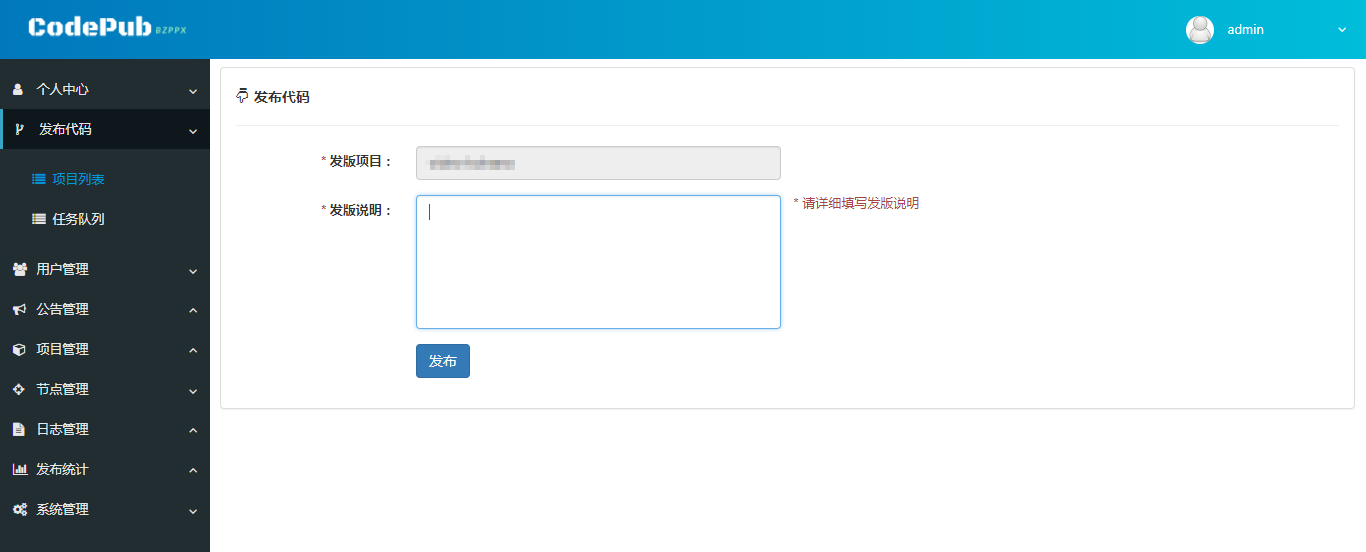
2.5 Publish code
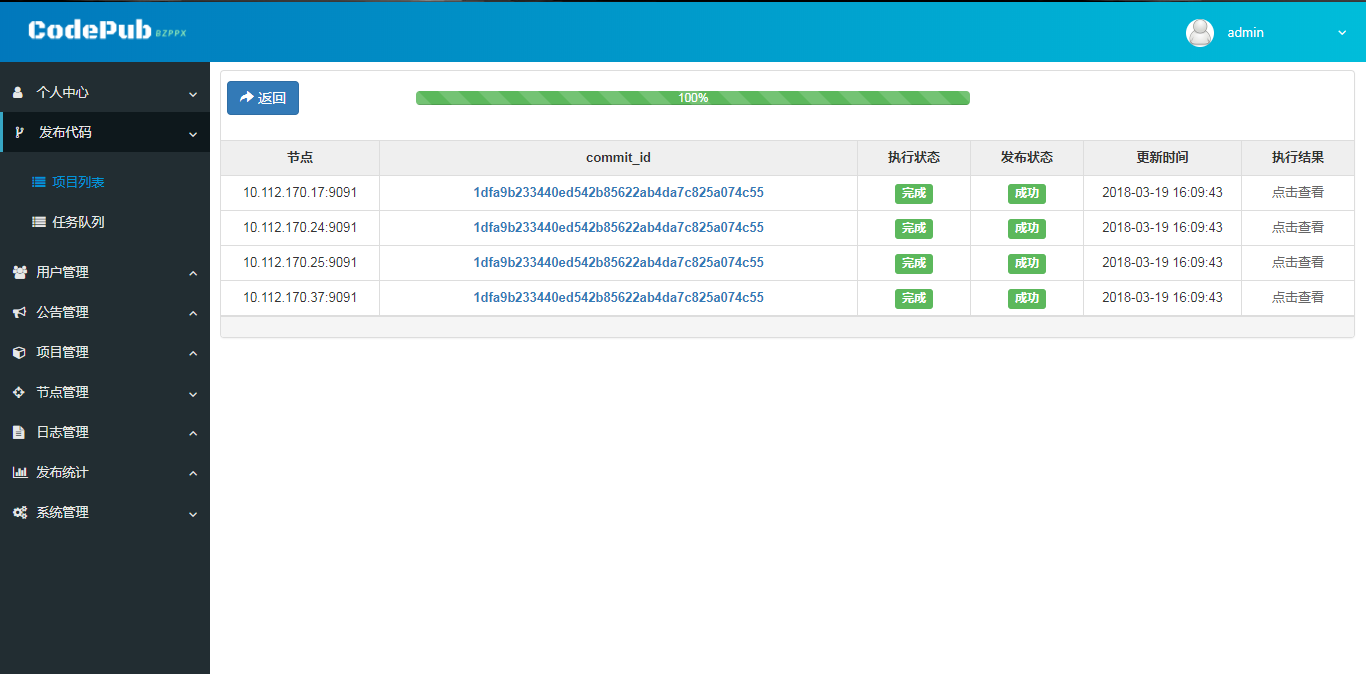
2.6 Node Progress
Development
Environmental requirements: go 1.8
 $ git clone https://github.com/bzppx/bzppx-codepub.git
$ cd bzppx-codepub
$ go build ./
feedback
Welcome to submit comments and codes https://github.com/bzppx/bzppx-codepub/issues Official exchange QQ group: 547481058
License
MIT
Thanks
Create By BZPPX








