webvm
1.0.0

This repository hosts the source code for https://webvm.io, a Linux virtual machine that runs in your browser.
Try out the new Alpine / Xorg / i3 graphical environment: https://webvm.io/alpine.html
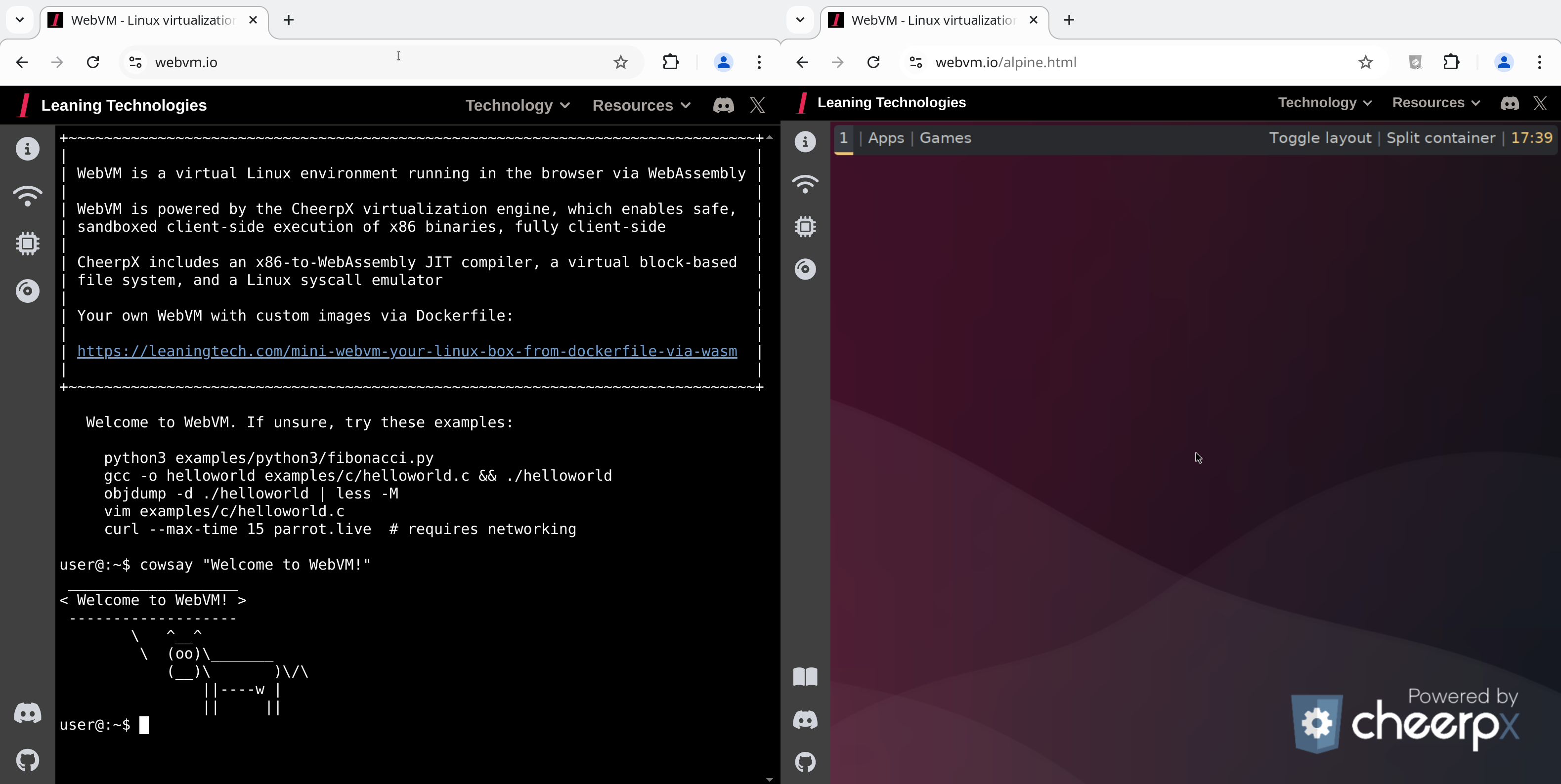
WebVM is a server-less virtual environment running fully client-side in HTML5/WebAssembly. It's designed to be Linux ABI-compatible. It runs an unmodified Debian distribution including many native development toolchains.
WebVM is powered by the CheerpX virtualization engine, and enables safe, sandboxed client-side execution of x86 binaries on any browser. CheerpX includes an x86-to-WebAssembly JIT compiler, a virtual block-based file system, and a Linux syscall emulator.
Modern browsers do not provide APIs to directly use TCP or UDP. WebVM provides networking support by integrating with Tailscale, a VPN network that supports WebSockets as a transport layer.
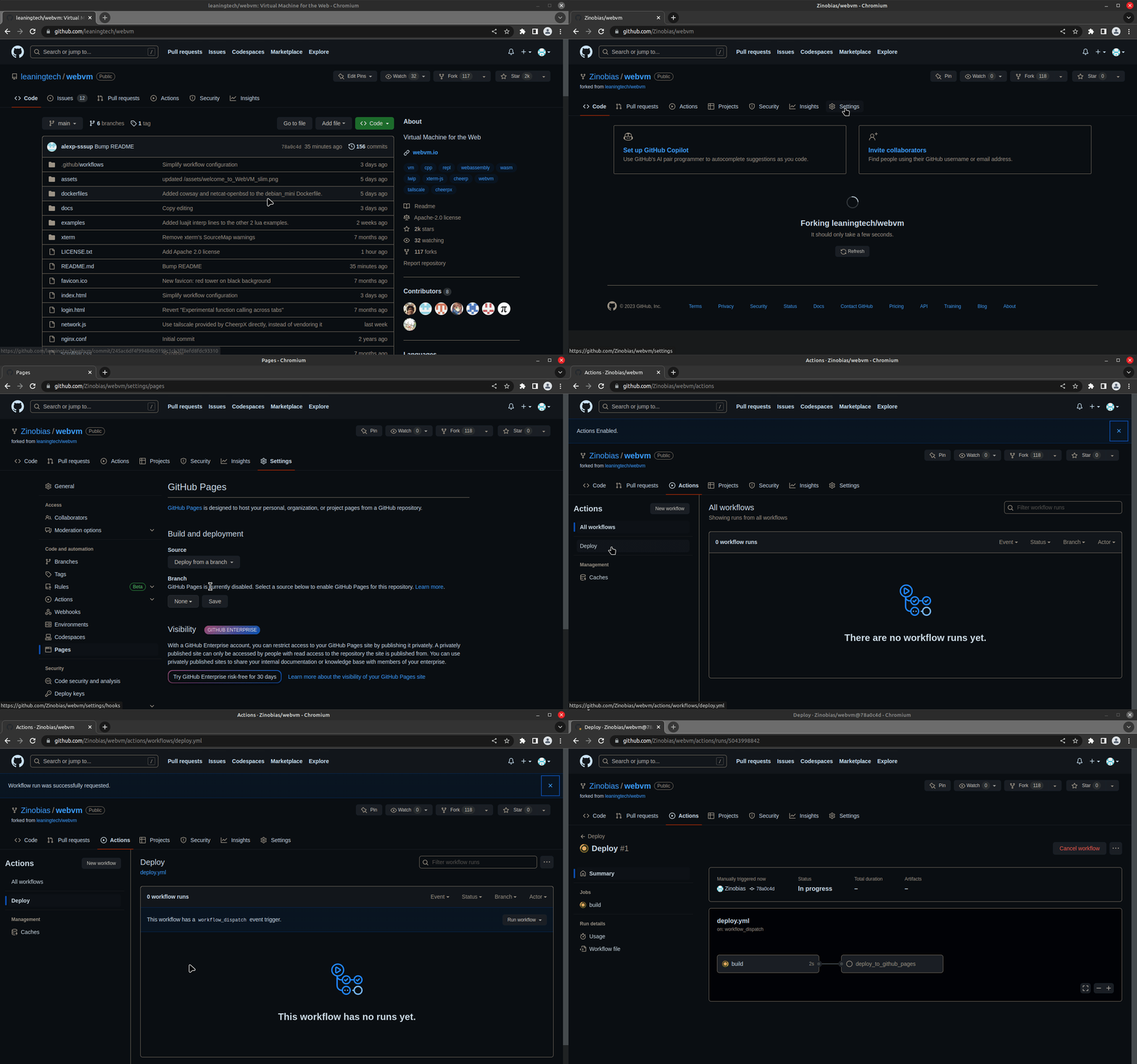
Settings.Pages section.Github Actions as the source.
Enforce HTTPS is enabled.Actions.Deploy.Run workflow and then once more Run workflow in the menu.Deploy workflow will start, click on it to see details.deploy_to_github_pages job.
You can now customize dockerfiles/debian_mini to suit your needs, or make a new Dockerfile from scratch. Use the Path to Dockerfile workflow parameter to select it.
From a local git clone
debian_mini Ext2 image from https://github.com/leaningtech/webvm/releases/
config_github_terminal.js
CMD, ARGS, ENV and CWD
IMAGE_URL with the URL (absolute or relative) for the Ext2 image. For example "/debian_mini_20230519_5022088024.ext2"
npm, output will be placed in the build directory
npm installnpm run buildbuild directory just created
nginx -p . -c nginx.confhttp://127.0.0.1:8081 and enjoy your local WebVMThe Deploy workflow takes into account the CMD specified in the Dockerfile. To build a REPL you can simply apply this patch and deploy.
diff --git a/dockerfiles/debian_mini b/dockerfiles/debian_mini
index 2878332..1f3103a 100644
--- a/dockerfiles/debian_mini
+++ b/dockerfiles/debian_mini
@@ -15,4 +15,4 @@ WORKDIR /home/user/
 # We set env, as this gets extracted by Webvm. This is optional.
 ENV HOME="/home/user" TERM="xterm" USER="user" SHELL="/bin/bash" EDITOR="vim" LANG="en_US.UTF-8" LC_ALL="C"
 RUN echo 'root:password' | chpasswd
-CMD [ "/bin/bash" ]
+CMD [ "/usr/bin/python3" ]Please use Issues to report any bug. Or come to say hello / share your feedback on Discord.
This project depends on:
WebVM depends on the CheerpX x86-to-WebAssembly virtualization technology, which is included in the project via NPM.
The NPM package is updated on every release.
Every build is immutable, if a specific version works well for you today, it will keep working forever.
WebVM is released under the Apache License, Version 2.0.
You are welcome to use, modify, and redistribute the contents of this repository.
The public CheerpX deployment is provided as-is and is free to use for technological exploration, testing and use by individuals. Any other use by organizations, including non-profit, academia and the public sector, requires a license. Downloading a CheerpX build for the purpose of hosting it elsewhere is not permitted without a commercial license.
Read more about CheerpX licensing
If you want to build a product on top of CheerpX/WebVM, please get in touch: [email protected]







