AppSearcher
Build 24.01.13.03

In MIUI 13, Xiaomi began using Google Assistant instead of a convenient search application, I did not find an analogue and solved this problem in this way
This small application is designed to be installed as a desktop search, allows you to search and launch other applications.
In addition to the basic functionality, this application:
Download and install APK from Releases
Global MIUI ROMs
Need connect ADB shell (or run in local terminal) and disable preinstalled applications:
pm disable-user --user 0 com.mi.globalbrowser
pm disable-user --user 0 com.google.android.googlequicksearchbox
Xiaomi.EU ROMs
Go to Settings - Home screen - Search Provider - select AppSearcher
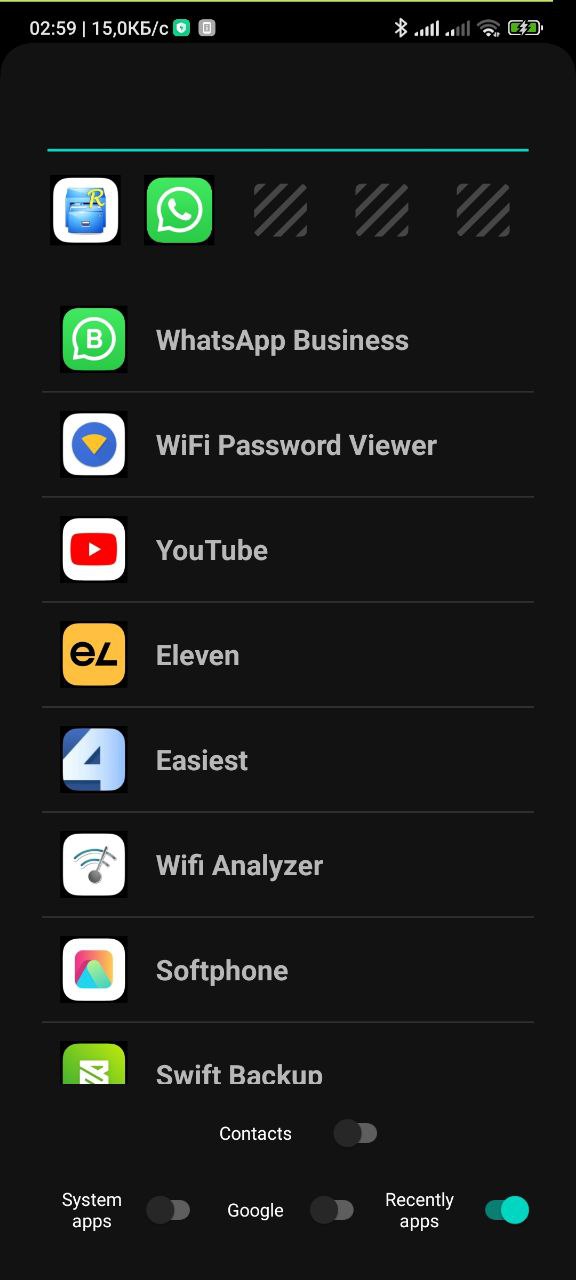
| Option | Description |
|---|---|
| Contacts | Search among contacts (requires permission when first turned on) |
| Use cache | Using internal storage to speed up startup. Synchronization with real data (the list of applications/contacts) occurs when the option is enabled and when the 'Reload cache' element is clicked, in other cases you can see outdated data (lack of recently installed applications/contacts or the presence of already deleted applications/contacts) |
| System apps | Show system applications in the list |
| By default, clicking on the 'Search in the Intenet' element opens a Yandex search. Enabling this option changes the search engine to Google | |
| Recently apps | Show or hide the panel of recently launched applications (the last 5 pieces, as well as in the MIUI12 search) |





