NQL
1.0.0

In recent years, the modernization of data has become pivotal for driving informed decision-making and innovation in organizations. However, extracting insights often relies on a small number of personnel with specialized SQL skills, creating friction and delays in accessing meaningful information. NQL aims to democratize data-driven insights across organizations by using Generative AI to bridge the gap between natural language and SQL. Operating like a search engine, it allows any user to input questions in plain language and automatically generates queries to retrieve the desired data. This streamlines and opens up data access to all members of an organization, enhancing agility and facilitating data-driven decision making.
The project is currently in late stage of development. While there are something yet to be improved on, it's a fully working demo that can be used commercially.
Currently, NQL supports querying:
Other Relational Databases are not supported as of current time.
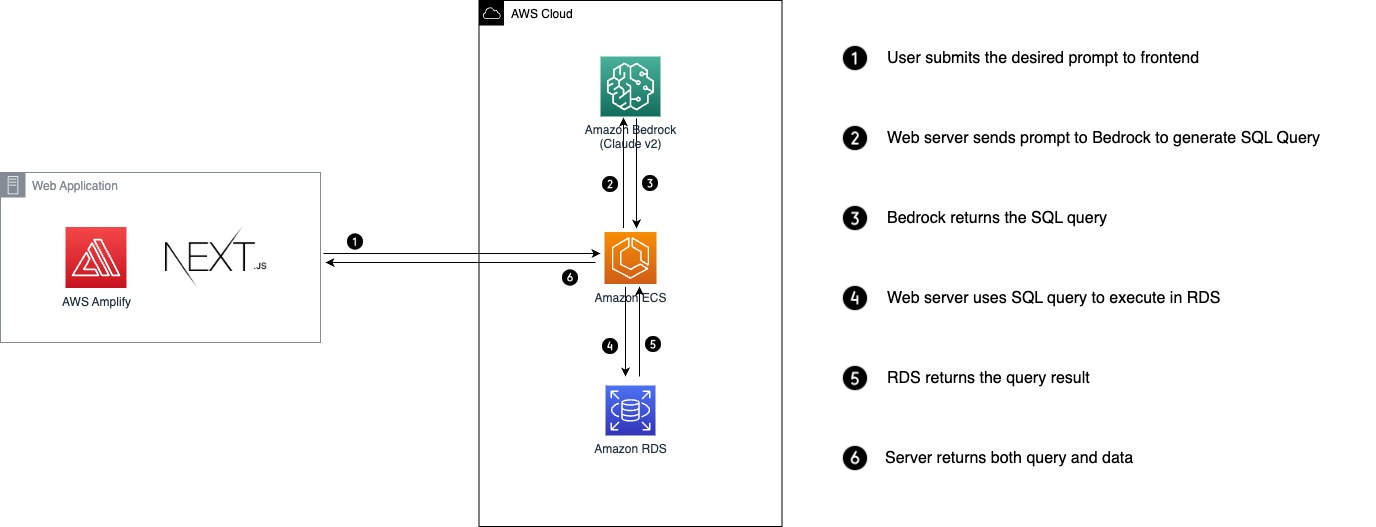
You can use either plain python, venv, or conda. Assuming that this is an option for you to choose.
./setup.shIf you want to use jupyter notebooks for testing, you can create .ipynb notebooks in /notebooks directory and download the necessary dependency
pip install -r requirements-dev.txtTo connect to RDS locally, we recommend using an EC2 bastion host due to its simplicity. However, due to security compliance do not set ingress network to allow for all connections from port 22. Instead use AWS System Manager to access through SSH. Refer to this Article: Use port forwarding in AWS Systems Manager Session Manager to connect to remote hosts
Use this script to run port tunneling through bastion host.
aws ssm start-session --target <ec2_instance_id> --document-name AWS-StartPortForwardingSessionToRemoteHost --parameters '{"portNumber":["<port_number>"],"localPortNumber":["<port_number>"],"host":["<host>"]}make rundocker-compose upThe main components of the backend to configure include:
Just create a RDS cluster and select to store the credentials inside SecretsManager. The Secret name will be refered inside the environment envariable to be retrieved by the application. Import any data that you like into your RDS database.
For the purpose of having some sample data we recommend using Pagila for PostgreSQL. Import can be done from a EC2 instance using the following commands:
psql -U postgres -d <DATABASE_NAME> -f /tmp/psql_data/pagila-schema.sql;psql -U postgres -d <DATABASE_NAME> -f /tmp/psql_data/pagila-insert-data.sql;For temenos data, the sql dump file is already inside Amazon Workdocs, please refer to the temenos.nql file for dumping data.
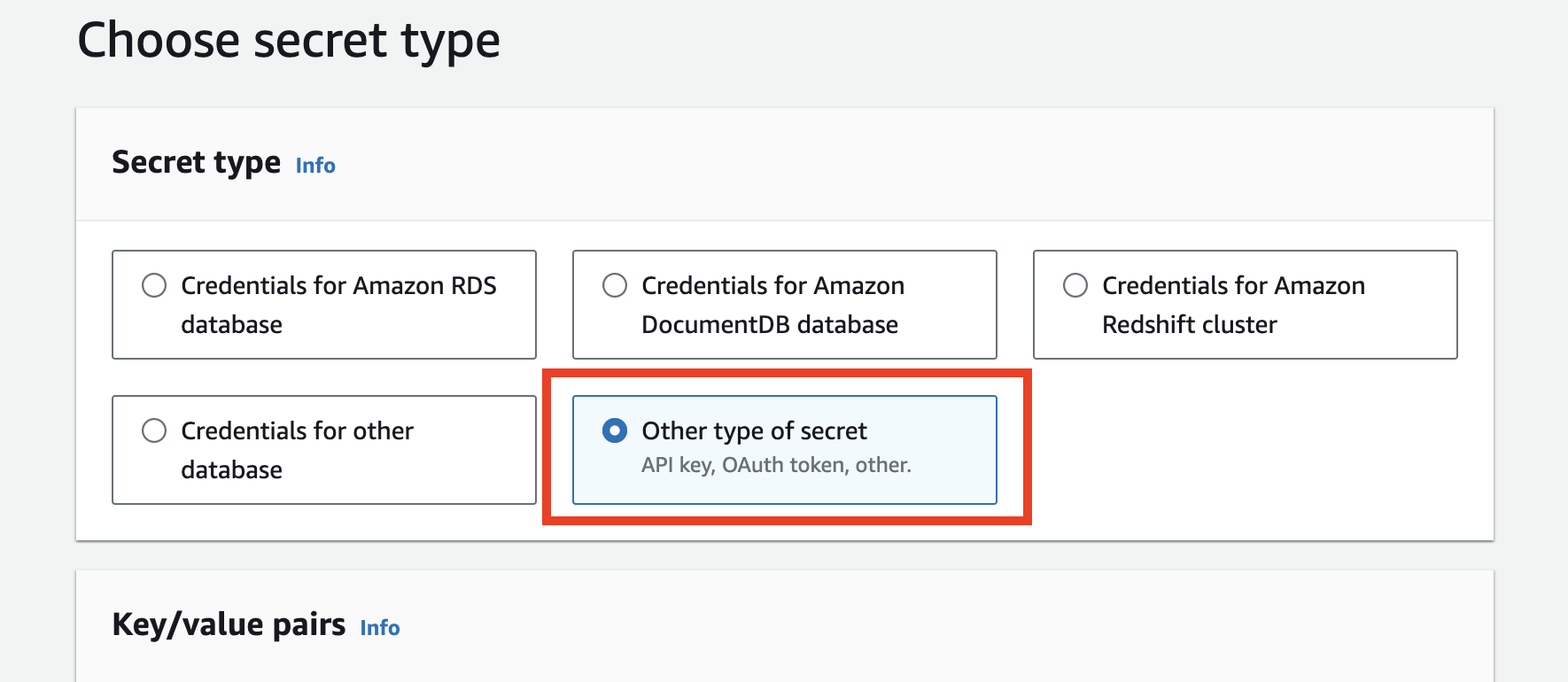
psql -U postgres -d <DATABASE_NAME> -f /tmp/psql_data/temenos.sql;Navigate to AWS Secrets Manager in AWS console and click Store a new secret.

In Secret Type section, select Other type of secret
In Key/value pairs, select Plaintext section.
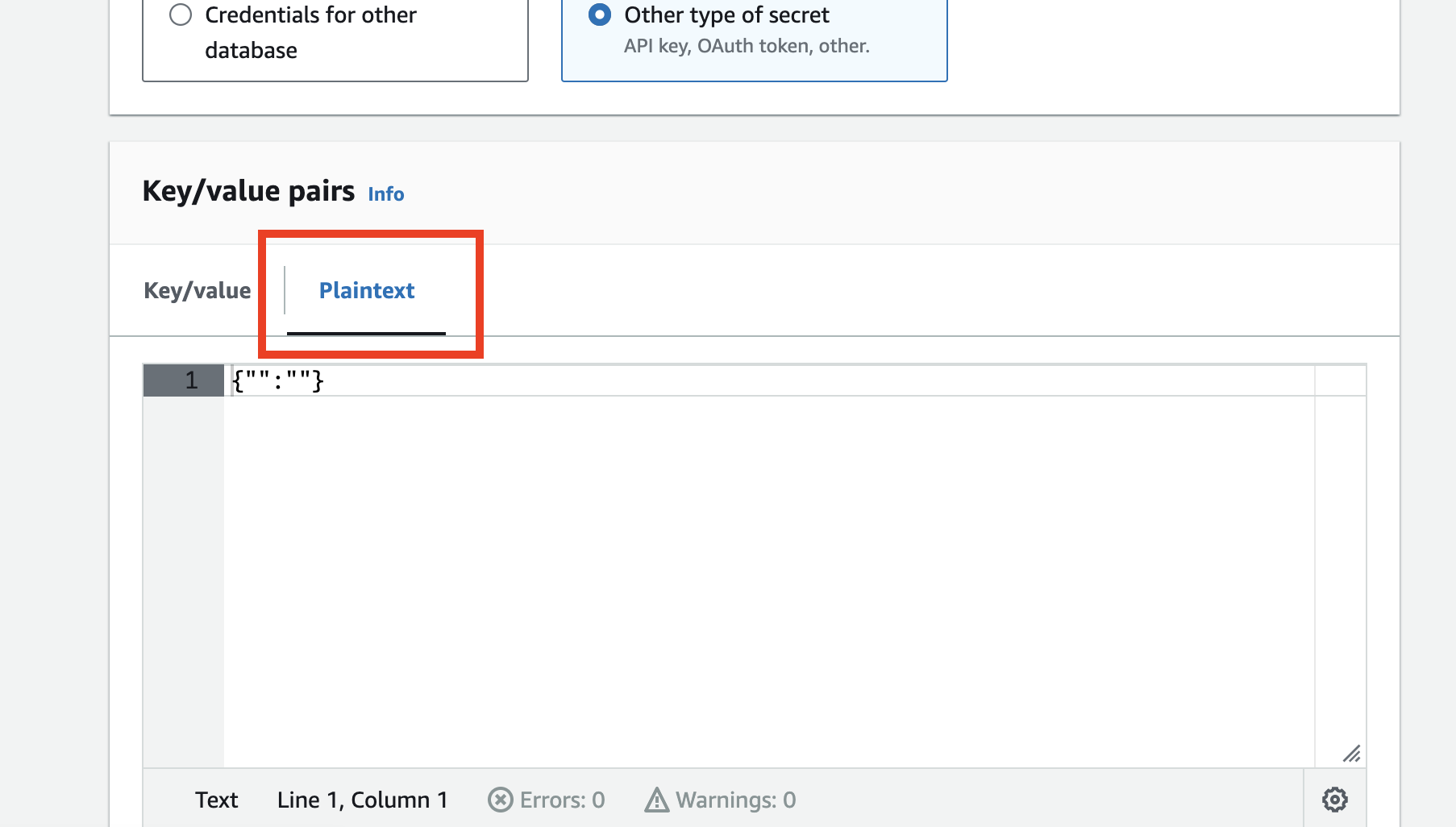
Fill in the database credentials in JSON format below and paste in Plaintext section.
{
    "host": "DB_HOST_NAME",
    "username": "DB_USERNAME",
    "password": "DB_PASSWORD",
    "engine": "postgresql",
    "port": "DB_PORT",
    "dbname": "DB_NAME"
}
Enter Secret name and create the secret. Copy the ARN and paste it in RDS_SECRETS_MANAGER_ARN as the value of the environment variable.
Please refer to this tutorial: Deploy Docker Containers with AWS ECS & Fargate





