java fm playground
1.0.0

Welcome to the Java Foundation Model (FM) Playground, a sandbox for exploring Java integration with Amazon Bedrock.
Important: This application is for educational purposes and not intended for production use.
This repository includes a Spring Boot application and a Next.js frontend, both executable locally. Below is a screenshot of the app in action.
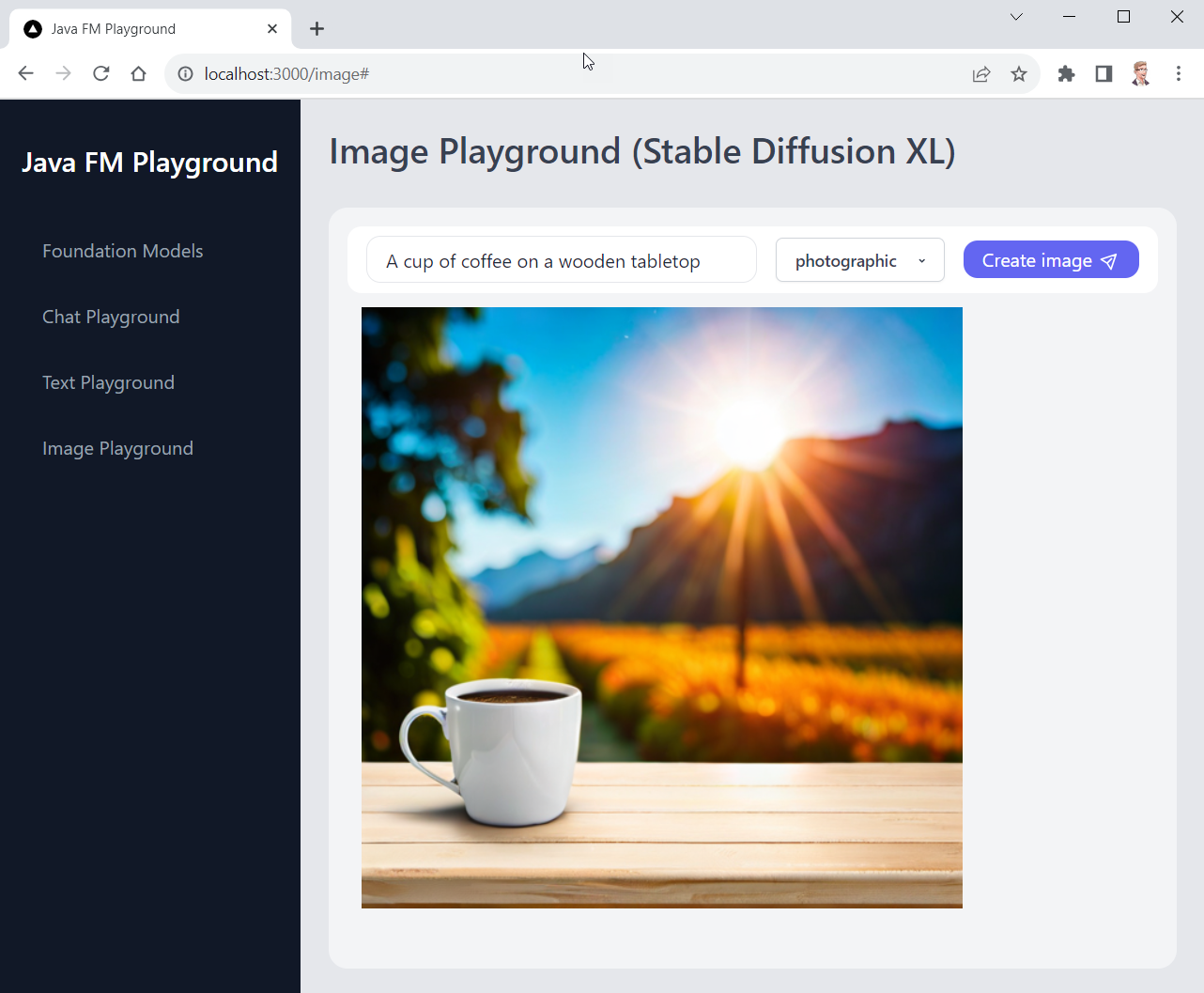
us-east-1 and has not been tested in every AWS Region. For more information see AWS Regional Services.resources/bedrock-access-policy.json (display policy).Ensure you have the following installed:
us-east-1:
After verifying the prerequisites, follow these steps:
Open a terminal, navigate to a directory of your choice, and execute the following command:
git clone https://github.com/build-on-aws/java-fm-playground.gitIn the java-fm-playground/backend directory, run:
mvn spring-boot:runOnce the server is running, you will see the following output:
...
2023-11-13T14:19:02.862+01:00  INFO 34848 --- [main] o.s.b.w.embedded.tomcat.TomcatWebServer  : Tomcat started on port(s): 55500 (http) with context path ''
2023-11-13T14:19:02.868+01:00  INFO 34848 --- [main] a.c.e.b.SpringFmPlaygroundApplication    : Started SpringFmPlaygroundApplication in 1.415 seconds (process running for 1.659)
? The backend runs on port 55500 by default. See below for port changes.
In a new terminal window, navigate to the frontend directory and install the packages required by running the following command:
npm installAfter successful installation you can start the frontend application by executing the following command:
npm run devWhen the application is running, you will see the following output:
> [email protected] dev
> next dev

   ▲ Next.js 14.0.0
   - Local:        http://localhost:3000

✓ Ready in 3.3sOpen http://localhost:3000 in your web browser to interact with the application.
To halt the application, you will need to stop both the backend and frontend processes.
In the terminal where the frontend is running, press Ctrl + C to terminate the process.
Similarly, in the backend terminal, use the Ctrl + C shortcut to stop the server.
If you encounter any issues, you can forcefully terminate the processes by finding the process ID (PID) and using the kill command on Unix-based systems or Task Manager on Windows.
Change the backend port in the following files:
backend/src/main/resources/application.ymlfrontend/app/app.config.jsTo run the frontend on a different port:
npm run dev -- --port NEW_PORTThe AWS Region is hard-coded in the application. However, if your local AWS_REGION environment variable is set to a different region, the application may fail. In this case, please make sure to either unset AWS_REGION, or set it to us-east-1.
This library is licensed under the MIT-0 License. See the LICENSE file.
See CONTRIBUTING for more information.





