chat_with_your_docs
1.0.0

| title | emoji | colorFrom | colorTo | sdk | sdk_version | app_file | pinned | license |
|---|---|---|---|---|---|---|---|---|
Chat With Your Docs |
blue |
gray |
gradio |
4.41.0 |
app.py |
false |
mit |
The ChatWithYourDocs Chat App is a Python application that allows you to chat with multiple Docs formats like PDF, WEB pages and YouTube videos. You can ask questions about the PDFs using natural language, and the application will provide relevant responses based on the content of the documents. This app utilizes a language model to generate accurate answers to your queries. Please note that the app will only respond to questions related to the loaded Docs.
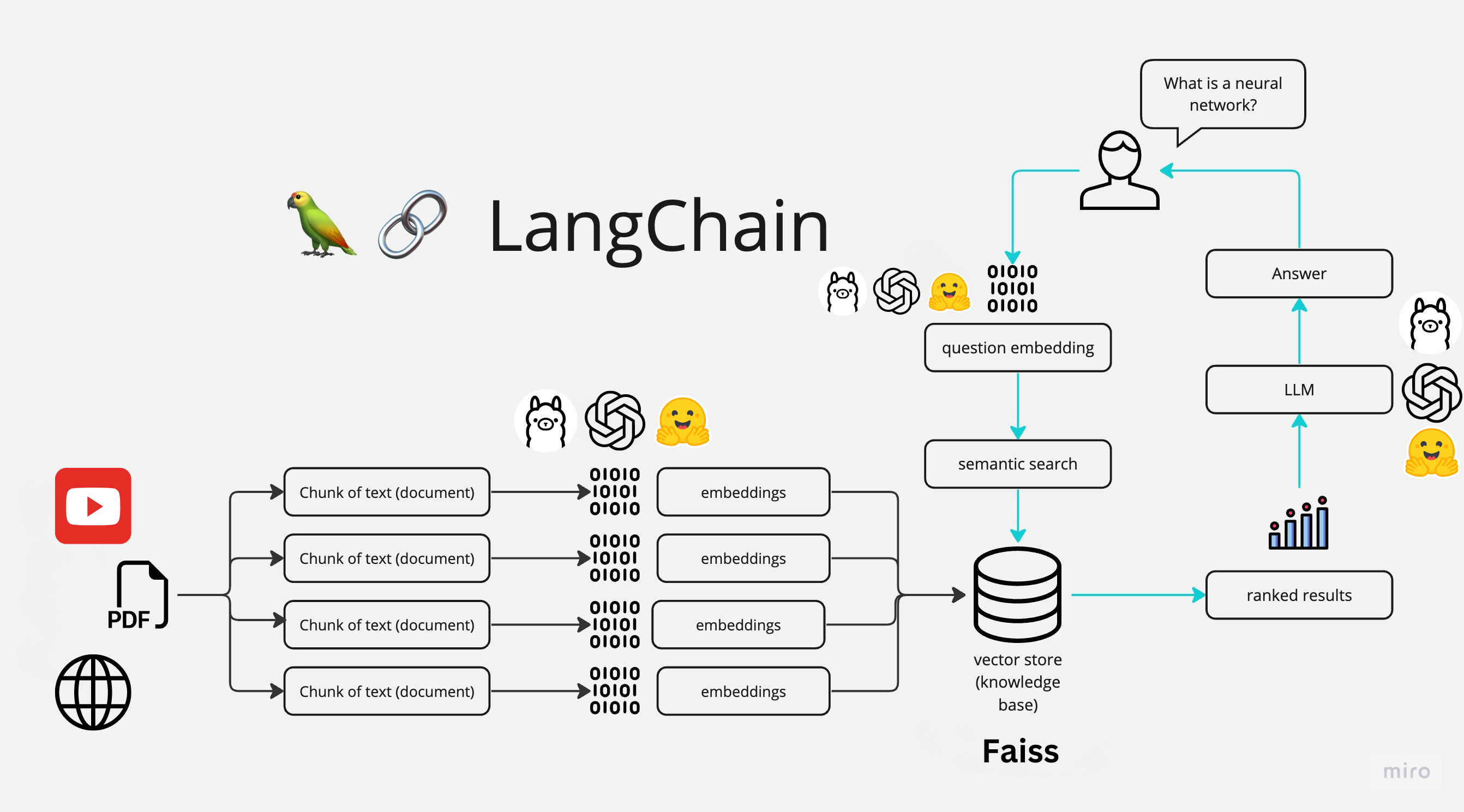
The application follows these steps to provide responses to your questions:
Doc Loading: The app reads multiple Docs types and extracts their text content.
Text Chunking: The extracted text is divided into smaller chunks that can be processed effectively.
Language Model: The application utilizes a language model to generate vector representations (embeddings) of the text chunks.
Similarity Matching: When you ask a question, the app compares it with the text chunks and identifies the most semantically similar ones.
Response Generation: The selected chunks are passed to the language model, which generates a response based on the relevant content of the Docs.
To install the Chat With Your Docs App, please follow these steps:
Download Ollama library
curl https://ollama.ai/install.sh | sh
pull the chat models we will use, in this case we will use LLAMA2, MISTRAL and GEMMA
ollama pull llama2
ollama pull mistral
ollama pull gemma
Create new environment with python 3.9 and activate it, in this case we will use conda
conda create -n cwd python=3.9
conda activate cwd
Clone the repository to your local machine.
git clone https://github.com/jorge-armando-navarro-flores/chat_with_your_docs.git
cd chat_with_your_docs
Install the required dependencies by running the following command:
pip install -r requirements.txt
Install ffmpeg for YouTube videos:
sudo apt-get install ffmpeg
To use the Chat With Your Docs app, follow these steps:
Run the main.py file using the Streamlit CLI. Execute the following command:
python3 main.py
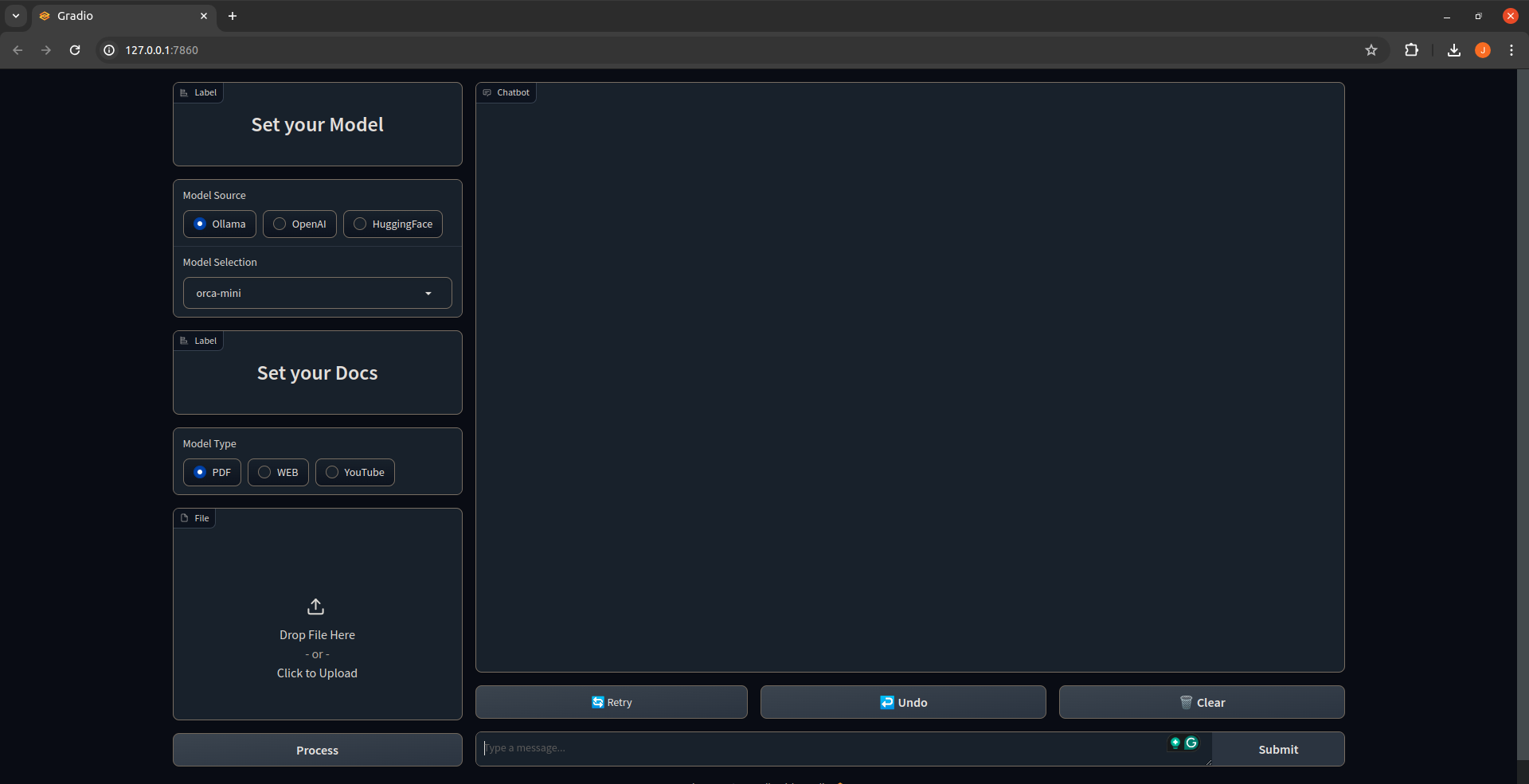
The application will launch in your default web browser, displaying the user interface.
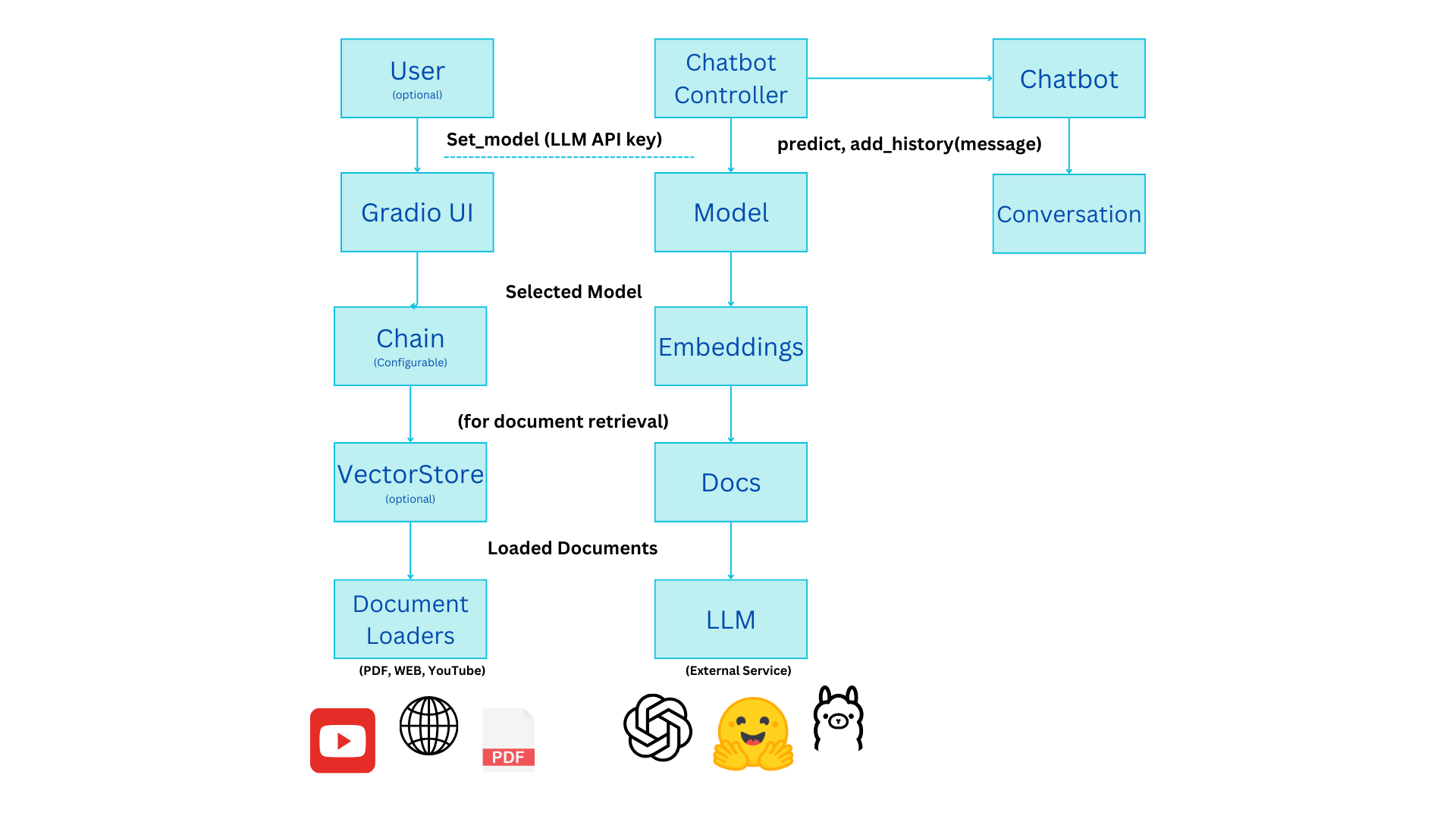
Classes:
OllamaModel, OpenAIModel, and HFModel that handle specific LLM providers (Ollama, OpenAI, and Hugging Face).Functionality:
Setting Up:
Processing:
Interaction:
predict method of the ChatBot, passing the user's query and conversation history (if retrieval is enabled).Additional Features:
Overall, this code demonstrates a well-structured architecture for a chatbot that can leverage different LLMs and incorporate document retrieval for enhanced capabilities.





