VecTextSearch
v0.1.3

VecTextSearch is a project that uses the OpenAI language model to generate text vectors and perform efficient searches in the Weaviate database. It allows users to store text data in a Weaviate database and quickly search and retrieve relevant text based on text similarity. The project is written in Golang and provides a simple REST API for client calls
Simplified Chinese | English
VecTextSearch is a project that uses the OpenAI language model to generate text vectors and perform efficient searches in a Weaviate database. It allows users to store text data in a Weaviate database and quickly search and retrieve relevant text based on text similarity. The project is written in Golang and provides a simple REST API for client calls.
Chat History 1 - Create a Project
Chat History 2 - Modify Dockerfile and Makefile
Chat Record 3 - Simplify the return results of vector search and modify the data structure
Chat Record 4 - Refactoring the project structure
Chat Record 5 - Download ChatGPT Chat Dialogue directly as Markdown file
Chat History 6 - Add cross-domain support to fix the error of make run command
Chat History 7 - Fix Document Errors
Chat history 8 - Configure whether the content can be repeated when adding text
Chat history 9 - weaviate's className can be configured
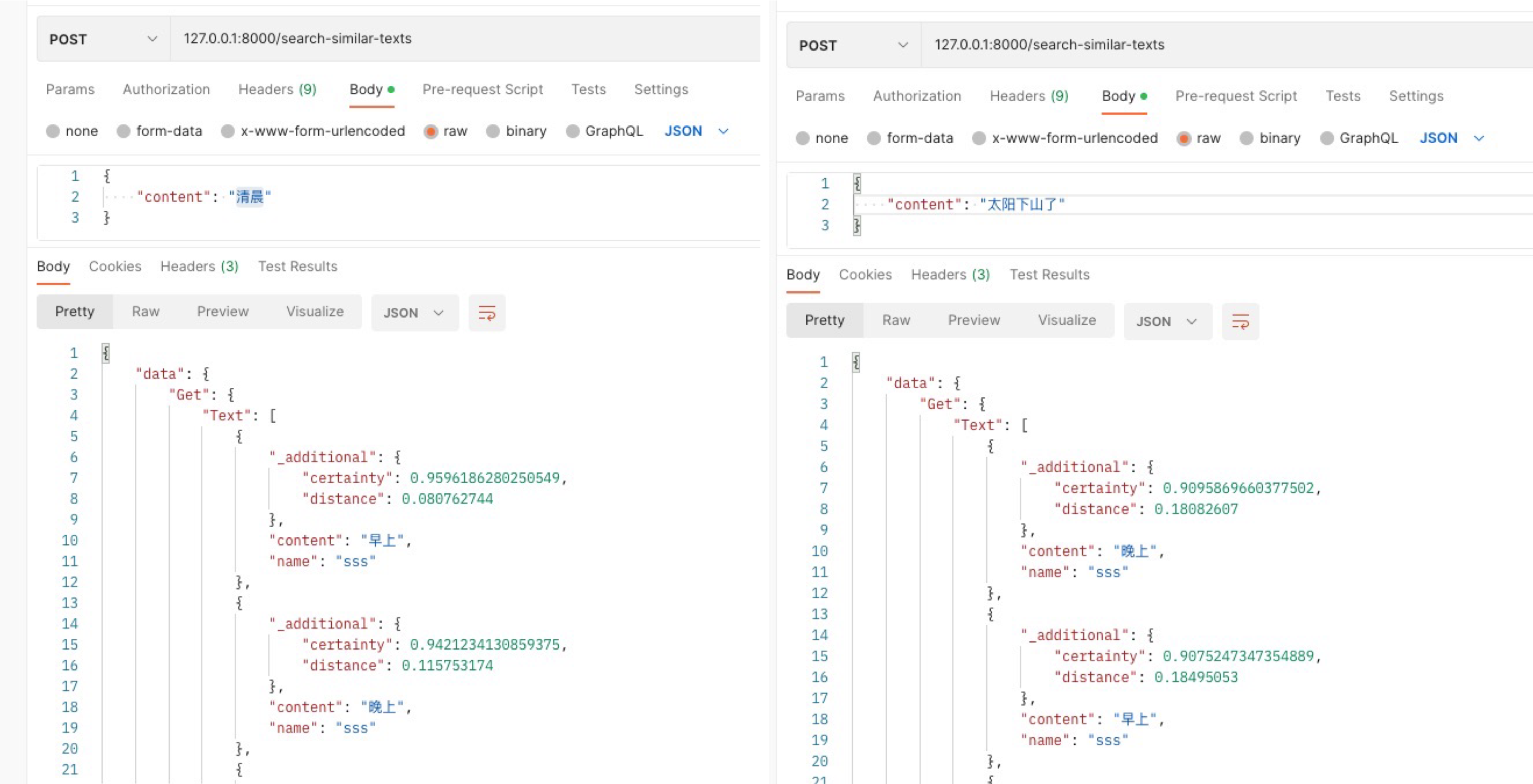
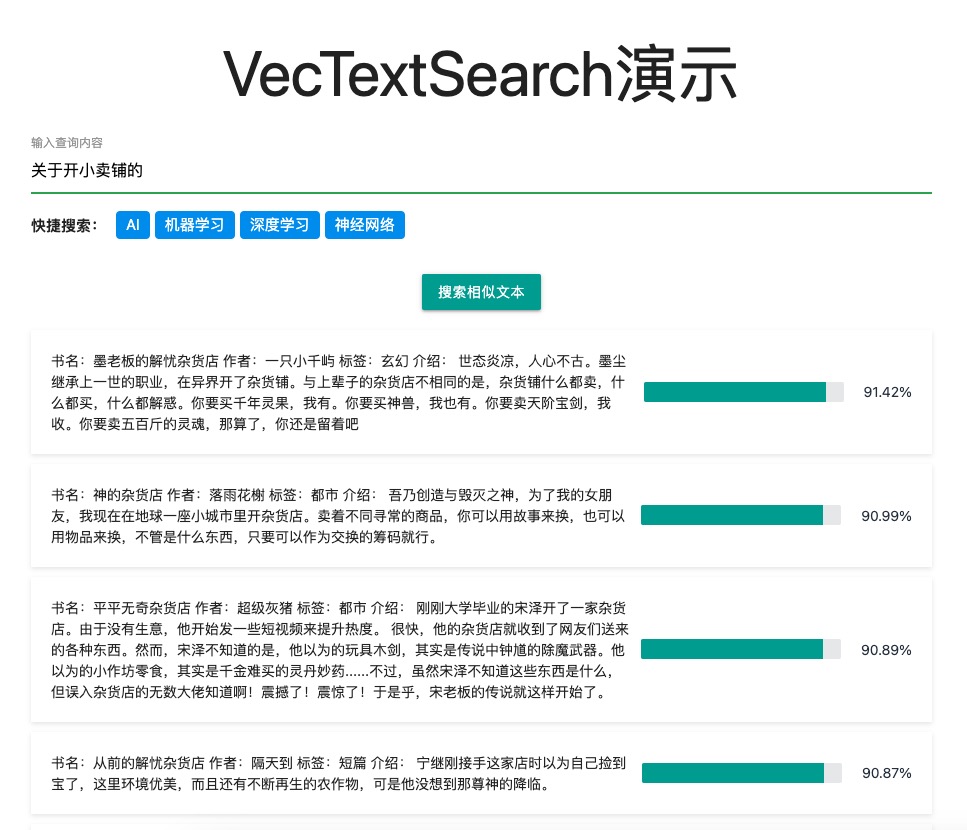
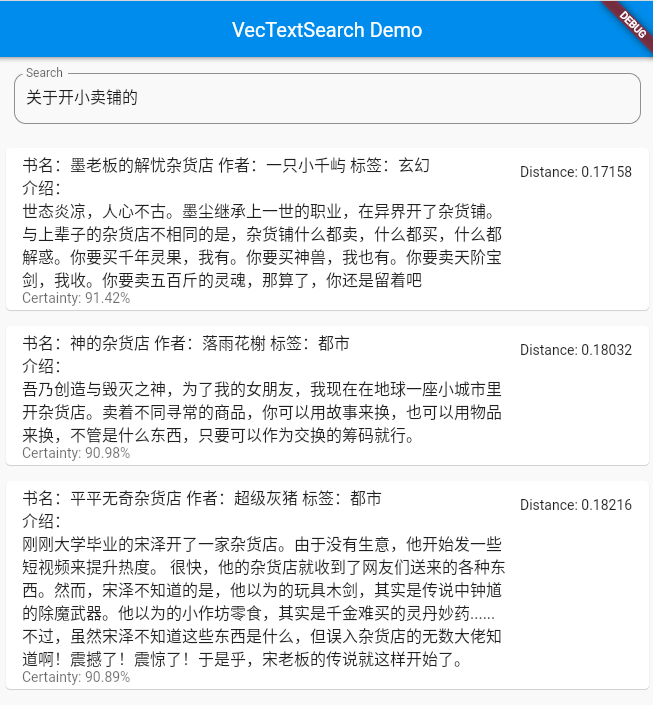
In many practical applications, quick searches are required based on text similarity. For example, given an article, you can find other articles that are similar to their content. Traditional keyword-based search methods may not accurately capture similarities between texts. VecTextSearch uses OpenAI's powerful language model to convert text into vector representations and then uses the Weaviate database for efficient similar vector search.
VecTextSearch can be applied to the following scenarios:
VecTextSearch provides two REST API interfaces:
{
  "name" : "文章名称" ,
  "content" : "文章内容"
}{
"id" : "文章唯一标识符"
}{
"content" : "查询内容"
}Response: After the search is successful, a JSON object containing similar text information will be returned.
[
  {
    "name" : "文章名称" ,
    "content" : "文章内容" ,
    "distance" : 浮点数(与查询内容的距离),
    "certainty" : 浮点数(与查询内容的相似度)
  },
  ...
]make init : Creates a .env file template for configuring environment variables.make build : build Docker image.make push : Push the Docker image to the Docker Hub.make run : Run the application locally. docker run -d
--name weaviate
-p 8888:8080
--restart on-failure:0
-e QUERY_DEFAULTS_LIMIT=25
-e AUTHENTICATION_ANONYMOUS_ACCESS_ENABLED=true
-e PERSISTENCE_DATA_PATH= ' /var/lib/weaviate '
-e DEFAULT_VECTORIZER_MODULE= ' none '
-e ENABLE_MODULES= ' '
-e AUTOSCHEMA_ENABLED=true
-e CLUSTER_HOSTNAME= ' node1 '
semitechnologies/weaviate:1.18.1
--host 0.0.0.0
--port 8080
--scheme httpChatGPT to Markdown is a Chrome plug-in developed by ChatGPT, designed to help users easily download ChatGPT and OpenAI conversation records as Markdown files. The generated Markdown file will contain the entire conversation and make a clear distinction between the user and the assistant. This plug-in is convenient for users to organize and view chat history and improve work efficiency.
Main functions:
For detailed instructions and usage methods, please refer to the ChatGPT to Markdown plug-in file.
If you want to contribute to VecTextSearch or secondary development of your project, you can follow these steps:
git clone https://github.com/szpnygo/VecTextSearch.git cd VecTextSearch
go get -uFill in the correct OpenAI API key in the config.yml file.
Run the project:
go run main.goIf you have problems using VecTextSearch or have new ideas and suggestions, please submit an Issue or Pull Request. We really appreciate your contribution and support!
VecTextSearch uses a MIT license. For more information, see the LICENSE file.
If you encounter any problems with using VecTextSearch, please feel free to contact us. You can contact us by:





