GPT Telegramus
Release 5.4.2

 |
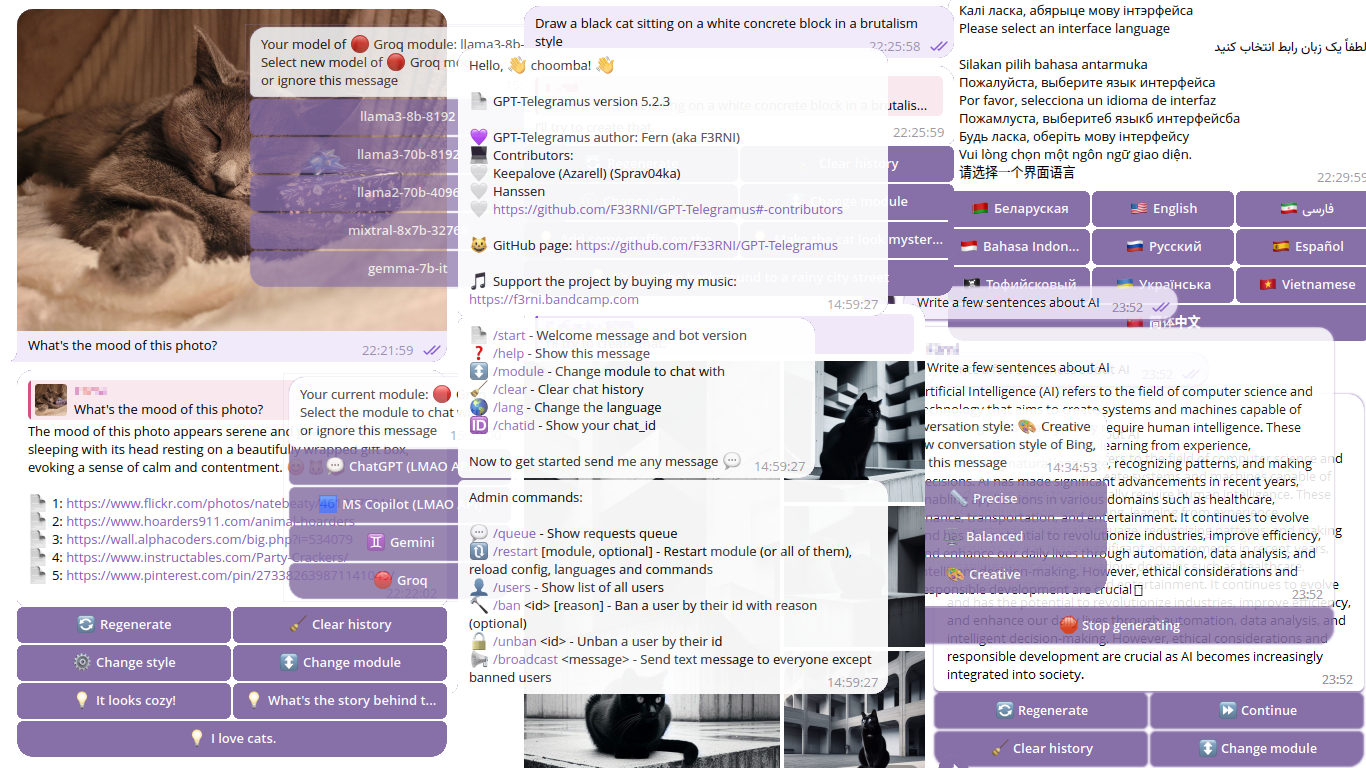
The best free Telegram bot for ChatGPT, Microsoft Copilot (aka Bing AI / Sidney / EdgeGPT), Microsoft Copilot Designer (aka BingImageCreator), Gemini and Groq with stream writing, requests with images, multiple languages, admin control, data logging and more! |
|---|
? Currently, GPT-Telegramus doesn't have paid ChatGPT and DALL-E support
? GPT-Telegramus v5 is an updated and highly refactored version of the old GPT-Telegramus
? Documentation is also under development! Consider reading docstring for now
? If you find a bug in GPT-Telegramus, please create an Issue
p.s. Due to my studies, I don't have much time to work on the project ?
? Please support the project so that I can continue to develop it
BTC: bc1qd2j53p9nplxcx4uyrv322t3mg0t93pz6m5lnft
ETH: 0x284E6121362ea1C69528eDEdc309fC8b90fA5578
ZEC: t1Jb5tH61zcSTy2QyfsxftUEWHikdSYpPoz
Or by my music on ? bandcamp
Or message me if you would like to donate in other way ?
requirements.txt fileSee ? Running as service on linux, ? Running on Raspberry Pi (ARM), ? Running in Docker sections for more info
venv and pip
python -m venv venv / python3 -m venv venv / python3.10 -m venv venv / python3.11 -m venv venv
source venv/bin/activate / venvScriptsactivate.bat
python --version commandpip install -r requirements.txt --upgrade
config.json file and in each *.json file inside module_configs directory. If you have questions regarding any setting, open an issue, I'll try to add a more detailed descriptionpython main.py
/style
ms_copilot) is deprecated! Please use lmao_ms_copilot instead/model command)Install Python 3.10 / 3.11 (not tested on other versions), venv and pip
Clone repo
git clone https://github.com/F33RNI/GPT-Telegramus.gitcd GPT-TelegramusCreate venv python -m venv venv / python3 -m venv venv / python3.10 -m venv venv / python3.11 -m venv venv
Carefully change all the settings in config.json file and in each *.json file inside module_configs directory
Install systemd
sudo apt-get install -y systemdCreate new service file
sudo nano /etc/systemd/system/gpt-telegramus.service
[Unit]
Description=GPT-Telegramus service
After=multi-user.target

[Service]
Type=simple
Restart=on-failure
RestartSec=5

WorkingDirectory=YOUR DIRECTORY HERE/GPT-Telegramus
ExecStart=YOUR DIRECTORY HERE/GPT-Telegramus/run.sh

[Install]
WantedBy=multi-user.target
Reload systemctl daemon
sudo systemctl daemon-reloadEnable and start service
sudo systemctl enable gpt-telegramussudo systemctl start gpt-telegramusNote: Please use sudo systemctl kill gpt-telegramus and then sudo systemctl stop gpt-telegramus if only sudo systemctl stop gpt-telegramus not working
Install Python 3.11 or later (not tested) if not installed
sudo apt-get update
sudo apt-get install -y build-essential tk-dev libncurses5-dev libncursesw5-dev libreadline6-dev libdb5.3-dev libgdbm-dev libsqlite3-dev libssl-dev libbz2-dev libexpat1-dev liblzma-dev zlib1g-dev libffi-dev
wget https://www.python.org/ftp/python/3.11.8/Python-3.11.8.tgz
sudo tar zxf Python-3.11.8.tgz
cd Python-3.11.8
sudo ./configure --enable-optimizations
sudo make -j 4
sudo make altinstall
Check version by typing python3.11 -V. After this, you should use python3.11 command instead of python or you can add it to the bashrc by typing echo "alias python=/usr/local/bin/python3.11" >> ~/.bashrc
Follow the ? Running as service on linux guide
Clone repo or download config.json and module_configs and langs
Edit the config.json, set options in the files section to the path in the container (/app/config/<FILE_NAME>)
Run the container
docker run -d -e TELEGRAMUS_CONFIG_FILE="/app/config/config.json" -v <YOUR_CONFIG_FOLDER>:/app/config --name gpt-telegramus --restart on-failure ghcr.io/f33rni/gpt-telegramus:latestIf you want to try the preview version
docker run -d -e TELEGRAMUS_CONFIG_FILE="/app/config/config.json" -v <YOUR_CONFIG_FOLDER>:/app/config --name gpt-telegramus --restart on-failure ghcr.io/f33rni/gpt-telegramus:edgeInstall Docker
Clone repo
Build container
docker buildx build -t telegramus --load -f Dockerfile .Run the container
docker run -d --name gpt-telegramus --restart on-failure telegramusor if you want to use a custom config
docker run -d -e TELEGRAMUS_CONFIG_FILE="/app/config/config.json" -v <YOUR_CONFIG_FOLDER>:/app/config --name gpt-telegramus --restart on-failure telegramusYou can add a new language. For that:
langs directory)Set2/T (3-letters code) ISO 639 https://en.wikipedia.org/wiki/List_of_ISO_639_language_codesYou can add new lines by adding
n
️ Please make sure you haven't messed up the string formatting structure{this_type}
/start - Welcome message and bot version/help - Show help message/module - Change module to chat with/clear - Clear chat history/lang - Change the language/chatid - Show your chat_id/model - Change model of module (Currently for ? Groq module only)/style - Bing AI conversation style/chat - Send request in group chat/queue - Show requests queue/restart [module name, optional] - Restart specific module (and it's config) or every module and all configs, languages and bot commands
bot_command_restart function in bot_handler.py file for more info/users - Show list of all users/ban <id> [reason] - Ban a user by their id with reason (optional)/unban <id> - Unban a user by their id/broadcast <message> - Send text message to everyone except banned usersGPT-Telegramus has a built-in data collecting function (saves requests and responses in a files)
You can enable and configure data collection in config.json in data_collecting section
️ Please make sure you notify your bot users that you're collecting data





