rag gpt
v0.2.2

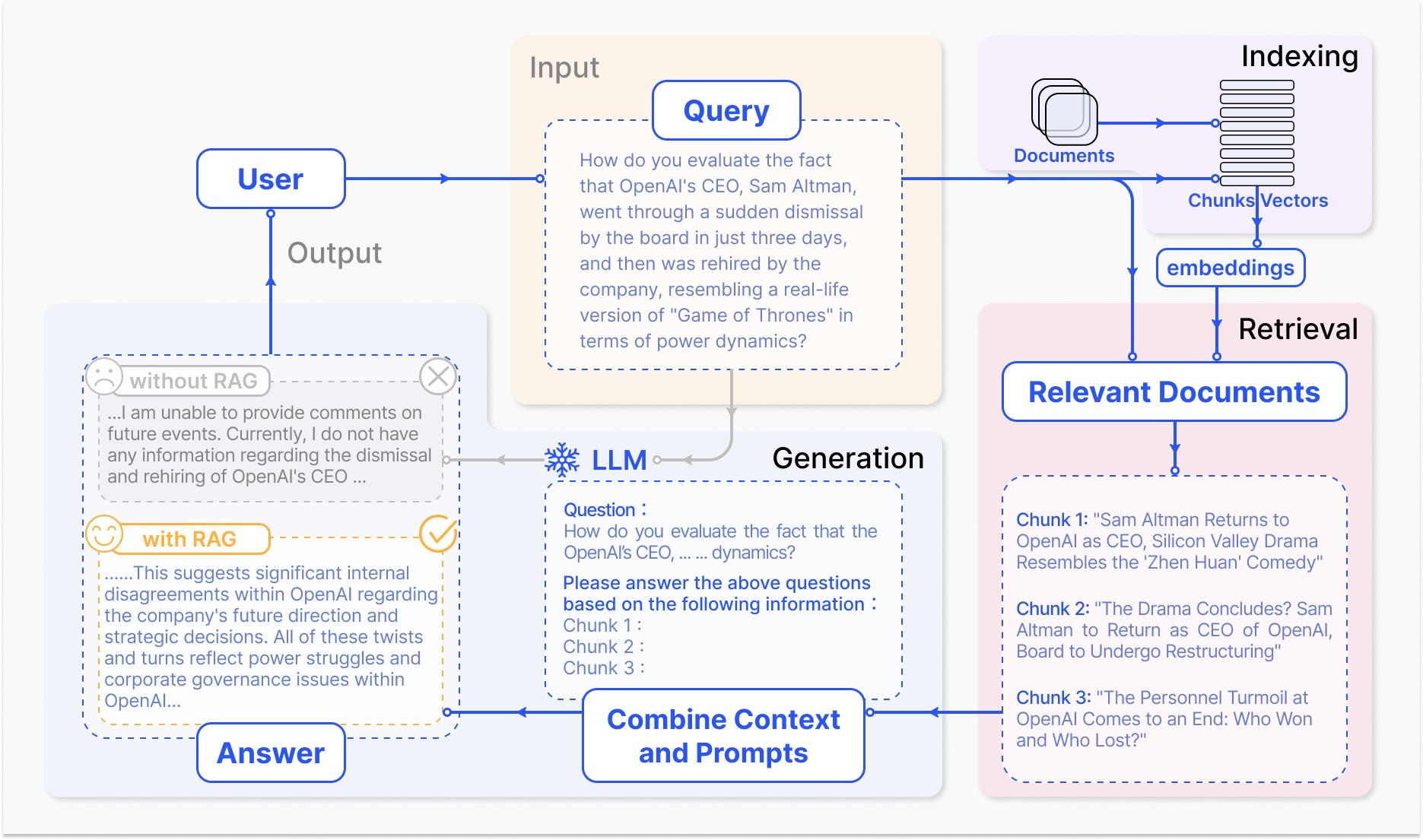
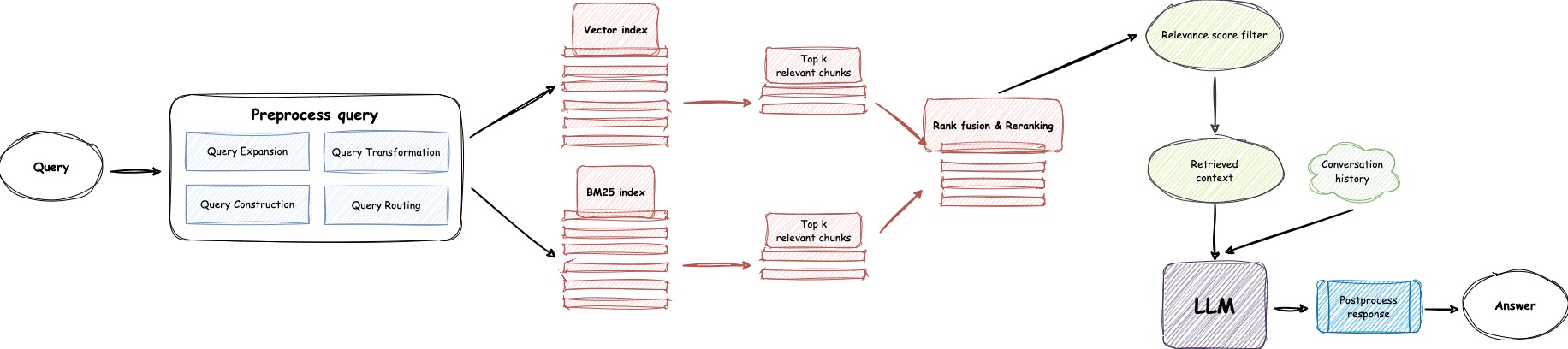
Clone the repository:
git clone https://github.com/open-kf/rag-gpt.git && cd rag-gptBefore starting the RAG-GPT service, you need to modify the related configurations for the program to initialize correctly.
cp env_of_openai .envThe variables in .env
LLM_NAME="OpenAI"
OPENAI_API_KEY="xxxx"
GPT_MODEL_NAME="gpt-4o-mini"
MIN_RELEVANCE_SCORE=0.4
BOT_TOPIC="xxxx"
URL_PREFIX="http://127.0.0.1:7000/"
USE_PREPROCESS_QUERY=1
USE_RERANKING=1
USE_DEBUG=0
USE_LLAMA_PARSE=0
LLAMA_CLOUD_API_KEY="xxxx"
USE_GPT4O=0LLM_NAME
OPENAI_API_KEY with your own key. Please log in to the OpenAI website to view your API Key.GPT_MODEL_NAME setting, replacing gpt-4o-mini with gpt-4-turbo or gpt-4o if you want to use GPT-4.BOT_TOPIC to reflect your Bot's name. This is very important, as it will be used in Prompt Construction. Please try to use a concise and clear word, such as OpenIM, LangChain.URL_PREFIX to match your website's domain. This is mainly for generating accessible URL links for uploaded local files. Such as http://127.0.0.1:7000/web/download_dir/2024_05_20/d3a01d6a-90cd-4c2a-b926-9cda12466caf/openssl-cookbook.pdf.USE_LLAMA_PARSE to 1 if you want to use LlamaParse.LLAMA_CLOUD_API_KEY with your own key. Please log in to the LLamaCloud website to view your API Key.USE_GPT4O to 1 if you want to use GPT-4o mode.server/constant directory.If you cannot use OpenAI's API services, consider using ZhipuAI as an alternative.
cp env_of_zhipuai .envThe variables in .env
LLM_NAME="ZhipuAI"
ZHIPUAI_API_KEY="xxxx"
GLM_MODEL_NAME="glm-4-air"
MIN_RELEVANCE_SCORE=0.4
BOT_TOPIC="xxxx"
URL_PREFIX="http://127.0.0.1:7000/"
USE_PREPROCESS_QUERY=1
USE_RERANKING=1
USE_DEBUG=0
USE_LLAMA_PARSE=0
LLAMA_CLOUD_API_KEY="xxxx"LLM_NAME
ZHIPUAI_API_KEY with your own key. Please log in to the ZhipuAI website to view your API Key.GLM_MODEL_NAME setting, the model list is ['glm-3-turbo', 'glm-4', 'glm-4-0520', 'glm-4-air', 'glm-4-airx', 'glm-4-flash'].BOT_TOPIC to reflect your Bot's name. This is very important, as it will be used in Prompt Construction. Please try to use a concise and clear word, such as OpenIM, LangChain.URL_PREFIX to match your website's domain. This is mainly for generating accessible URL links for uploaded local files. Such as http://127.0.0.1:7000/web/download_dir/2024_05_20/d3a01d6a-90cd-4c2a-b926-9cda12466caf/openssl-cookbook.pdf.USE_LLAMA_PARSE to 1 if you want to use LlamaParse.LLAMA_CLOUD_API_KEY with your own key. Please log in to the LLamaCloud website to view your API Key.server/constant directory.If you cannot use OpenAI's API services, consider using DeepSeek as an alternative.
Note
DeepSeek does not provide an Embedding API, so here we use ZhipuAI's Embedding API.
cp env_of_deepseek .envThe variables in .env
LLM_NAME="DeepSeek"
ZHIPUAI_API_KEY="xxxx"
DEEPSEEK_API_KEY="xxxx"
DEEPSEEK_MODEL_NAME="deepseek-chat"
MIN_RELEVANCE_SCORE=0.4
BOT_TOPIC="xxxx"
URL_PREFIX="http://127.0.0.1:7000/"
USE_PREPROCESS_QUERY=1
USE_RERANKING=1
USE_DEBUG=0
USE_LLAMA_PARSE=0
LLAMA_CLOUD_API_KEY="xxxx"LLM_NAME
ZHIPUAI_API_KEY with your own key. Please log in to the ZhipuAI website to view your API Key.DEEPKSEEK_API_KEY with your own key. Please log in to the DeepSeek website to view your API Key.DEEPSEEK_MODEL_NAME setting if you want to use other models of DeepSeek.BOT_TOPIC to reflect your Bot's name. This is very important, as it will be used in Prompt Construction. Please try to use a concise and clear word, such as OpenIM, LangChain.URL_PREFIX to match your website's domain. This is mainly for generating accessible URL links for uploaded local files. Such as http://127.0.0.1:7000/web/download_dir/2024_05_20/d3a01d6a-90cd-4c2a-b926-9cda12466caf/openssl-cookbook.pdf.USE_LLAMA_PARSE to 1 if you want to use LlamaParse.LLAMA_CLOUD_API_KEY with your own key. Please log in to the LLamaCloud website to view your API Key.server/constant directory.If you cannot use OpenAI's API services, consider using Moonshot as an alternative.
Note
Moonshot does not provide an Embedding API, so here we use ZhipuAI's Embedding API.
cp env_of_moonshot .envThe variables in .env
LLM_NAME="Moonshot"
ZHIPUAI_API_KEY="xxxx"
MOONSHOT_API_KEY="xxxx"
MOONSHOT_MODEL_NAME="moonshot-v1-8k"
MIN_RELEVANCE_SCORE=0.4
BOT_TOPIC="xxxx"
URL_PREFIX="http://127.0.0.1:7000/"
USE_PREPROCESS_QUERY=1
USE_RERANKING=1
USE_DEBUG=0
USE_LLAMA_PARSE=0
LLAMA_CLOUD_API_KEY="xxxx"LLM_NAME
ZHIPUAI_API_KEY with your own key. Please log in to the ZhipuAI website to view your API Key.MOONSHOT_API_KEY with your own key. Please log in to the Moonshot website to view your API Key.MOONSHOT_MODEL_NAME setting if you want to use other models of Moonshot.BOT_TOPIC to reflect your Bot's name. This is very important, as it will be used in Prompt Construction. Please try to use a concise and clear word, such as OpenIM, LangChain.URL_PREFIX to match your website's domain. This is mainly for generating accessible URL links for uploaded local files. Such as http://127.0.0.1:7000/web/download_dir/2024_05_20/d3a01d6a-90cd-4c2a-b926-9cda12466caf/openssl-cookbook.pdf.USE_LLAMA_PARSE to 1 if you want to use LlamaParse.LLAMA_CLOUD_API_KEY with your own key. Please log in to the LLamaCloud website to view your API Key.server/constant directory.If your knowledge base involves sensitive information and you prefer not to use cloud-based LLMs, consider using Ollama to deploy large models locally.
Note
First, refer to ollama to Install Ollama, and download the embedding model mxbai-embed-large and the LLM model such as llama3.
cp env_of_ollama .envThe variables in .env
LLM_NAME="Ollama"
OLLAMA_MODEL_NAME="xxxx"
OLLAMA_BASE_URL="http://127.0.0.1:11434"
MIN_RELEVANCE_SCORE=0.4
BOT_TOPIC="xxxx"
URL_PREFIX="http://127.0.0.1:7000/"
USE_PREPROCESS_QUERY=1
USE_RERANKING=1
USE_DEBUG=0
USE_LLAMA_PARSE=0
LLAMA_CLOUD_API_KEY="xxxx"LLM_NAME
OLLAMA_MODEL_NAME setting, select an appropriate model from ollama library.IP:PORT when starting Ollama, please update OLLAMA_BASE_URL. Please pay special attention, only enter the IP (domain) and PORT here, without appending a URI.BOT_TOPIC to reflect your Bot's name. This is very important, as it will be used in Prompt Construction. Please try to use a concise and clear word, such as OpenIM, LangChain.URL_PREFIX to match your website's domain. This is mainly for generating accessible URL links for uploaded local files. Such as http://127.0.0.1:7000/web/download_dir/2024_05_20/d3a01d6a-90cd-4c2a-b926-9cda12466caf/openssl-cookbook.pdf.USE_LLAMA_PARSE to 1 if you want to use LlamaParse.LLAMA_CLOUD_API_KEY with your own key. Please log in to the LLamaCloud website to view your API Key.server/constant directory.Note
When deploying with Docker, pay special attention to the host of URL_PREFIX in the .env file. If using Ollama, also pay special attention to the host of OLLAMA_BASE_URL in the .env file. They need to use the actual IP address of the host machine.
docker-compose up --buildNote
Please use Python version 3.10.x or above.
It is recommended to install Python-related dependencies in a Python virtual environment to avoid affecting dependencies of other projects.
If you have not yet created a virtual environment, you can create one with the following command:
python3 -m venv myenvAfter creation, activate the virtual environment:
source myenv/bin/activateOnce the virtual environment is activated, you can use pip to install the required dependencies.
pip install -r requirements.txtThe RAG-GPT service uses SQLite as its storage DB. Before starting the RAG-GPT service, you need to execute the following command to initialize the database and add the default configuration for admin console.
python3 create_sqlite_db.pyIf you have completed the steps above, you can try to start the RAG-GPT service by executing the following command.
python3 rag_gpt_app.pysh start.shNote
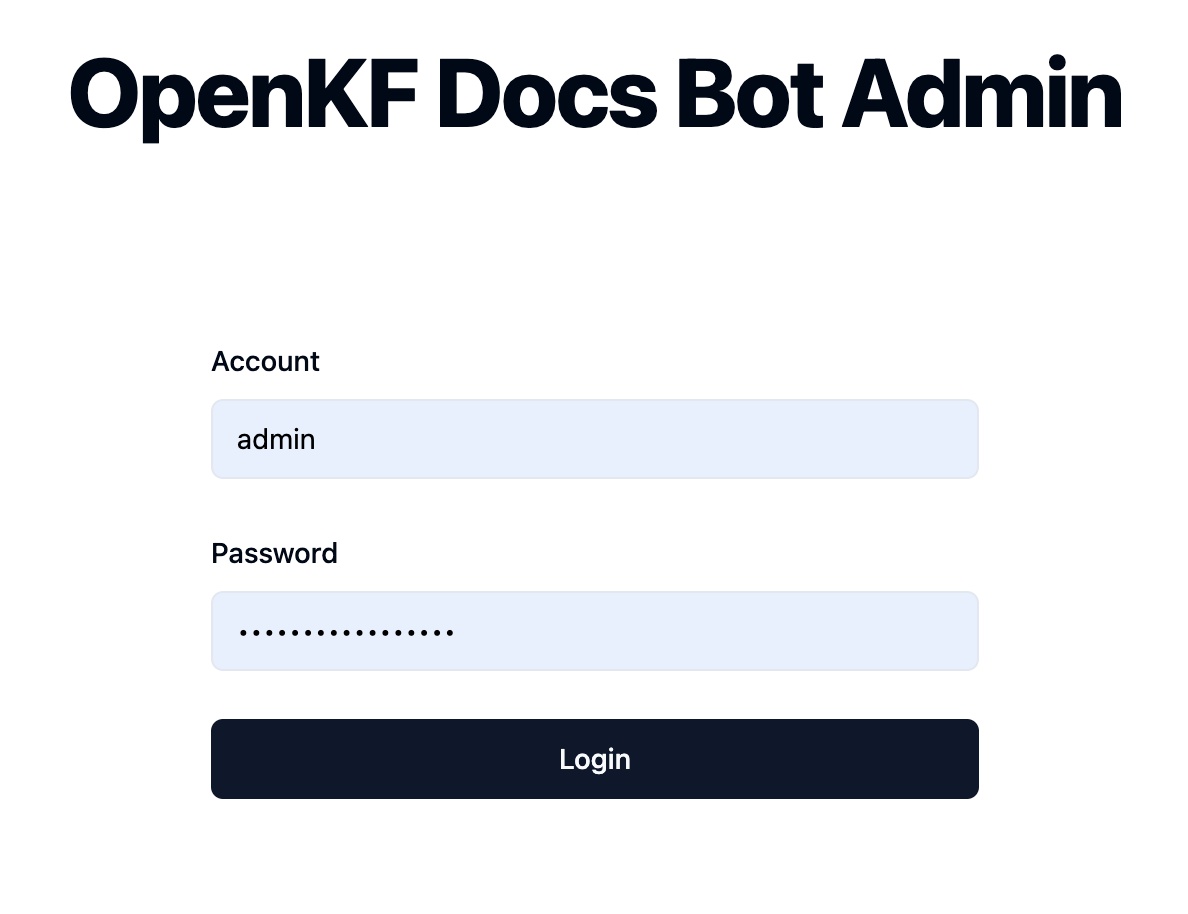
7000. During the first test, please try not to change the port so that you can quickly experience the entire product process.start.sh in multi-process mode for a smoother user experience.Access the admin console through the link http://your-server-ip:7000/open-kf-admin/ to reach the login page. The default username and password are admin and open_kf_AIGC@2024 (can be checked in create_sqlite_db.py).
After logging in successfully, you will be able to see the configuration page of the admin console.
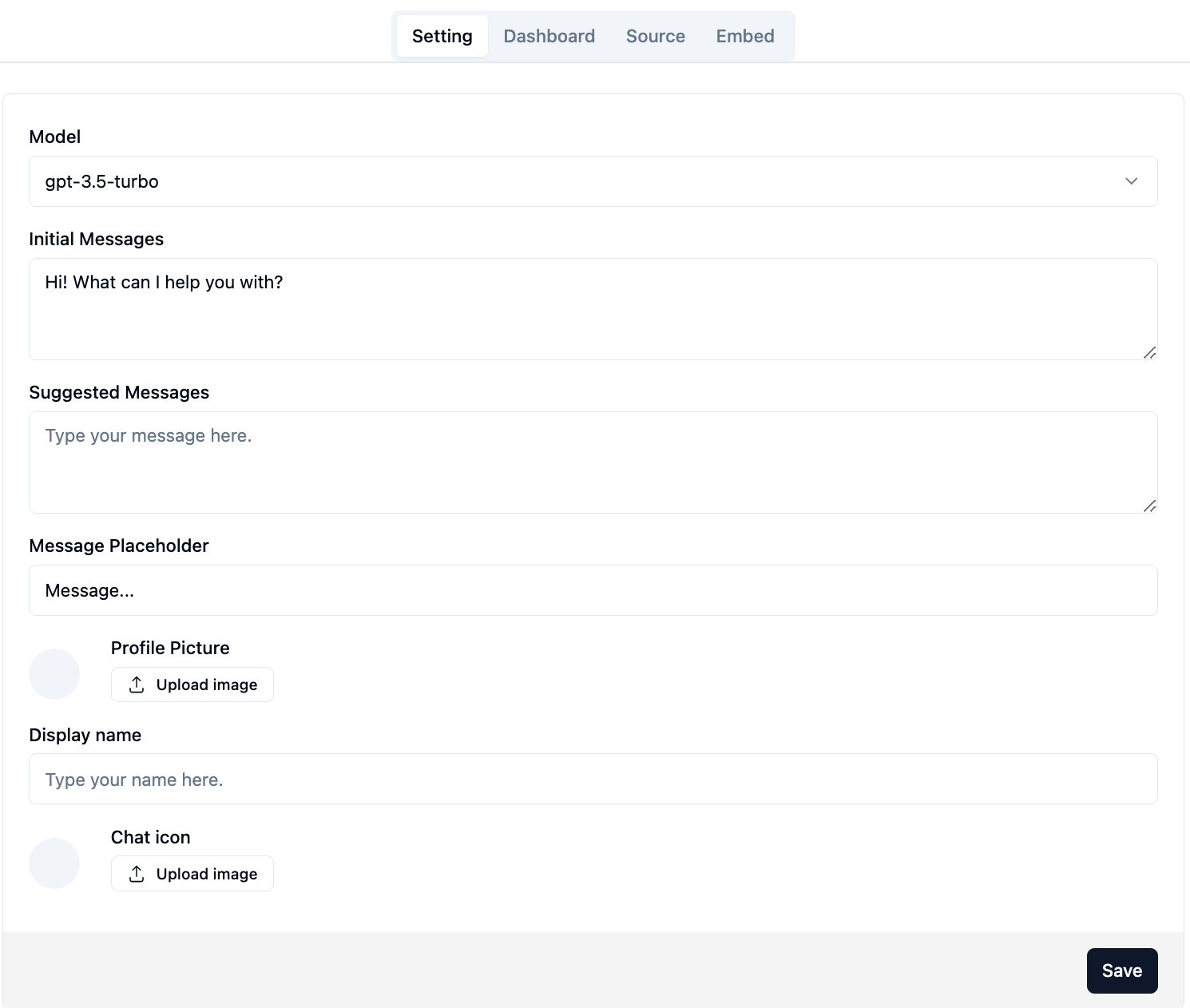
On the page http://your-server-ip:7000/open-kf-admin/#/, you can set the following configurations:
gpt-3.5-turbo option is available, which will be gradually expanded.After submitting the website URL, once the server retrieves the list of all web page URLs via crawling, you can select the web page URLs you need as the knowledge base (all selected by default). The initial Status is Recorded.
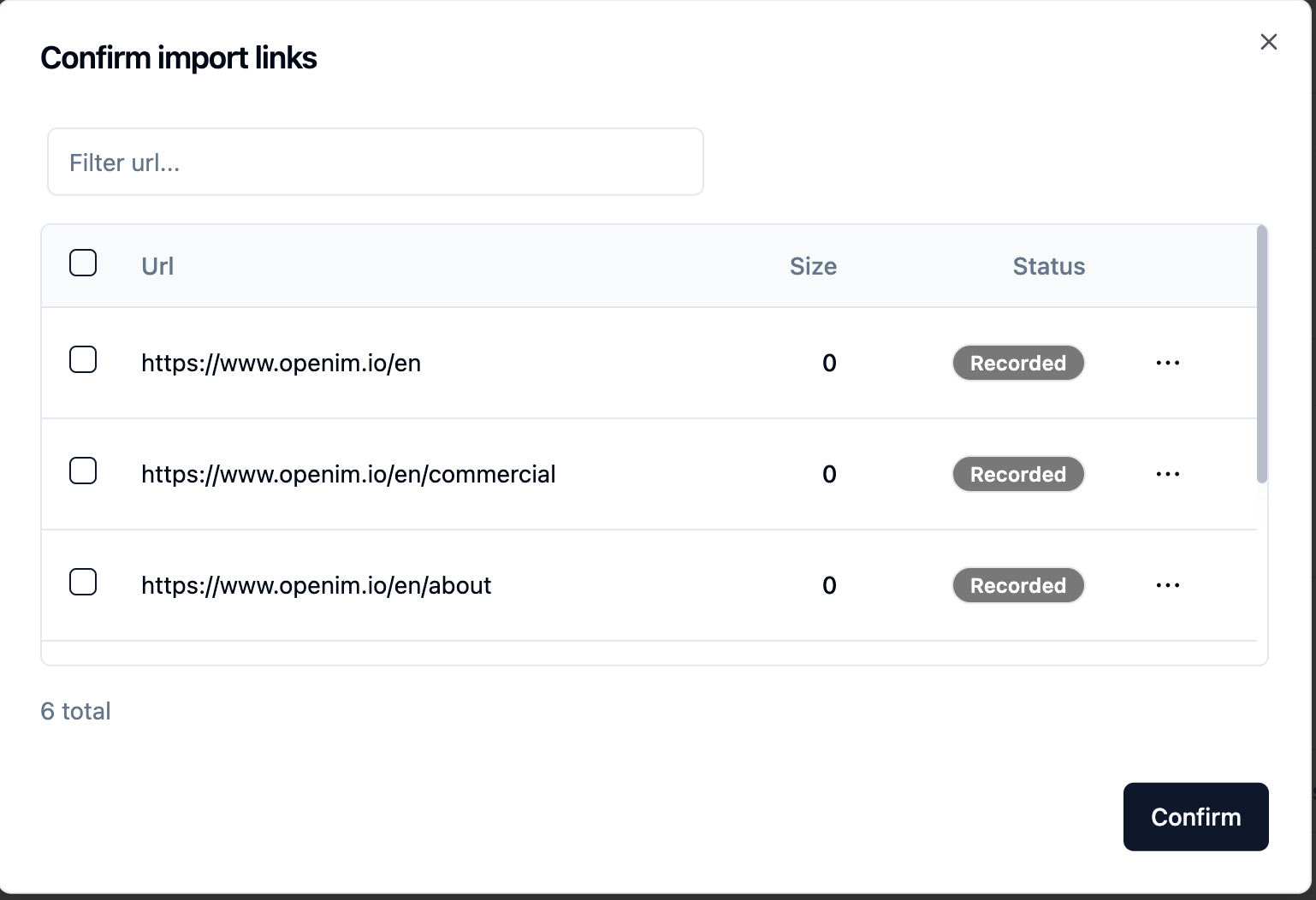
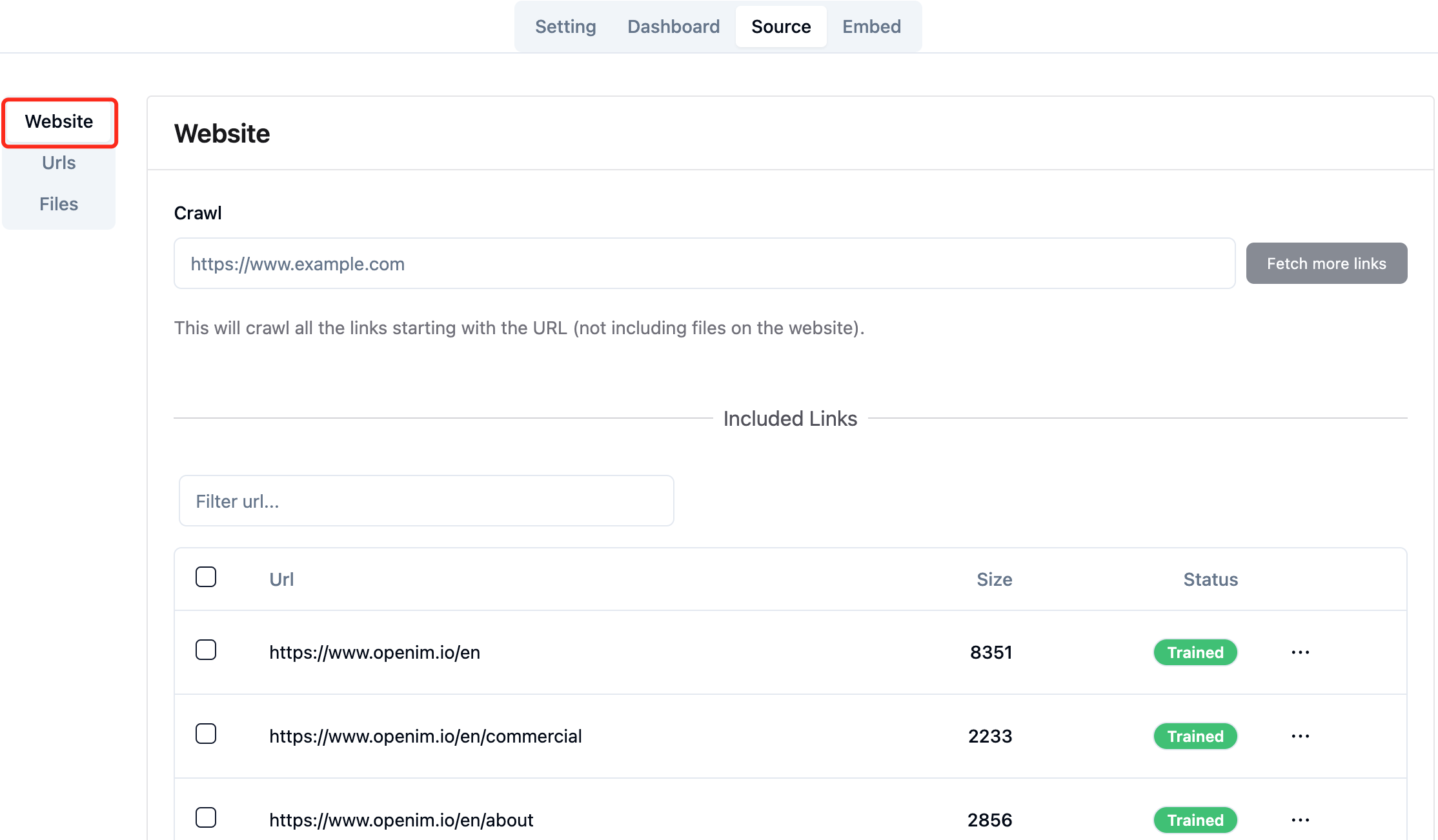
You can actively refresh the page http://your-server-ip:7000/open-kf-admin/#/source in your browser to get the progress of web page URL processing. After the content of the web page URL has been crawled, and the Embedding calculation and storage are completed, you can see the corresponding Size in the admin console, and the Status will also be updated to Trained.
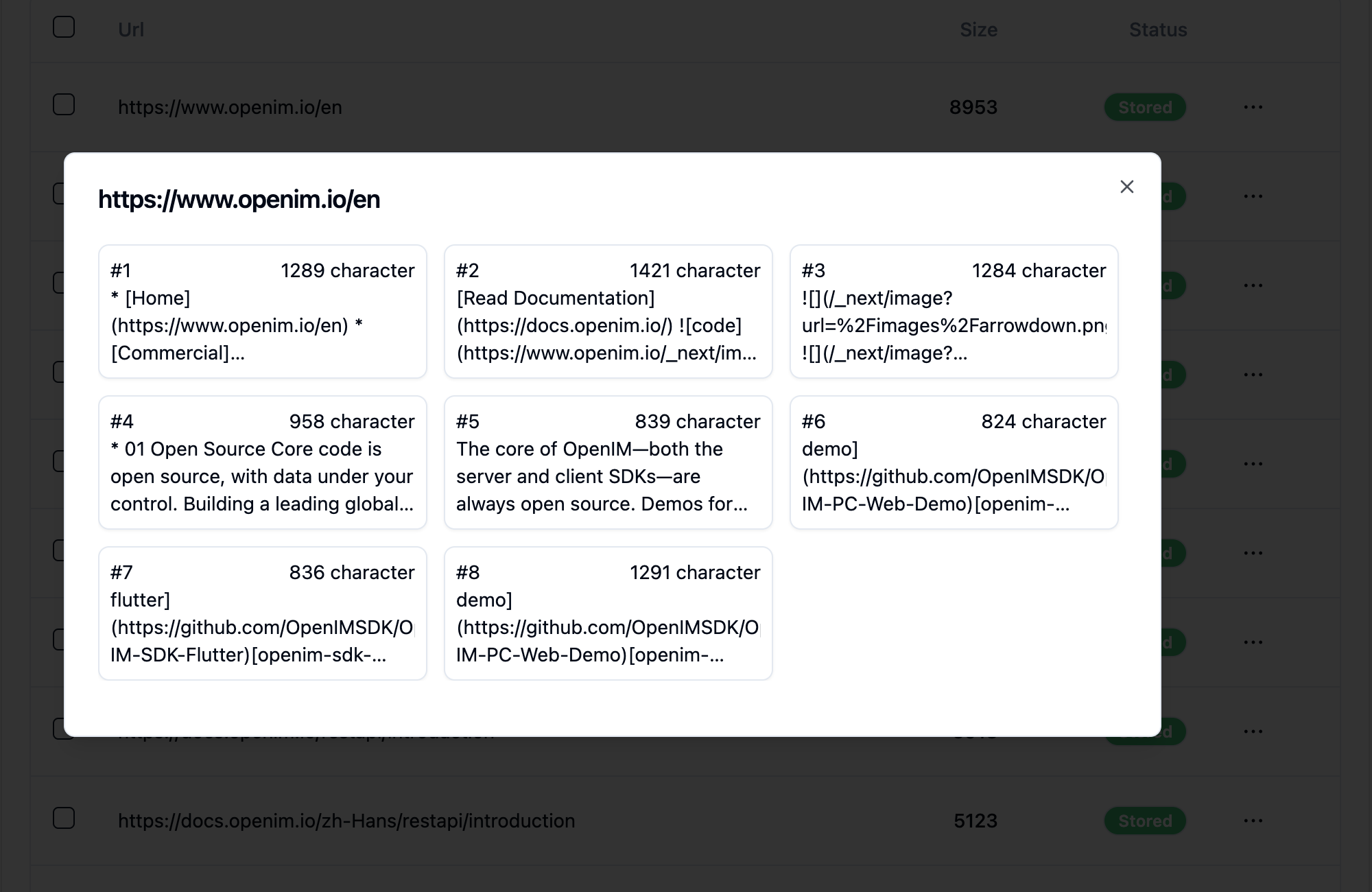
Clicking on a webpage's URL reveals how many sub-pages the webpage is divided into, and the text size of each sub-page.
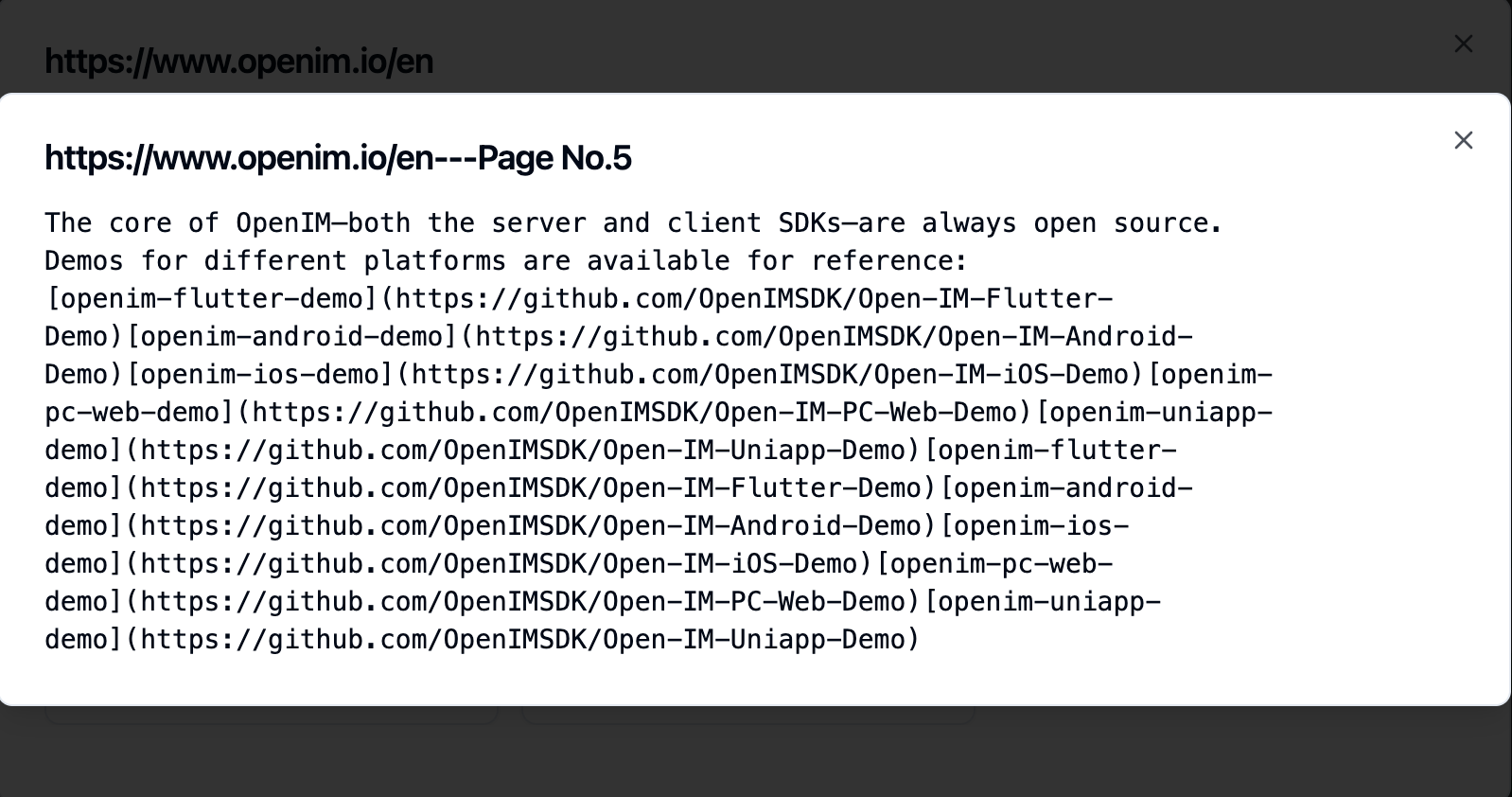
Clicking on a sub-page allows you to view its full text content. This will be very helpful for verifying the effects during the experience testing process.
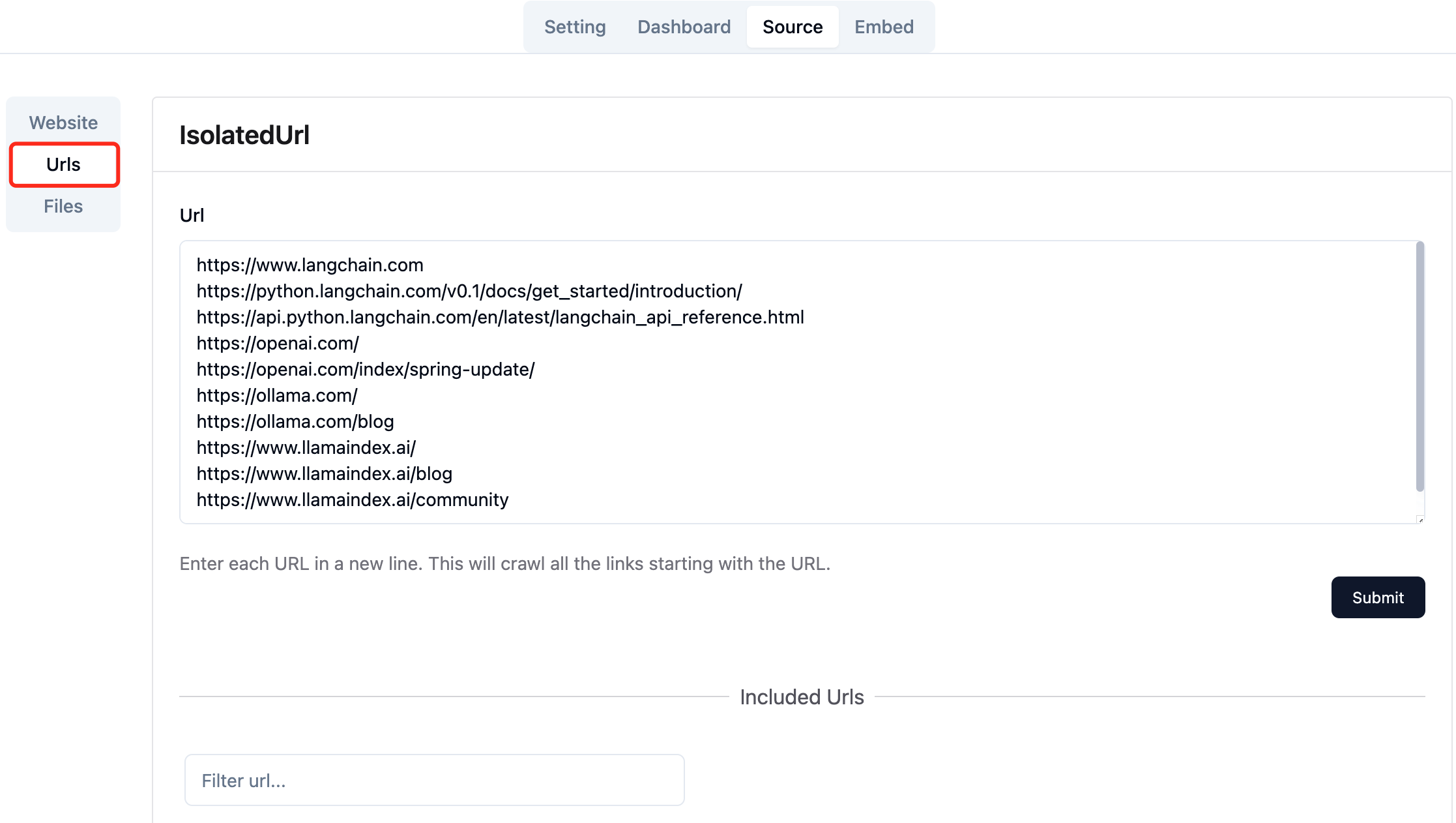
Collect the URLs of the required web pages. You can submit up to 10 web page URLs at a time, and these pages can be from different domains.
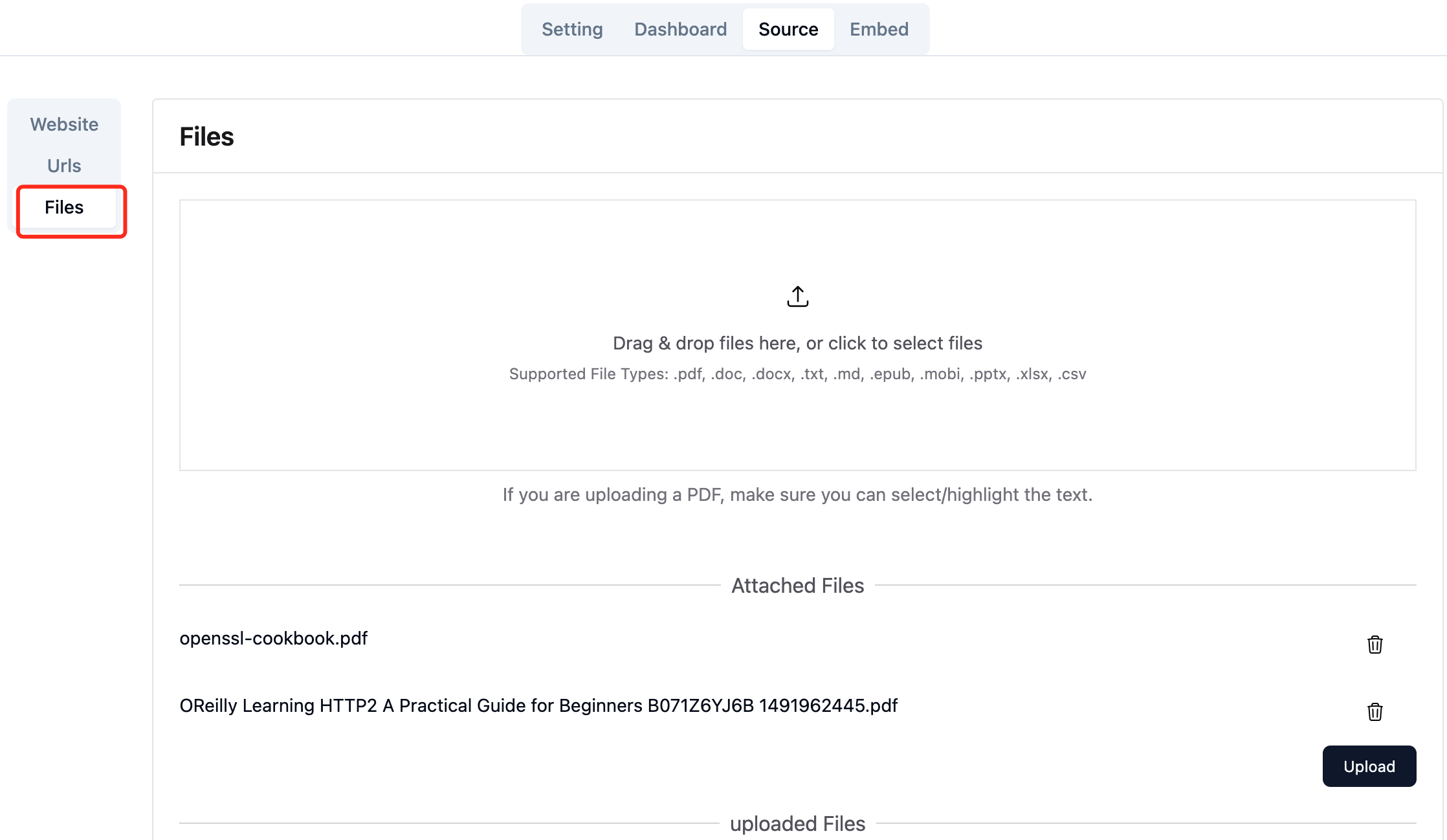
Upload the required local files. You can upload up to 10 files at a time, and each file cannot exceed 30MB. The following file types are currently supported: [".txt", ".md", ".pdf", ".epub", ".mobi", ".html", ".docx", ".pptx", ".xlsx", ".csv"].
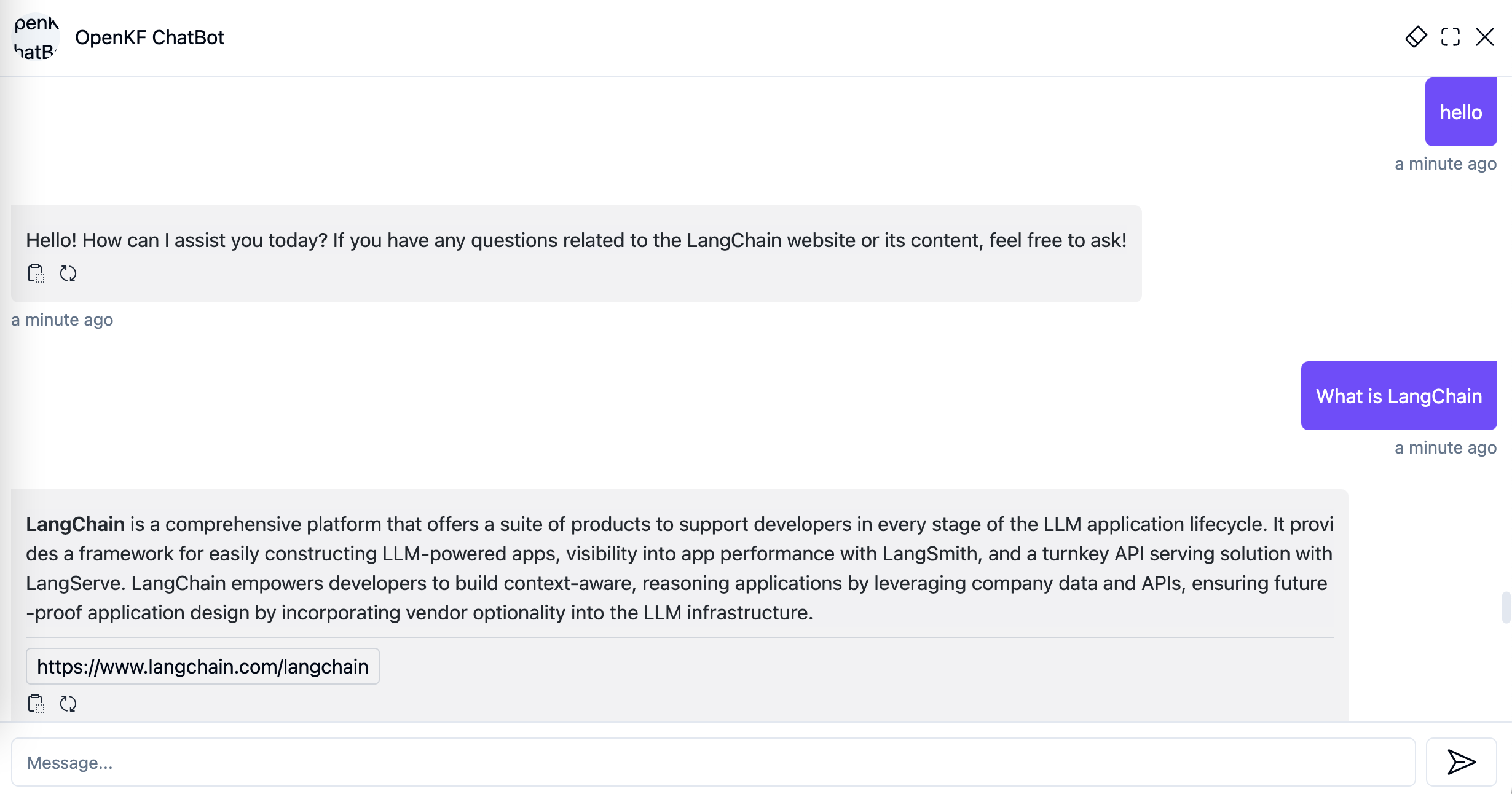
After importing website data in the admin console, you can experience the chatbot service through the link http://your-server-ip:7000/open-kf-chatbot/.
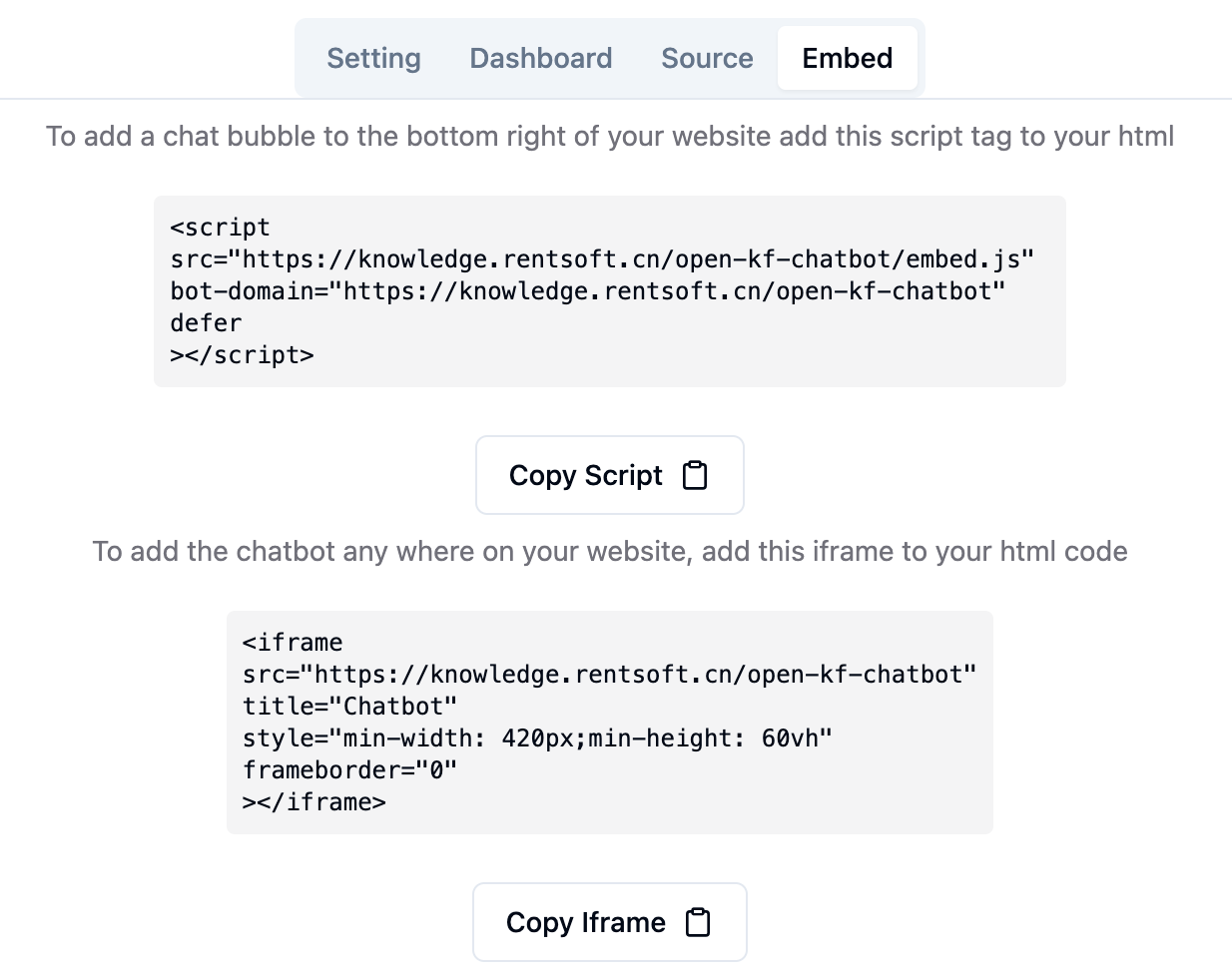
Through the admin console link http://your-server-ip:7000/open-kf-admin/#/embed, you can see the detailed tutorial for configuring the iframe in your website.
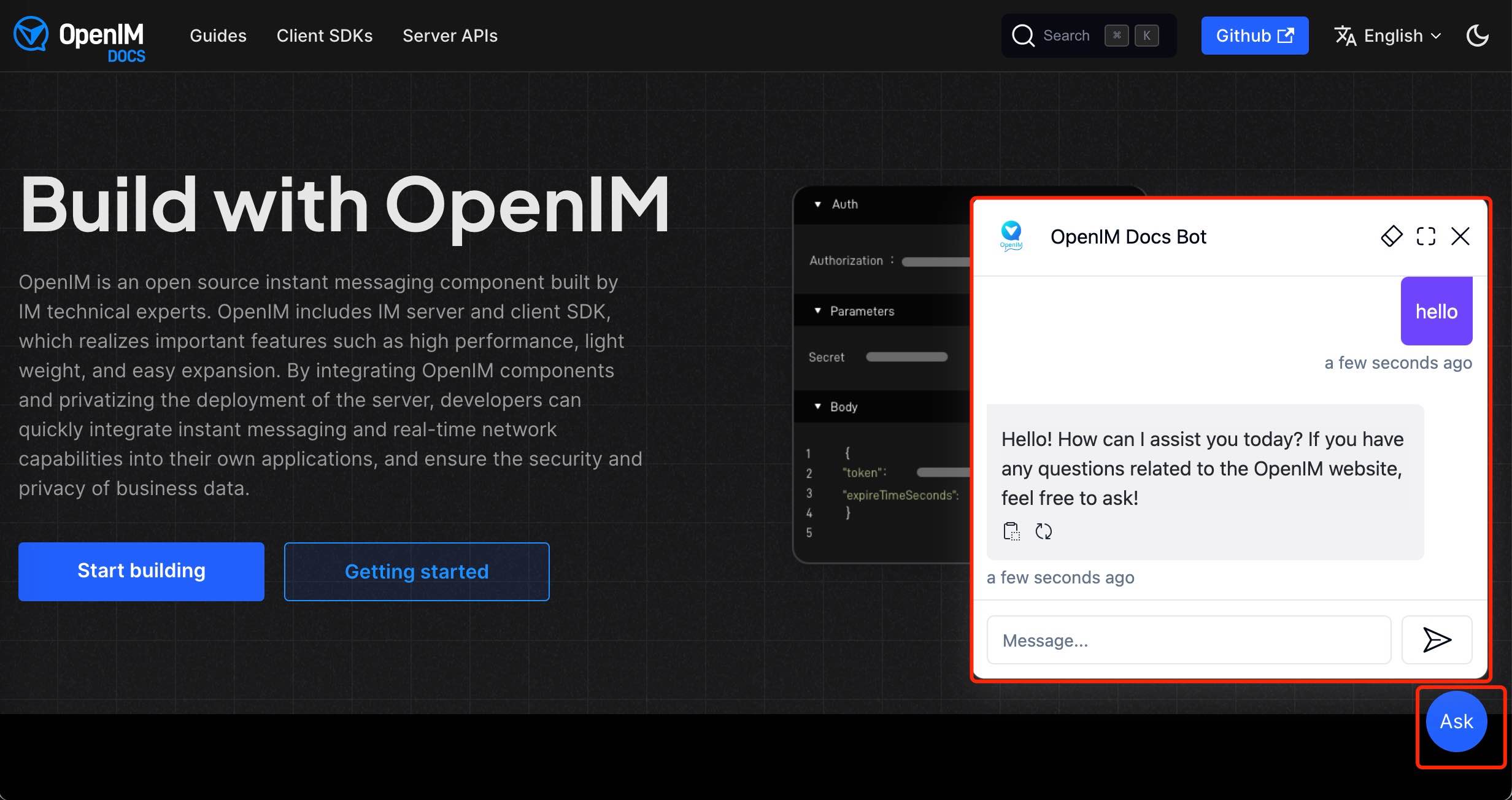
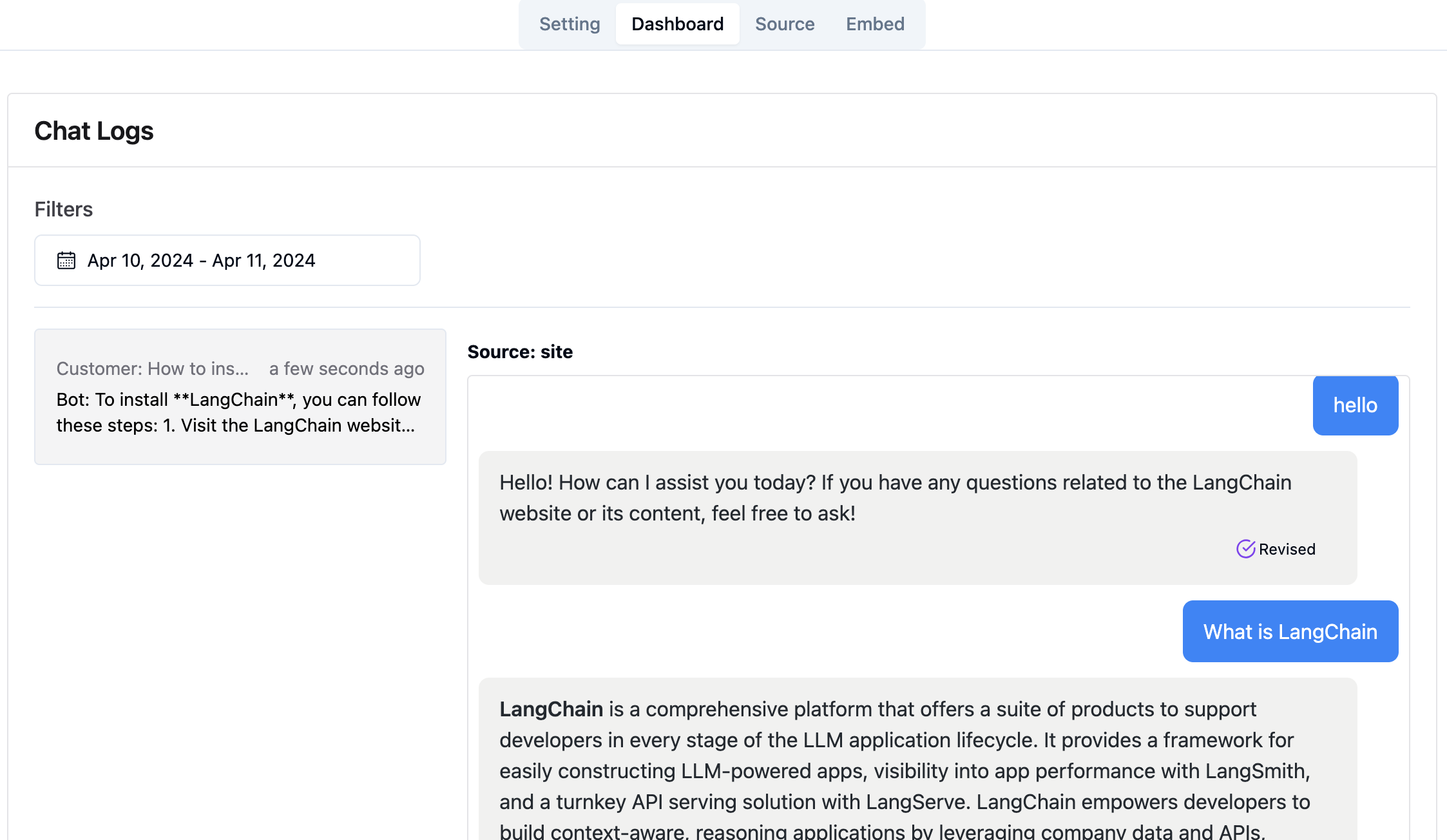
Through the admin console link http://your-server-ip:7000/open-kf-admin/#/dashboard, you can view the historical request records of all users within a specified time range.
The RAG-GPT service integrates 2 frontend modules, and their source code information is as follows:
Code Repository
An intuitive web-based admin interface for Smart QA Service, offering comprehensive control over content, configuration, and user interactions. Enables effortless management of the knowledge base, real-time monitoring of queries and feedback, and continuous improvement based on user insights.
Code Repository
An HTML5 interface for Smart QA Service designed for easy integration into websites via iframe, providing users direct access to a tailored knowledge base without leaving the site, enhancing functionality and immediate query resolution.





