bob plugin openai translator
v2.4.2

Note
Important update: Non-macOS users can use the OpenAI API-based word translation browser plugin that I developed to solve the urgent problem.
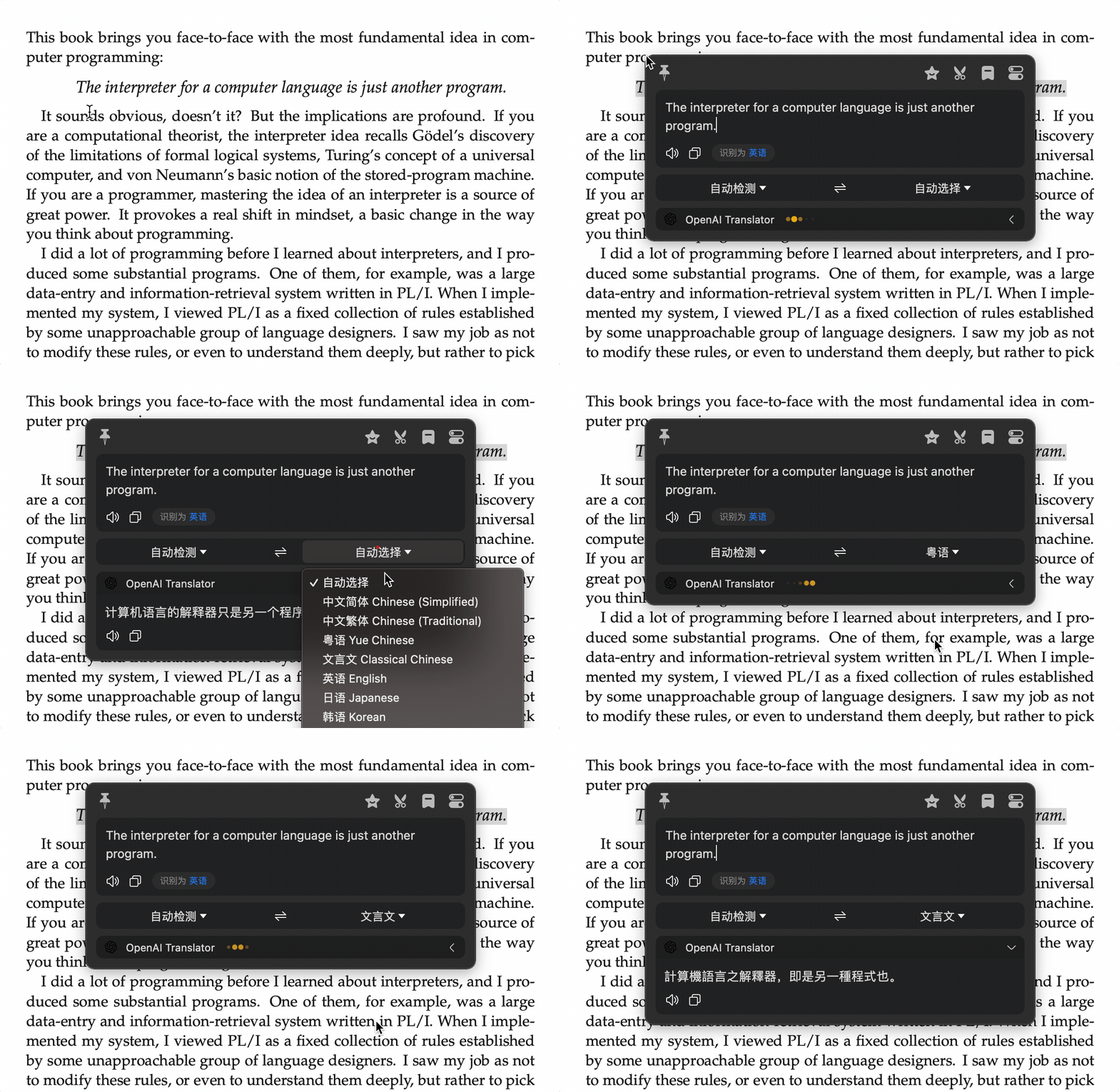
ChatGPT shows us the greatness of the GPT model, so I used OpenAI's API to implement the translation + polish + syntax modification plug-in of this Bob, which has the effect of being awesome!
This plug-in supports the use of OpenAI API to polish and syntax modification of sentences. You only need to set the target language to the same as the source language, and replace Grammarly in a comprehensive way! And in theory, any language can be polished, not just English.
If you don't like to put the translation function and text polishing function together, here we separate a plug-in specially used for text polishing and syntax correction: bob-plugin-openai-polisher. This polishing plug-in has more advanced polishing functions, such as explaining the reasons for the modification.
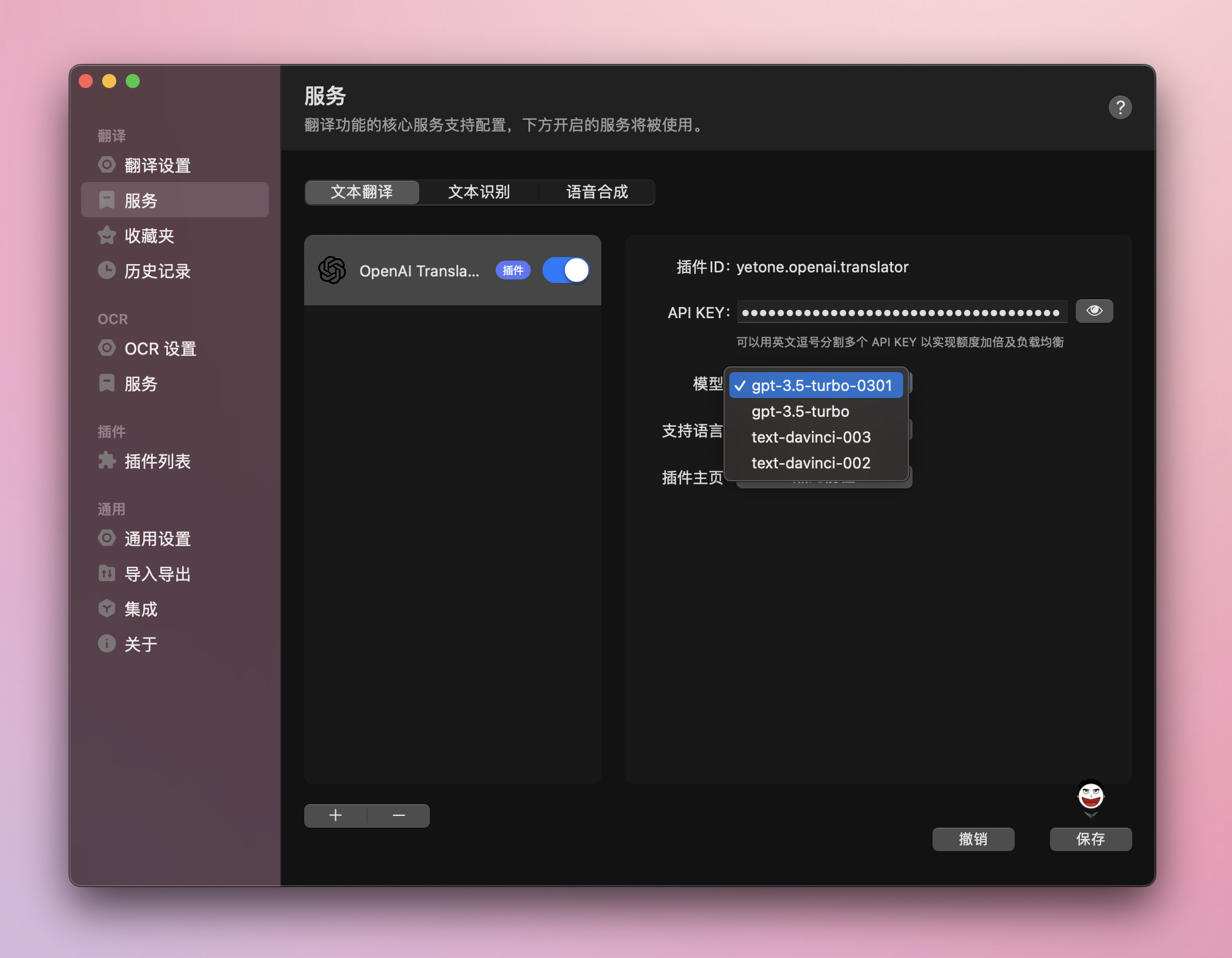
To use ChatGPT's API, you need to change the plug-in's model to gpt-3.5-turbo-0301 or gpt-3.5-turbo on the Bob settings page:
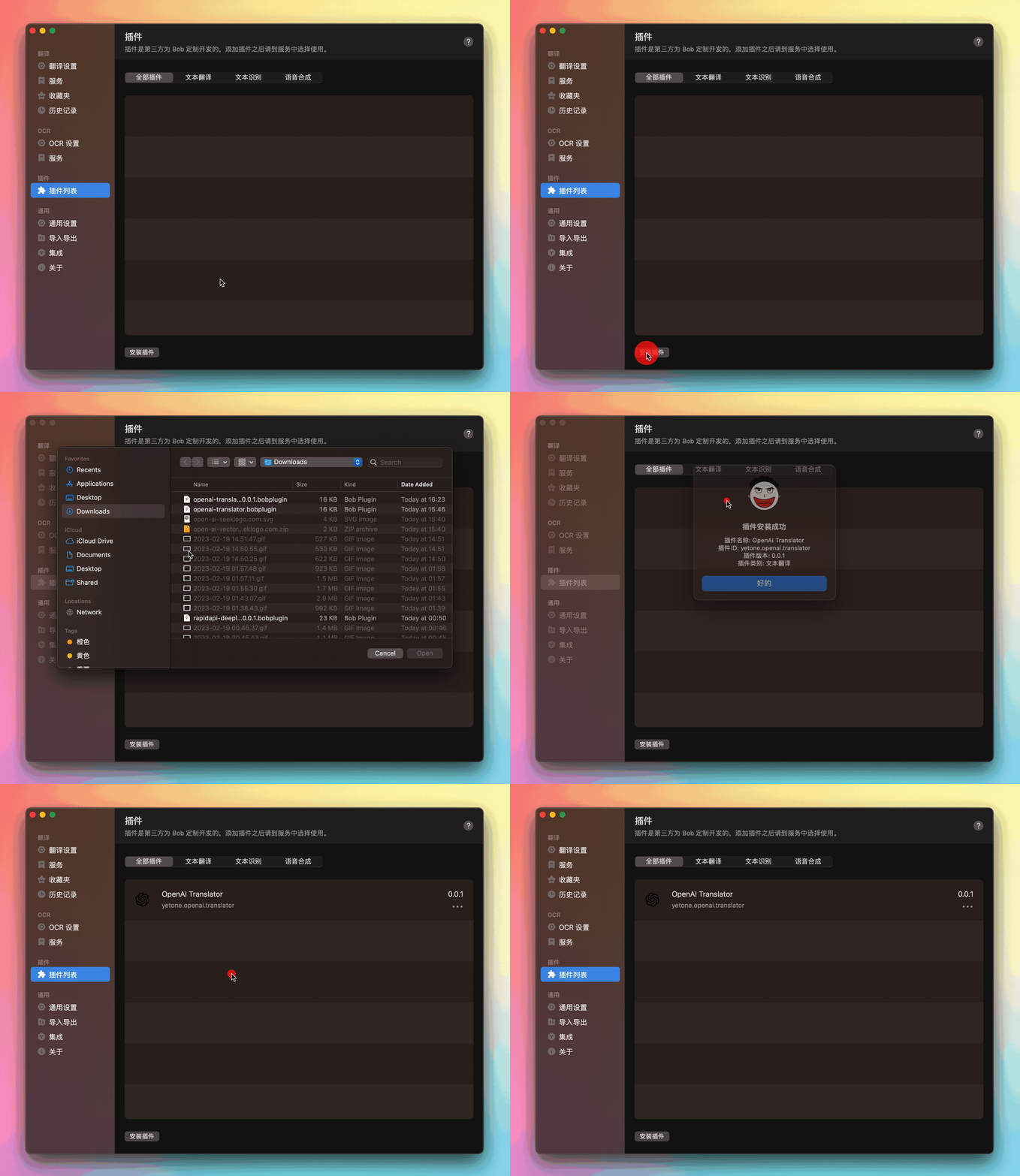
Install Bob (version>= 0.50), a translation and OCR software for macOS platform
Download this plugin: openai-translator.bobplugin
Install this plugin:
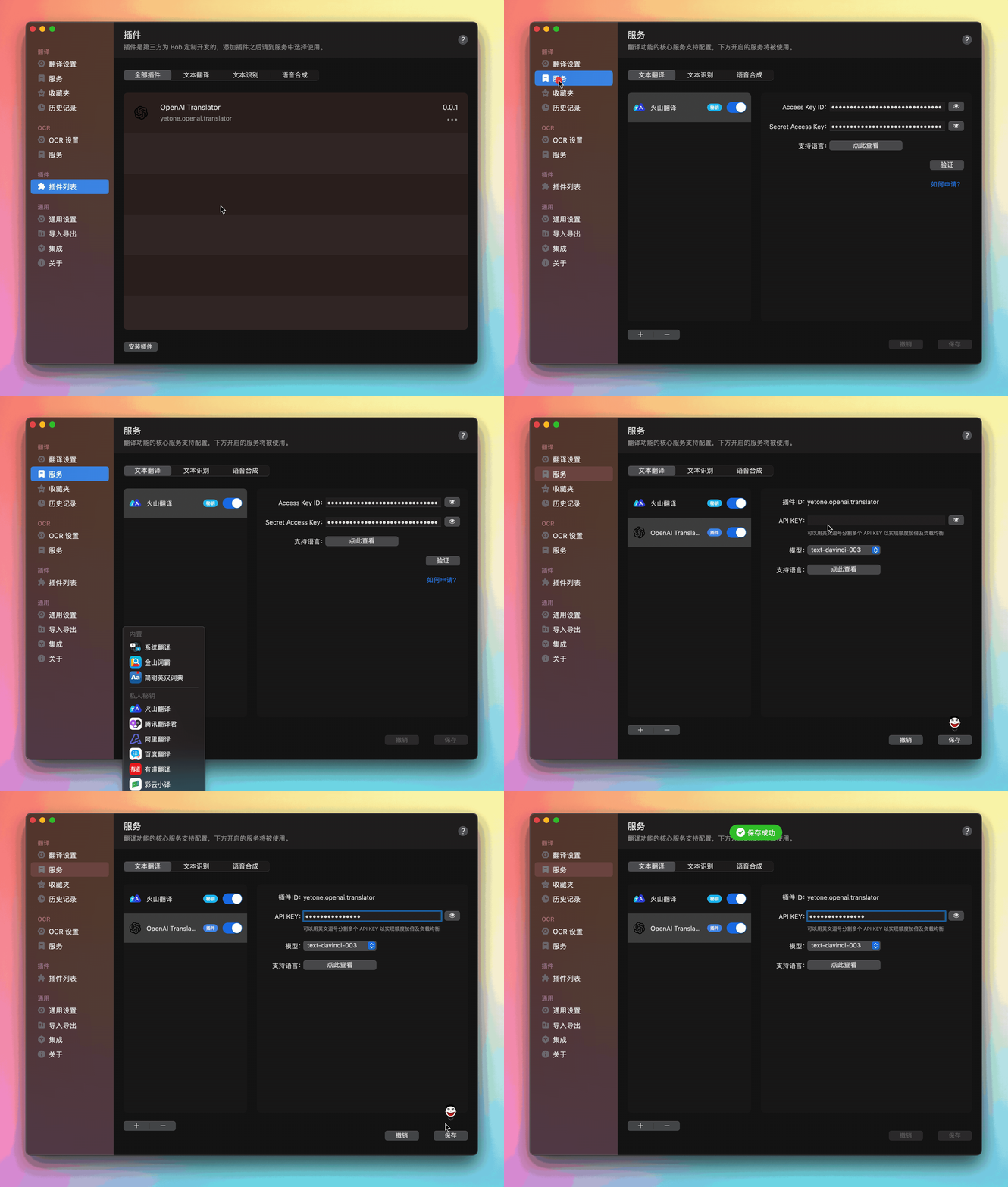
Go to OpenAI to get your API KEY
Fill in the API KEY into the input box of the API KEY in the Bob Preferences > Services > This plug-in configuration interface
If you want to learn more about other settings, please check out the configuration manual
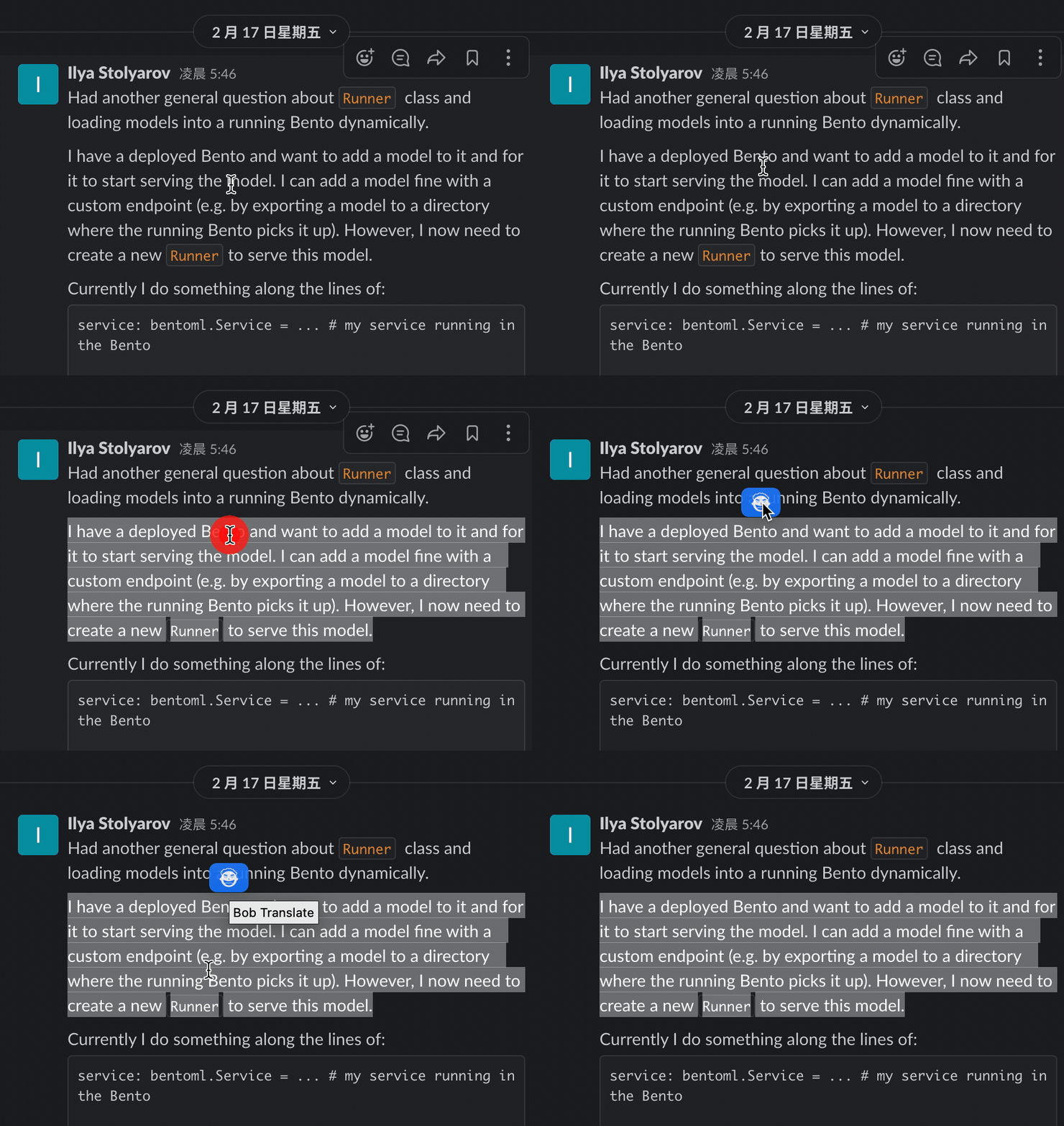
Install PopClip to realize the word marking and floating icon appears near the mouse
If you want to contribute to OpenAI Translator Bob Plugin, read the instructions in the Contribution Guide. We can start with the questions in this list.
This is just a small Bob plugin, and the most powerful one is Bob itself, paying tribute to its developer, ripperhe!





