FileWizardAI
v0.2.0

FileWizardAI is a Python/Angular project designed to automatically organize your files into a well-structured directory hierarchy and rename them according to their content. This tool is ideal for anyone looking to declutter their digital workspace by sorting files into appropriate folders and providing descriptive names, making it easier to manage and locate files. Additionally, it allows you to input a text prompt and instantly searches for files that are related to your query, providing you with the most relevant files based on the content you provide.
The app also features a caching system to minimize API calls, ensuring that only new or modified files are processed.
Before
/home/user
 ├── Downloads
 │   ├── 6.1 Course Curriculum v2.pdf
 │   └── trip_paris.txt
 │   └── 8d71473c-533f-4ba3-9bce-55d3d9a6662a.jpg
 │   └── Screenshot_from_2024-06-10_21-39-24.png
After
/home/user/Downloads
 ├─ docs
 │  └─ certifications
 │     └─ databricks
 │        └─ data_engineer_associate
 │           └─ curriculum_v2.pdf
 ├─ Personal Photos
 │  └─ 2024
 │     └─ 03
 │        └─ 01
 │           └─ person_in_black_shirt.jpg
 ├─ finance-docs
 │  └─ trip-expenses
 │     └─ paris
 │        └─ trip-justification.txt
 └─ project Assets
    └─ instructions_screenshot.png
Make sure you have Python installed on your machine.
First, clone the repository:
git clone https://github.com/AIxHunter/FileWizardAI.gitNavigate to the backend folder and update your .env file according to the documentation. Then, install the
required
packages by running ( preferably in a virtual environment like venv or conda):
cd backend
pip install -r requirements.txtRun the backend server
cd backend
uvicorn app.server:app --host localhost --port 8000
App will be running under: http://localhost:8000/
If you are a developper and you want to modify the frontend, you can run the frontend and backend separately, here is how to do it: Install Node.js https://nodejs.org/
install Angular CLI:
npm install -g @angular/cliRun frontend:
cd frontend
npm install
ng serve
The frontend will be available at http://localhost:4200.
to package the frontend run:
ng build --base-href static/Run backend:
Update your .env file with the desired API settings (check the documentation), then:
cd backend
uvicorn app.server:app --host localhost --port 8000 --reload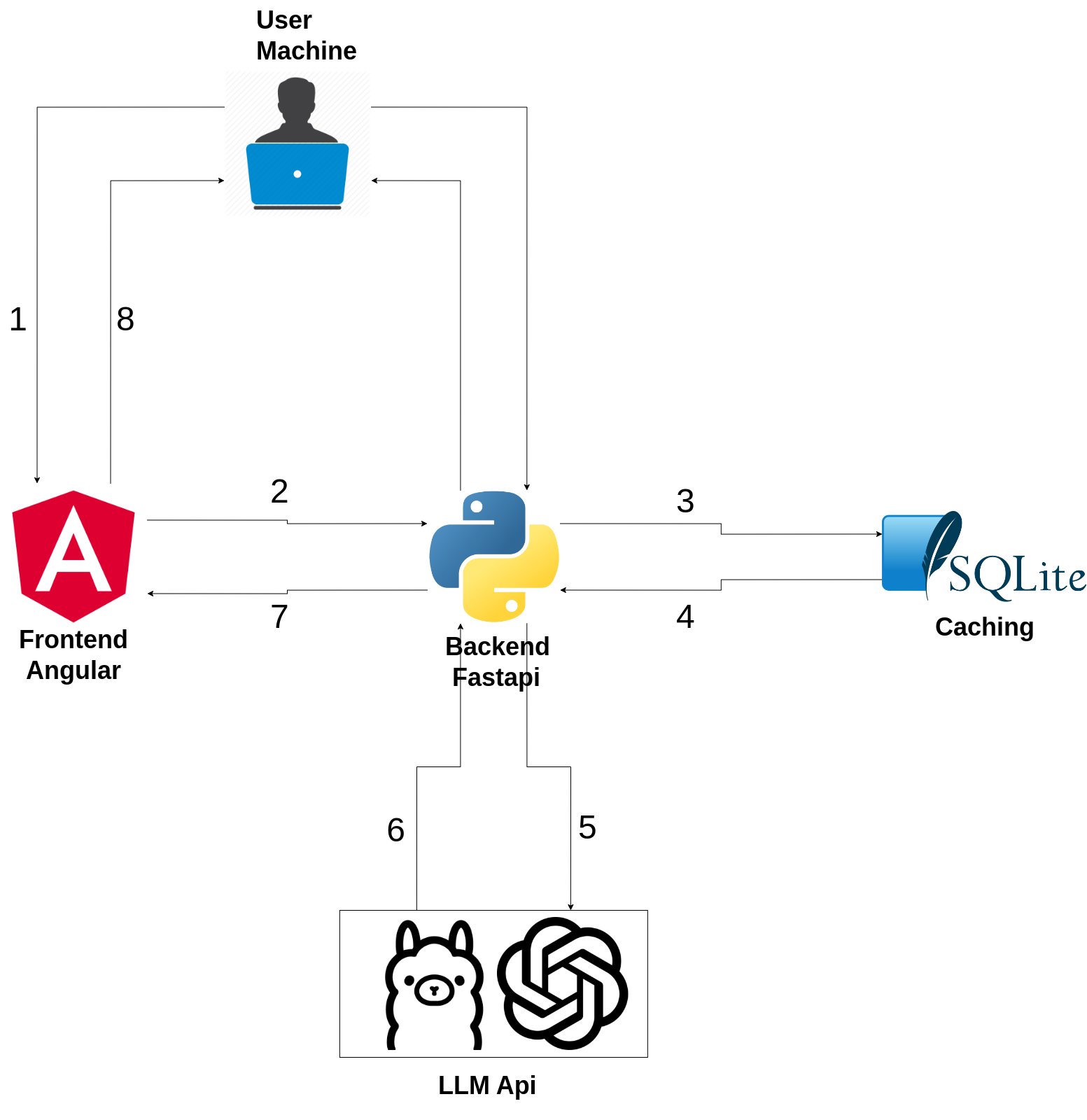
This project is licensed under the MIT License.





