VirtualWife
v2.0.7

VirtualWife is a virtual digital human project. The project is still in the incubation stage and there are many places that need to be optimized. The author wants to create a virtual digital human with his own "soul". You can meet her like a friend. The author hopes that the virtual digital human will integrate into human life and serve as a love tutor and psychological counselor to solve human emotional needs. The project is not easy to produce and takes up a lot of spare time for the author. If it is useful to you, please click star, please~
Method 1: Install it by command line
Method 2: Download the Docker desktop program (the desktop program usually comes with docker-compose)
Check whether the installation is successful, the log will be printed if the installation is normal
 docker -v
docker-compose -v

cd installer
 ├── README.md               # 安装程序使用说明
├── docker-compose.yaml     # docker编排文件
├── env_example             # 环境变量配置模版,使用时需要将文件名改成.env
├── milvus                  # 长期记忆,数据存储模块,启动程序
├── linux                   # linux 启动和关闭程序
│   ├── start.sh
│   └── stop.sh
└── windows                 # windows 启动和关闭程序
    ├── start.bat
    └── stop.bat
mv env_example .env
 # 时区
TIMEZONE=Asia/Shanghai

# 程序版本号,程序版本号可以查阅项目的release发布版本号,latest代表最新版本
CHATBOT_TAG=latest
CHATVRM_TAG=latest
GATEWAY_TAG=latest
 ## 进入linux脚本目录
cd linux

## 启动程序,初次启动需要下载镜像,整个过程可能需要5分钟
sh start.sh
http://localhost/
选择自己喜欢的角色和人物模型,并且选择大语言模型
如果是使用openai请将语言模型设置为openai
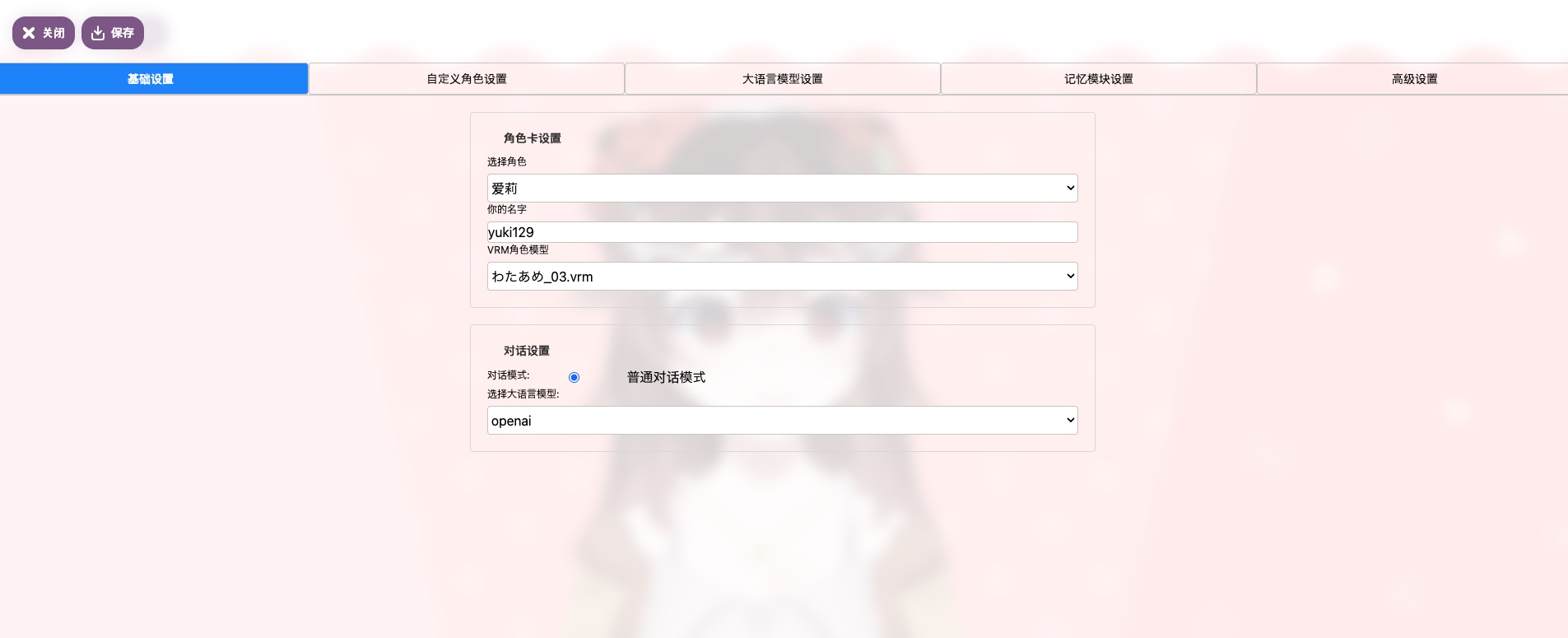
这以openai模型为例,你只需要将OPENAI_API_KEY填写好即可
如果有API代理可以将地址填写到OPENAI_BASE_URL

OLLAMA_API_URL配置说明:如果是docker启动,请使用http://host.docker.internal:11434
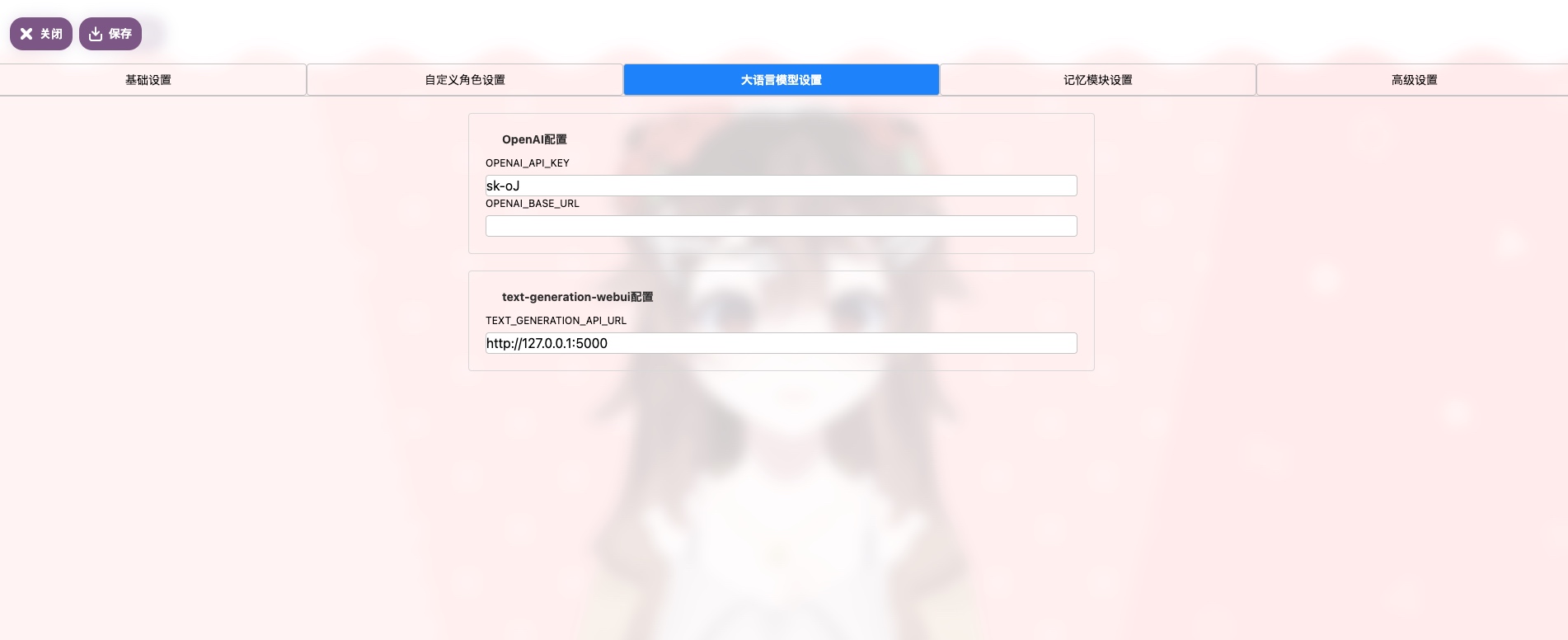
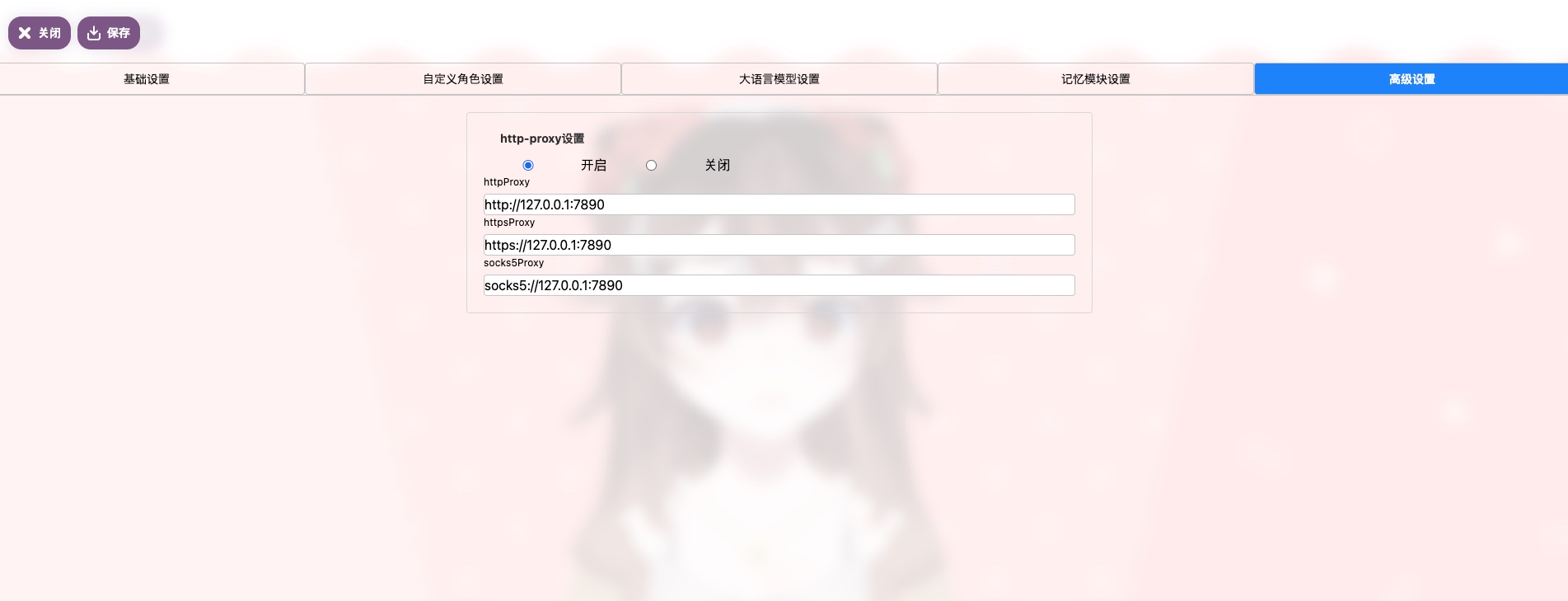
如果没有OPENAI_BASE_URL,你需要配置http-proxy,
如果是使用docker启动的程序,需要使用docker的dns,
例如这样HTTP_PROXY=http://host.docker.internal:23457
Save, save, save, say important things three times 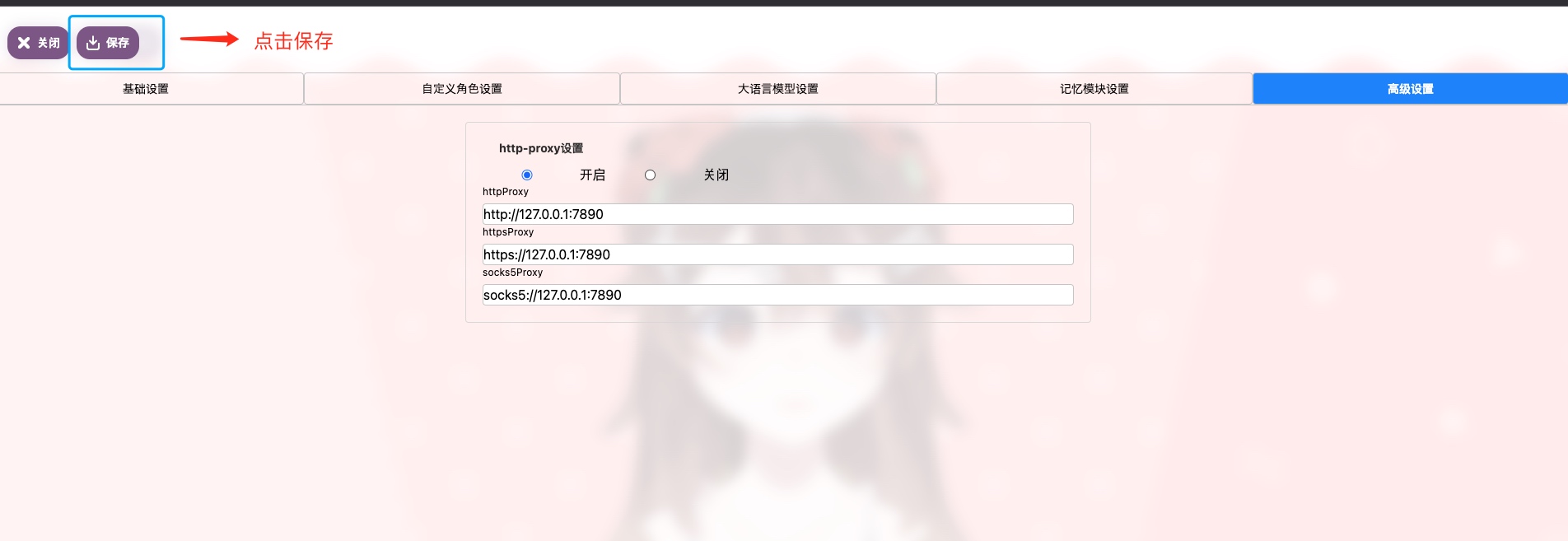
After the save is successful, you don’t need to restart the service and you can start chatting. If there is an exception, please check the FAQ.
According to the MIT agreement, users must bear the risks and responsibilities of using this project at their own discretion, and the developers of this open source project have nothing to do with this.
| Technical exchange group | One-click integration package for rewards and privatization |
|---|---|
 |  |





