WeChat AI Assistant
Multimodal interaction with ChatGPT AI assistant in WeChat, process Q&A, play roles, respond to voice, pictures and video messages, summarize articles and web pages, search the Internet, and more. Turn personal WeChat into your AI assistant.
Introduction
This project uses the WeChatFerry library to control the Windows PC desktop WeChat client and calls the OpenAI Assistant API for intelligent multimodal message processing.
- Talk to ChatGPT AI (text or voice) in WeChat for multimodal interaction.
- Using WeChatFerry to connect to the Windows desktop version of WeChat, high compatibility with WeChat (no real-name authentication is required), and low risk.
- Use the OpenAI Assistant API to automatically manage group chat conversation context.
- Use visual support models such as gpt-4o to perform picture/video content reading and analysis.
- Document upload, document content search, and answer questions based on document content (using OpenAI built-in file_search tool).
- The AI can use its own judgment to call the code interpreter and external tools to complete the task. Existing tools: bing_search (Bing search), browser_link (browse web link), text_to_image (text description to picture), text_to_speech (text to voice), mahjong_agari (calculation of vertical mahjong and card: number of numbers, symbols, number of numbers of numbers, points, etc.)
- Follow-up plan development: other APIs and tool calls/ Enterprise WeChat and WeChat official account login
- QQ Group: 812016253 Click to join
- Support WeChat desktop client version: 3.9.10.27
Use Cases
- "Draw a photo of a cat and a capybara skiing together"
- "(Quoted pictures) Write a poem based on the content of the picture and read it to me."
- "(Cite public account articles or web page links) Summarize the key points of the article"
- "Search for news about OPENAI and read the results to me"
- "Stand upright mahjong hand 1112345678999m touch 0m, what kind of service type and points?"
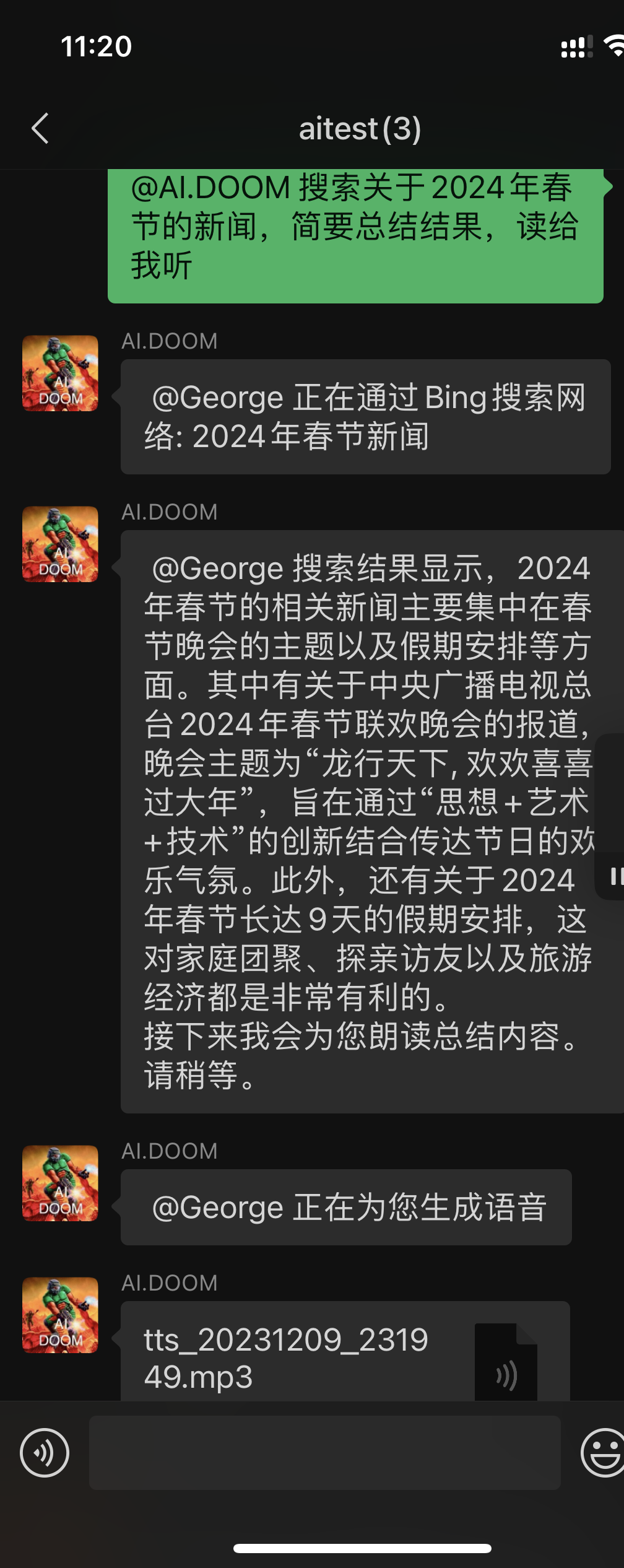
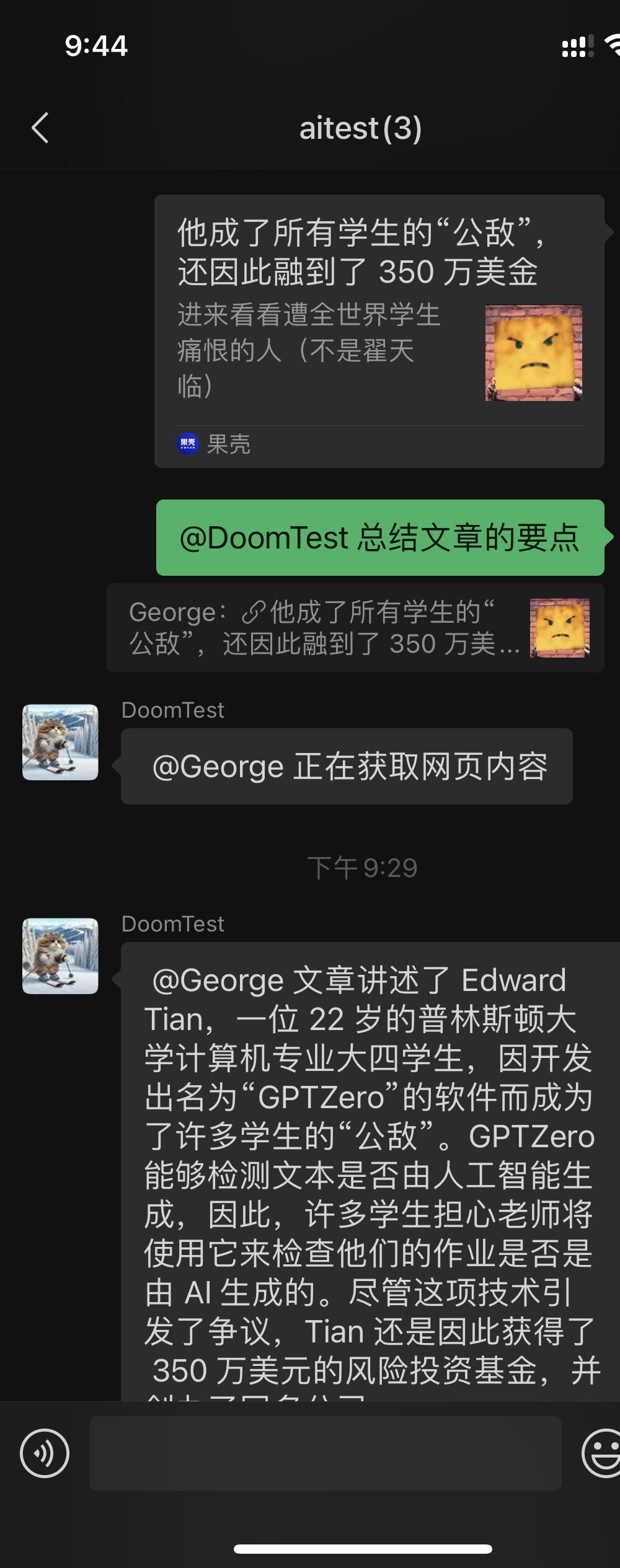
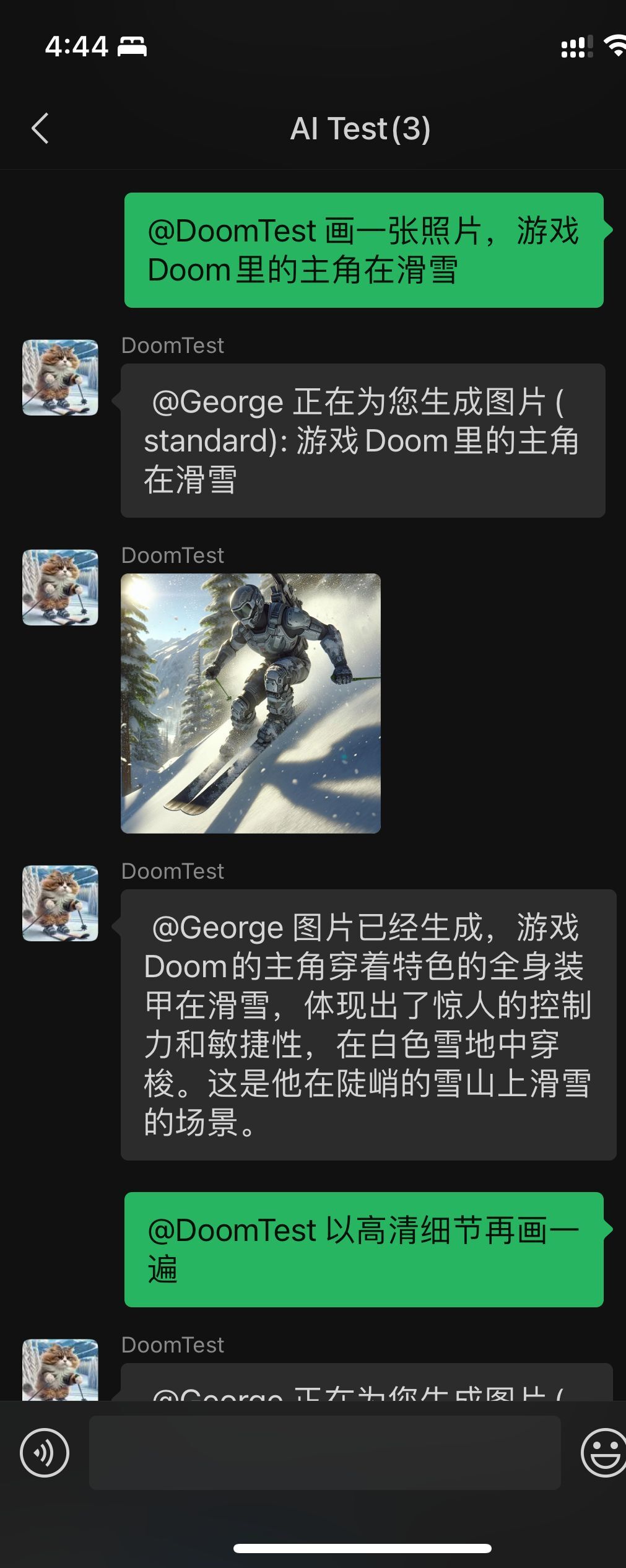
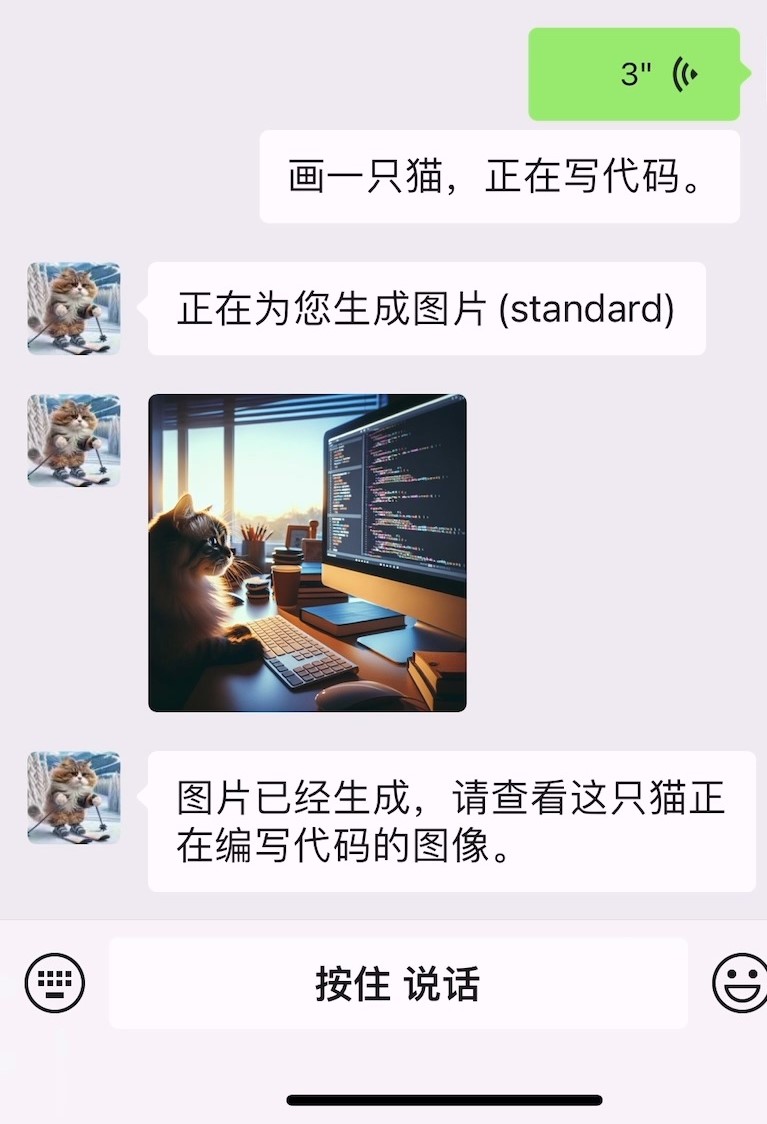
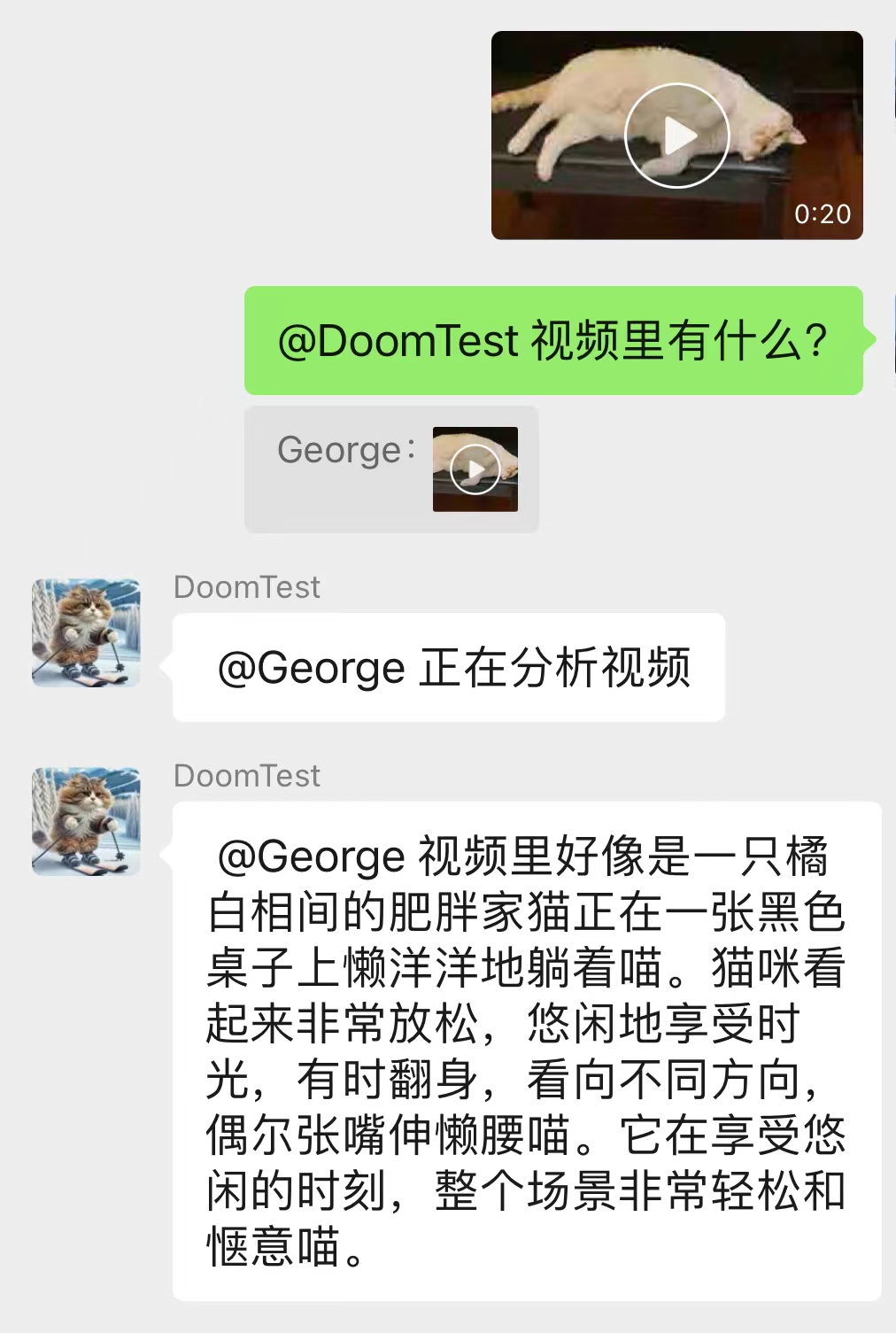
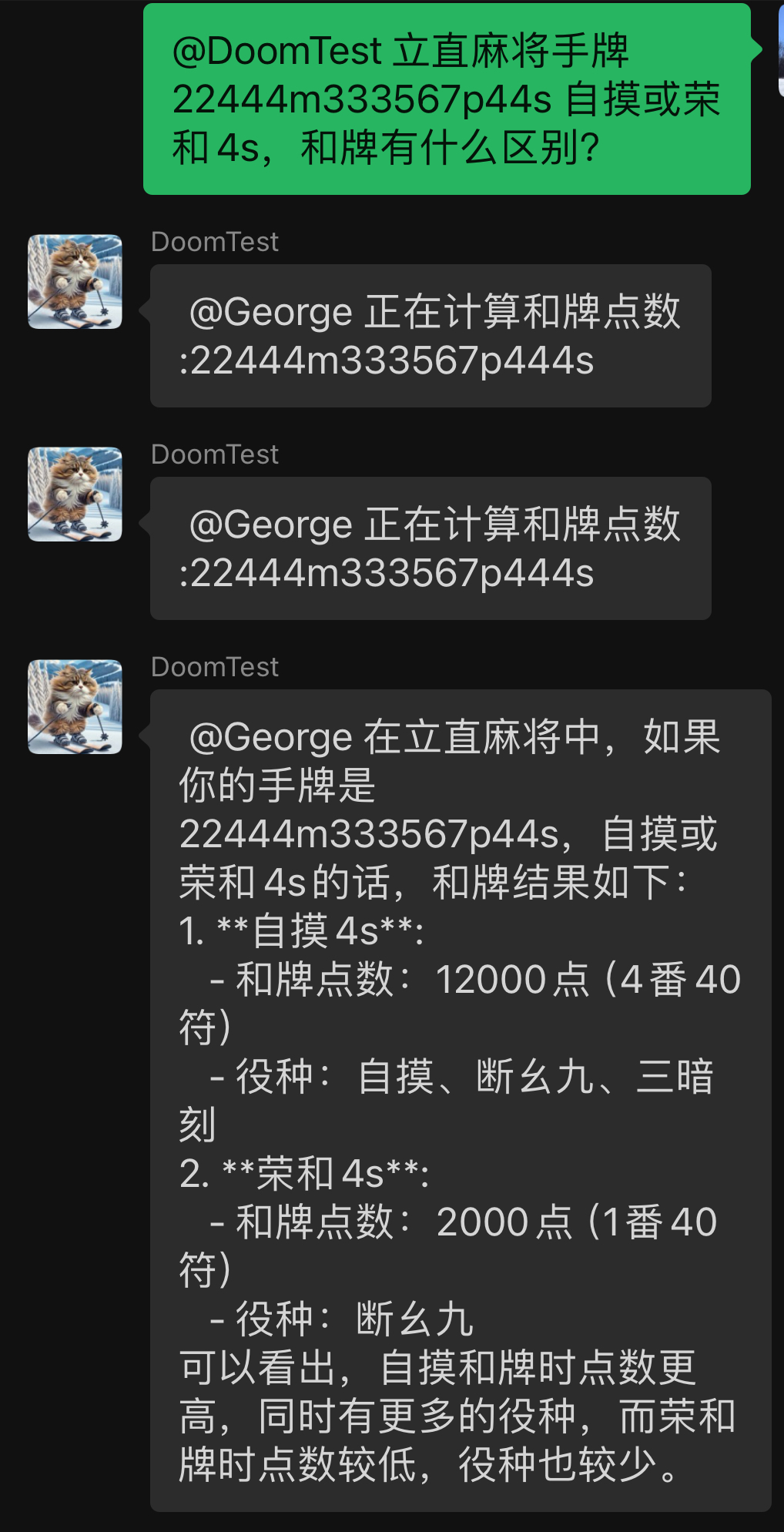
Deployment Instructions
Conditions required for deployment:
- OpenAI API Key Note: This project relies on the Assistant API. For unofficial API portal, please confirm whether the Assistant API is supported.
- Windows computer or server.
- (Optional, domestic Chinese) Access OpenAI's proxy server (such as openai-proxy), or use API proxy.
- (Optional, required for manual deployment) Install the Python environment and Git
- Python download page (Python 3.11 is recommended, this project depends on Python 3.12 or above and cannot be automatically installed)
- Git Download Page
- (Optional, for use with the Internet search plug-in) Bing Search API Key. Get the address
Method 1: Download from Release (used directly)
- Download the packaged executable file and WeChat installation file in Releases
- Install the specified version of WeChat Windows desktop (the installation package is provided).
- Decompress the compressed package locally.
- Edit the config.yaml file (the required item is openai api_key, and the configuration item description is shown in the documentation.)
- Run "main.exe", the program will call on the WeChat client, and the program will start running after logging in.
Method 2: Manual deployment of source code (development)
- Install the specified version of WeChat Windows. Please download it in Release.
- Cloning the project code to local
git clone https://github.com/latorc/Wechat-AI-Assistant.git
- (Optional) Create a Python virtual environment and activate it
python -m venv .venv
call .venv S cripts a ctivate.bat
- Install the dependent library; here uses Tsinghua's source, which is convenient for Chinese domestic users to quickly download
 cd Wechat-AI-Assistant
pip install -r requirements.txt -i https://pypi.tuna.tsinghua.edu.cn/simple
- Edit configuration file: Rename the configuration file config_template.yaml to config.yaml, and edit the configuration item. See the documentation for configuration item description.
- Run main.py
The program will automatically call the WeChat client, and then scan the code to log in to the WeChat desktop client to start using it.
Main configuration items
| Configuration Items | illustrate | Give an example |
|---|
| api_key | Your OpenAI API Key | sk-abcdefg12345678.... |
| base_url | The URL of the API, no need to change the default API, fill in when using proxy or third-party API | https://api.openai.com/v1 |
| proxy | The proxy server address used to access OpenAI, in the format "http://address:port number" | http://10.0.0.10:8002 |
| chat_model | The chat model used by default | gpt-4o |
| admins | List of administrator WeChat ID, only administrators can use administrator commands | [wx1234, wx2345] |
For other configuration options, see the comments in config.yaml.
Usage Tips
- Add WeChat AI assistant’s WeChat friends, or add it to the group chat and @ it and have a conversation with it.
- A direct conversation with it will call ChatGPT to answer. After sending pictures and files, reference pictures and files and @AI Assistant, instructing them to process them.
- The WeChat AI assistant will independently select and call the tool to complete the task based on the user's text. At present, tools include drawing (OpenAI dall-e-3), code interpreter, synthetic voice (OpenAI API), access to web pages, search, etc.
- Drawing quality is temporarily controlled by AI
- Only the specified version of WeChat is supported. Please turn off the automatic update of WeChat in the settings. Please close the open WeChat desktop client before running.
Administrator commands
After the administrator is defined (the admins project in the config.yaml file), the administrator can use the administrator command. The default command is as follows:
| Order | illustrate |
|---|
| $Help | Show help information |
| $Refresh Configuration | Reload the program configuration |
| $Clear | Clear current conversation memory |
| $Load <preset name> | Load presets for the current conversation |
| $Reset presets | Reset preset to default preset for the current conversation |
| $Preset list | Show available presets |
| $id | Show the id of the current conversation |
These commands can be modified in config.yaml
Dialogue preset function
- Dialogue presets are system prompt words and message packaging methods that take effect on the current conversation (group chat or single chat).
- Use the default command "$Load <Preset Name>" for the AI assistant to load presets for the current conversation. The "$Preset List" command displays the currently available presets and their descriptions.
- <Preset name> is a yaml configuration file with the same name defined in the presets directory.
- default.yaml is the default preset and is used by default for dialogue.
- You can use the group_presets field in the configuration file to set presets for the conversation, which will be automatically loaded when the program starts.
- To create your own presets, refer to default.yaml in the presets directory, that is, the default preset. Copy the file, change the name to your preset name, and modify the information in it.
- desc: A simple description of presets
- sys_prompt: Preset system prompt words
- msg_format: The format string that wraps the user message, and the variables {message}=original message, {wxcode}=sender WeChat ID, {nickname}=sender WeChat nickname. If not set, send the source message directly.
Tools (plug-in)
- Tools represent external functions and APIs, which can be selected and called by the AI model to complete additional tasks, such as drawings, network searches and other functions.
- Use the "$Help" command to display the enabled tool plug-ins.
- Tool configuration: In the tools field in config.yaml, it defines whether the tool is enabled and the configuration options for the tool. To disable the tool, simply delete or comment out the plugin name. Some plugins require additional configuration options to work, such as bing_search (Bing Search) that requires api_key to work.
- Each tool corresponds to a Function Tool in Assistant, which can be viewed on OpenAI Playground.
- The tool code is located in the tools directory, inherits the ToolBase class and implements the interface.
Tool introduction:
- bing_search: Use the Microsoft Bing Search API to search for content on the Internet.
- Register to get the Bing search API see: https://www.microsoft.com/bing/apis/bing-web-search-api
- browser_link: Browse web links. Use Selenium to get web text content for use by AI.
- text_to_image: Text drawing. Use the dall-e model to generate images from text.
- text_to_speech: text to speech. Generate voice audio from text using the OpenAI API.
- audio_transscript: voice to text. Transcribing speech into text using OpenAI Whipser.
- mahjong_agari: Calculation of the number of punctuations and card points. Calculate information such as service types, number of numbers, points, etc. Use library: https://github.com/MahjongRepository/mahjong
Other tips and tips
- When you cannot connect to official APIs in the country, you can try using API proxy or using a scientific Internet proxy. A free API proxy is openai-proxy.com, replacing base_url with https://api.openai-proxy.com/v1
- You can use a mobile emulator (such as Xiaoyao emulator) to log in to WeChat and log in to the Windows WeChat client to keep WeChat online. Do not interrupt the emulator's code scanning process, as WeChat detection and ban may be triggered.
- The program calls OpenAI's Assistant API. When run, the program creates and modifies an assistant named "Wechat_AI_Assistant" for the conversation. You can test this assistant on OpenAI Playground.
- The program will upload photos and files to OpenAI for processing. You can view and delete your files in the OpenAI management background. OpenAI does not charge the file itself, but it has restrictions on the total space occupied by the file.
- The program sends the definition description of all tools, search results and full text of the web page to OpenAI. Tokens are required to be saved and some tools (plug-ins) can be closed.
resource
- QQ Group: 812016253 Click to join
- Acknowledgement: This project is based on WeChatFerry. Thanks to lich0821 boss for the WeChatFerry project
- Recommended: Deploy your own ChatGPT website ChatGPT-Next-Web project with one click
- Reference: The WeChat robot ChatGPT-on-Wechat project that logs in using the web version of WeChat
- Reference: OpenAI Cookbook Blog Tutorial Assistant API Overview
- Reference: OpenAI API Reference






