adventure game ai
1.0.0

Adventure Game Generator is a text-based game creation tool that allows you to generate your own interactive adventure games using the power of OpenAI. This project relies on the ai-function-helper library to generate game content and handle player choices.
This project has been tested with gpt3.5-turbo and is expected to return better results with gpt4 model.
And much more! Explore the game to discover all its features.
gpt3.5-turbo (ex: inventory and location)Demonstration:

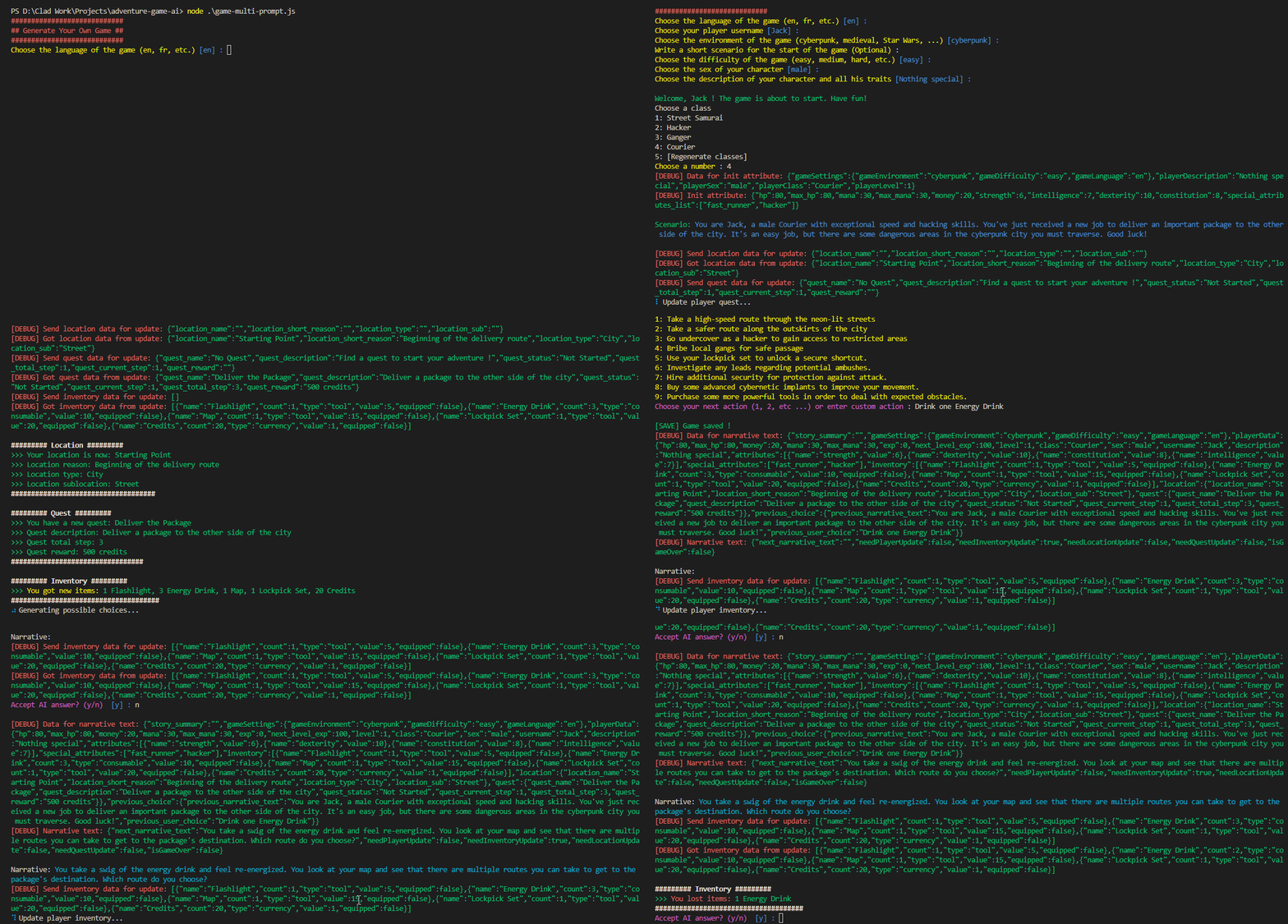
Demonsration with debug mode:
git clone https://github.com/clad3815/adventure-game-ai.gitnpm installMake sure you have ai-function-helper installed and configured with your OpenAI API key.
Edit the game.js file to change the ai-function-helper path
node game.jsFollow the prompts to customize your game and create your character. You can also use the default settings by pressing Enter when prompted.
Play the generated game and enjoy the adventure!
To activate debug mode and AI debug mode within the game.js file, you can follow these simple steps:
Locate the game.js file in your project directory.
Open the game.js file in your preferred code editor.
Find the following lines of code:
const enableDebug = false; // Set to true to enable debug mode
const enableAIDebug = false; // Set to true to enable debug mode for AI request/answerconst enableDebug = true; // Set to true to enable debug modeconst enableAIDebug = true; // Set to true to enable debug mode for AI request/answerContributions are welcome! If you would like to add more features, improve the existing code, or fix bugs, please feel free to submit a pull request.
This project is licensed under the MIT License.





