GptHidra
GptHidra - OpenAI's GPT-4

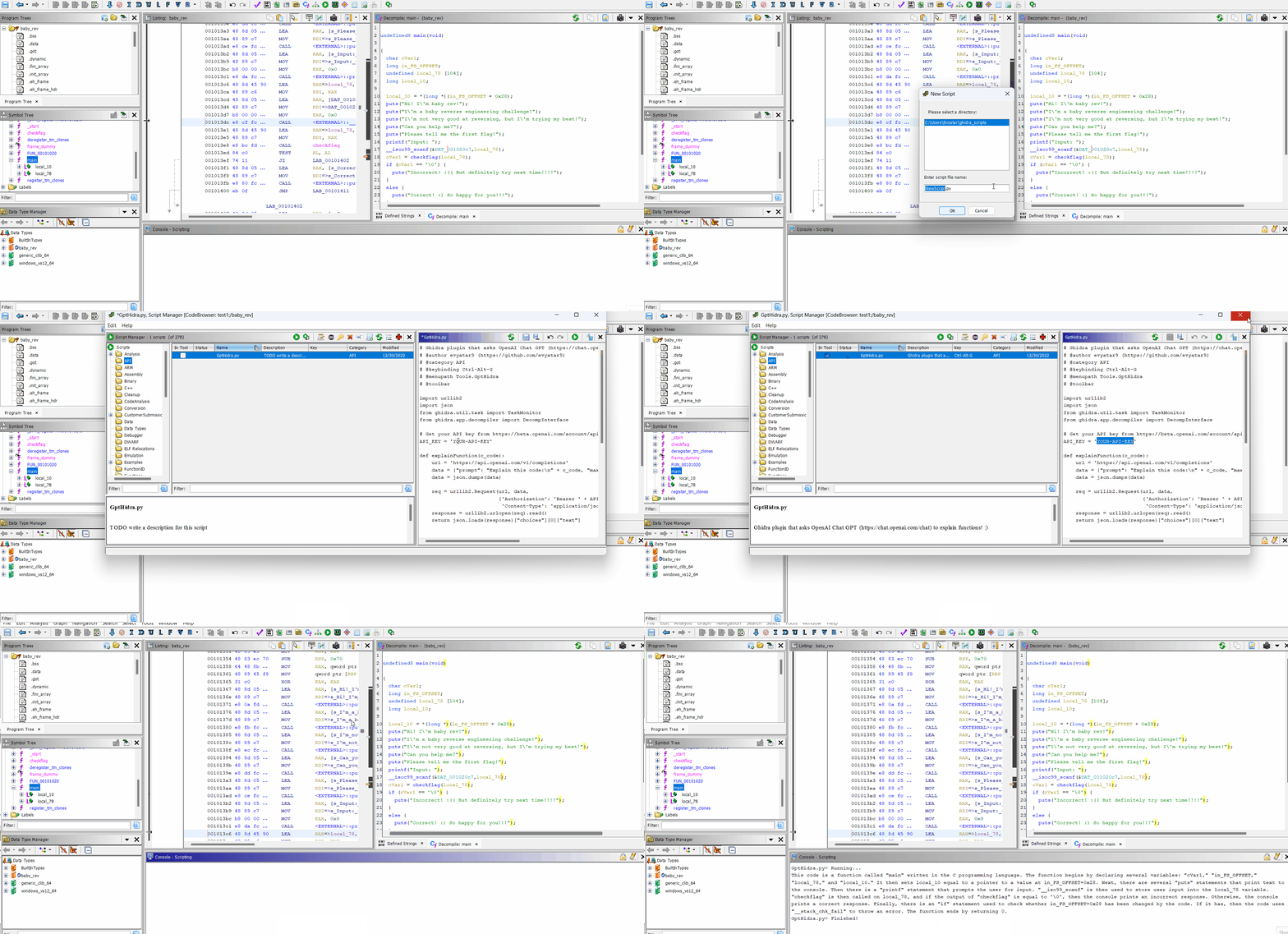
GptHidra is a Ghidra plugin that uses the OpenAI Chat GPT to explain functions. With GptHidra, you can easily understand the purpose and behavior of functions in your codebase.
GPT-4 Integration: Benefit from the latest advancements in natural language processing, providing even more insightful and accurate code explanations.
Learn more about accessing to GPT-4.
>= 10.1.5 (https://ghidra-sre.org).Tools menu).New button to create a new script.Python as the language and give the script the name GptHidra.py.API_KEY = '' with your OpenAI Chat GPT API key.Save button to save the script.To use GptHidra, select a function in the Ghidra decompiler and do one of the following:
Press Ctrl + Alt + G (you can edit the script to change this shortcut).
Go to Tools -> GptHidra (you can edit the script to change this menu item).
An explanation of the selected function will be printed to the Ghidra console.
Telegram: @evyatar9
Discord: evyatar9
If you would like to contribute to the GptHidra extension, feel free to submit a pull request or report any issues you encounter on the GptHidra repository.
https://ghidra.re/ghidra_docs/api/ghidra/app/decompiler/DecompInterface.html
https://beta.openai.com/docs/
You can support my work buying me a coffee:





