ML Bench
1.0.0

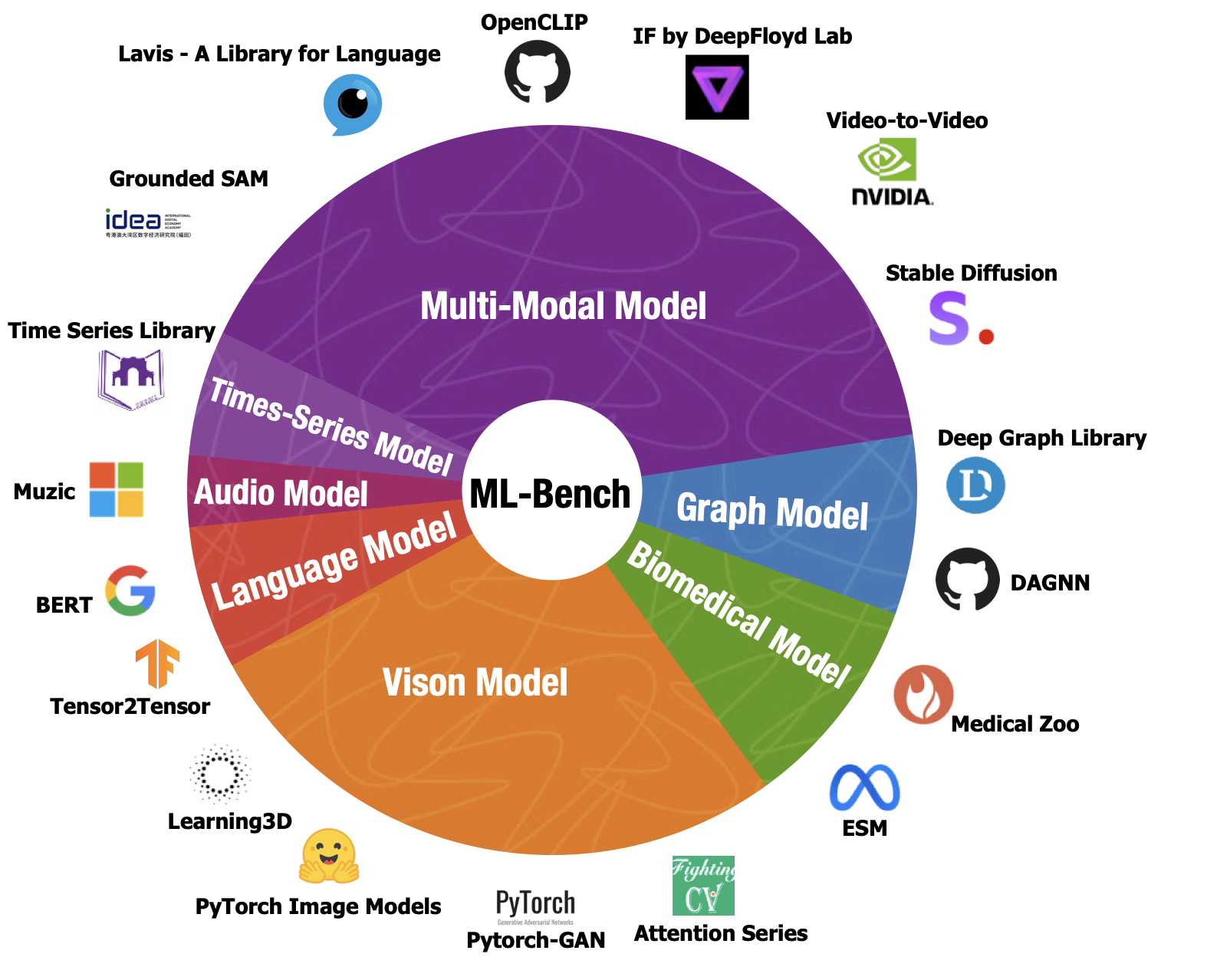
To clone this repository with all its submodules, use the --recurse-submodules flag:
git clone --recurse-submodules https://github.com/gersteinlab/ML-Bench.git
cd ML-Bench
If you have already cloned the repository without the --recurse-submodules flag, you can run the following commands to fetch the submodules:
git submodule update --init --recursiveThen run
pip install -r requirements.txtYou can load the dataset using the following code:
from datasets import load_dataset

ml_bench = load_dataset("super-dainiu/ml-bench")    # splits: ['full', 'quarter']
The dataset contains the following columns:
github_id: The ID of the GitHub repository.github: The URL of the GitHub repository.repo_id: The ID of the sample within each repository.id: The unique ID of the sample in the entire dataset.path: The path to the corresponding folder in LLM-Bench.arguments: The arguments specified in the user requirements.instruction: The user instructions for the task.oracle: The oracle contents relevant to the task.type: The expected output type based on the oracle contents.output: The ground truth output generated based on the oracle contents.prefix_code: The code snippet for preparing the execution environmentIf you want to run ML-LLM-Bench, you need to do post-processing on the dataset. You can use the following code to post-process the dataset:
bash scripts/post_process/prepare.shSee post_process for more details.
After clone submodules, you can run
cd scripts/post_process
bash prepare.sh to generate full and quarter benchmark into merged_full_benchmark.jsonl and merged_quarter_benchmark.jsonl
You can change readme_content = fr.read() in merge.py, line 50 to readme_content = fr.read()[:100000] to get 32k length README contents or to readme_content = fr.read()[:400000] to get 128k length README contents.
Under the 128k setting, users can prepare trainset and testset in 10 mins with 10 workers. Without token limitation, users may need 2 hours to prepare the whole dataset and get a huge dataset.
To run the ML-LLM-Bench Docker container, you can use the following command:
docker pull public.ecr.aws/i5g0m1f6/ml-bench
docker run -it -v ML_Bench:/deep_data public.ecr.aws/i5g0m1f6/ml-bench /bin/bash
To download model weights and prepare files, you can use the following command:
bash utils/download_model_weight_pics.shIt may take 2 hours to automatically prepare them.
Place your results in output/ directory, and update the --input_path in exec.sh with your path. Also, modify the log address.
Then run bash utils/exec.sh. And you can check the run logs in your log file, view the overall results in output/{{MODEL_NAME}}_{{TASK}}_results_{{TIMESTAMP}}.jsonl, and see the results for each repository in output/{{MODEL_NAME}}_{{TASK}}_results_{{TIMESTAMP}}.jsonl.
Both JSONL files starting with eval_result and eval_total contain partial execution results in our paper.
The output/ folder includes the model-generated outputs we used for testing.
The logs/ folder saves our the execute log.
The utils/temp.py file is not for users, it is used to store the code written by models.
Additionally, the execution process may generate new unnecessary files.
To reproduce OpenAI's performance on this task, use the following script:
bash script/openai/run.shYou need to change the parameter settings in script/openai/run.sh:
type: Choose from quarter or full.model: Model name.input_file: File path of the dataset.answer_file: Original answer in JSON format from GPT.parsing_file: Post-process the output of GPT in JSONL format to obtain executable code segments.readme_type: Choose from oracle_segment and readme.
oracle_segment: The code paragraph in the README that is most relevant to the task.readme: The entire text of the README in the repository where the task is located.engine_name: Choose from gpt-35-turbo-16k and gpt-4-32.n_turn: Number of executable codes GPT returns (5 times in the paper experiment).openai_key: Your OpenAI API key.Please refer to openai for details.
Llama-recipes provides a pip distribution for easy installation and usage in other projects. Alternatively, it can be installed from the source.
pip install --extra-index-url https://download.pytorch.org/whl/test/cu118 llama-recipes
git clone https://github.com/facebookresearch/llama-recipes
cd llama-recipes
pip install -U pip setuptools
pip install --extra-index-url https://download.pytorch.org/whl/test/cu118 -e .
By definition, we have three tasks in the paper.
You can use the following script to reproduce CodeLlama-7b's fine-tuning performance on this task:
torchrun --nproc_per_node 2 finetuning.py
    --use_peft
    --peft_method lora
    --enable_fsdp
    --model_name codellama/CodeLlama-7b-Instruct-hf
    --context_length 8192
    --dataset mlbench_dataset
    --output_dir OUTPUT_PATH
    --task TASK
    --data_path DATA_PATH
You need to change the parameter settings of OUTPUT_PATH, TASK, and DATA_PATH correspondingly.
OUTPUT_DIR: The directory to save the model.TASK: Choose from 1, 2 and 3.DATA_PATH: The directory of the dataset.You can use the following script to reproduce CodeLlama-7b's inference performance on this task:
python chat_completion.py
    --model_name 'codellama/CodeLlama-7b-Instruct-hf'
    --peft_model PEFT_MODEL
    --prompt_file PROMPT_FILE
    --task TASK
You need to change the parameter settings of PEFT_MODEL, PROMPT_FILE, and TASK correspondingly.
PEFT_MODEL: The path of the PEFT model.PROMPT_FILE: The path of the prompt file.TASK: Choose from 1, 2 and 3.Please refer to finetune for details.
To run the ML-Agent-Bench Docker container, you can use the following command:
docker pull public.ecr.aws/i5g0m1f6/ml-bench
docker run -it public.ecr.aws/i5g0m1f6/ml-bench /bin/bash
This will pull the latest ML-Agent-Bench Docker image and run it in an interactive shell. The container includes all the necessary dependencies to run the ML-Agent-Bench codebase.
For ML-Agent-Bench in OpenDevin, please refer to the OpenDevin setup guide.
Please refer to envs for details.
Distributed under the MIT License. See LICENSE for more information.





