OpenPromptStudio
1.0.0

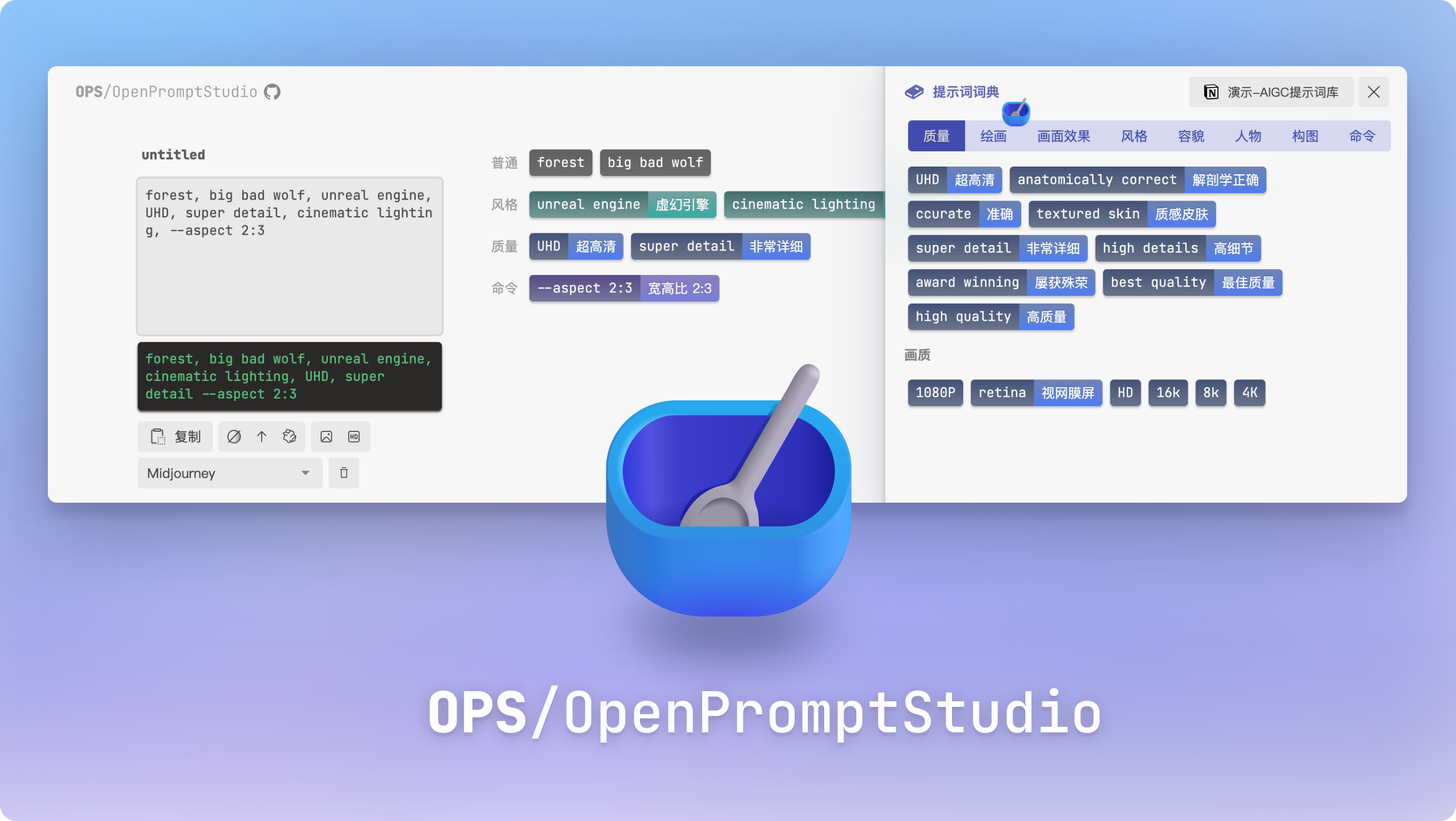
? Try moonvy.com/apps/ops/
This is a tool designed to visualize AIGC prompt words (now supports Midjourney) and provide editing features. It has the following features
B station video tutorial
OPS supports the use of Notion to manage its own dictionary. It is relatively simple to manage with Notion and is highly customizable.
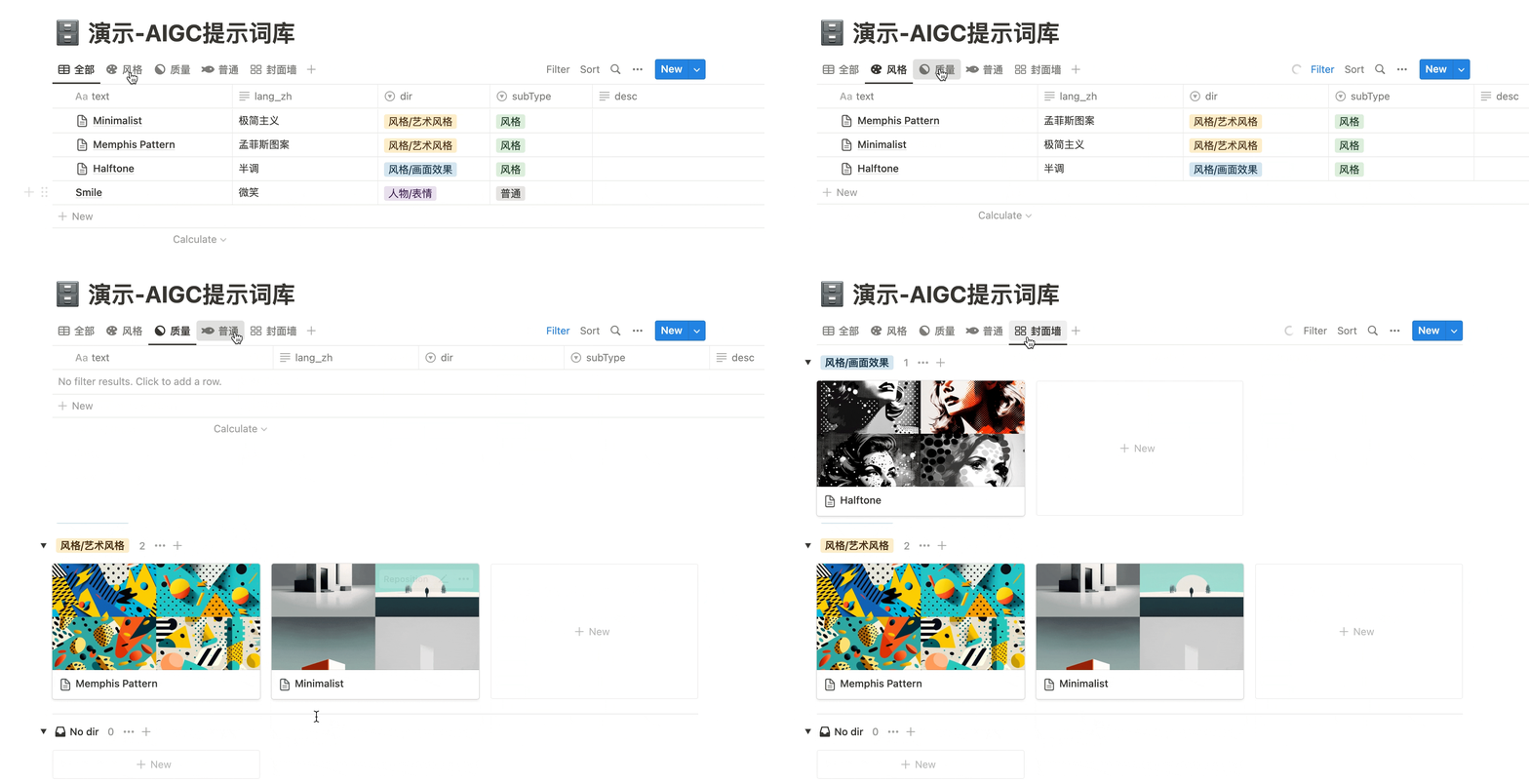
Copy our presentation document in your own Notion workspace
Demo-AIGC Prompt Thesaurus
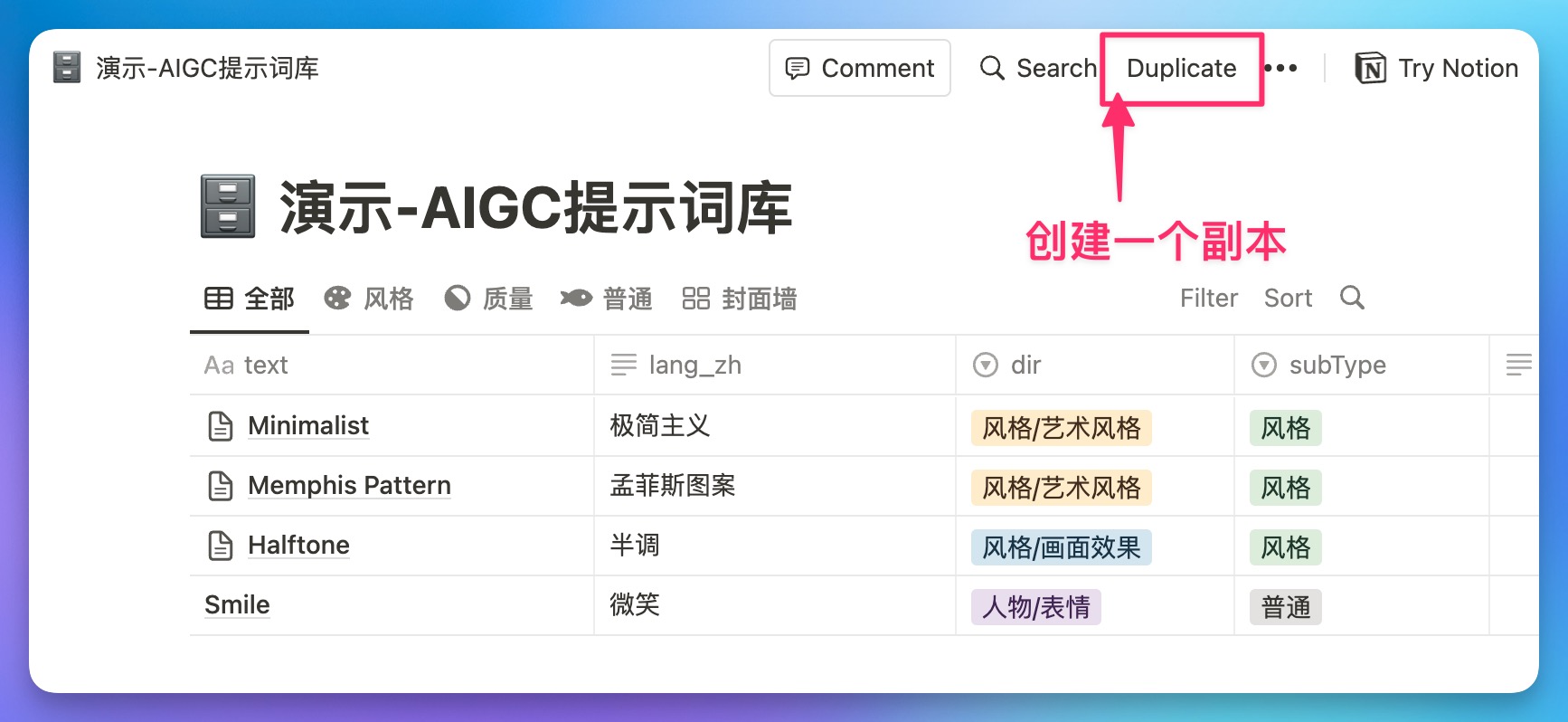
Keep the header definition: text , subType , dir , lang_zh do not change (or you can create a new Notion database, and you can connect to this database as long as you have these headers OPS)
| Header | effect |
|---|---|
| text | Original text of prompt word (case insensitive) |
| lang_zh | Corresponding Chinese translation |
| subType | Classification of prompt words in OPS (普通,风格,质量,命令) |
| dir | Classification in the dictionary, subcategory is used / separated such as:风格/绘画风格 |
| alias | Alias, can have multiple, separated by , |
To connect OPS to its own Notion database, you need to create your own integrations. OPS will connect to your database through this integrated permissions.
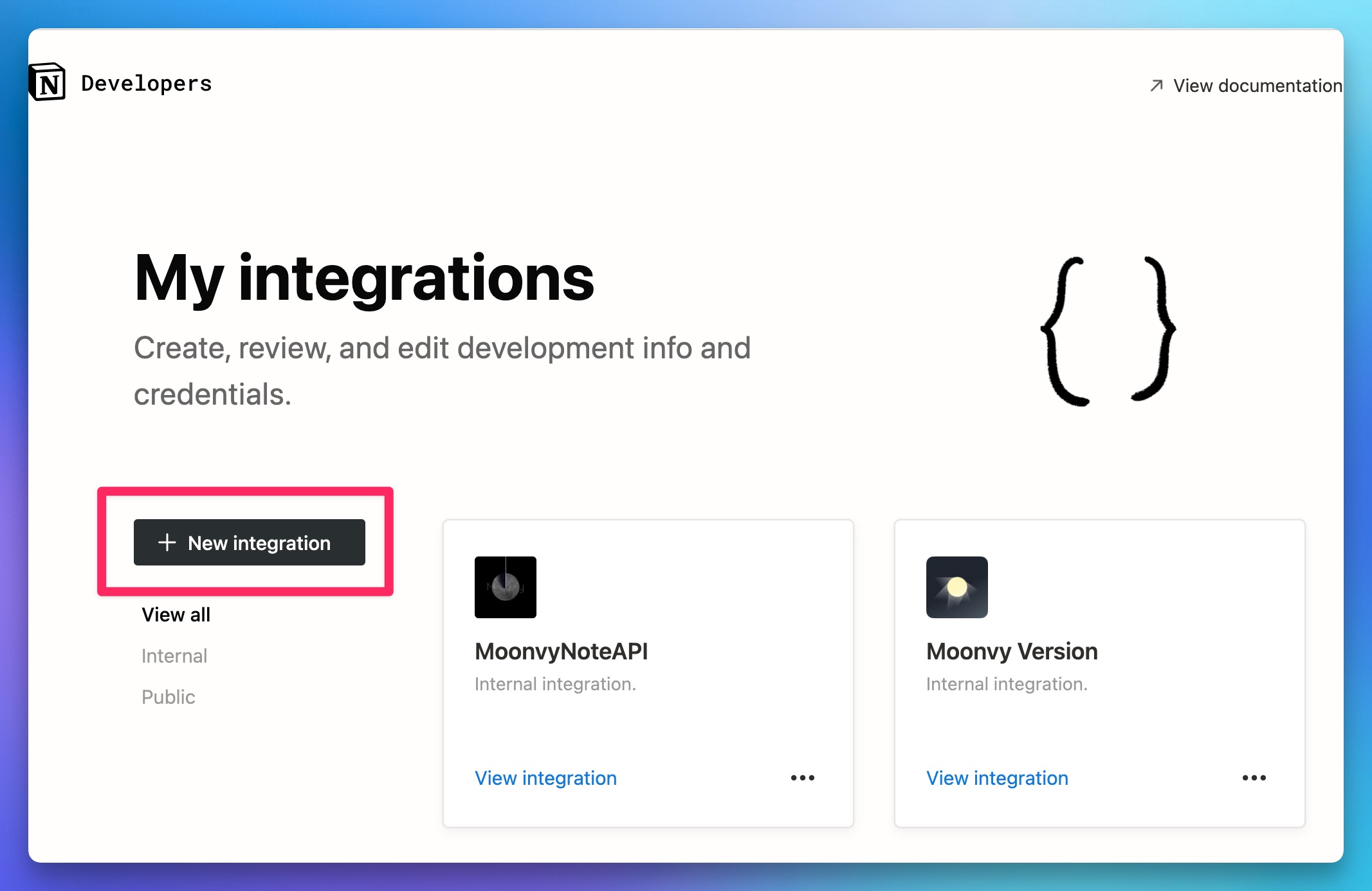
Open Notion's integration development page? www.notion.so/my-integrations Click the "+ new integrations" button to create a new integration plug-in
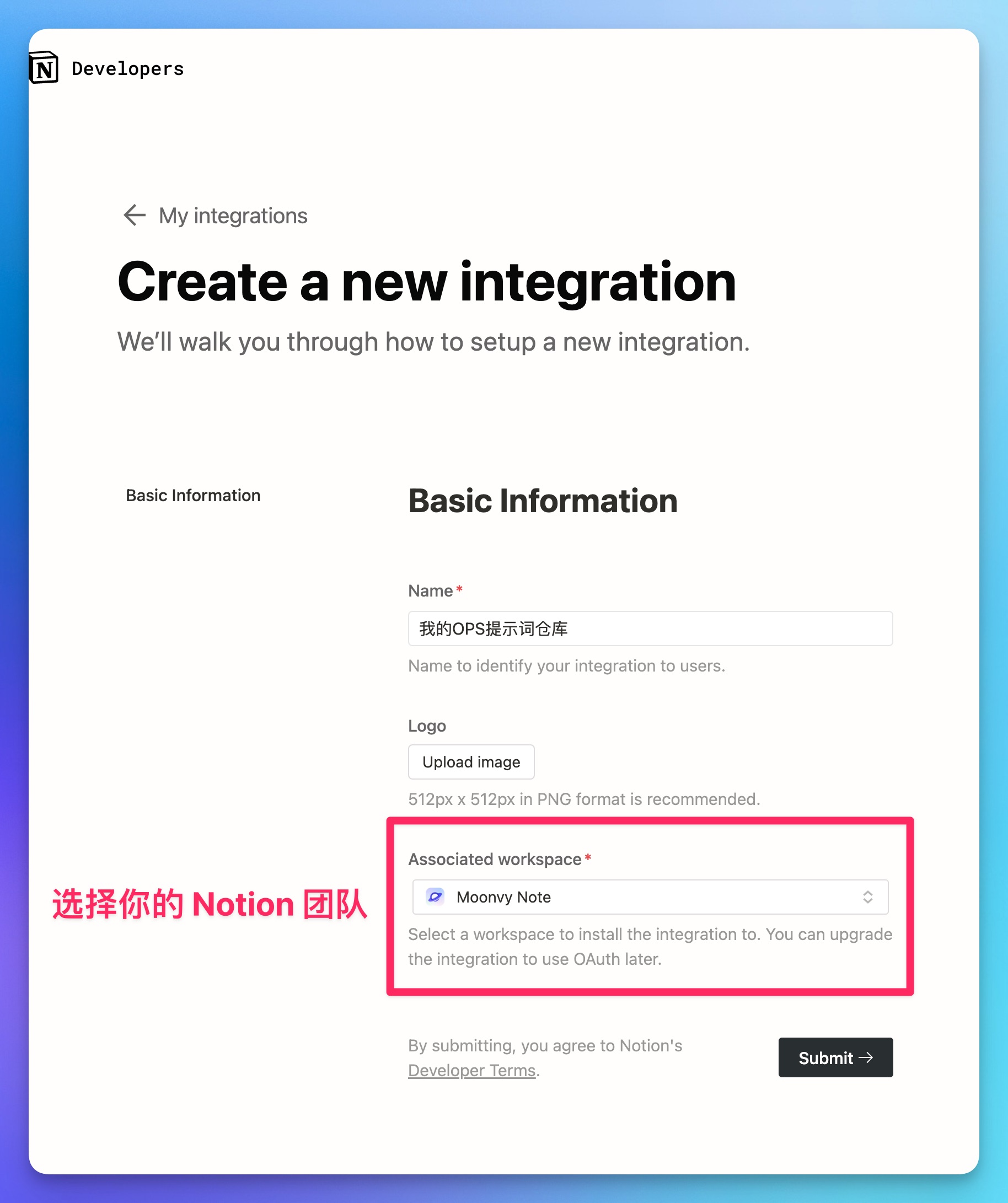
Select the Notion workspace that is allowed to access in the Integration Plugin page. Your Notion database needs to be created under this workspace before OPS can be accessed through the Integration Plugin.
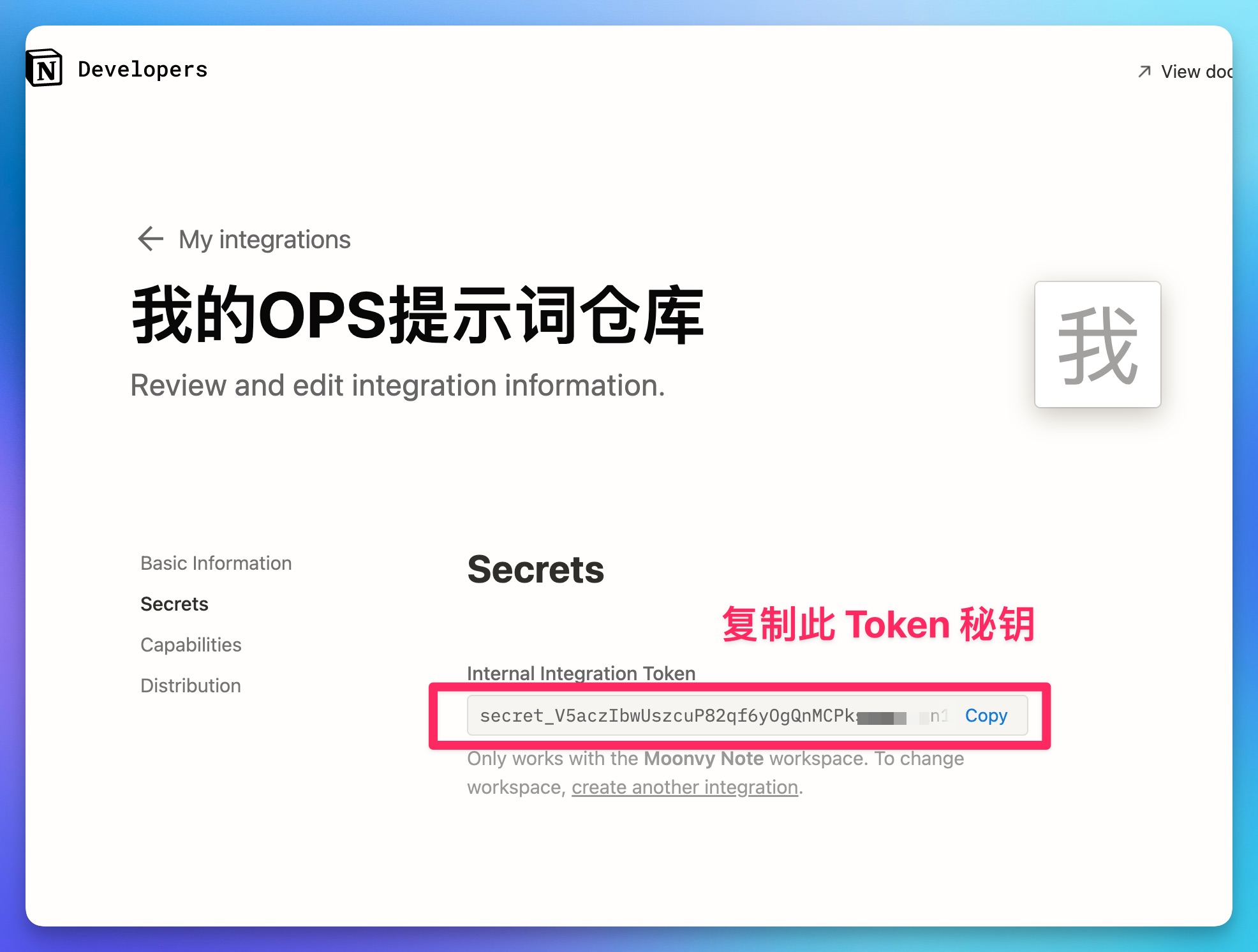
After the integration plug-in is created, copy the token key and save it. You will use this token as your access credentials. Please keep it properly and do not disclose it in public.
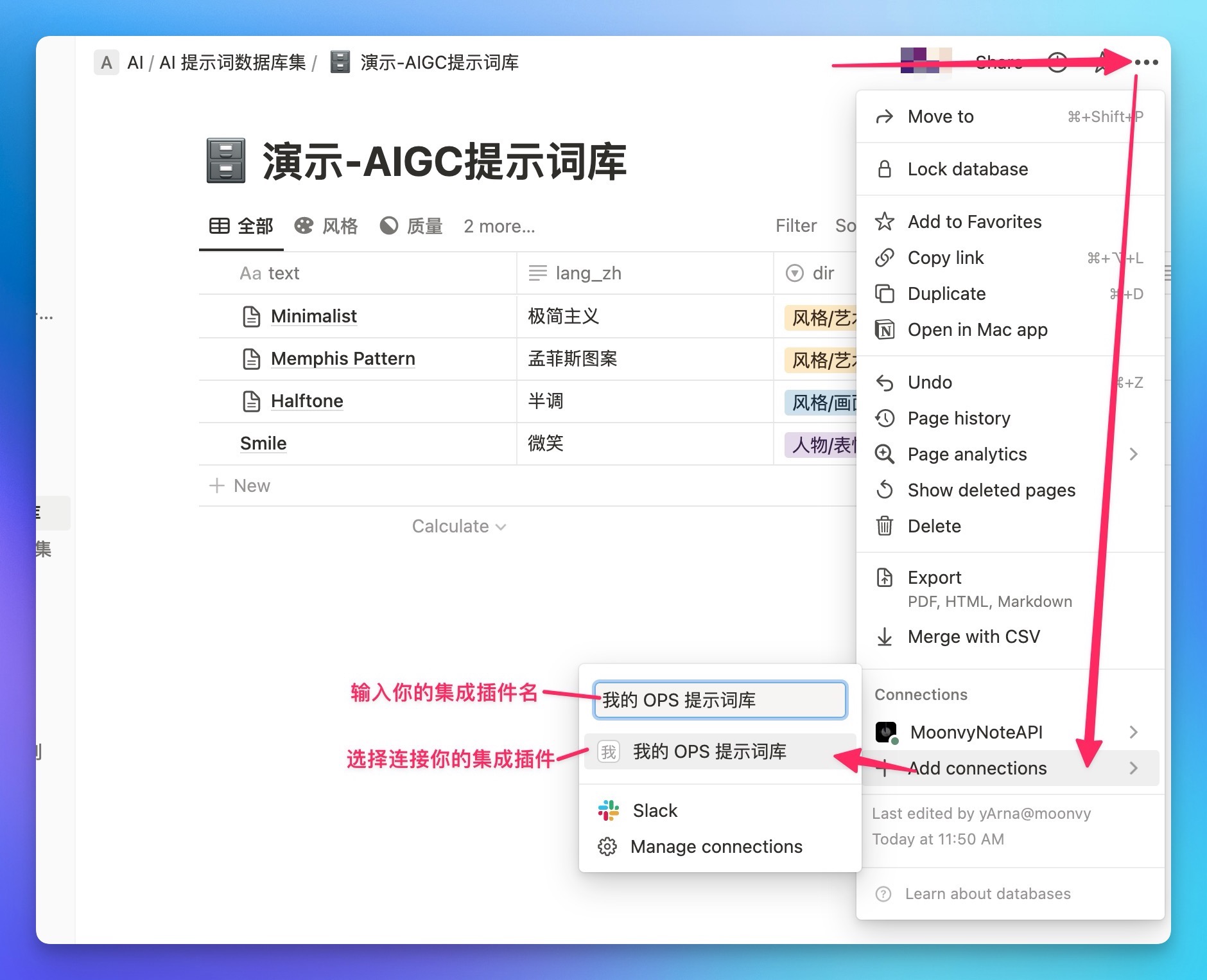
After the integration plug-in is created, you also need to connect to your integration plug-in in the menu of your Notion database:
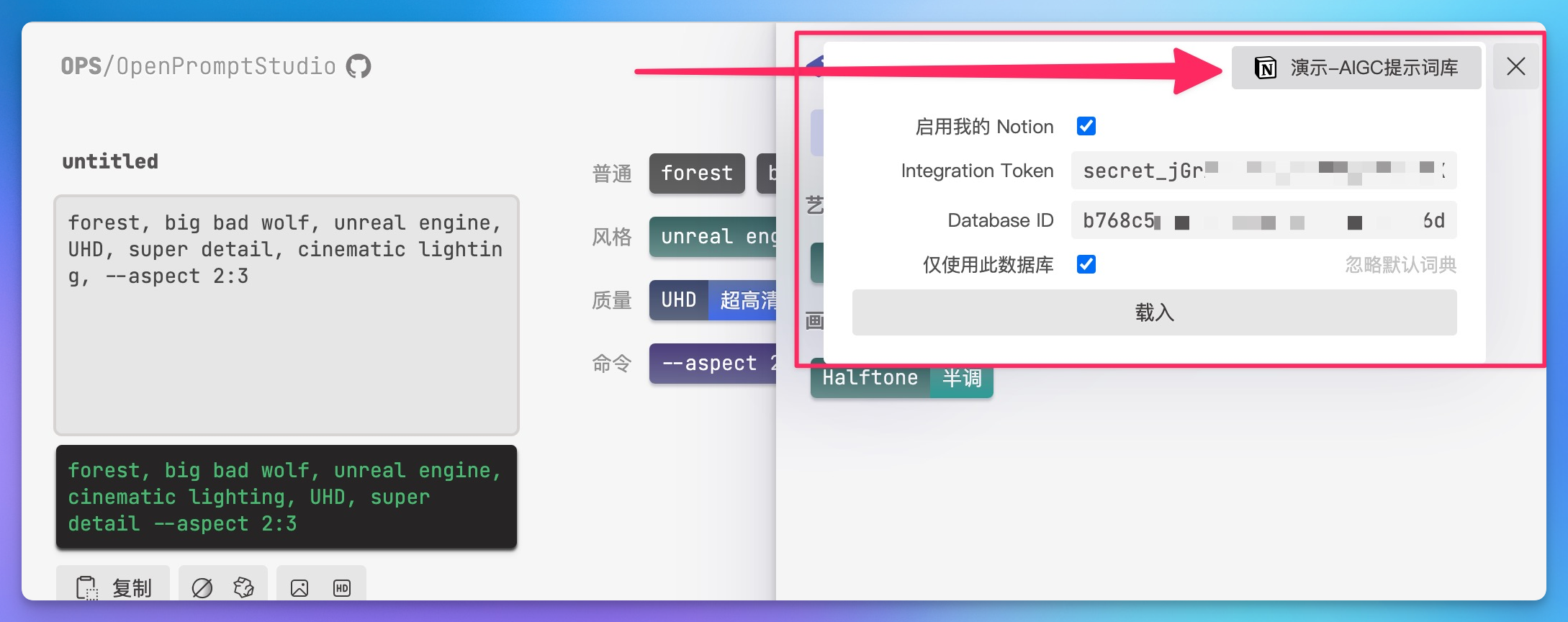
Open the Prompt Word Dictionary in the upper right corner of OPS, place the mouse on the "Connect My Notion" button, and expand the settings panel
"Integrations Token" fill in the integrated token key we generated earlier (the key will only be saved in the browser localStorage and will not be uploaded anywhere)
Paste your Notion database access address in "Database ID"
Then click the "Load" button
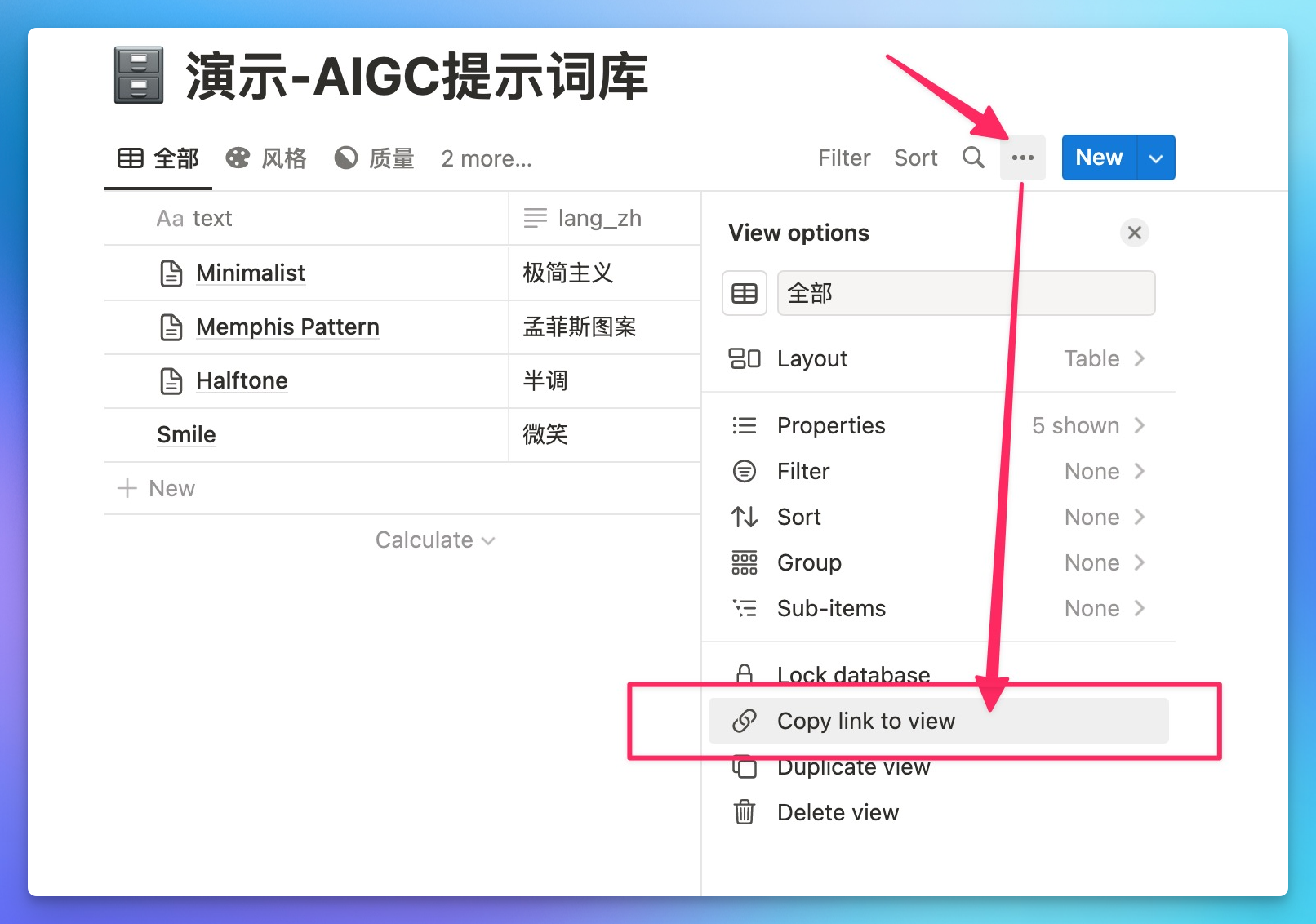
DatabaseID ) Just click "Copy link to view" in the Notion database menu. After pasting the Notion database address to the configuration input box of OPS, DatabaseID will be automatically extracted
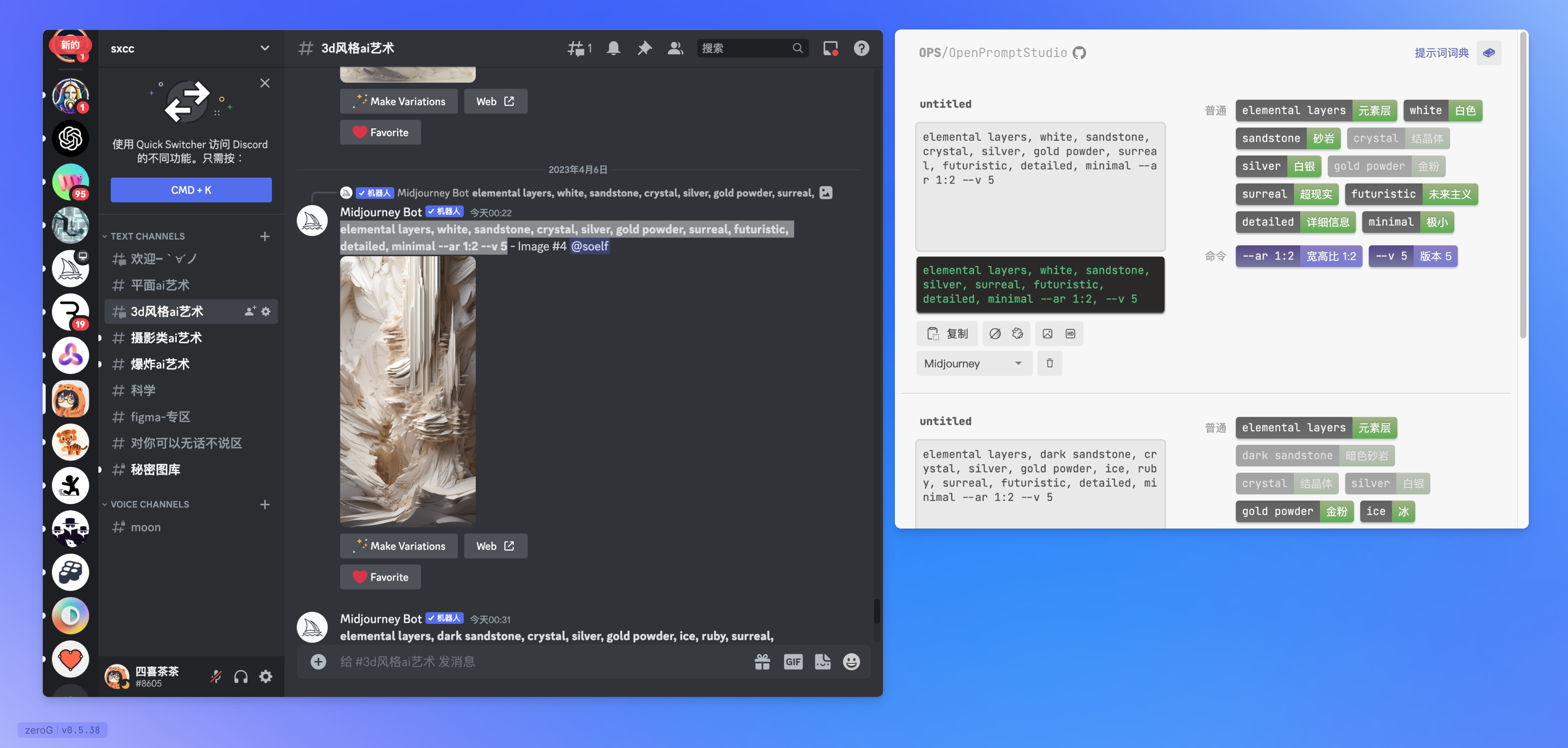
You can use OPS and Discord in an infinite canvas in zeroG browser for a better experience
NodeJS environment is required for local runs
Run with npm run start
After running, access localhost:12833/apps/ops/
If you don't want to install the NodeJS environment, you can run it with Docker, refer to ./docker
Edit the .csv file in ./data/src, you can edit it with Excel, Numbers, or plain text editor.
Edit in Notion (./data/src/notion/fromNotion.js)
There is a simple implementation of translation service in the ./server folder. When calling Tencent Translation, you need to apply for a Tencent Machine Translation account (free monthly limit of 5 million words) and then create a .env file in the project root directory and write it to your SECRET_ID and SECRET_KEY
.env :
 # 翻译机配置 https://bobtranslate.com/service/translate/tencent.html
TENCENT_SECRET_ID = " AKIDXXXXXXXXXXXXXXXXXXXXXXXXXXXXXXX "
TENCENT_SECRET_KEY = " a5XXXXXXXXXXXXXXXXXXXXXXXXXXXXXXXX "

# 自定义翻译服务地址 [可选] (如果你部署在服务器上,通过此配置指定 Web 端访问翻译服务的地址)
# LOCAL_TRANSLATE_HOST="192.168.50.222:3000"
Then run npm run serve to start OPS 服务and本地翻译服务
If you want to deploy to your own server, please configure the access address of the translation service in the .env file: LOCAL_TRANSLATE_HOST , such as 192.168.50.222:3000 or https://mySite.com . The request will be initiated in the web page based on this address. Please Configure it according to your actual access address after deployment.





