HaE
HaE 3.4


HaE is a framework project in the field of network security (data security) . It adopts the Lego block-style modular design concept and cleverly incorporates artificial intelligence big model assist technology to achieve refined tagging of HTTP messages (including WebSocket). and extract.
By using custom regular expressions with multiple engines , HaE can accurately match and process HTTP requests and response messages (including WebSockets), effectively mark and extract information on matching successfully, thereby improving the field of network security (data security) vulnerabilities and data analysis efficiency .
As modern web applications adopt a development model of front-end separation, the captured HTTP request traffic also increases accordingly during daily vulnerability mining. If you want to fully evaluate a web application, it will spend a lot of time on useless messages. HaE is designed to solve this kind of situation . With HaE, you can effectively reduce testing time and focus more on valuable and meaningful messages, thereby improving vulnerability mining efficiency .
GitHub project address: https://github.com/gh0stkey/HaE
GitCode project address: https://gitcode.com/gh0stkey/HaE
Honors received :
Notes :
Qwen-Long model (supports ultra-long text) and moonshot-v1-128k model (supports short text) on the Dark Side of the Moons. Please pay attention when configuring and using it. .Montoya API . Using the new version of HaE requires upgrading your BurpSuite version (>=2023.12.1).Update to upgrade the official HaE rule library, you need to use a proxy (BApp review takes into account security, CDN is not allowed).() . For example, if you want to match a Shiro application 's response message, the normal matching rule is rememberMe=delete , and in HaE rules, it needs to be (rememberMe=delete) . Plug-in loading: Extender - Extensions - Add - Select File - Next
The initial loading of HaE will load the offline rule library from the Jar package. If updated, it will pull https://raw.githubusercontent.com/gh0stkey/HaE/gh-pages/Rules.yml from the official rule library address, and the configuration file ( Config.yml ) and rule files ( Rules.yml ) will be placed in a fixed directory:
~/.config/HaE/%USERPROFILE%/.config/HaE/ In addition, you can also choose to store the configuration file in /.config/HaE/ in the sibling directory of HaE Jar包for easy offline portability .
HaE's current rules have 8 fields, and the detailed meaning is as follows:
| Fields | meaning |
|---|---|
| Name | Rule name, mainly used to briefly summarize the role of the current rule. |
| F-Regex | Rules are regular, mainly used to fill in regular expressions. To extract matching content in HaE, you need to wrap the regular expression with ( , ) . |
| S-Regex | The rules are regular, the functions and use are the same as F-Regex. S-Regex is a quadratic regularity, which can be used to perform quadratic matching extraction of the data results of F-Regex matching, and can be left blank if not required. |
| Format | Format output. In the regular expression of the NFA engine, we can get group formatted output through {0} , {1} , {2} ... By default, use {0} . |
| Scope | Rule scope, mainly used to indicate which part of the HTTP message the current rule acts on. Supports request and response lines, headers, bodies, and complete packets. |
| Engine | Regular engine, mainly used to represent the engine used by regular expressions that represent the current rules. DFA engine : You only need to scan every character in the text string once, which is fast and has few characteristics; NFA engine : You need to turn over and over and unmark characters, which is slow, but the characteristics (such as grouping, substitution, and segmentation) are rich. |
| Color | Rule matching colors are mainly used to indicate the highlight color of the tag required when the current rule matches the corresponding HTTP message. There is a color upgrade algorithm in HaE. When the same color appears, a color will be automatically upgraded upward for marking. |
| Sensitive | Rule sensitivity is mainly used to indicate whether the current rule is sensitive to upper and lower case letters. If it is sensitive ( True ) strictly matches according to the requirements of upper and lower case, and if it is insensitive ( False ) the other way around. |
多按钮experiences .屠龙者终成恶龙scene ..hae file to facilitate storing and sharing project data .| Interface name | Interface display |
|---|---|
| Rules (Rules Management) | 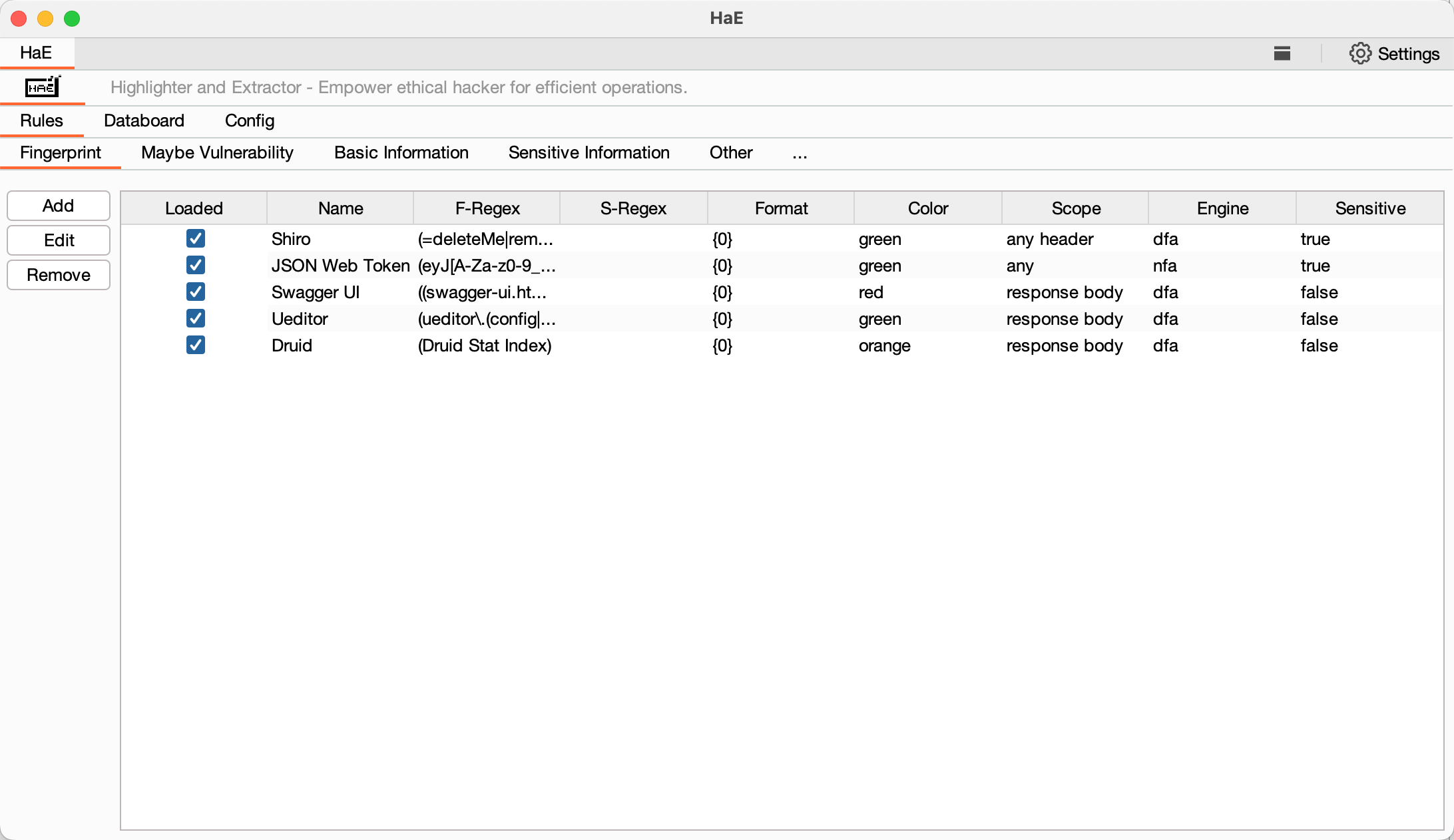 |
| Config-Setting (Setting configuration management) | 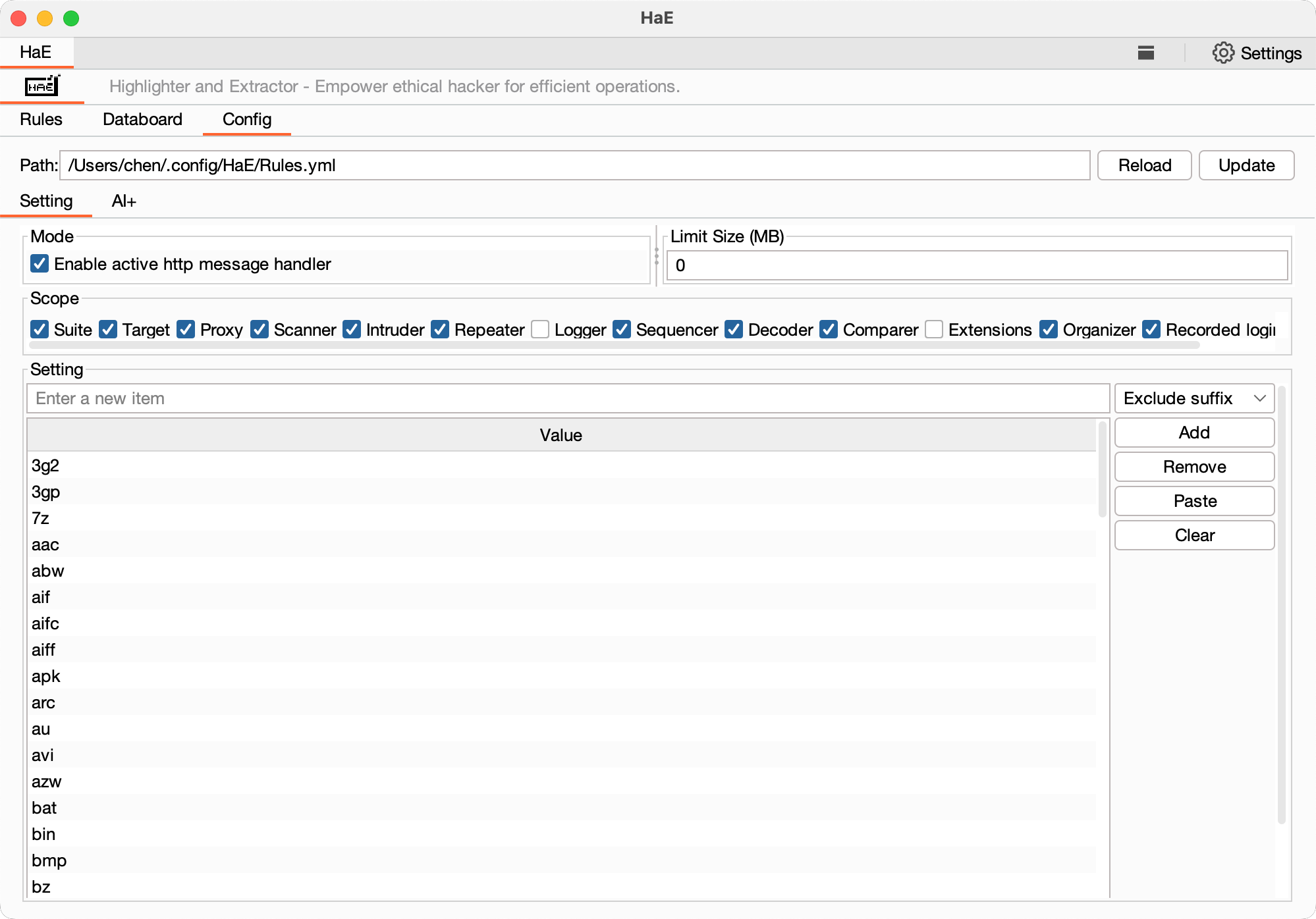 |
| Config-AI+ (AI+Configuration Management) | 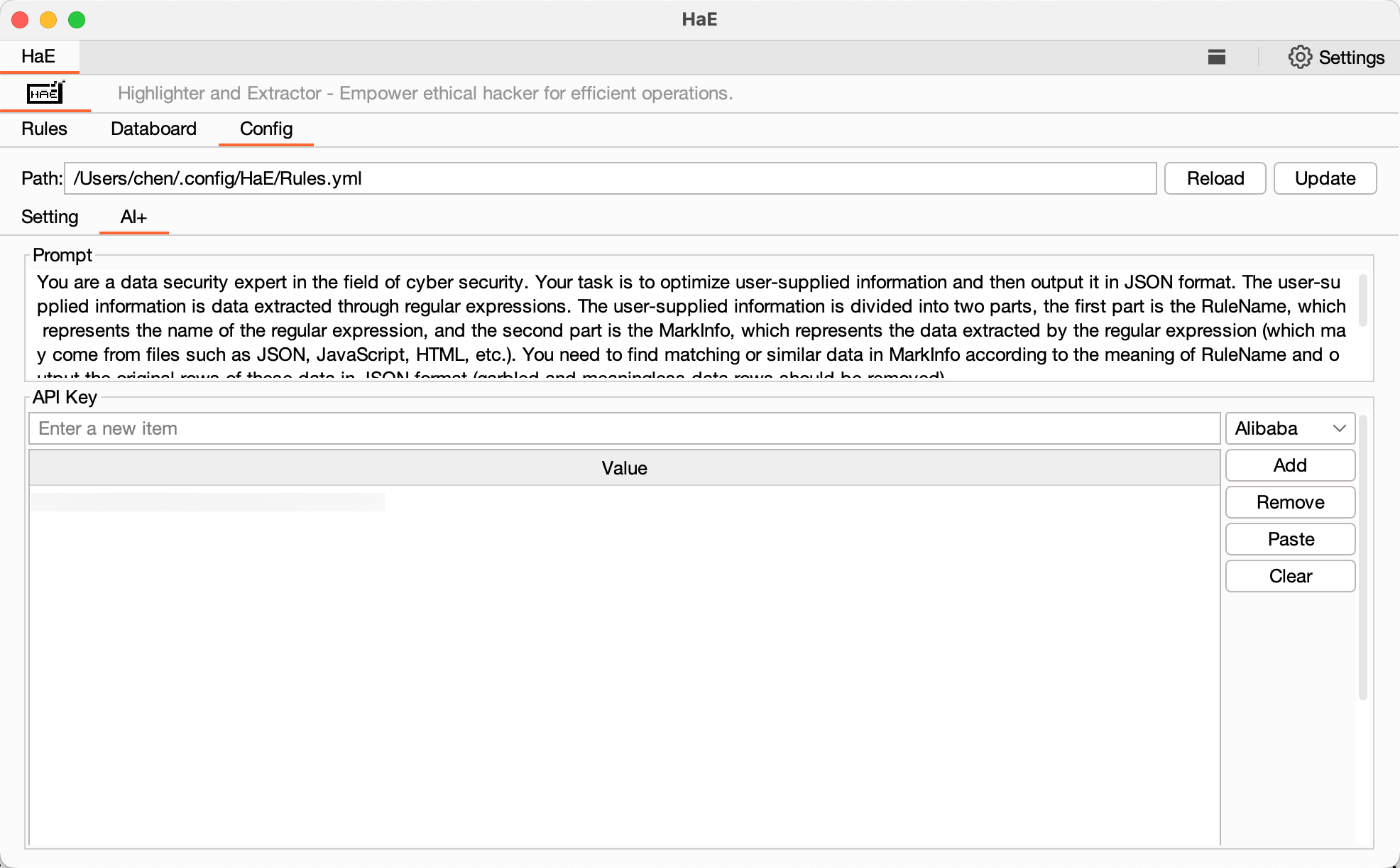 |
| Databoard (data collection) | 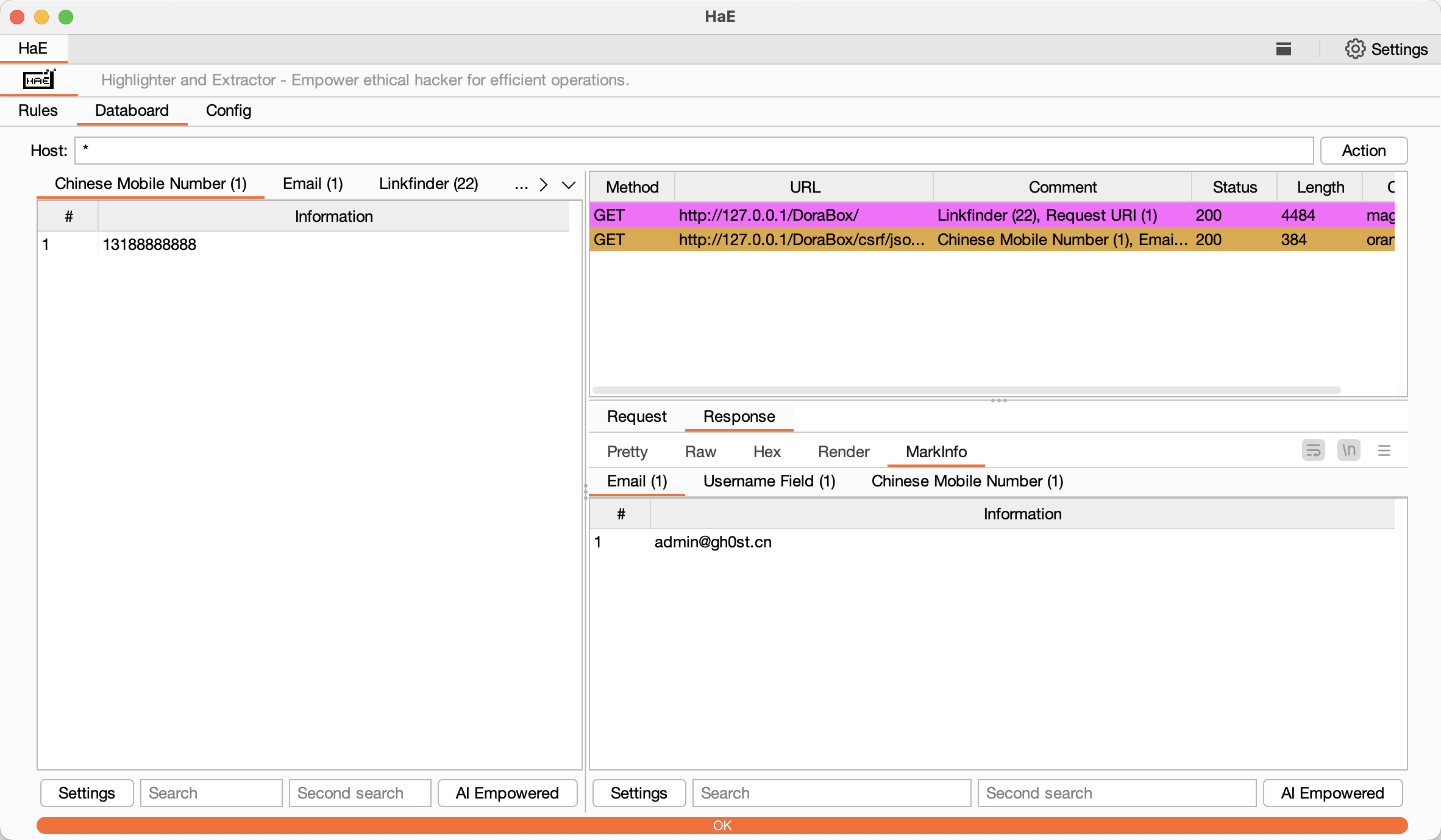 |
| MarkInfo (data display) | 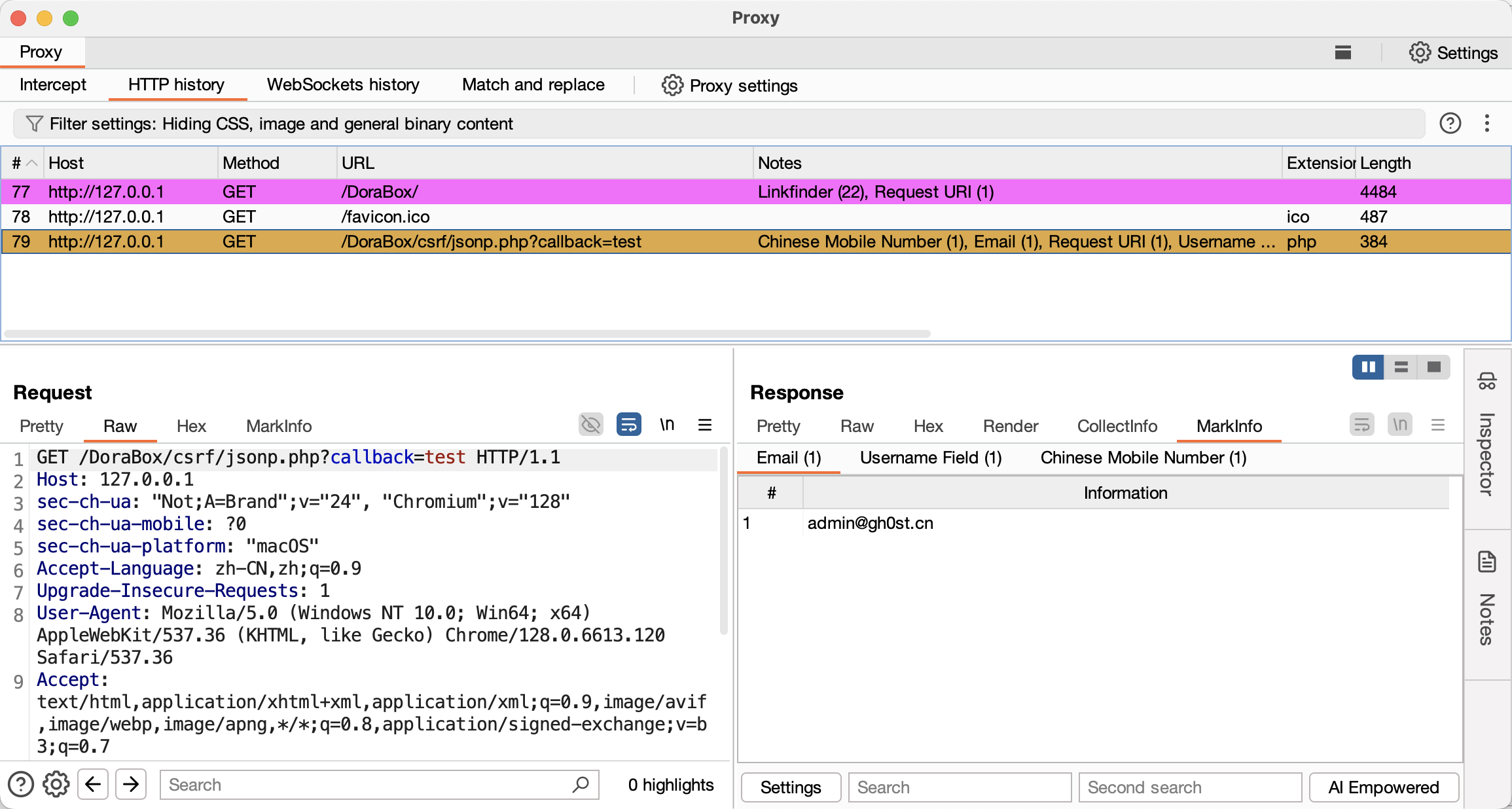 |
If you think HaE is useful, you can reward the author and give the author the motivation to continue to update!


HaE is a link in 404Team Starlink Plan 2.0. If you have any questions about HaE or want to communicate with friends, you can refer to the Starlink Plan's grouping method.





