aliyundrive webdav
v2.3.3

Help me to become a full-time open-source developer by sponsoring me on GitHub
Alibaba Cloud Disk WebDAV service, the main usage scenario is to cooperate with client apps that support WebDAV protocol, such as Infuse, nPlayer, etc., to directly watch cloud disk video content on TV, and to support client apps to directly obtain file playback from Alibaba Cloud Disk without running. The server relay of this application supports uploading files, but due to the limitation that the WebDAV protocol does not support file transfer in seconds.
Please note: The V2 version is based on the Alibaba Cloud Disk open platform interface and no longer supports refresh tokens obtained by Alibaba Cloud Disk Web and App versions. Since the author of this project no longer uses Merlin firmware, the V2 version no longer supports the Koolshare Merlin firmware system for free. Please consider paid support if necessary.
If the project is helpful to you, please consider donating to support the project ongoing maintenance. You can also consider joining aliyundrive-webdav Knowledge Planet to obtain consulting and technical support services.
Note
The author of this project has no upload requirements, so the upload file function test is not comprehensive and there is no continuous iteration plan.
Pre-built binary packages can be downloaded from the GitHub Releases page, or from PyPI using pip:
pip install aliyundrive-webdavIf the system supports Snapcraft, such as Ubuntu, Debian, etc., you can also use snap to install:
sudo snap install aliyundrive-webdavThere is a precompiled ipk file in GitHub Releases. Currently, aarch64/arm/mipsel/x86_64/i686 and other architectures are provided. You can download it and install it using opkg. Taking nanopi r4s as an example:
wget https://github.com/messense/aliyundrive-webdav/releases/download/v2.3.3/aliyundrive-webdav_2.3.3-1_aarch64_generic.ipk
wget https://github.com/messense/aliyundrive-webdav/releases/download/v2.3.3/luci-app-aliyundrive-webdav_2.3.3_all.ipk
wget https://github.com/messense/aliyundrive-webdav/releases/download/v2.3.3/luci-i18n-aliyundrive-webdav-zh-cn_2.3.3-1_all.ipk
opkg install aliyundrive-webdav_2.3.3-1_aarch64_generic.ipk
opkg install luci-app-aliyundrive-webdav_2.3.3_all.ipk
opkg install luci-i18n-aliyundrive-webdav-zh-cn_2.3.3-1_all.ipk
Routers of other CPU architectures can find the corresponding architecture's main program ipk file download and install in the GitHub Releases page. The common OpenWrt router CPU architecture is as follows (supplement is welcome):
| router | CPU architecture |
|---|---|
| nanopi r4s | aarch64_generic |
| Xiaomi AX3600 | aarch64_cortex-a53 |
| Feixun N1 box | aarch64_cortex-a53 |
| Newifi D2 | mipsel_24kc |
| Pogoplug | arm_mpcore |
Tips: It is unclear that the CPU architecture type can be queried by running
opkg print-architecturecommand.
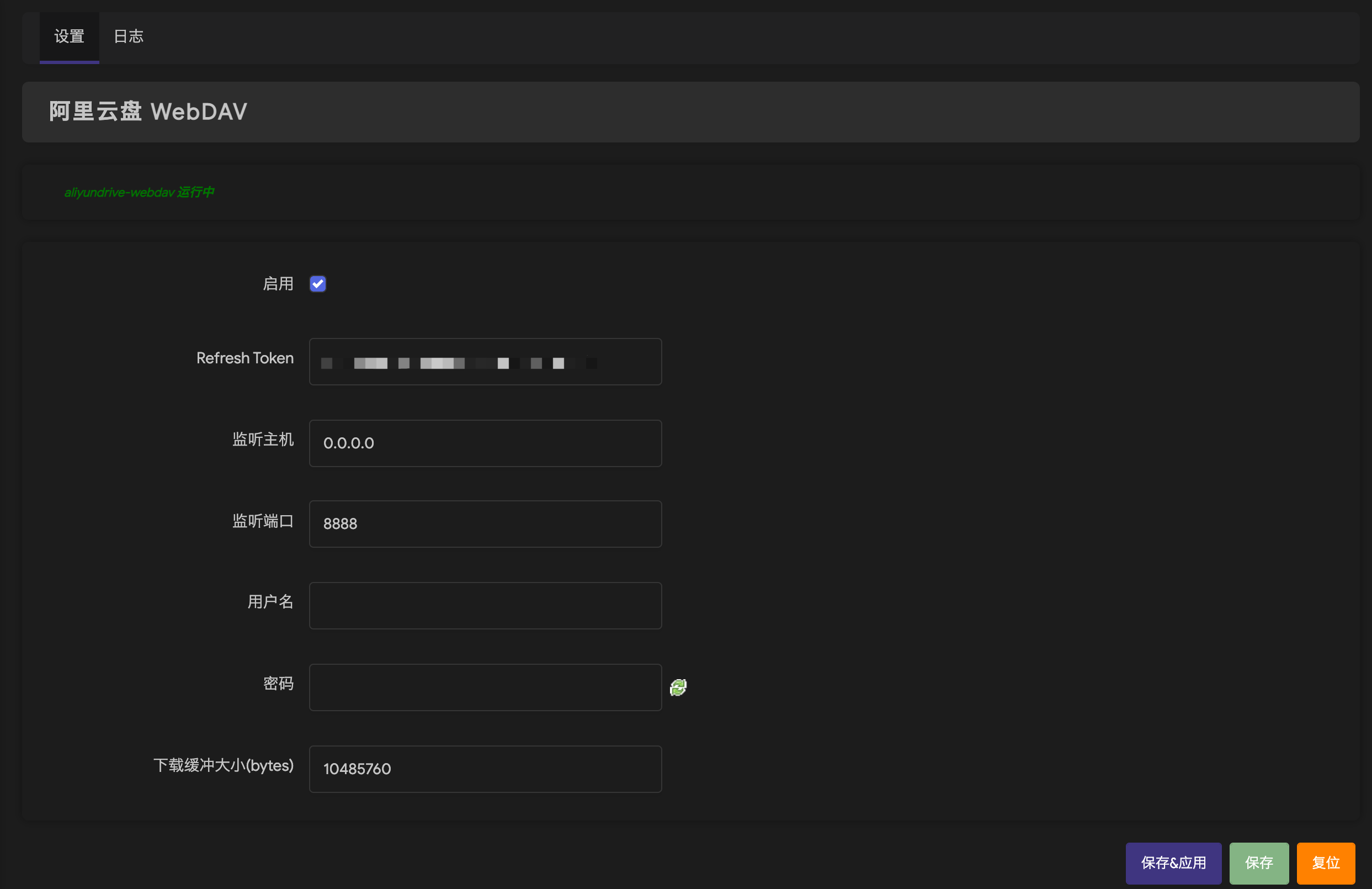
docker run -d --name=aliyundrive-webdav --restart=unless-stopped -p 8080:8080
  -v /etc/aliyundrive-webdav/:/etc/aliyundrive-webdav/
  -e REFRESH_TOKEN= ' your refresh token '
  -e WEBDAV_AUTH_USER=admin
  -e WEBDAV_AUTH_PASSWORD=admin
  messense/aliyundrive-webdav
Among them, REFRESH_TOKEN environment variables are your Alibaba Cloud disk refresh_token , WEBDAV_AUTH_USER and WEBDAV_AUTH_PASSWORD are the username and password for connecting to the WebDAV service.
qnap-aliyunpan-webdav by @iranee.
After the administrator logs into NAS, installs ContainerStation and starts the service. Create Application in the Management tab, and configures it as follows
 version : ' 3.3 '
services :
  aliyundrive-webdav :
    container_name : aliyundrive-webdav
    restart : unless-stopped
    ports :
      - ' 8080:8080 '
    environment :
      - ' REFRESH_TOKEN=mytoken... '
    image : messense/aliyundrive-webdav
Among them, the REFRESH_TOKEN document is explained at the bottom; :8080 network disk access mapping port, which can be changed to other as needed.
Click Create and start it. Visit http://nas address: 8080/ to see the automatically generated indexed web page file of your network disk.
Reference Documents
In order to avoid duplicate uploading of files, it is recommended to use Nextcloud WebDAV mode when using rclone, which can support sha1 checksums. In addition, it is necessary to cooperate with the --no-update-modtime parameter, otherwise rclone will still force re-upload in order to update the file modification time.
For example:
rclone --no-update-modtime copy abc.pdf aliyundrive-nc://docs/aliyundrive-webdav qr login and scan the code to authorize it will output refresh token 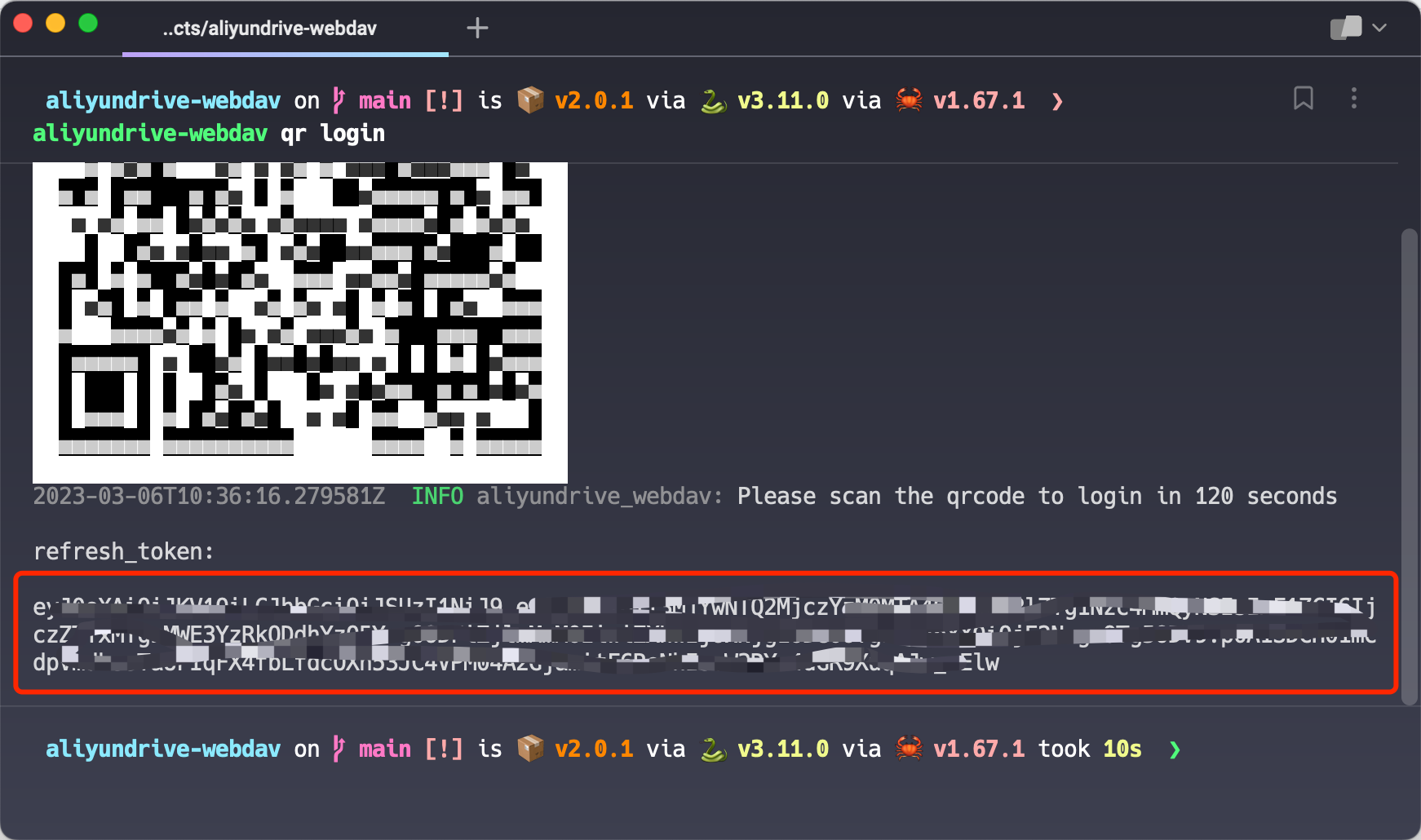
$ aliyundrive-webdav --help
WebDAV server for AliyunDrive

Usage: aliyundrive-webdav [OPTIONS]
       aliyundrive-webdav < COMMAND >

Commands:
  qr    Scan QRCode
  help  Print this message or the help of the given subcommand(s)

Options:
      --host < HOST >
          Listen host

          [env: HOST = ]
          [default: 0.0.0.0]

  -p, --port < PORT >
          Listen port

          [env: PORT = ]
          [default: 8080]

      --client-id < CLIENT_ID >
          Aliyun drive client_id

          [env: CLIENT_ID = ]

      --client-secret < CLIENT_SECRET >
          Aliyun drive client_secret

          [env: CLIENT_SECRET = ]

      --drive-type < DRIVE_TYPE >
          Aliyun drive type

          [env: DRIVE_TYPE = ]

          Possible values:
          - resource: Resource drive
          - backup:   Backup drive
          - default:  Default drive

  -r, --refresh-token < REFRESH_TOKEN >
          Aliyun drive refresh token

          [env: REFRESH_TOKEN = ]

  -U, --auth-user < AUTH_USER >
          WebDAV authentication username

          [env: WEBDAV_AUTH_USER = ]

  -W, --auth-password < AUTH_PASSWORD >
          WebDAV authentication password

          [env: WEBDAV_AUTH_PASSWORD = ]

  -I, --auto-index
          Automatically generate index.html

  -S, --read-buffer-size < READ_BUFFER_SIZE >
          Read/download buffer size in bytes, defaults to 10MB

          [default: 10485760]

      --upload-buffer-size < UPLOAD_BUFFER_SIZE >
          Upload buffer size in bytes, defaults to 16MB

          [default: 16777216]

      --cache-size < CACHE_SIZE >
          Directory entries cache size

          [default: 1000]

      --cache-ttl < CACHE_TTL >
          Directory entries cache expiration time in seconds

          [default: 600]

      --root < ROOT >
          Root directory path

          [env: WEBDAV_ROOT = ]
          [default: /]

  -w, --workdir < WORKDIR >
          Working directory, refresh_token will be stored in there if specified

      --no-trash
          Delete file permanently instead of trashing it

      --read-only
          Enable read only mode

      --tls-cert < TLS_CERT >
          TLS certificate file path

          [env: TLS_CERT = ]

      --tls-key < TLS_KEY >
          TLS private key file path

          [env: TLS_KEY = ]

      --strip-prefix < STRIP_PREFIX >
          Prefix to be stripped off when handling request

          [env: WEBDAV_STRIP_PREFIX = ]

      --debug
          Enable debug log

      --no-self-upgrade
          Disable self auto upgrade

      --skip-upload-same-size
          Skip uploading same size file

      --prefer-http-download
          Prefer downloading using HTTP protocol

      --redirect
          Enable 302 redirect when possible

  -h, --help
          Print help (see a summary with ' -h ' )

  -V, --version
          Print version
Note
Note: TLS/HTTPS does not support MIPS architecture yet.
Note
Note: Enable
--skip-upload-same-sizeoption can speed up uploads, but may cause modified files of the same size to not be uploaded.
This work is released under the MIT license. A copy of the license is provided in the LICENSE file.





