Talkie
Adding parameter aSampleRate

Speech library for Arduino
Available as Arduino library "Talkie".
? Google Translate
| Demonstration of Talkie voltmeter example | Intoduction by Gadget Reboot |
|---|---|
| Platform | Pin normal | Pin inverted | 8kHz timer | PWM timer | Remarks |
|---|---|---|---|---|---|
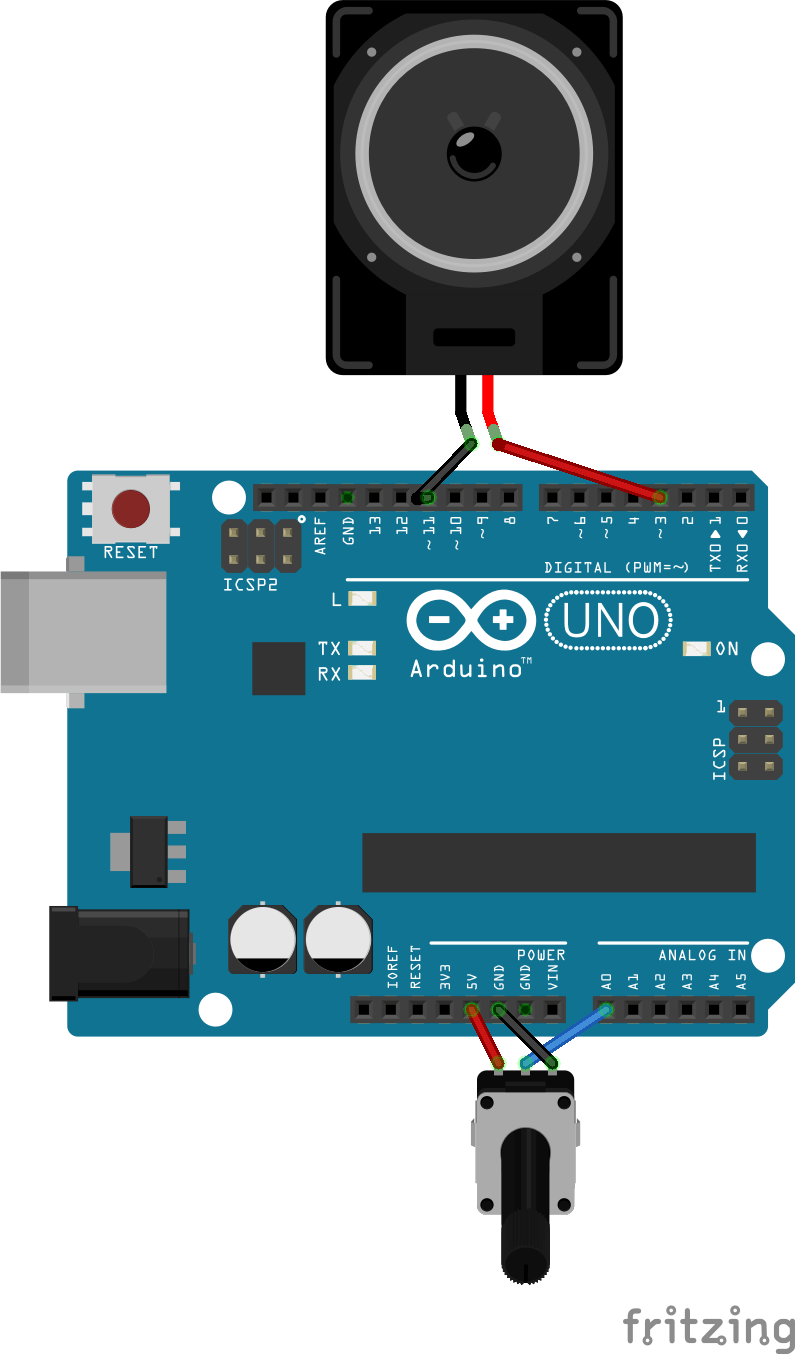
| AVR (Uno and Nano) | Pin 3 | Pin 11 | timer1 | timer2 | |
| ATmega2560 | Pin 6/PH3 | Pin 7/PH4 | timer1 | timer4 | |
| Leonardo | Pin 9/PB5 | Pin 10/PB6 | timer1 | timer4 | |
| ProMicro | Pin 5/PC6 | % | timer1 | timer4 | |
| Esplora | Pin 6/PD7 | % | timer1 | timer4 | |
| Zero (SAMD) | A0 | % | TC5 | DAC0 | |
| ESP32 | Pin 25 | % | hw_timer_t | DAC0 | |
| BluePill | Pin 3 | % | timer3 | analogWrite | Roger Clarks core |
| BluePill | PA3 | % | timer4 | analogWrite | STM core |
| Teensy | Pin 12/14721 | % | IntervalTimer | analogWrite |
Timer 1 (Servo timer) is used at all ATmegas for updating voice output data at 8 kHz.
Timer 2 (Tone timer) on ATmega328 (62500 Hz / 16 µs) or Timer 4 on ATmega2560 + ATmega32U4 (5 µs) is used to generate the 8 bit PWM output.
Both timers are therefore not available for other libraries / purposes, like servo control or tone output.
There are two cores for the BluePill.
STM32F1 by Roger Clark; http://dan.drown.org/stm32duino/package_STM32duino_index.jsonstm32 by ST Microsystems; https://github.com/stm32duino/BoardManagerFiles/raw/master/STM32/package_stm_index.jsonGeneration of the high speed PWM is complicated for Roger Clark core and easy for the STM core. Program size for VoltmeterSayQ.cpp is 21 kByte for Roger Clark core and 32 kByte for STM core. The 8 kHz interrupt handling requires 8 µs for Roger Clark core and 12 µs for STM core.
say...() you can use tone() again.write() after a call to say... you must detach() and attach() the servo before first write() in order to initialize the timer again for Servo.Talkie Voice(true, false); instead of Talkie Voice; or Voice.doNotUseInvertedOutput();.The predefined vocabulary can be found in the Vocab_*.h files, especially in Vocab_US_Large.h.
To create LPC data you can use the python_wizard or the BlueWizard for Mac OS X.
Another way to create LPC data is to use Qboxpro, an unsupported old Windows application running under XP, which can produce Talkie compatible data streams. The missing BWCC.DLL (Borland Windows Custom Control Library) can be found e.g. here. The process is described here and goes like this:
C to avoid clicks | Low pass 1600Hz
                   _____
  D3 >-----||-----|_____|-----+-----> to Power amplifier
         100nF      10k       |
                             ---
                             --- 10 nF
                              |
                             _|_ GND
To customize the software to different requirements, there are some compile options / macros available.
Modify them by enabling / disabling them, or change the values if applicable.
| Name | Default value | File | Description |
|---|---|---|---|
NO_COMPATIBILITY_FOR_TONE_LIB_REQUIRED |
disabled | Talkie.h | If you do not use the Arduino Tone library, then activating can save up to 844 bytes program size. |
FAST_8BIT_MODE |
disabled | Talkie.h | If defined we use 8bit instead of 16 bit coefficients K1 and K2. This saves 10 microseconds (40 instead of 50 us) for a 16 MHz ATmega and has almost the same quality, except of a few "dropouts" e.g. in the word "thousand". |
ENABLE_PITCH |
disabled | Talkie.h | If defined we interprete second parameter aSampleRateForPitch of say() and SayQ(). This requires around 160 bytes of program space and few time consuming divisions. If disabled, the parameter aSampleRateForPitch is just ignored. |
SAMPLE_RATE_DEFAULT |
8000 | Talkie.h | f you want to globally set pitch for Talkie, you can change this value, this saves the overhead implied by activating ENABLE_PITCH
|
First, use Sketch > Show Sketch Folder (Ctrl+K).
If you have not yet saved the example as your own sketch, then you are instantly in the right library folder.
Otherwise you have to navigate to the parallel libraries folder and select the library you want to access.
In both cases the library source and include files are located in the libraries src directory.
The modification must be renewed for each new library version!
If you are using PlatformIO, you can define the macros in the platformio.ini file with build_flags = -D MACRO_NAME or build_flags = -D MACRO_NAME=macroValue.
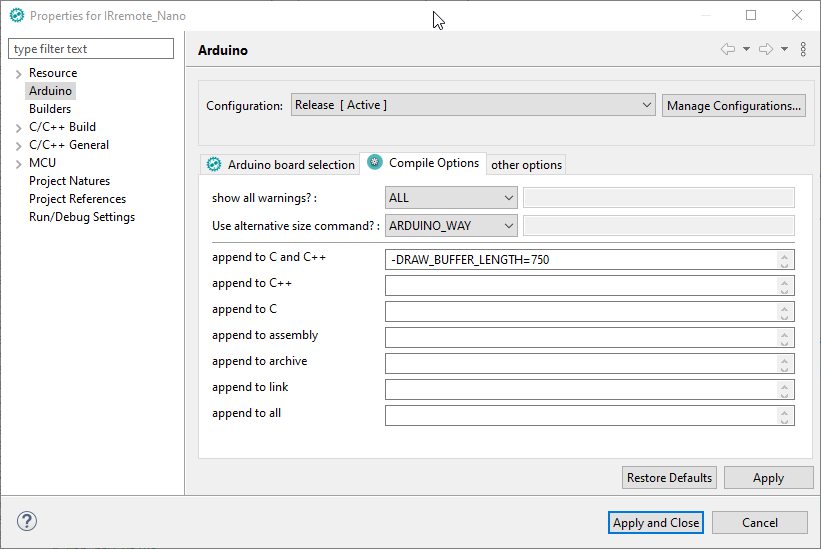
If you are using Sloeber as your IDE, you can easily define global symbols with Properties > Arduino > CompileOptions.
Talkie implementation from 2017, based on Peter Knights version extended with pitch, speed and bending.
aSampleRateForPitch and macro ENABLE_PITCH.digitalWriteNonInvertedOutput() and digitalWriteInvertedOutput().sayQTimeout() in TalkieUtils.cpp.sayQVoltageVolts().Talkie(bool aUseNonInvertedOutputPin, bool aUseInvertedOutputPin);
The library examples are tested with GitHub Actions for the following boards:





