openlibrary
1.0.0

Open Library is an open, editable library catalog, building towards a web page for every book ever published.
Are you looking to get started? This is the guide you are looking for. You may wish to learn more about Google Summer of Code (GSoC)? or Hacktoberfest.
Overview
Installation
Code Organization
Architecture
The Frontend
The Backend
The Service Architecture
Developer's Guide
Running Tests
Contributing
Public APIs
FAQs
Open Library is an effort started in 2006 to create "one web page for every book ever published." It provides access to many public domain and out-of-print books, which can be read online.
Here's a quick public tour of Open Library to get you familiar with the service and its offerings (10min).
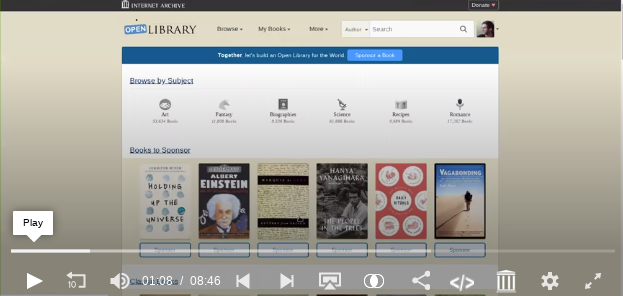
Learn more about the Open Library project
The Vision (Dream) of OpenLibrary
Visit the Blog
Run docker compose up and visit http://localhost:8080
Need more details? Checkout the Docker instructions or video tutorial.
Alternatively, if you do not want to set up Open Library on your local computer, try Gitpod! This lets you work on Open Library entirely in your browser without having to install anything on your personal computer. Warning: This integration is still experimental.
For instructions on administrating your Open Library instance, refer to the Developer's Quickstart Guide.
You can also find more information regarding Developer Documentation for Open Library in the Open Library Wiki.
openlibrary/core - core openlibrary functionality, imported and used by www
openlibrary/plugins - other models, controllers, and view helpers
openlibrary/views - views for rendering web pages
openlibrary/templates - all the templates used in the website
openlibrary/macros - macros are like templates, but can be called from wikitext
OpenLibrary is developed on top of the Infogami wiki system, which is itself built on top of the web.py Python web framework and the Infobase database framework.
Overview of Backend Web Technologies
Once you've read the overview of OpenLibrary Backend technologies, it's highly encouraged you read the developer primer which explains how to use Infogami (and its database, Infobase).
Infogami Developer Tutorial
If you want to dive into the source code for Infogami, see the Infogami repo.
Open Library tests can be run using docker. Kindly look up on our Testing Document for more details.
docker compose run --rm home make test
There are many ways volunteers can contribute to the Open Library project, from development and design to data management and community engagement. Here’s how you can get involved:
Getting Started: Check out our Contributing Guide for instructions on how to set up your development environment, find issues to work on, and submit your contributions.
Good First Issues: Browse our Good First Issues to find beginner-friendly tasks.
Design Contributions: We welcome designers to help improve the user experience. You can start by looking at design-related issues.
Data Contributions: Learn how to contribute to our catalog and help improve book data on Open Library. Visit our volunteer page for more information.
Join our Community Calls: Open Library hosts weekly community and design calls. Check the community call schedule for times and details.
Ask Questions: If you have any questions, join our gitter chat or request an invitation to our Slack channel on our volunteers page.
For more detailed information, refer to the Contributing Guide.
All source code published here is available under the terms of the GNU Affero General Public License, version 3.





