staging site password
1.0.0

A simple tool to password restrict a staging environment.
When creating or updating a website it's good practise to publish changes to a staging environment to review before going live.
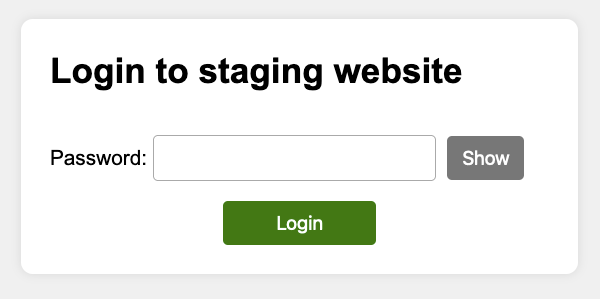
This package helps secure staging websites behind a simple, accessible login page. This is easier to use than basic authentication and remembers your login in a cookie, so you don't have to keep entering your password.
Install via Composer:
composer require studio24/staging-site-passsword:^1.0Your staging site password needs to be stored as secure hash. You can generate this via password_hash or by using the provided command line script.
php vendor/bin/password-hash.phpTODO
Store the password hash in an environment variable or PHP constant. The example below is for the password "test123"
Environment variable:
putenv('STAGING_SITE_PASSWORD=$2y$10$pvDrmW9GW0bLVDMtLwLnn.mFof5eQQwlozZ5kYK7xijQRVAWUw0FK');PHP constant:
define('STAGING_SITE_PASSWORD', '$2y$10$pvDrmW9GW0bLVDMtLwLnn.mFof5eQQwlozZ5kYK7xijQRVAWUw0FK');Or in PHP:
$controller->auth->setPasswordHash($hash); TODO
Enable the staging site login page via:
$controller = new Studio24StagingSitePasswordController();
if ($controller->isStaging()) {
    $controller->authenticate();
}If you want to customise any options, you can do so via the controller object. Make sure you add your code before $controller->authenticate()
is run. For example:
$controller = new Studio24StagingSitePasswordController();
$controller->loginPage->setPlaceholder('title', 'Login to My Website');
if ($controller->isStaging()) {
    $controller->authenticate();
}You can customise any text on the login page via $controller->loginPage->setPlaceholder($name, $value).
Customise the title:
$controller->loginPage->setPlaceholder('title', 'Login to My Website');Customise the footer text (you can include HTML):
$controller->loginPage->setPlaceholder('footer', 'Get support from <a href="mailto:[email protected]">Studio 24</a>');The full list of placeholders:
| Placeholder | Default content |
|---|---|
title |
Login to staging website |
footer |
|
password_field_label |
Password |
submit_field_label |
Login |
title_prefix_on_error |
Error: |
error_message_title |
There is a problem |
error_message |
The password is incorrect |
show |
Show |
hide |
Hide |
show_password |
Show password |
hide_password |
Hide password |
By default, the login cookie is set to expire after 1 day. You can customise this via:
$controller->auth->setCookieLifetime(3600); This sets the cookie lifetime in seconds.
You can also set this in days:
$controller->auth->setCookieLifetimeInDays(7); You can also change the cookie name (default is staging_site_remember_login):
$controller->auth->setCookieName('remember_me'); 




