mailman
v1.0

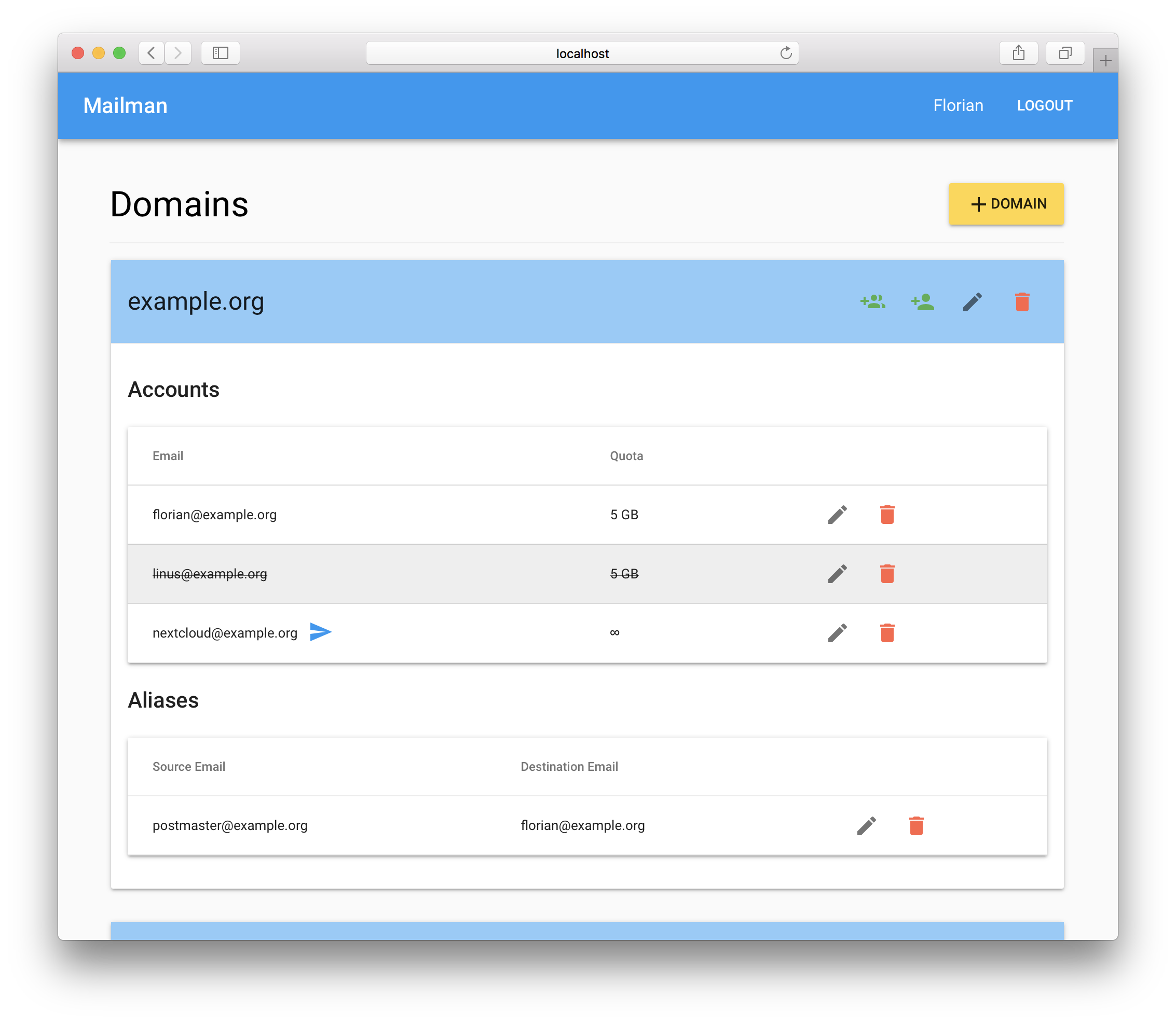
Mailman is a SPA written in React to help you to manage your email server database.
You must have a functional mailserver with the database model provided by Thomas Leister in his awesome mailserver tutorial: Mailserver mit Dovecot, Postfix, MySQL und Rspamd unter Debian 9 Stretch
Update the permissions of the vmail database user to allow insert, update and delete queries:
grant select, insert, update, delete on vmail.* to 'vmail'@'localhost' identified by 'vmaildbpass';Or create a new user:
grant select, insert, update, delete on vmail.* to 'vmail_mailman'@'localhost' identified by 'vmaildbpass';If you have docker installed on your server you can run Mailman in a docker
container otherwise go to the Deployment section to see how to
deploy it manually.
Download the sample.env file
wget https://github.com/phiilu/mailman/raw/master/sample.env -O .envUpdate the variables in .env and then start mailman:
docker run -d --net="host" --env-file .env --restart=always --name mailman phiilu/mailmanExplanation:
-d runs the container as a daemon process a.k.a. in the background--net="host" instructs docker to share the network with the host. This is
required to access the vmail database--env-file .env sets the environment variables in the container--name mailman sets the name for the docker container to mailmanDocker with Subfolder configuration:
If you want to access mailman via a subfolder /mailman instead of the http
root /, you have to modify the following:
Download the sample.subfolder.env file
wget https://github.com/phiilu/mailman/raw/master/sample.subfolder.env -O .envUpdate the variables in .env and then start mailman with the :subfolder tag:
docker run -d --net="host" --env-file .env --restart=always --name mailman phiilu/mailman:subfolderNote: This Docker Image is for the path /mailman only! It can not be changed.
sudo apt install build-essential pythoncurl -o- https://raw.githubusercontent.com/creationix/nvm/v0.33.6/install.sh | bashAfter nvm is installed you most logout and login again.
Install node with nvm
nvm install 9.1.0$ node -v
v9.1.0
$ npm -v
5.5.1npm i -g pm2It is easiest if you clone Mailman into a non-root user's home directory.
git clone https://github.com/phiilu/mailman.gitcp sample.env .envOpen .env with a text editor and adapt the environment variables with your configuration:
MAILMAN_SECRET a long unique random string to sign the JWT tokenMAILMAN_DB_ENGINE the engine used by mailman. defaults to maria if no value given.MAILMAN_DB_USER the vmail database userMAILMAN_DB_PASSWORD the password for the vmail database userMAILMAN_DB_DATABASE the vmail databaseMAILMAN_HOST the IP address which mailman binds to. Default is 0.0.0.0MAILMAN_PORT the TCP port mailman binds to. Default is 4000MAILMAN_BASENAME the HTTP base. Default is /MAILMAN_ADMIN the email address of the user, which is allowed to
administrate the vmail databaseSubfolder configuration:
If you want to access mailman via a subfolder /mailman instead of the http
root /, you have to modify the following:
These steps need to be done BEFORE you build Mailman!
mailman/client/package.json and change "homepage": "http://localhost:4000/" to "homepage": "http://localhost:4000/mailman"mailman/client/.env.production and change REACT_APP_BASENAME=/ to REACT_APP_BASENAME=/mailmanmailman/.env and change MAILMAN_BASENAME=/ to MAILMAN_BASENAME=/mailmannpm install && cd client && npm install && cd - && npm run buildpm2 if it is already running with pm2 killnpm startTo generate a random hash you can use command in your terminal:
head /dev/urandom | tr -dc A-Za-z0-9 | head -c 128 ; echo ''cd mailman && npm install && cd client && npm install && cd - && npm run buildnpm startMailman should now be running on port 4000 of the server.
Run the following command inside the mailman directory
git stash && git pull && npm install && cd client && npm install && cd - && npm run build && pm2 restart alldocker pull phiilu/mailman:latestAfter pulling the new image just start a new container.
server {
    listen 80;
    server_name mailman.example.org;

    ##
    ## Uncomment one of the two possibilities
    ##

    # Subdomain
    #location / {
    #  proxy_pass       http://localhost:4000;
    #  proxy_set_header Host      $host;
    #  proxy_set_header X-Real-IP $remote_addr;
    #}

    # Subfolder
    #location /mailman {
    #  proxy_pass       http://localhost:4000;
    #  proxy_set_header Host      $host;
    #  proxy_set_header X-Real-IP $remote_addr;
    #}
}If you want to use Catch All email addresses please refer to Thomas's Guide:
Wie kann ich mit diesem Setup Catch-All Adressen realisieren? (German)
This project is licensed under the MIT License








