Wi Phi
1.0.0

─ An IoT Integrated Fully Automatic WIreless PHIshing System by Şefik Efe Altınoluk ─
Do not try this software on the users/systems that you have no legal permission. Usage of Wi-Phi for attacking targets without prior mutual consent is illegal. It is the end user's responsibility to obey all applicable local, state and federal laws. I assume no liability and are not responsible for any misuse or damage caused by this software, documentation and anything in this repository.
(SEE #4) Because Wi-Phi can be used maliciously, I don't share most parts of the source code. Contact me from LinkedIn for any business/academical/educational cases in which you need the whole working code.
This project is licensed under the Gnu General Public License Version 3.0
See LICENSE for more details.
Wi-Phi is an automatic phishing system fully integrated to wireless IoT (Internet of Things) boards.
It can be thought like an advanced, feature-rich Wifi Pineapple.
Wi-Phi is able to phish users who run at least one of the following softwares:
Main components of Wi-Phi are:
MicroPython firmware. I use Deneyap Kart based on ESP32.esp32-20220117-v1.18.binObtain an ESP32 IoT device.
Connect ESP32 to your computer and get the serial port that the ESP32 is connected on.
COMx/dev/ttyUSBx or /dev/tty/USBxThen run following commands for GNU/Linux.
[efe@lhost ~]$ git clone https://github.com/f4T1H21/Wi-Phi.git && cd Wi-Phi
[efe@lhost Wi-Phi]$ pip3 install -r requirements.txt
[efe@lhost Wi-Phi]$ sudo ./setup.sh <serial_port>Now, the software should be working, check if you see a Wi-Fi network named Google Free Wi-Fi.
Whenever you plug ESP32 to a power supply, the project runs automatically after the boot stage.
Nothing else matters.
All the software is implemented on MicroPython, and runs on ESP32.
ESP32 becomes a Wireless AP (Access Point); and runs three (3) independent sockets (on OSI Layer 4):
53/UDP for DNS server80/TCP for HTTP server2121/TCP for Credential Store serverAll binding is done on the gateway's (AP) IP address, which is 210.210.210.1
The reason why I chose such an IP class is because for some reason, Samsung devices don't consider short IP addresses as captive portals. Which was a problem for me.
The main idea is serving a static phishing website on an HTTP server and making this a captive portal for devices (stations) from any vendor that are connected over Wi-Fi.
Static site served by HTTP serverDNS, HTTP & CS serversTCP & UDP sockets for high-level protocolsGatewayLANWireless AP, Wi-FiBelow shows the well-designed scenario that Wi-Phi works under.
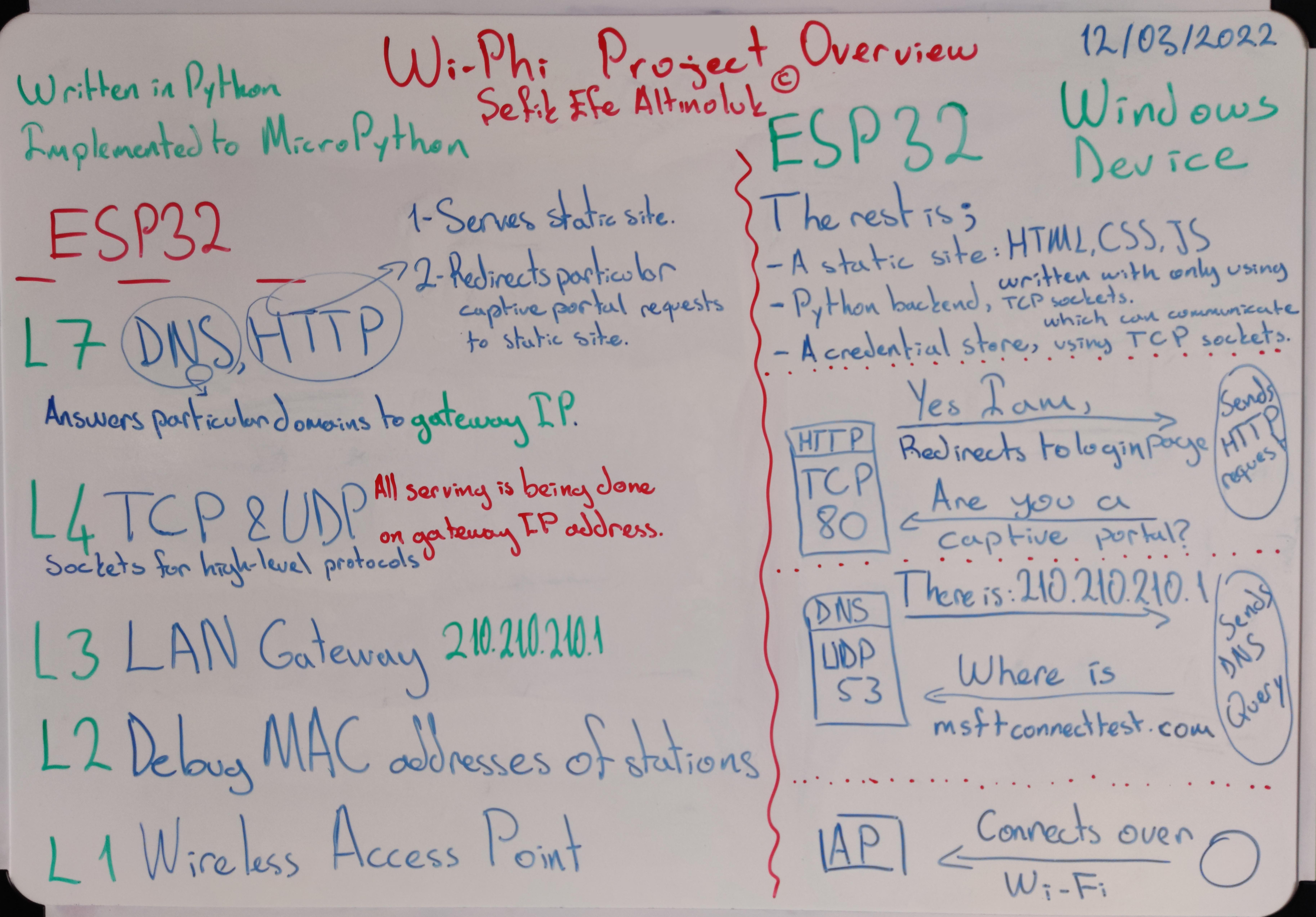
This is also a case study that I assigned to myself. So let's dive into the case...
Most of the device vendors sends HTTP requests to their vendor-specific captive portal detection servers' certain endpoints and expects particular HTTP responses to understand if the Wi-Fi network has a captive portal or not.
Below table shows what to response for various device vendors, in order to make device suppose a captive portal exists in Wi-Fi network.
Note: Mozilla is an exception to 'device vendors'. Firefox (as a browser) is able to make this decision itself according to its own captive portal detection server.
Responses with 302 Found status code, also need to have a Location: header so as to redirect browser (client) properly.
| Device Vendor | Endpoints | Status Code | Response Body |
|---|---|---|---|
| Microsoft (Windows) | www.msftconnecttest.com/ncsi.txt |
200 OK |
Microsoft NCSI |
| Microsoft (Windows) | www.msftconnecttest.com/connecttest.txt |
200 OK |
Microsoft Connect Test |
| Microsoft (Windows) | www.msftconnecttest.com/redirect |
302 Found |
|
| Google (Android) | connectivitycheck.gstatic.com/gen_204 |
302 Found |
|
| Google (Android) | connectivitycheck.gstatic.com/generate_204 |
302 Found |
|
| Google (Android) | clients3.google.com/generate_204 |
302 Found |
|
| Xiaomi | connect.rom.miui.com/gen_204 |
302 Found |
|
| Xiaomi | connect.rom.miui.com/generate_204 |
302 Found |
|
| Apple (IOS/MacOS) | captive.apple.com/hotspot-detect.html |
302 Found |
|
| Mozilla (Firefox) | detectportal.firefox.com/canonical.html |
302 Found |
|
| Mozilla (Firefox) | detectportal.firefox.com/success.txt |
302 Found |
To be able to response the http requests that are done to above endpoints, these requests should be sent to ESP32's HTTP server. In order to achieve this, ESP32 should answer particular domain lookups to its own IP address.
google.com should become 210.210.210.1So there need to be a Domain Name System Server running on ESP32. From this point of view, the scenerio looks similar to DNS Hijacking attacks.
I think Google is the most popular and trusted technology company world wide. So I prepared a static phishing page, which looks almost same to Gmail's old login page. And also named Wi-Fi network as Google Free Wi-Fi.
As the scenerio continues, after redirecting browser (client) to static login page, user is intended to enter his/her credentials and press next button. And the credentials is stored in a local file. Then user gets IP banned until next reboot of ESP32. Otherwise the local database can be messed up by dummy/wrong credentials. After all theese, client gets redirected to / directory of static site.
Whenever an IP banned client tries to access any resource on HTTP server, same html file hacklendin.html is being served regardless of HTTP request's method, head, body, etc.
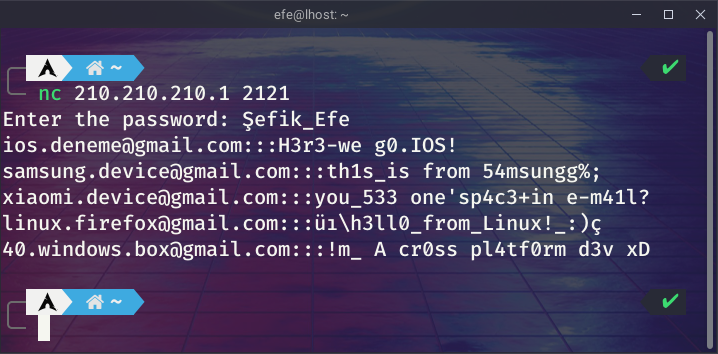
On the other side, local credential store can be viewed remotely by connecting to 2121/tcp and authenticating with the hardcoded password while connected to Wi-Fi.
Wi-Phi is a feature-rich system. Verbose logs created by Wi-Fi, HTTP and DNS services can be viewed real-time. Theese logs are not stored locally to save storage.
To be able to see verbose logs,
boot.py's content to a local file named main.py.boot.py from ESP32 device.main.py on ESP32.You can use ampy tool for file operations and running software on ESP32.
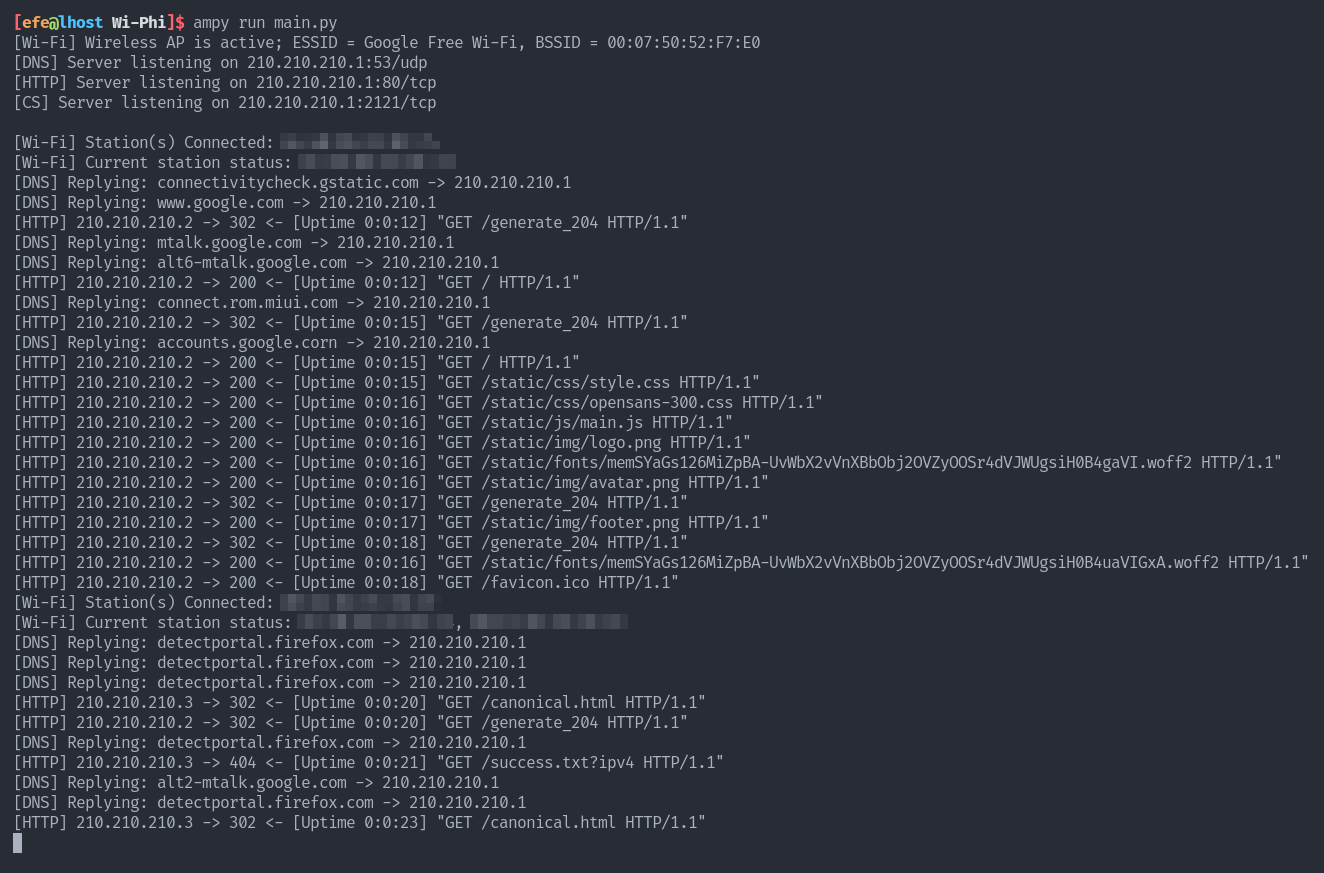
Let's take a look at a case that we have multiple independent devices from various vendors connected to our Google Free Wi-Fi at the same time.
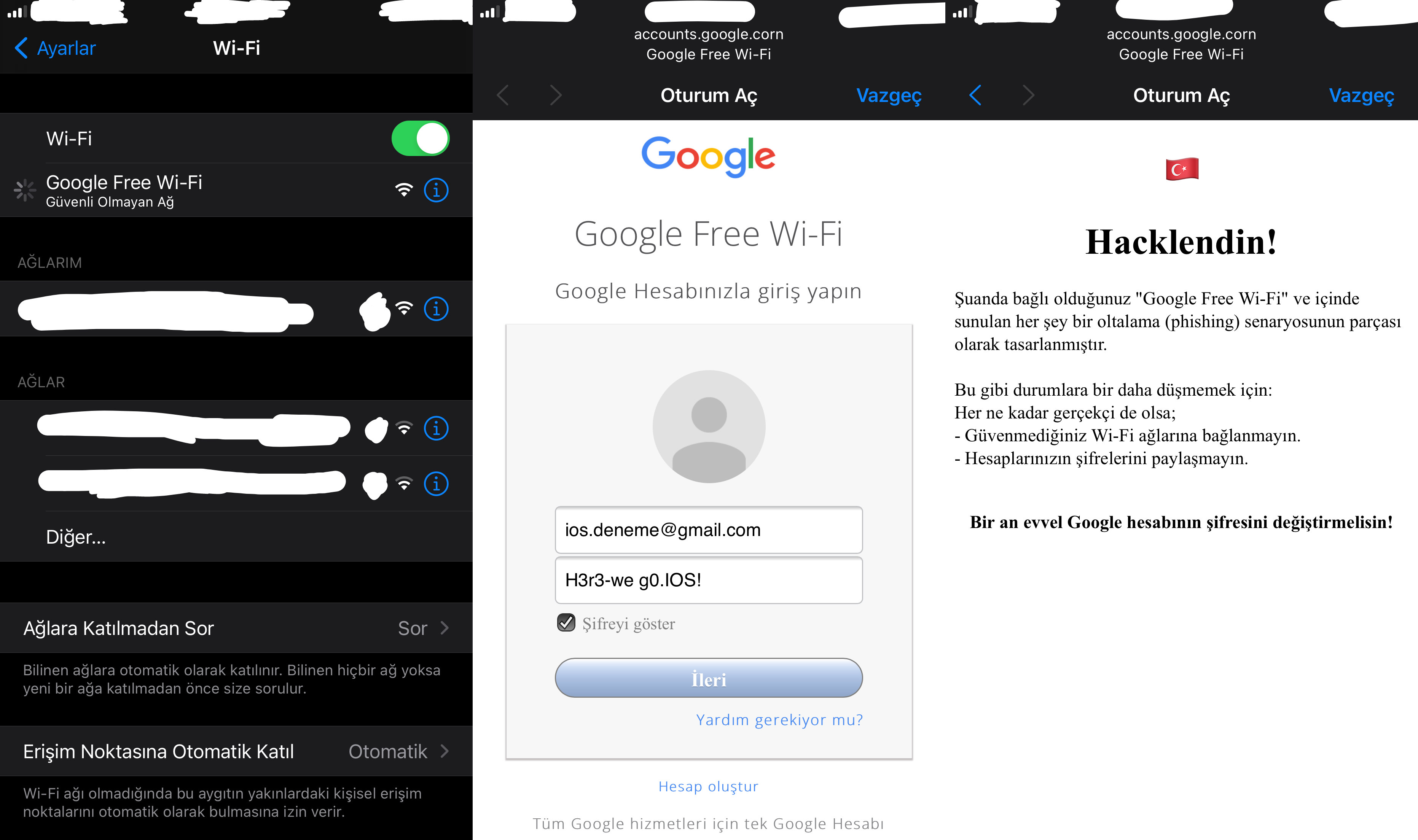
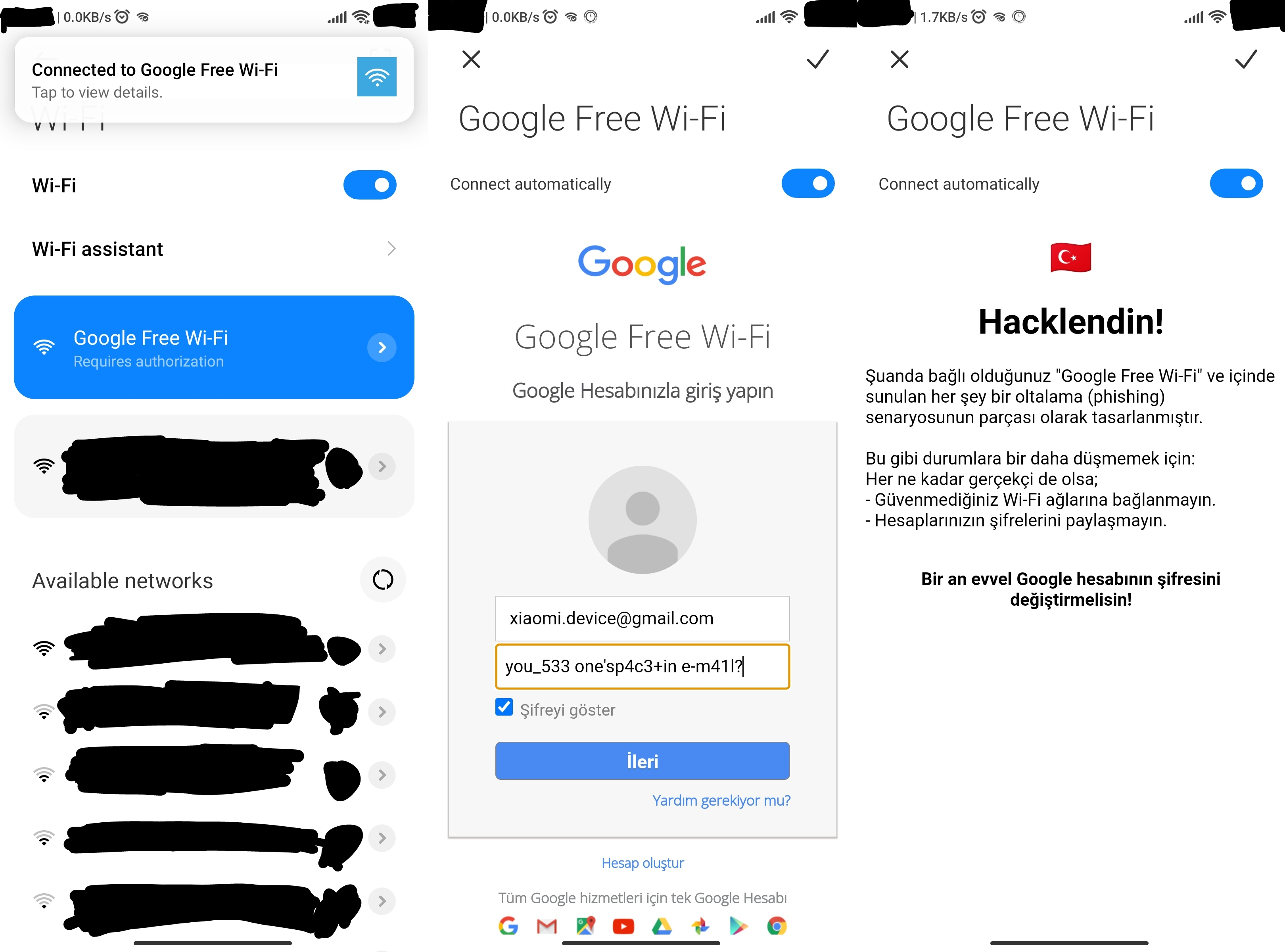
When IOS devices encounter a captive portal, they automatically fire up the captive portal page, without prompting the user, Nice!
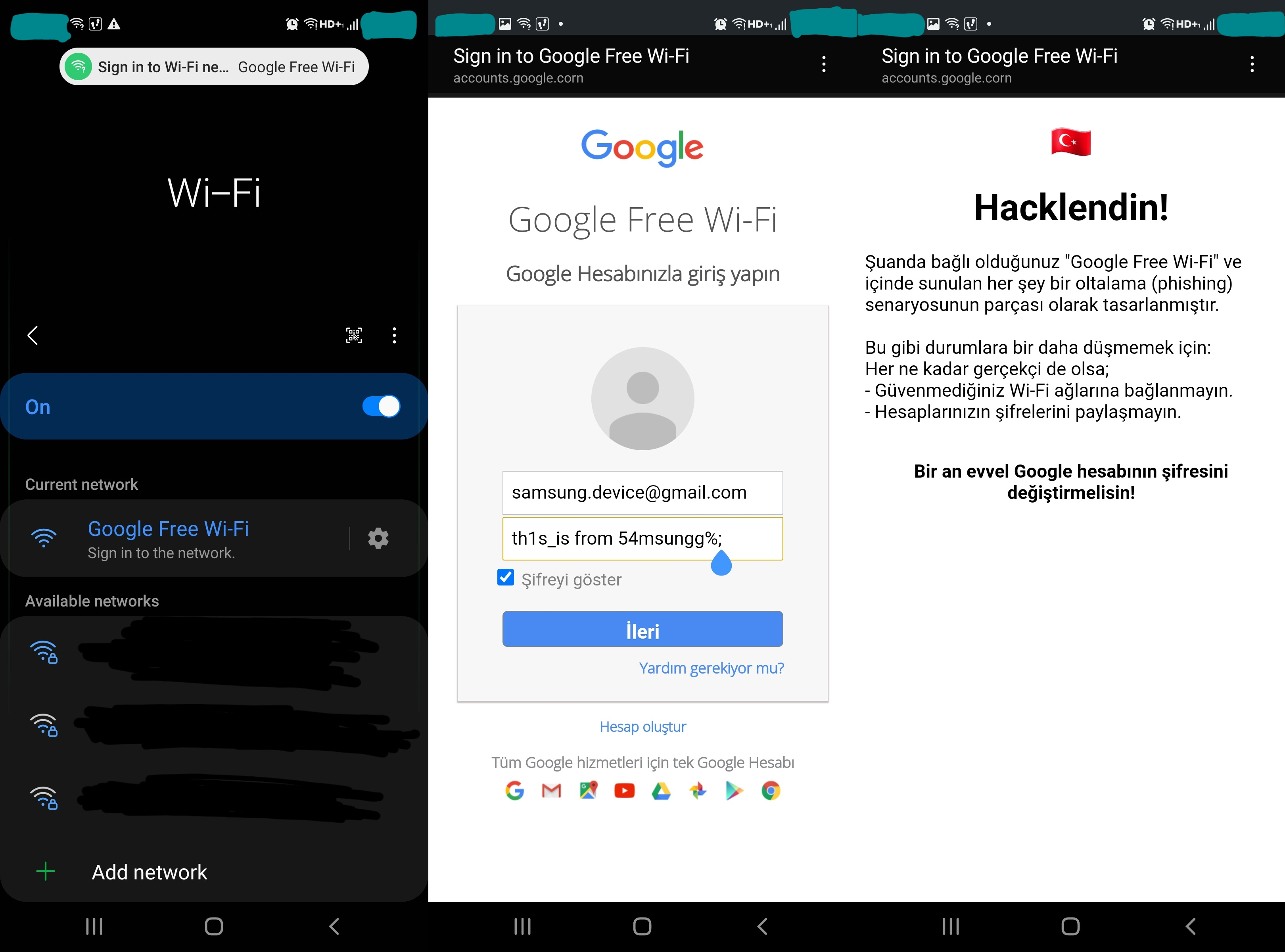
Samsung devices only show a notification. So here user needs to click either Sign in to the network or the notification on the top of the screen.
Xiaomi devices show a notification too. They also sometimes open captive portal page automatically, without prompting the user again!
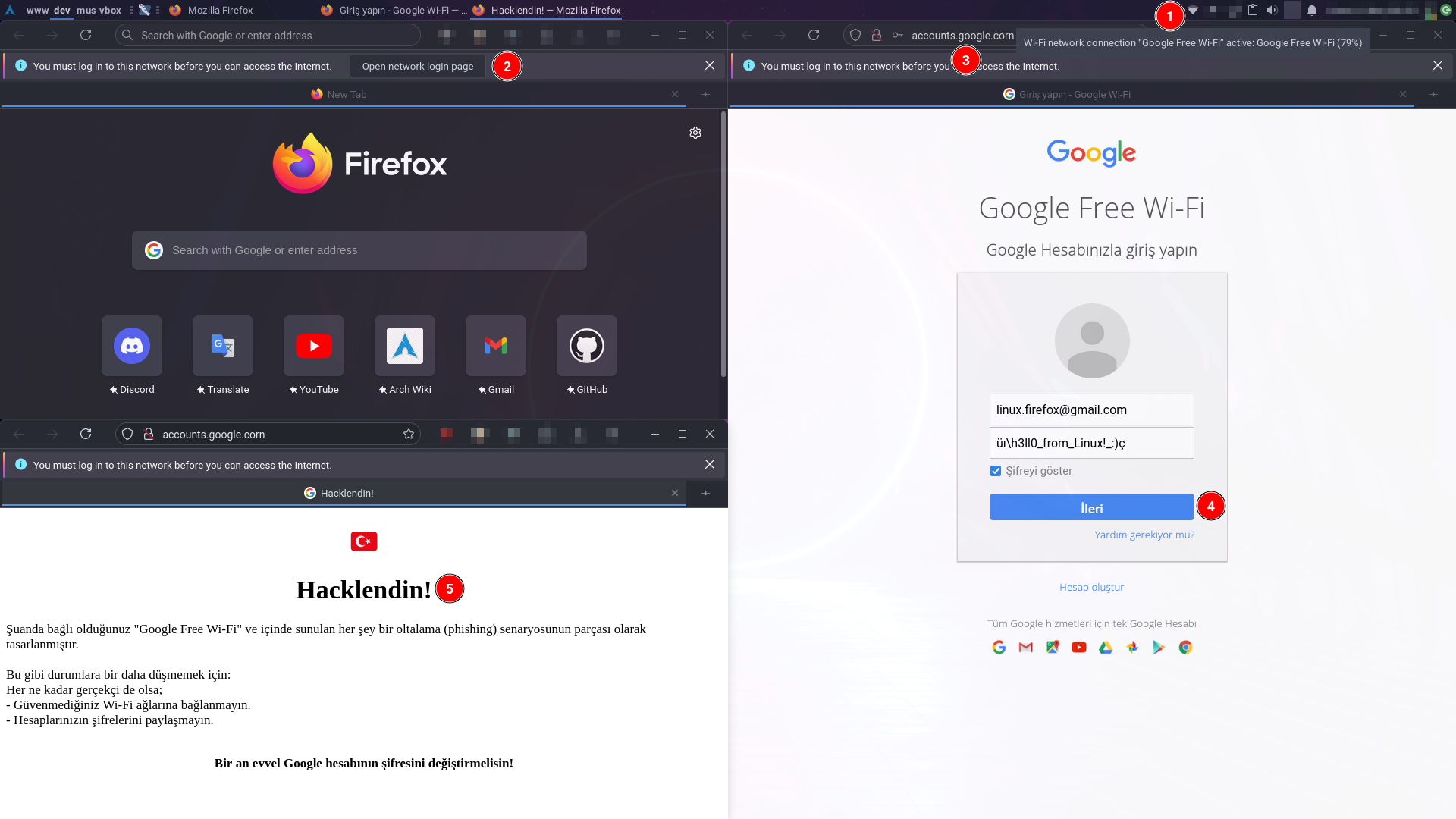
In Firefox, a prompt appears on the top of application window. After clicking Open network login page, it opens captive portal page in a new tab.
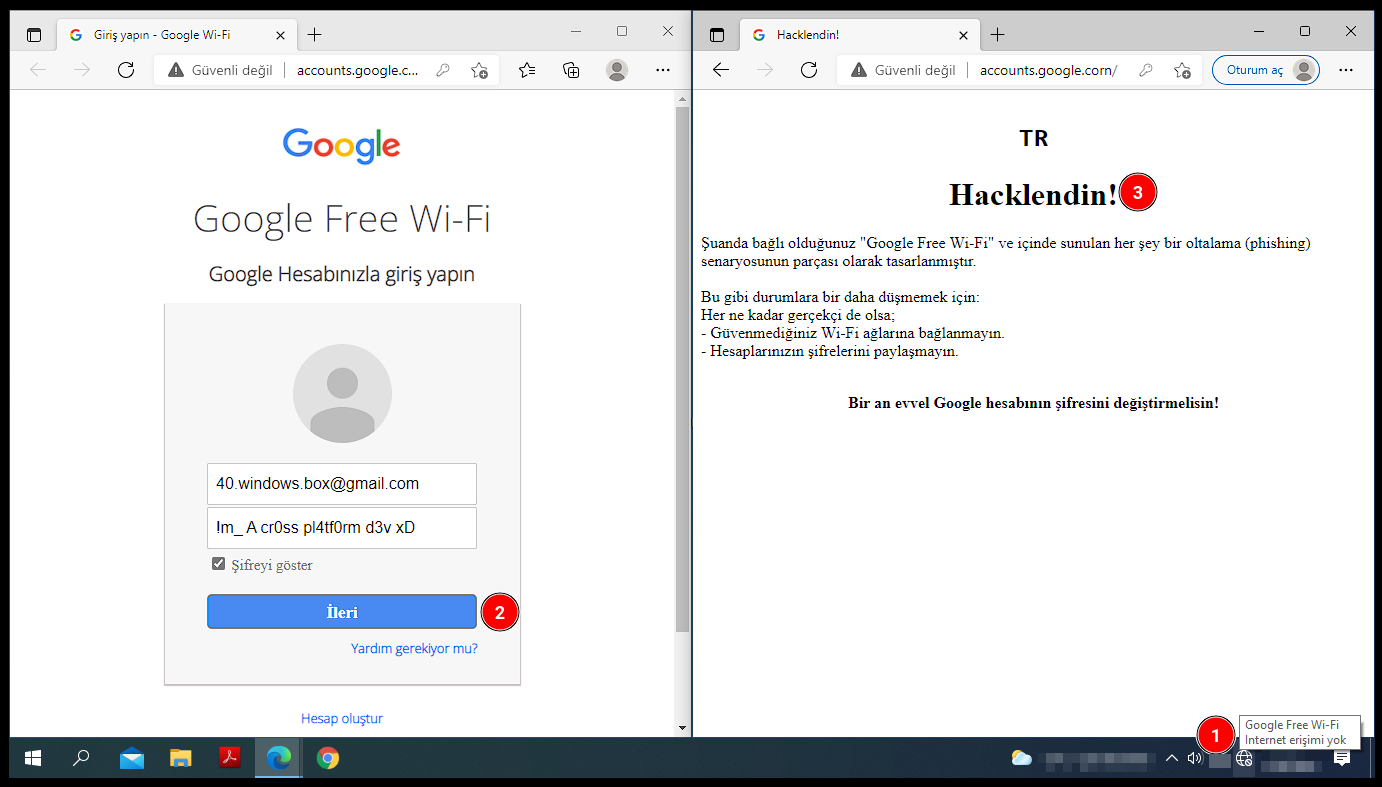
And the other guy who doesn't even let users to decide (like IOS). Always opens captive portal page automatically.
As I explained before,
The whole period of learning, implementing what I learned to real life, fixing bugs and writing this documentation was a lot fun for me! I hope you use these knowledge for the ethical! Contact me for additional questions and business/academical/educational cases.
Twitter
LinkedIn
HackerOne
Hack The Box
─ Written by Şefik Efe Altınoluk ─





